Our Top Picks
 INNOCN 49" Curved Monitor Ultrawide Gaming 5K2K 120Hz49 Inch6.28 x 45.5 x 14.57 inchesCheck on Amazon
 INNOCN 49" Curved Gaming Monitor 144Hz Ultrawide 32:949 Inch6.28 x 45.5 x 14.57 inchesCheck on Amazon
The best INNOCN monitor for most desks in this group is the 34C1R: a 34-inch, 3440 x 1440 ultrawide that lists 180Hz and sits in the lowest price tier here. Prefer raw speed and the 27-inch 2780s lists QD-OLED at 280Hz; want the biggest canvas with a built-in dock and the 49Q1R combines QD-OLED, USB-C at 90W, KVM and a USB hub on a 5120 x 1440 curve. Six of the seven listings are ultrawides, so choosing a width and a resolution comes before choosing a panel, and the desk matters as much as the spec sheet. Everything below comes from the listing titles, so confirm each detail on the product page before you buy.
The seven INNOCN listings at a glance
INNOCN 49" Curved Monitor Ultrawide Gaming 5K2K 120Hz 32:9 QHD 5120 x 1440P Computer Monitor, R1800, 99% sRGB, HDR400, USB Type C, DisplayPort, HDMI, Built-in Speakers, Height/Tilt Adjustable - 49C1R


As an Amazon Associate we earn from qualifying purchases. Product prices and availability are accurate as of the date/time indicated.

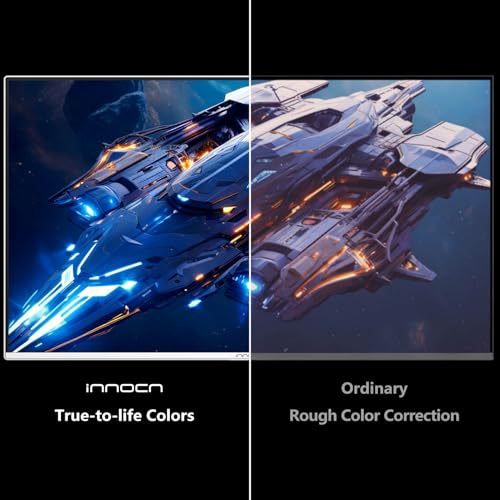
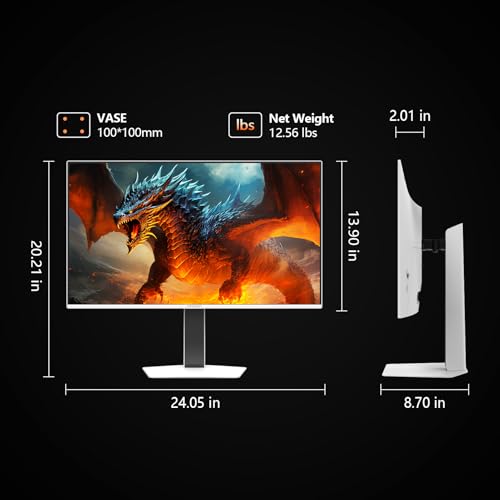
INNOCN 27" QD-OLED 2K QHD 2560 x 1440P 280Hz PC Computer Gaming Console Monitor, 0.03ms, HDR400, HDMI, DisplayPort, Built-in Speaker, Height Pivot Adjustable Stand - 2780s




As an Amazon Associate we earn from qualifying purchases. Product prices and availability are accurate as of the date/time indicated.

INNOCN 34" Ultrawide Monitor WQHD 3440 x 1440P 180Hz IPS PC Adaptive-Sync G-SYNC Compatible, HDMI, DP, PIP/PBP, 21:9, HDR, MPRT, Built-in Speaker, Height Adjustable, Eye Care - 34C1R

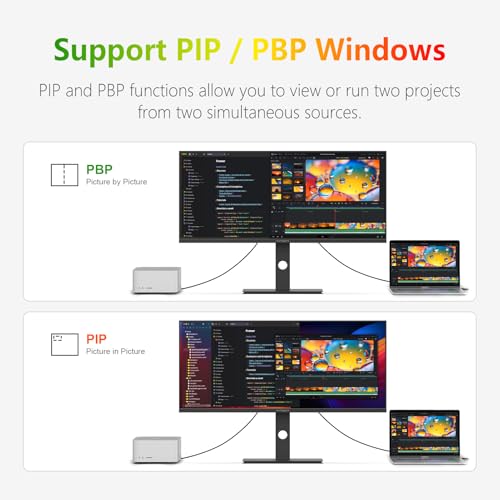


As an Amazon Associate we earn from qualifying purchases. Product prices and availability are accurate as of the date/time indicated.
INNOCN 49" Curved Gaming Monitor 144Hz Ultrawide 32:9 WDFHD 3840 x 1080P, R1800, 99% sRGB, HDR400, USB Type C, DisplayPort, HDMI, Built-in Speakers, Height/Tilt Adjustable - 49C1G


As an Amazon Associate we earn from qualifying purchases. Product prices and availability are accurate as of the date/time indicated.

INNOCN 40C1R Ultrawide Monitor 40" WQHD 3440 x 1440p 144Hz FreeSync Premium HDR400 21:9 Computer Display 95% DCI-P3 500Nits IPS USB Type-C HDMI Tilt/Height Adjustable, Mountable


As an Amazon Associate we earn from qualifying purchases. Product prices and availability are accurate as of the date/time indicated.

INNOCN 45C1R 45" 5K2K 5120 x 1440p Ultrawide Curved Gaming Monitor, R1500, HDR400, USB Type-C 90W Power Delivery, PIP/PBP, Built-in Speaker, Height Adjustable, Black


As an Amazon Associate we earn from qualifying purchases. Product prices and availability are accurate as of the date/time indicated.

INNOCN 49" QD-OLED 5K2K 5120 x 1440P 144Hz Ultrawide Curved Monitor - 49Q1R | 0.03ms, USB C 90W, HDMI 2.1, DisplayPort, KVM, PIP/PBP, USB Hub, Speakers, Adaptive-Sync, Adjustable Stand, Black


As an Amazon Associate we earn from qualifying purchases. Product prices and availability are accurate as of the date/time indicated.
| Model | Key point from title | Price tier | Best for |
|---|---|---|---|
| 34C1R | 34-inch 3440 x 1440, 180Hz IPS, G-SYNC Compatible wording | Budget | First ultrawide, mixed work and play |
| 2780s | 27-inch QD-OLED 2560 x 1440, 280Hz, 0.03ms | Mid-range | Fast single-screen gaming |
| 40C1R | 40-inch 3440 x 1440, 144Hz IPS, 95% DCI-P3, USB-C | Mid-range | Big-format productivity |
| 45C1R | 45-inch 5120 x 1440, R1500, USB-C 90W | Premium | One-cable laptop desk |
| 49C1G | 49-inch 3840 x 1080, 144Hz, 32:9 | Premium | Light-GPU super-ultrawide |
| 49C1R | 49-inch 5120 x 1440, 120Hz, 99% sRGB | Premium | Replacing two QHD screens |
| 49Q1R | 49-inch QD-OLED 5120 x 1440, 144Hz, KVM, hub, 90W | Premium | Do-it-all flagship desk |
Model notes, cheapest to dearest
INNOCN 34C1R: the value ultrawide
The 34C1R title packs the most gaming-relevant wording of the set: 3440 x 1440, 180Hz, IPS, Adaptive-Sync and G-SYNC Compatible. That last phrase is a seller claim, so look for how the listing supports it. PIP/PBP, a built-in speaker, height adjustment and an Eye Care mode are also named. HDR appears without a level, which usually signals a basic implementation. Nothing in the title mentions USB-C, so docking a laptop would need a separate cable plan.
By our calculation the pixel density is about 110 pixels per inch, sharp enough for text at normal desk distance.
Pros
- Lowest price tier in the group
- 180Hz is the highest refresh among the ultrawides
- Height adjustment listed
Cons
- No USB-C named in the title
- HDR level not stated
Who it’s for: anyone buying a first ultrawide who wants speed without a flagship bill.
INNOCN 2780s: the fast QD-OLED 27
This is the only conventional-shape screen here: 27 inches, 2560 x 1440, QD-OLED, 280Hz and a 0.03ms figure that is a seller claim whose method the title does not give. HDMI, DisplayPort, a speaker and a height-and-pivot stand are listed. The title also says console monitor, but check which HDMI version is fitted before assuming 120Hz on a console. A pivot stand is handy for a second-screen reading layout, though a QD-OLED panel in portrait deserves the same static-image care as landscape.
At about 109 pixels per inch it matches the sharper ultrawides, and a 280Hz target needs a graphics card able to feed it.
Pros
- Highest refresh rate in the set
- Pivot stand allows portrait use
- Compact enough for a shallow desk
Cons
- No USB-C in the title
- 280Hz at 1440p is demanding on the GPU
- HDR400 wording is modest
Who it’s for: competitive players who want one fast screen and have the graphics power to use it.
INNOCN 40C1R: the large 21:9
A 40-inch 3440 x 1440 IPS panel at 144Hz with FreeSync Premium, HDR400, 95% DCI-P3 and 500 nits. USB Type-C and HDMI are named, but DisplayPort is not, so confirm the full port list. At roughly 93 pixels per inch the pixels are the largest of the group, which makes it a screen to sit further from. At 40 inches it also leaves room for two document windows side by side without scaling tricks.
The stated colour coverage and brightness are the most detailed of any INNOCN title here, which helps if you edit photos as a hobby.
Pros
- 95% DCI-P3 and 500 nits stated
- USB-C included
- Mountable per the title
Cons
- DisplayPort not named
- Lowest pixel density of the QHD-class models
Who it’s for: people who want a wide, bright workspace and will sit at least a metre back.
INNOCN 45C1R: the 90W laptop dock
A 45-inch, 5120 x 1440 curve (R1500) with HDR400, PIP/PBP, a speaker and USB-C with 90W Power Delivery. No refresh rate appears in the title, so check the listing before treating it as a gaming screen. The title also uses 5K2K, which describes width, not vertical sharpness. The tighter R1500 curve wraps the edges toward you more than the 49-inch models do, which some people like and others find distorting for straight-line work such as spreadsheets.
At about 118 pixels per inch by our calculation it is the densest of the 5120 x 1440 models.
Pros
- Highest pixel density among the super-ultrawides
- 90W USB-C charging for thin laptops
- Tighter curve than the 49-inch models
Cons
- Refresh rate and input list not in the title
- No QD-OLED or panel type named
Who it’s for: a laptop user who wants one cable for video and power on a wide screen.
INNOCN 49C1G: the lighter-load 32:9
A 49-inch curve at 3840 x 1080 and 144Hz, with R1800, 99% sRGB, HDR400, USB-C, DisplayPort, HDMI and speakers. Only 1080 rows are spread across 49 inches, about 81 pixels per inch, so text looks noticeably coarser than on the 1440-row models.
It asks about 44% fewer pixels per frame than 5120 x 1440 (4.1 million versus 7.4 million, our arithmetic), which helps weaker graphics cards. The catch is that the listing sits in the same price tier as the sharper 49C1R, so the saving is on the GPU, not the monitor. If you only want the 32:9 shape for sim racing or flight games, that trade can still make sense.
Pros
- Easier for mid-range GPUs to drive
- 144Hz listed
- USB-C, DP and HDMI all named
Cons
- Coarse text at this size
- Costs about the same as higher-resolution siblings
Who it’s for: someone gaming on a modest card who values width over sharpness.
INNOCN 49C1R: the two-screens-in-one
The 49C1R lists 5120 x 1440 at 120Hz on a 49-inch R1800 curve, with 99% sRGB, HDR400, USB Type-C, DisplayPort, HDMI, speakers and a height and tilt stand. The title mixes 5K2K and QHD, a reminder that the labels are marketing shorthand.
It delivers the same canvas as a dual 27-inch QHD setup without the bezel gap, at about 108 pixels per inch. Panel type and USB-C wattage are not in the title, so ask those two questions on the listing before ordering. It is the plainest of the three 49-inch models.
Pros
- Roughly equals two 27-inch QHD screens
- Full input set listed
- Lower refresh load for older cables
Cons
- 120Hz trails the 144Hz siblings
- Panel type and USB-C power not stated
Who it’s for: a desk owner swapping a two-monitor layout for one continuous surface.
INNOCN 49Q1R: the flagship
The title lists a 49-inch QD-OLED at 5120 x 1440 and 144Hz, with 0.03ms (seller claim), USB-C 90W, HDMI 2.1, DisplayPort, a KVM, PIP/PBP, a USB hub, speakers and Adaptive-Sync. It is the only model here with KVM listed, so two computers can share one keyboard and mouse.
It sits in the top price tier and OLED care applies: vary static elements and read the warranty wording on image retention. Remember that running the full 5120 x 1440 at 144Hz is a heavy demand for most graphics cards.
Pros
- Most complete feature list
- HDMI 2.1 gives console and high-refresh headroom
- KVM plus hub reduce desk clutter
Cons
- Highest price tier
- Static-image care is part of ownership
Who it’s for: a buyer who wants a single screen to run a laptop, a PC and a console.
How these were chosen
This is a desk-research shortlist built from the seven INNOCN listings supplied for this guide. We read each title, grouped the models by width and resolution, and flagged claims that come from the seller rather than a standard. Our basis is published specifications, manufacturer documentation and buyer reviews. Nobody on the team used or measured these units. Price tiers are relative within the set, not absolute, and any figure beyond a title, such as pixel density or bandwidth, is our own estimate with the assumptions stated.
What to look for before choosing
Width, density and desk size
Pixel density is the diagonal in pixels divided by the diagonal in inches, and these are our calculated approximations:
| Model | Resolution | Approx. PPI | Approx. screen width |
|---|---|---|---|
| 2780s | 2560 x 1440 at 27 in | 109 | 23.5 in |
| 34C1R | 3440 x 1440 at 34 in | 110 | 31 in |
| 40C1R | 3440 x 1440 at 40 in | 93 | 37 in |
| 45C1R | 5120 x 1440 at 45 in | 118 | 43 in |
| 49C1G | 3840 x 1080 at 49 in | 81 | 47 in |
| 49C1R / 49Q1R | 5120 x 1440 at 49 in | 108 | 47 in |
Widths assume 16:9, 43:18 and 32:9 shapes and ignore the curve and bezels. A 49-inch model needs at least a 48-inch desk. For a 5120 x 1440 canvas compared with true 5K, see our 5K monitor comparison, and for how text size changes with sharpness, the 4K programming guide explains the same idea. As a rule of thumb, higher density lets you sit closer or scale text down, while lower density rewards extra distance.
Cable bandwidth
Assuming 8-bit colour, 5120 x 1440 at 144Hz is about 25.5 Gbps of raw pixel data, before blanking. DisplayPort 1.4 carries roughly 25.9 Gbps usable, so expect compression or reduced timing. 3440 x 1440 at 180Hz is about 21.4 Gbps and fits, while 2560 x 1440 at 280Hz is about 24.8 Gbps, close to the ceiling. HDMI 2.1 has far more headroom, so match the cable to the port version.
Speed claims and HDR labels
Response figures such as 0.03ms and MPRT numbers are manufacturer-quoted, and the method behind them rarely appears in a title. Treat HDR400 as a label for modest peak brightness rather than a cinema-style experience; the 40C1R’s stated 500 nits is the only brightness figure in this set.
Panel, USB-C and mounts
Only the 34C1R and 40C1R name IPS, and the 2780s and 49Q1R name QD-OLED; the remaining titles are silent. USB-C is only useful if it carries video and enough power, so read the listing for wattage. If you plan to use an arm, check the VESA pattern and the monitor’s weight against the arm’s rated load. For laptop docking, our monitor docking station guide covers the alternatives.
Mistakes buyers make
The first is buying width without checking the desk: a 49-inch screen about 47 inches across does not fit a 42-inch desk. The second is reading 5K2K as 5K and expecting retina-style sharpness. The label tells you the width, nothing about density. The third is trusting refresh claims without matching cables, since a 144Hz 5120 x 1440 signal can fall back to 60Hz on an older HDMI lead. The fourth is assuming every USB-C port charges and carries video, when some are data-only. The fifth is skipping the OLED care notes and leaving a taskbar on screen all day, which is the habit that image retention punishes. A short pre-purchase checklist helps: desk width, GPU, cable versions, USB-C wattage and warranty terms.
Verdict
For value, the 34C1R is the easiest recommendation: a sensible size, 180Hz listed and the lowest price tier. For speed alone, the 2780s fits a smaller desk. For a laptop-plus-PC setup the 49Q1R is the most complete, though it carries the premium price and OLED care; the 45C1R is the calmer alternative if 90W USB-C is the main draw. Skip the 49C1G unless GPU load is the limit, because its price class buys more resolution elsewhere. Whichever you pick, read the listing’s port details first.
INNOCN monitor questions
Is INNOCN’s 5K2K label the same as true 5K?
No. The 5120 x 1440 models are two 2560 x 1440 screens side by side, about 7.4 million pixels in total. True 5K at 5120 x 2880 has twice as many rows, around 14.7 million pixels. The 5K2K wording describes width only, so expect 1440p-class sharpness vertically. On a 49-inch panel that works out to roughly 108 pixels per inch by our calculation.
Do the 144Hz 5120 x 1440 models need DisplayPort or HDMI 2.1?
Our estimate is about 25.5 Gbps of raw pixel data at 8-bit colour before blanking, which is close to the roughly 25.9 Gbps usable ceiling of DisplayPort 1.4 without compression. Expect either display stream compression or a lower refresh over older cables. The 49Q1R title lists HDMI 2.1, which has more headroom. Confirm the port versions on the listing.
Can the USB-C port charge a laptop?
Only two titles state a wattage: the 45C1R and 49Q1R both list 90W Power Delivery. The 49C1R, 49C1G and 40C1R mention USB Type-C without a figure, and it is unclear whether those ports carry video. Check your laptop’s charger rating too, because many gaming laptops draw more than 90W under load and would still need their own adapter.
Is QD-OLED worth choosing over IPS here?
It depends on the room and the content. OLED-class panels are generally associated with deeper blacks and very quick pixel response, which suits dark-room gaming and video. Trade-offs usually include static-image care, such as taskbars and HUD elements, and brightness limits in large bright scenes. Check the warranty wording for image retention before paying the premium over the IPS models.
Will a 49-inch super-ultrawide fit my desk?
A 32:9 panel at 49 inches is roughly 47 inches wide by our calculation, before the stand’s feet and any curve. That makes a 48-inch desk the bare minimum and 60 inches far more comfortable. You also need depth: plan on at least 30 inches between your eyes and the glass so the screen edges stay inside your field of view.