Our Top Picks
 FEELWORLD D10 10.1inch Touch Telepromter Monitor Build-in Speakers9.56 x 0.42 x 6 inches1.1 PoundsCheck on Amazon
The best monitor for a teleprompter is usually a complete kit, not a bare screen, because the glass, hood and mount decide whether text sits in front of your lens. The NEEWER X11 and the Elgato Prompter are the practical starting points in this set, while the LILLIPUT 15.6-inch is the brightest bare screen for rooms with strong light. This guide splits eight listings into kits and bare screens, then works through a text-size calculation with every assumption spelled out. A prompter works by reflecting a screen in angled glass in front of the lens, so what matters is not only the panel but how it is held and how bright it looks after the reflection. Details come from listing titles, so confirm what ships in the box before you buy.
Kits and bare screens side by side

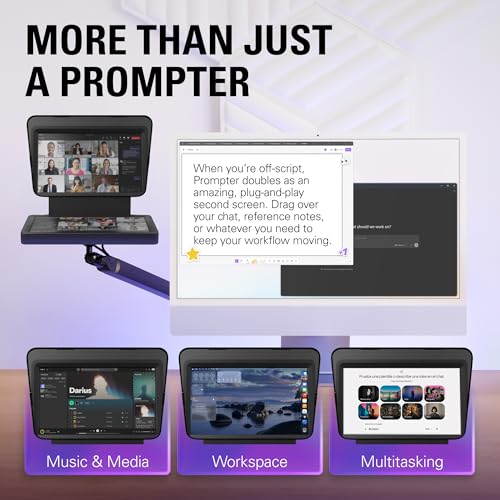
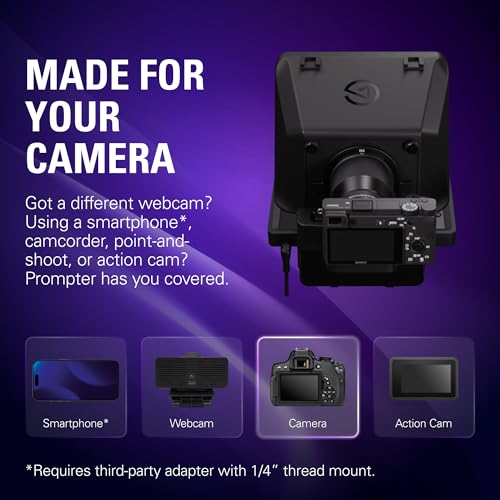
Elgato Prompter, Teleprompter with Built-in Screen | Drag-and-drop display, Supports DSLR, webcam, smartphone, Read chat or scripts, Works with Mac, PC, Stream Deck






As an Amazon Associate we earn from qualifying purchases. Product prices and availability are accurate as of the date/time indicated.

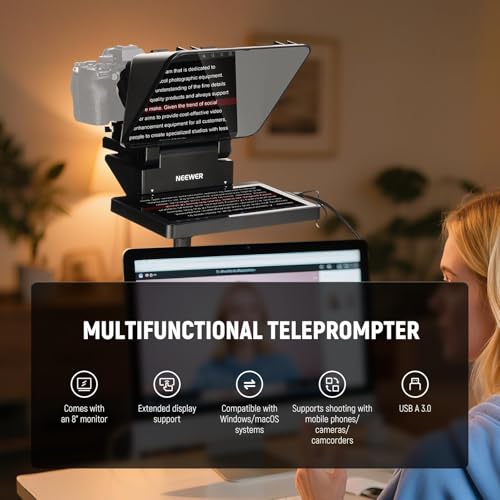
NEEWER X11 2 in 1 Teleprompter 11" with Monitor, Supports Screen Mirroring | Portable Prompter for Camera Phone Webcam, Compatible with Windows MacOS, for YouTube Twitch Live Streaming Video Conference




As an Amazon Associate we earn from qualifying purchases. Product prices and availability are accurate as of the date/time indicated.
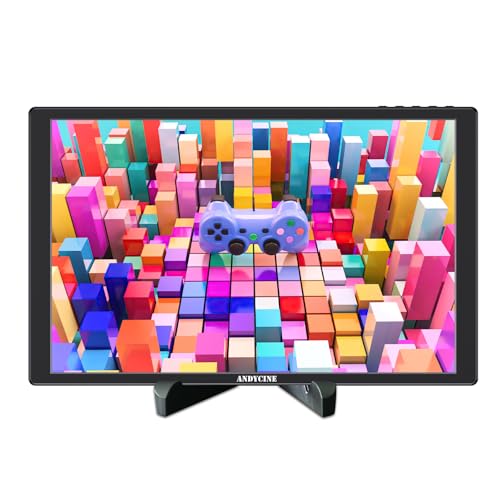
ANDYCINE N10 10.1inch 1920x1200 Touchscreen HDMI Monitor


As an Amazon Associate we earn from qualifying purchases. Product prices and availability are accurate as of the date/time indicated.

LILLIPUT 15.6" TK1560/C NO-Touch 1000 nits high Brightness IP65 Front Panel Design with HDMI, VGA, AV Monitor for Teleprompter


As an Amazon Associate we earn from qualifying purchases. Product prices and availability are accurate as of the date/time indicated.
FEELWORLD D10 10.1inch Touch Telepromter Monitor Build-in Speakers | Support 75mm Vesa,Image Rotation ,Portable HDMI Monitor Compatible for for PC, Camera, Game Console


As an Amazon Associate we earn from qualifying purchases. Product prices and availability are accurate as of the date/time indicated.

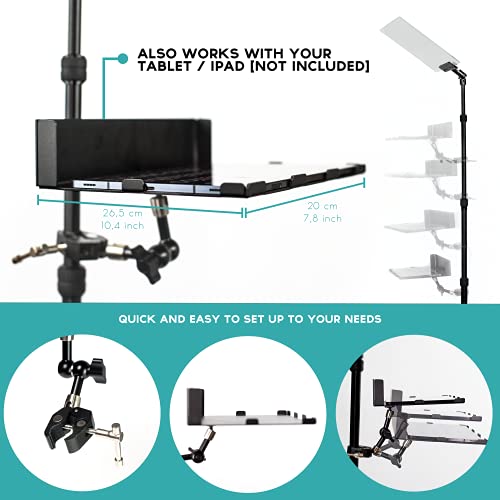
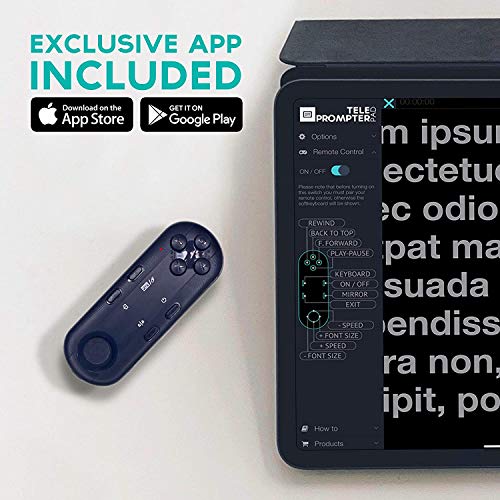
TELEPROMPTER PAD iPresent PRO Portable Presidential Teleprompter for iPad Tablet & Monitor with Remote Control, Hardcase & APP, Live Events Public Speaking & Conference, Speech Prompter Stage Autocue





As an Amazon Associate we earn from qualifying purchases. Product prices and availability are accurate as of the date/time indicated.
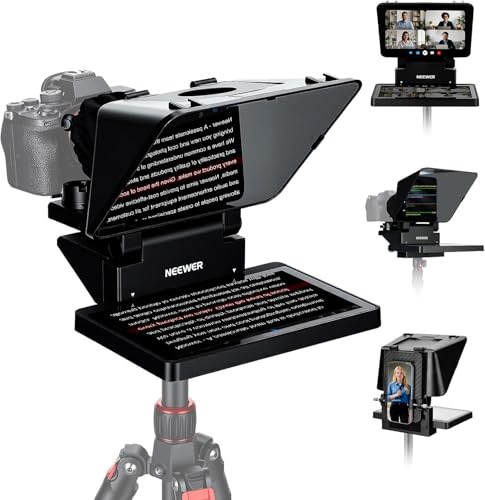
NEEWER X11 Matte Black 2 in 1 Teleprompter 11 Inch with Monitor | Screen Mirroring, Portable Prompter for Camera Phone Webcam, Compatible with Windows MacOS for YouTube Twitch Live Streaming


As an Amazon Associate we earn from qualifying purchases. Product prices and availability are accurate as of the date/time indicated.
| Model | Key point from title | Price tier | Best for |
|---|---|---|---|
| NEEWER X11 (silver listing) | 11-inch 2-in-1 teleprompter with monitor, screen mirroring | Mid-range | Camera or phone creators |
| NEEWER X11 Matte Black | Same 11-inch design in a matte finish | Mid-range | Glare-conscious studios |
| Elgato Prompter | Built-in screen, DSLR, webcam and smartphone support, Stream Deck | Mid-range | Streamers on Mac or PC |
| GVM 18.5-inch kit | Android all-in-one monitor, remote and app, carry case | Premium | Larger scripts on location |
| iPresent PRO | Presidential-style frame for iPad or monitor, remote, hard case | Premium | Speeches and live events |
| LILLIPUT TK1560/C | 15.6-inch, 1000 nits, IP65 front panel, HDMI, VGA, AV | Premium | Bright rooms, rugged use |
| FEELWORLD D10 | 10.1-inch touch, speakers, 75mm VESA, image rotation | Budget | Small DIY prompter |
| ANDYCINE N10 | 10.1-inch 1920×1200 touch HDMI monitor | Budget | Bare screen for a DIY frame |
Eight listings, kits first
NEEWER X11 11-inch teleprompter
The title calls it a 2-in-1 teleprompter with an 11-inch monitor that supports screen mirroring, and lists camera, phone and webcam use with Windows and macOS for streaming and video calls. Being a kit, it should include the glass and the hood, though the listing is where to confirm what is in the box. Screen mirroring is the key point: your computer sends the script and the panel flips it. The screen’s resolution is not in the title, so check it before you count on a particular text size. The title names YouTube, Twitch and video conferencing, which suggests a webcam is a typical use, and an 11-inch screen is a middle size that suits a reading distance of roughly one to two meters. Check that the hood and glass are sized for your lens diameter, since large lenses can vignette.
- Pros: all-in-one kit; mirroring for scripts; camera and phone support
- Cons: resolution not in the title; fixed 11-inch size
Who it’s for: solo creators who want one purchase.
NEEWER X11 Matte Black
A near-duplicate of the first listing: the same 11-inch 2-in-1 teleprompter with monitor, screen mirroring, and Windows and macOS compatibility, now in matte black. The title gives no spec difference, so a finish is the likely change. The matte surface may cut reflected glare from lights, a general benefit for studio work, though the listing does not claim it. Compare the current price of both before choosing, since the titles show the black version at a higher tier. If the two cost the same when you shop, the choice is cosmetic; if the black one costs more, the silver listing gives the same feature list in the title for less. Always confirm the box contents and warranty on the page for each version.
- Pros: same feature set as the silver listing; low-reflection look
- Cons: near-duplicate; costs more in this set
Who it’s for: buyers who care about the finish.
Elgato Prompter
The title calls this a teleprompter with a built-in screen and “drag-and-drop display”, supporting a DSLR, webcam or smartphone, and working with Mac, PC and Stream Deck. The mention of reading chat as well as scripts suggests a streaming focus. Because the screen is built in, you do not need to match glass and monitor. Check the listing for the exact camera sizes it holds and the cables included. The drag-and-drop claim describes the software, and it is a seller claim. Stream Deck support suggests you can trigger scrolling or scenes from the same desk, which is handy if you work alone. Its fit with a larger mirrorless camera or a long lens is something to read in the listing, not assume.
- Pros: built-in screen; streamer-oriented software; Stream Deck support
- Cons: camera fit depends on your lens and body; resolution not listed
Who it’s for: streamers who read chat and notes.
GVM 18.5-inch teleprompter kit
A kit for digital cameras and camcorders with an 18.5-inch Android all-in-one monitor, a remote with an app and a carry case. The big screen is the draw: at 18.5 inches you can set larger text for a longer reading distance. Android means the script app can run on the monitor itself, but check which apps work. It is the most expensive listing in the set, and the size means more weight on your tripod, so verify the rating. The included remote and app mean someone else, or you, can control scroll speed without touching the screen, and the case helps when you travel between shoots. With a shorter reading distance, 18.5 inches may be more than you need, so match it to the room.
- Pros: largest screen; remote and app; carry case
- Cons: highest price; heavy for small tripods
Who it’s for: crews that need a big, portable kit.
iPresent PRO presidential teleprompter
This is a stage-style prompter for an iPad, tablet or monitor, with a remote, hard case and app, aimed at live events, public speaking and conferences. A presidential setup puts glass panels at an angle in front of the speaker, not on a camera. It does not look like a camera-mounted prompter, and the title does not say a screen is included. That makes it the odd one out for a video creator. Treat it as the weaker match for a lens-mounted setup, and consider it only if you present on a stage or in a conference room. Assume you supply the tablet or monitor, then check its size limits and the weight your stand can hold before you buy.
- Pros: hard case; remote; made for live speeches
- Cons: screen not clearly included; not for camera-lens use
Who it’s for: speakers at events and conferences.
LILLIPUT TK1560/C 15.6-inch
A bare 15.6-inch screen sold for teleprompter use with 1000 nits, an IP65 front panel, and HDMI, VGA and AV inputs. The IP65 wording refers to the front panel, so check how the rest of the casing is rated. Its brightness is the standout: under our 30% glass assumption, 1000 nits becomes about 300 nits at the eye. The title says no touch. It is a monitor, so add glass and a hood yourself. Having VGA and AV inputs shows its field-monitor roots, while HDMI is the input most modern cameras and laptops use. The size also pairs well with the longer reading distances of a big studio.
- Pros: very bright; multiple inputs; large 15.6-inch screen
- Cons: no glass or hood in the title; premium price
Who it’s for: bright rooms and tough environments.
FEELWORLD D10 10.1-inch
The title calls it a 10.1-inch touch teleprompter monitor with built-in speakers, 75mm VESA support, image rotation and portable HDMI use with a PC, camera or game console. “Image rotation” may help with mirroring or mounting orientation, but check the exact options in the listing. VESA 75 helps if you build your own frame. Touch is a convenience, though the title does not say the glass is included. The built-in speakers do not matter for a prompter, so do not pay extra for them. Compared with a plain screen, the main value is the teleprompter wording and the VESA holes, and you should still budget for glass and a hood.
- Pros: VESA 75; image rotation; lower price
- Cons: glass and hood not mentioned; brightness not stated
Who it’s for: DIY builders on a budget.
ANDYCINE N10 10.1-inch
A 10.1-inch 1920×1200 touchscreen HDMI monitor. The title does not mention teleprompters, so it is a general-purpose screen that could serve in a DIY frame. Its 1920×1200 resolution makes the text calculation below easy to apply. Brightness, mirroring and mounting details are not in the title. It sits at the lowest price tier and is a weaker match for a first-time buyer, because the missing glass and hood are the harder parts. If you already own a glass kit with a frame for a 10-inch screen, this is a cost-effective fill-in. Without one, expect to spend time sourcing parts and aligning them, so it is not the quick option.
- Pros: sharp 1920×1200; among the lowest-cost screens
- Cons: not sold as a teleprompter; extra parts needed
Who it’s for: experienced DIY builders.
How we picked these
We sorted the eight listings into complete kits and bare screens, then compared brightness, size, mounting and what each title says is included. The basis is published specifications, manufacturer documentation and buyer reviews. Nobody on the team used or measured these units. Titles are seller claims, and we flag near-duplicates and the listing that is not a camera prompter. Price tiers are relative to this set only. We also weigh how much work each option leaves you, since a kit saves hours that a bare screen does not.
What to look for in a teleprompter screen
Text size: a worked example
Assume a reading distance of 1.5 meters and a character height that subtends 0.4 degrees, which works out to about 10.5 mm. Assume capital height is 72% of font size, average character width is half the font size and line spacing is 1.3. On a 10.1-inch 1920×1200 panel, that gives a font near 128 pixels, about 30 characters per line and roughly 7 lines. On a 15.6-inch 1920×1080 panel, it gives a font near 81 pixels, about 47 characters per line and 10 lines. These are estimates, not measurements, and your own comfortable text size may differ. If you read small print easily, scale the numbers down; if you present from farther back, scale them up. The point of the exercise is to show that screen size and resolution together decide how many words fit on screen at once, and a panel that looks big on paper can still hold few lines at a large font.
Brightness through the glass
Beam-splitter glass sends only part of the panel light to your eyes. If we assume 30% arrives, a 400-nit screen looks like about 120 nits, and 1000 nits like about 300. Bright rooms or outdoor shoots therefore favor a brighter panel such as the LILLIPUT.
Mirroring, inputs and weight
Choose a screen or app that can flip the image, and check the input type: HDMI covers most cameras and computers, while VGA and AV are legacy. Weigh the finished prompter against your tripod’s rating, because a large screen plus glass and a camera adds up. VESA 75 helps with DIY mounts.
Distance, script and lens fit
Reading distance drives screen size. A speaker sitting about 1 meter from the lens can read a 10-inch screen with moderate text, while a 2-meter setup is better with a 15-inch or bigger panel. Keep scripts to short lines, because wide text makes your eyes sweep sideways on camera. Finally, check that the hood matches your lens diameter and that the glass angle leaves the lens unobstructed. These are general setup notes, not measurements of any listed product.
Mistakes buyers make
The biggest error is buying a bare monitor and expecting a prompter, when you still need glass, a hood and a way to hold them. People also pick too small a screen for their distance, so text must shrink and eye movement increases. Others forget mirroring, then discover the script reads backwards. Buying by size alone ignores brightness through the glass. Finally, many underestimate the weight on a light tripod. Read what is in the box before you order. A last mistake is trusting a speed or scroll feature without checking that it works with your script app. Remote control is useful on solo shoots, so confirm it is included rather than assuming. If you plan to travel, a hard case or carry bag saves repair costs, which is a point in favor of the kits that include one.
Verdict
For most creators, start with the NEEWER X11 kit, or the Elgato Prompter if you stream from a Mac or PC. Choose the GVM 18.5-inch for big text on location, the LILLIPUT for bright rooms and the FEELWORLD for a low-cost DIY build. Skip the iPresent unless you present at live events. The ANDYCINE N10 suits experienced builders who already own glass, and the second NEEWER listing is only worth it if its price matches the first. Before you buy any option, check the box contents and the camera weight limit on the product page.
Related guides
- Helping Hands Soldering Station With Magnifier
- Bench Power Supply For Electronics Hobbyists
- Monitor For Visually Impaired
Frequently asked questions
Can any monitor be used as a teleprompter?
Almost any HDMI monitor can show mirrored text, but it also needs a beam-splitter glass and a hood or frame to hold it in front of the lens. Listings such as the ANDYCINE N10 are screens only. Complete kits like the Elgato Prompter or NEEWER X11 bundle that hardware.
What brightness does a teleprompter screen need?
More than a normal desk monitor. Beam-splitter glass reflects only part of the light, so if we assume about 30% reaches your eyes, a 400-nit panel looks like roughly 120 nits and a 1000-nit panel about 300. For a bright room or outdoors, favor the higher-brightness LILLIPUT.
Why does the text need to be mirrored?
The reflection in the glass flips the image, so a screen showing normal text would read backwards. Teleprompter apps and monitors include a mirror or flip setting that reverses it. If a bare monitor lacks the feature, the app on your computer or tablet must do it. Check the listing or settings first.
Is a 10-inch screen big enough to read from a few feet away?
Usually, with large text. Under the assumptions in this guide, a 10.1-inch 1920×1200 panel shows about 30 characters per line and 7 lines at a reading distance of 1.5 meters. That is fine for short scripts. For long takes or a longer distance, step up to a 15.6-inch or larger screen.
Should I buy a complete kit or build my own?
Buy a kit if you want fewer decisions: glass, hood and mounting are matched. Build your own if you already own a monitor and a camera rig, because a bare screen plus a glass kit can cost less. The trade-off is fit and alignment, which you must check for your lens and mount.