Our Top Picks
 GIGABYTE M27Q2 27" SuperSpeed IPS QHD AMD Freesync27" QHD7.56 x 24.09 x 20.26 Inches18.1 poundsCheck on Amazon
 GIGABYTE G25F2A 24.5" SuperSpeed IPS FHD Gaming MonitorFhd 240Hz7.38 x 19.62 x 21.93 inches13.2 poundsCheck on Amazon
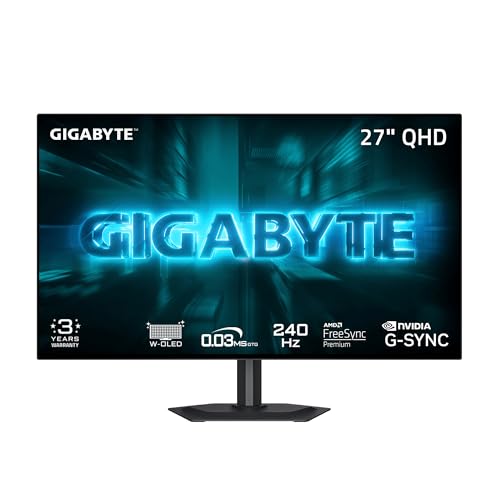 GIGABYTE GO27Q24G 27" W-OLED 240Hz QHD Gaming Monitor27" QHD7.38 x 23.8 x 20.73 inches16.5 poundsCheck on Amazon
The best Gigabyte monitor in this set depends on what you are willing to pay for. For most players the sweet spot is the M27Q2, a 27-inch QHD IPS screen with Type-C and a KVM switch. Spending more buys OLED: the GO27Q24G is the cheapest, the MO27Q2A is the one that names HDMI 2.1, and the MO27Q28GR is the priciest. Spending less means one of three 240 Hz 1080p IPS panels. One entry, the GS27QA SA, lists both FHD and QHD in its title, so confirm its resolution first. Every figure here is a seller claim from a listing title, and the cable table further down shows what each refresh rate actually demands.
Eight Gigabyte screens, cheapest to dearest
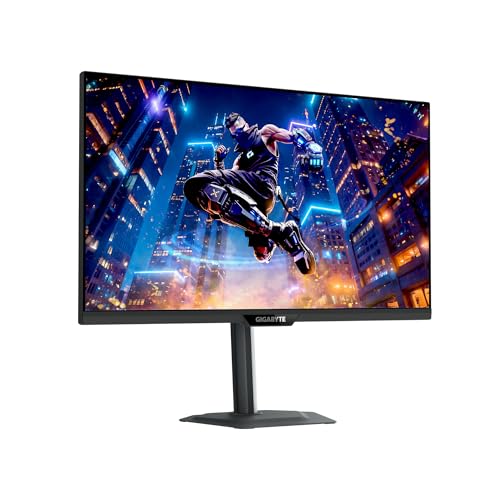
GIGABYTE M27Q2 27" SuperSpeed IPS QHD AMD Freesync Premium Gaming Monitor | Black, QHD 2560x1440, 200HZ-OC 210Hz, 1ms GTG, G-Sync Compatible, Type-C, KVM, HDMI, DP, Height and Tilt Adjustable




As an Amazon Associate we earn from qualifying purchases. Product prices and availability are accurate as of the date/time indicated.
GIGABYTE G25F2A 24.5" SuperSpeed IPS FHD Gaming Monitor | Black, FHD 1920x1080, 240Hz, 1ms GTG, HDMI, DP, AMD Freesync Premium, Height and Tilt Adjustable


As an Amazon Associate we earn from qualifying purchases. Product prices and availability are accurate as of the date/time indicated.
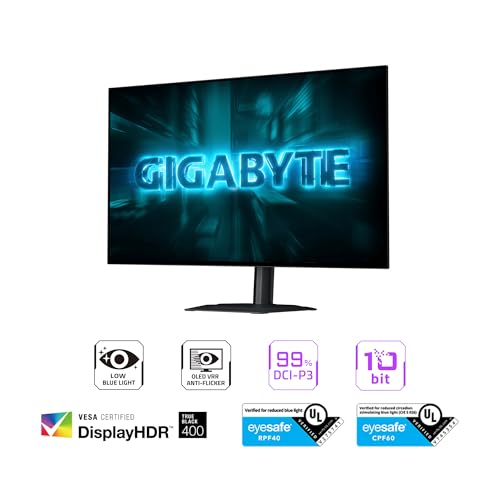
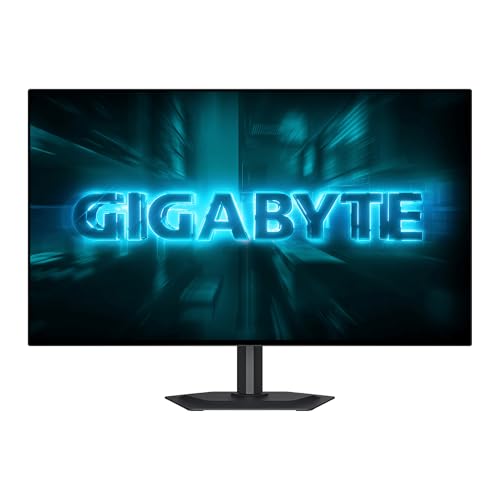
GIGABYTE GO27Q24G 27" W-OLED 240Hz QHD Gaming Monitor | Black, QHD 2560x1440, 0.03ms GTG, AMD FreeSync Premium, G-SYNC Compatible, HDMI, DP, Type-C, Height and Tilt Adjustable





As an Amazon Associate we earn from qualifying purchases. Product prices and availability are accurate as of the date/time indicated.

GIGABYTE MO27Q28GR 27" W-OLED QHD AMD Freesync Premium Pro Gaming Monitor | Black, W-OLED Tandem, QHD 2560x1440, 280Hz, 0.03ms GTG, G-SYNC Compatible, HDMI, DP, Type-C, KVM, Height and Tilt Adjustable


As an Amazon Associate we earn from qualifying purchases. Product prices and availability are accurate as of the date/time indicated.

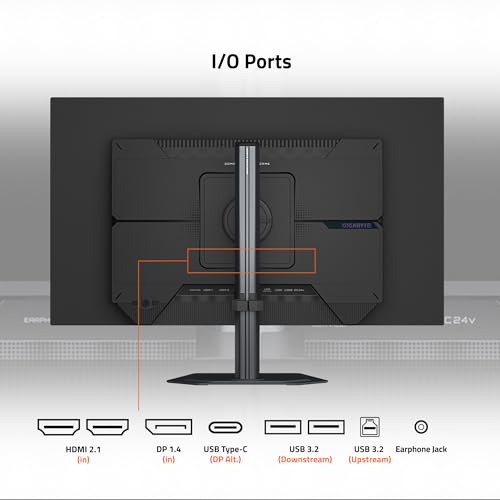
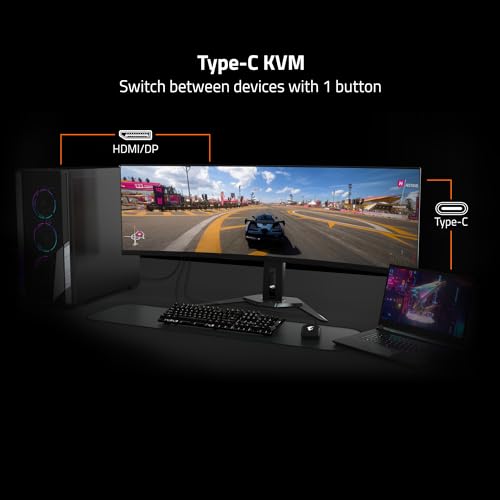
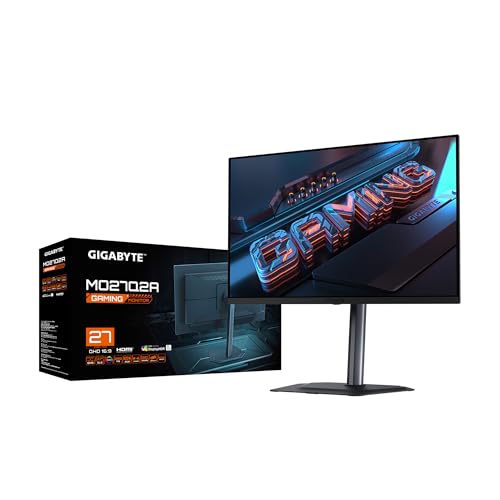
GIGABYTE MO27Q2A 27" QD-OLED QHD AMD Freesync Premium Pro Gaming Monitor | Black, QHD 2560x1440, 280Hz, 0.03ms GTG, G-SYNC Compatible, HDMI2.1, DP1.4, Type-C, KVM, Height and Tilt Adjustable





As an Amazon Associate we earn from qualifying purchases. Product prices and availability are accurate as of the date/time indicated.

GIGABYTE GS27QA SA 27" SuperSpeed IPS FHD 180Hz AMD Freesync Gaming Monitor | Black, QHD 2560x1440, 1ms MPRT, AMD FreeSync, HDR 10 Ready, 2X HDMI 2.0, DP 1.4, Tilt Adjustable




As an Amazon Associate we earn from qualifying purchases. Product prices and availability are accurate as of the date/time indicated.
GIGABYTE GS27F2 27" SuperSpeed IPS FHD AMD Freesync Premium Gaming Monitor | Black, FHD 1920x1080, 240Hz, 1ms MPRT, 115% sRGB Color Gamut, HDMI, DP, AMD Freesync, Tilt Adjustable, Ergonomic Stand


As an Amazon Associate we earn from qualifying purchases. Product prices and availability are accurate as of the date/time indicated.

GIGABYTE GS25F2A 24.5" SuperSpeed FHD IPS Gaming Monitor | Black, FHD 1920x1080, 240Hz, 1ms GTG, AMD FreeSync Premium, HDMI, DP, Tilt Adjustable




As an Amazon Associate we earn from qualifying purchases. Product prices and availability are accurate as of the date/time indicated.
| Model | Key point from title | Price tier | Best for |
|---|---|---|---|
| G25F2A | 24.5-inch FHD IPS, 240 Hz, 1 ms GTG, height and tilt | Budget | Entry-level competitive play |
| GS25F2A | 24.5-inch FHD IPS, 240 Hz, 1 ms GTG, tilt only | Budget | Only if priced below the G25F2A |
| GS27F2 | 27-inch FHD IPS, 240 Hz, 1 ms MPRT, 115% sRGB | Budget | Bigger screen on a tight budget |
| GS27QA SA | 27-inch IPS, 180 Hz, title lists both FHD and QHD | Mid-range | Bargain hunters who verify resolution |
| M27Q2 | 27-inch QHD IPS, 200 Hz (OC 210), Type-C, KVM | Mid-range | One desk, two computers, 1440p |
| GO27Q24G | 27-inch W-OLED QHD, 240 Hz, 0.03 ms GTG, Type-C | Premium | Cheapest route to OLED |
| MO27Q2A | 27-inch QD-OLED QHD, 280 Hz, HDMI 2.1, DP 1.4, KVM | Premium | PC plus console on one OLED |
| MO27Q28GR | 27-inch W-OLED Tandem QHD, 280 Hz, FreeSync Premium Pro | Premium | Top Gigabyte OLED, ports to verify |
Each monitor in turn
GIGABYTE G25F2A (24.5-inch FHD, 240 Hz)
A 24.5-inch SuperSpeed IPS panel at 1920 x 1080 with a 240 Hz refresh claim, 1 ms GTG, FreeSync Premium, HDMI and DisplayPort. Among the three 240 Hz 1080p models here it is the one whose title also names height adjustment next to tilt. At this size 1080p is about 90 pixels per inch, perfectly workable for fast shooters where frame rate counts more than texture. The picture data for 240 Hz at 1080p is roughly 12 Gbps by our estimate, so even an HDMI 2.0 link has a chance, though DisplayPort is the safer route.
Pros
- Height and tilt adjustment named in the title
- Lowest entry price of the group
Cons
- 1080p looks coarse if you step up in size later
- Title does not mention G-SYNC compatibility
Who it’s for: Esports-minded players with a mid-range graphics card who want maximum refresh for minimum outlay.
GIGABYTE GS25F2A (24.5-inch FHD, 240 Hz)
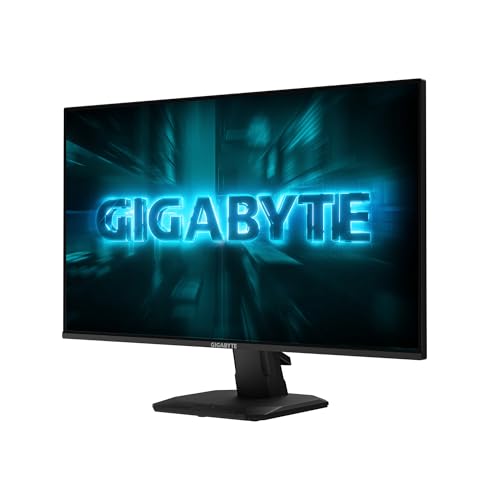
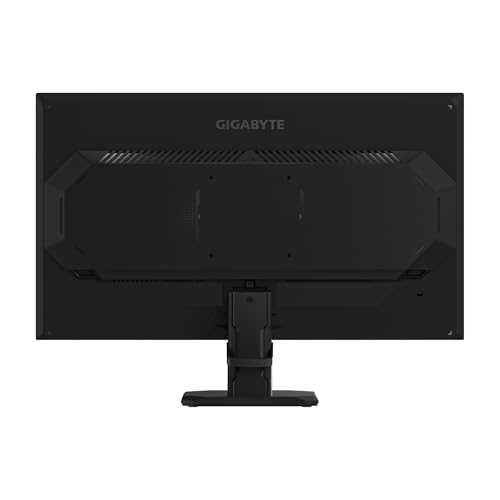
This is close to a clone of the G25F2A: the same 24.5-inch FHD IPS panel, 240 Hz, 1 ms GTG, FreeSync Premium, HDMI and DP. The only visible difference in the titles is the stand, which here is tilt-only. That makes it the weaker of the pair whenever the two cost about the same. If you spot it at a lower price and plan to place it on a desk that already sits at the right height, it becomes reasonable. Otherwise the sibling gives more flexibility for the same refresh rate.
Pros
- Same refresh and response claims as the G25F2A
- Compact footprint for small desks
Cons
- Tilt-only stand per the title
- Near-duplicate of a model with a better stand
Who it’s for: Shoppers who find it cheaper than the G25F2A and do not need height adjustment.
GIGABYTE GS27F2 (27-inch FHD, 240 Hz)
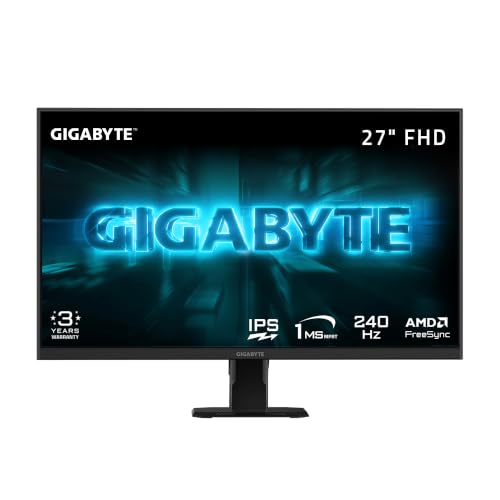
A 27-inch IPS screen at 1920 x 1080 with 240 Hz, 115% sRGB gamut and a 1 ms figure quoted as MPRT. MPRT is a different measurement from GTG, so do not compare the two numbers directly. The title mentions FreeSync Premium and then plain FreeSync, so confirm which applies. Stretching 1080p over 27 inches gives about 82 pixels per inch, which looks noticeably softer on text than a QHD panel at the same size.
Pros
- 240 Hz on a 27-inch panel at a budget tier
- Wide sRGB gamut claim for livelier color
Cons
- Roughly 82 pixels per inch, so text is visibly coarse
- Ambiguous FreeSync wording in the title
Who it’s for: Players who want a larger screen for shooters on a tight budget and accept softer text.
GIGABYTE GS27QA SA (27-inch, 180 Hz)
The title argues with itself: 27-inch IPS FHD 180 Hz in the first half, then QHD 2560 x 1440 in the second. Until the listing’s spec table settles it, treat the resolution as unconfirmed. Other claims are 1 ms MPRT, FreeSync, “HDR 10 Ready”, two HDMI 2.0 ports and DisplayPort 1.4, with a tilt-only stand. “HDR 10 Ready” generally means the screen accepts an HDR10 signal, not that highlights get bright. If it is QHD at 180 Hz, that is about 16 Gbps of picture data by our estimate, above what HDMI 2.0 comfortably carries, so use DisplayPort.
Pros
- Two HDMI inputs plus DisplayPort for several devices
- Possible 1440p at a low price tier
Cons
- Contradictory FHD and QHD wording
- Tilt-only stand and a vague HDR label
Who it’s for: Bargain hunters willing to verify resolution before paying.
GIGABYTE M27Q2 (27-inch QHD IPS)
This is the desk-oriented model: 27-inch SuperSpeed IPS at 2560 x 1440, 200 Hz with an overclock setting to 210 Hz, 1 ms GTG, FreeSync Premium, a G-SYNC Compatible claim, Type-C, KVM, HDMI, DP and a height-and-tilt stand. KVM lets one keyboard and mouse control two computers, provided you connect the USB upstream cables. Type-C and KVM overlap with what a dock does, so our monitor docking station guide helps decide whether you still need one. Treat 210 Hz as an optional overclock, not a baseline.
Pros
- QHD at about 109 pixels per inch with 200 Hz
- Type-C and KVM in a mid-range tier
Cons
- Type-C power-delivery wattage is not stated
- 210 Hz is an overclock, not the base rate
Who it’s for: Anyone splitting one desk between a work laptop and a gaming PC.
GIGABYTE GO27Q24G (27-inch W-OLED)
The cheapest OLED in the set: 27-inch W-OLED, QHD, 240 Hz, a 0.03 ms GTG claim, FreeSync Premium, G-SYNC Compatible, HDMI, DP, Type-C and a height-and-tilt stand. OLED pixels light themselves, so contrast and pixel response are the draw, though 0.03 ms is a seller figure and perceived blur also depends on refresh rate. HDMI and DisplayPort versions are not stated. At 240 Hz and 1440p the link needs roughly 21 Gbps (8-bit estimate), which points to DisplayPort rather than older HDMI.
Pros
- Lowest price of the three OLED listings
- Height and tilt adjustment plus Type-C
Cons
- Port versions unstated; check before choosing cables
- Static-image retention is a general OLED concern; read the warranty wording
Who it’s for: Players who want OLED contrast without paying for 280 Hz.
GIGABYTE MO27Q2A (27-inch QD-OLED)
A 27-inch QD-OLED at QHD and 280 Hz, 0.03 ms GTG, FreeSync Premium Pro, G-SYNC Compatible, HDMI 2.1, DP 1.4, Type-C and KVM. It is the only listing that names HDMI 2.1, which gives headroom for high refresh over HDMI, useful with a console or a graphics card short of DisplayPort outputs. The panel label differs from the W-OLED siblings, so compare brightness and text clarity on the manufacturer page. DisplayPort 1.4 is borderline for 280 Hz at 10-bit without compression.
Pros
- Only listing naming HDMI 2.1
- KVM, Type-C and 280 Hz in one package
Cons
- Premium tier; needs a strong GPU to use 280 Hz
- DP 1.4 limits 10-bit at full refresh without compression
Who it’s for: Owners of a PC and a console who want one OLED for both.
GIGABYTE MO27Q28GR (27-inch W-OLED Tandem)
The title adds “Tandem” to W-OLED, which usually refers to a stacked emission design aimed at brightness and longevity; confirm what the manufacturer claims. Other details: QHD, 280 Hz, 0.03 ms GTG, FreeSync Premium Pro, G-SYNC Compatible, HDMI, DP, Type-C, KVM and a height-and-tilt stand. Unlike the MO27Q2A, the HDMI and DisplayPort versions are not stated here. This is the highest price in the set, and no brightness or HDR tier appears in the title.
Pros
- 280 Hz with KVM and Type-C
- FreeSync Premium Pro named
Cons
- Highest price tier of all eight
- Port versions and brightness figures not stated
Who it’s for: Buyers who want the top Gigabyte OLED and will verify cables and specs first.
How we picked these
The group is the eight Gigabyte monitors supplied for this page, all gaming-oriented; none is ultrawide or 4K. We read each title for panel type, resolution, refresh rate, response wording, ports and stand, then compared them with published specifications, manufacturer documentation and buyer reviews. Price tiers are relative within the set. Response times, G-SYNC wording and HDR labels are seller claims. Nobody on the team used or measured these units. Where a title is silent or contradicts itself, we say so and tell you to check the listing.
What to look for in a Gigabyte gaming monitor
IPS or OLED
The IPS models here are the safer, cheaper choice for long desk sessions with static windows. The OLED listings offer per-pixel dimming and very fast pixel response, but long periods of static images can cause retained images on any OLED, full-screen brightness is typically lower, and warranty terms on that point vary. Read the burn-in wording before buying.
Refresh rate must match your graphics card
A 280 Hz screen only shows 280 new frames per second if your PC produces them. At 100 frames per second, a 280 Hz and a 180 Hz panel display the same number of unique frames; variable refresh simply keeps them smooth. A 180 Hz IPS paired with a 150 fps card is a better match than a 280 Hz OLED paired with a 100 fps card.
GTG versus MPRT
GTG measures pixel transitions; MPRT estimates perceived motion blur and can reach 1 ms through different means. Two listings quote MPRT, so their 1 ms is not comparable to the GTG claims elsewhere.
Which cable carries which mode
These figures are our estimates for active pixels only, ignoring blanking overhead and compression. Treat effective link capacity as roughly 14.4 Gbps for HDMI 2.0 and about 25.9 Gbps for DisplayPort 1.4.
| Mode | 8-bit estimate | 10-bit estimate | HDMI 2.0 | DisplayPort 1.4 |
|---|---|---|---|---|
| 1080p at 240 Hz | 11.9 Gbps | 14.9 Gbps | 8-bit only, little spare | Yes |
| 1440p at 180 Hz | 15.9 Gbps | 19.9 Gbps | No | Yes |
| 1440p at 210 Hz | 18.6 Gbps | 23.2 Gbps | No | Yes |
| 1440p at 240 Hz | 21.2 Gbps | 26.5 Gbps | No | 8-bit only |
| 1440p at 280 Hz | 24.8 Gbps | 31.0 Gbps | No | Borderline at 8-bit |
If a listing does not state its HDMI or DisplayPort version, check the data sheet; some models may reach full refresh only over DisplayPort.
Stand, mounting and ports
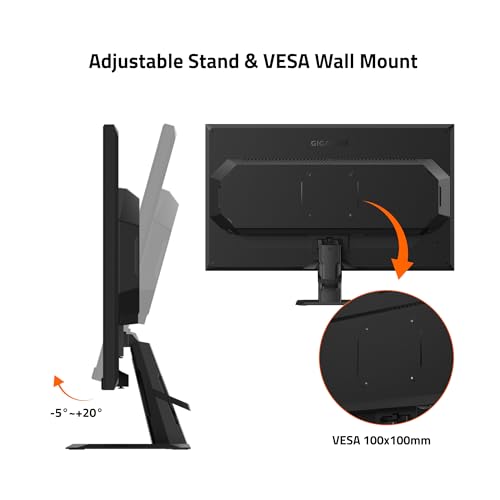
Only some titles name height adjustment, and none state VESA pattern or weight. If you plan to use a monitor arm, check both on the listing and compare them with the arm’s rated load. A stand that only tilts also fixes the screen height, which matters if your desk is on the tall side or you share the setup.
Costly errors with Gigabyte monitors
- Paying for 280 Hz without a graphics card that can approach it.
- Comparing a 1 ms MPRT figure with a 0.03 ms GTG figure as if they measured the same thing.
- Trusting “HDR 10 Ready” as a promise of bright highlights.
- Ordering the GS27QA SA without checking whether it is FHD or QHD.
- Plugging a 240 Hz QHD OLED into an HDMI 2.0 port and wondering why the refresh option is missing.
- Choosing the tilt-only GS25F2A when the G25F2A offers more adjustment.
- Forgetting the USB upstream cable that the KVM function needs.
- Treating the 210 Hz overclock on the M27Q2 as guaranteed rather than an optional setting.
- Skipping the warranty wording on image retention before buying any OLED.
Verdict
The M27Q2 is the default pick: QHD, 200 Hz, Type-C, KVM and a height-adjustable stand sit in the mid-range tier. For the lowest spend, take the G25F2A over its tilt-only twin. For OLED, the GO27Q24G is the entry route, and the MO27Q2A is the one to pick if HDMI 2.1 matters. Verify the MO27Q28GR cables and the GS27QA SA resolution on the listing before ordering. If your graphics card cannot push past about 144 frames per second in the games you play, the 180 Hz and 200 Hz IPS options already use everything your PC can supply, and the savings are better spent on a stronger GPU later.
Gigabyte monitor questions
Are Gigabyte monitors good for gaming?
Every model in this set is marketed for gaming, with refresh rates from 180 Hz to 280 Hz and FreeSync support. Quality depends on the specific model and your graphics card. Treat response times and G-SYNC wording as seller claims, and match the monitor’s resolution and refresh rate to what your PC can actually deliver.
Should I pick IPS or OLED from Gigabyte?
Choose IPS for lower cost and worry-free static content such as spreadsheets or long browsing sessions. Choose OLED for deeper blacks and very fast pixel response in games and video. Read the warranty wording on image retention, and avoid leaving static windows on screen for hours, since that risk is a general trait of OLED panels.
Does G-SYNC Compatible mean the monitor has a G-SYNC module?
No. The wording generally indicates a screen that works with NVIDIA’s variable refresh through the standard adaptive-sync method, often after the manufacturer’s own validation. It is a seller claim in these titles. If variable refresh matters, confirm support on the listing and check it works with your graphics card and cable.
Which cable do I need for 280 Hz at 1440p?
Our estimate is about 24.8 Gbps of picture data at 8-bit, which sits near the limit of DisplayPort 1.4 and above HDMI 2.0. HDMI 2.1 or compression-based modes give more room. Check each listing for its port versions, and use the cable supplied or a certified one, and enable the highest refresh rate in the operating system’s display settings, because it may default lower after the first connection.
Is the GS27QA SA 1080p or 1440p?
The title lists both FHD and QHD 2560 x 1440, so the resolution is unconfirmed. Check the listing’s specification table or the manufacturer page before buying. If it is QHD at 180 Hz, plan on DisplayPort, because that mode needs about 16 Gbps by our estimate, more than HDMI 2.0 handles comfortably.
Related guides
- Helping Hands Soldering Station With Magnifier
- Bench Power Supply For Electronics Hobbyists
- 4K Monitor For Programming