Our Top Picks
 LG 27GM950B-B 27-inch Ultragear evo Mini-LED IPS 5K9.8 x 24.2 x 21.1 inches18.7 poundsCheck on Amazon
 M² Vision 40" 5K2K Ultrawide Monitor40" | 5120 x 21603.5 x 37.3 x 16.6 Inches21 PoundsCheck on Amazon
Who is a 5K monitor for? Mostly people who want a sharp 27-inch screen at 5120×2880, which works out to about 218 pixels per inch and is exactly twice 2560×1440 in each direction, so scaling stays clean. In this set, the BenQ PD2730S states that density directly, the BenQ MA270S and Samsung S8 target Mac and general desk use, and the LG 27GM950B-B is a gaming Mini-LED model. Two listings need a warning: the M² Vision is a 40-inch 5K2K ultrawide at 5120×2160, not a 5120×2880 panel, and the KTC title mixes both resolutions. Specs are seller claims from titles.
Six listings at a glance

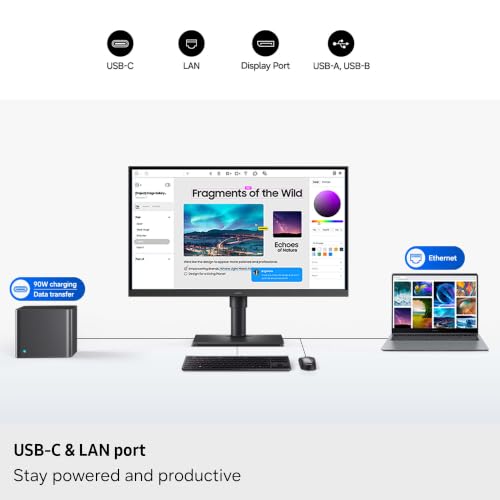
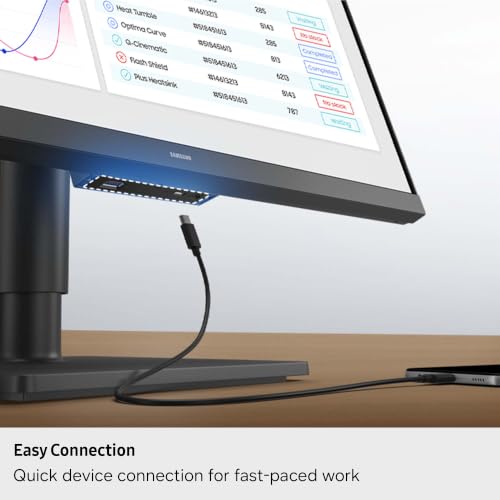
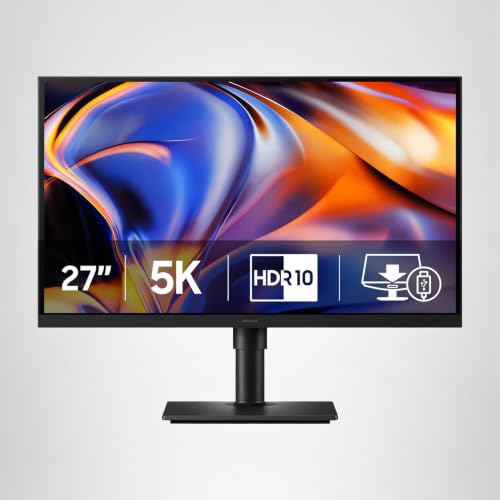
Samsung 27" ViewFinity S8 (S80HF) Series High-Resolution Monitor | 5K (5120x2880), HDR10, Eye Saver Mode, USB-C Port, Samsung Display Manager, LS27H800EFAXZA



As an Amazon Associate we earn from qualifying purchases. Product prices and availability are accurate as of the date/time indicated.

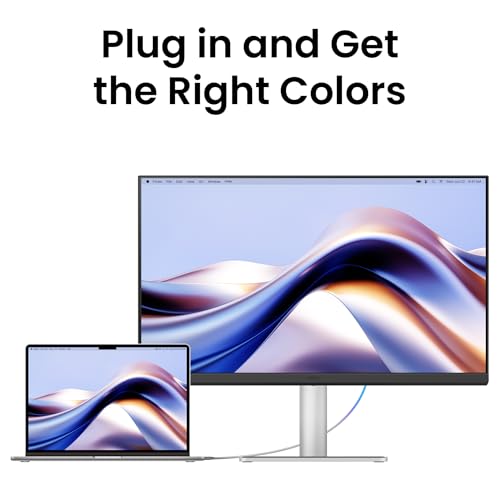
BenQ MA270S 27” 5K 5120x2880 Nano Gloss Monitor for Mac Creators, Dual Thunderbolt 4 96W/15W, Mac Color, Daisy Chain, KVM, Brightness & Volume Control on Mac, Height & Tilt Adjustment, P3 Color Gamut




As an Amazon Associate we earn from qualifying purchases. Product prices and availability are accurate as of the date/time indicated.
LG 27GM950B-B 27-inch Ultragear evo Mini-LED IPS 5K 165Hz Gaming Monitor | (5120 x 2880), NVIDIA G-Sync, AMD FreeSync Premium, DisplayHDR1000, AI Upscaling, HDMI, DP, USB-C, Tilt/Height/Swivel/Pivot


As an Amazon Associate we earn from qualifying purchases. Product prices and availability are accurate as of the date/time indicated.

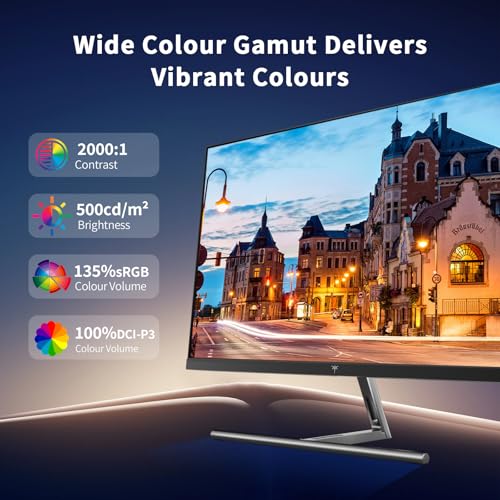
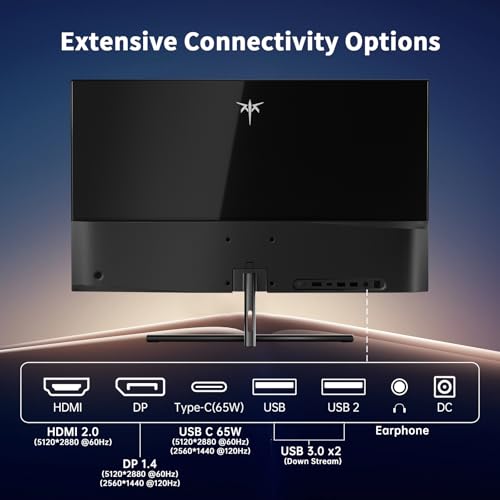
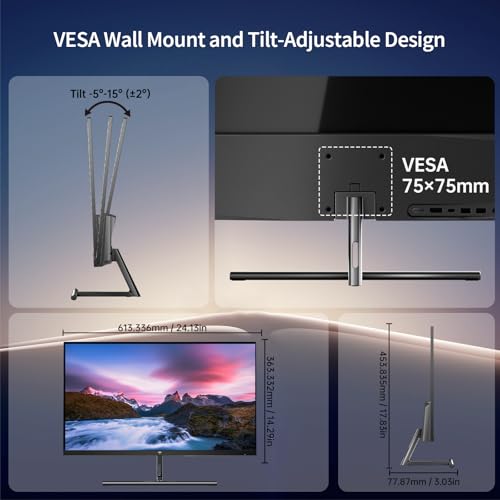
KTC 5K Monitor 27 Inch, 5K2K Dual Mode with 65W Type-C Port | Compatible with Mac mini, HDR400, 5120x2880, 99% DCI-P3, 100% sRGB, ΔE<2, 5120x2880, HDMI & DP, H27P3




As an Amazon Associate we earn from qualifying purchases. Product prices and availability are accurate as of the date/time indicated.
M² Vision 40" 5K2K Ultrawide Monitor, 5120x2160, 120Hz, USB-C 65W, IPS Black, MacBook Compatible, HDR600, Height Adjustable Stand


As an Amazon Associate we earn from qualifying purchases. Product prices and availability are accurate as of the date/time indicated.

BenQ PD2730S 27" 5K 218 PPI Mac Monitor, 90W Thunderbolt 4, 98% P3, Uniformity, 2000:1 Contrast, Nano Matte Panel, Daisy Chain, KVM, Height Adjustable, for 3D Artists, VFX Animators, Game Designers



As an Amazon Associate we earn from qualifying purchases. Product prices and availability are accurate as of the date/time indicated.
| Model | Key point from title | Price tier | Best for |
|---|---|---|---|
| KTC H27P3 | 5120×2880, “5K2K Dual Mode”, 65W USB-C, HDR400 | Budget | Lowest-cost 5K, spec check needed |
| M² Vision 40″ 5K2K | 5120×2160, 120Hz, 65W USB-C, IPS Black, HDR600 | Budget | Wide-canvas work, not true 5K |
| Samsung ViewFinity S8 (S80HF) | 27 in, 5K, HDR10, USB-C, Eye Saver Mode | Budget | General desk use |
| LG 27GM950B-B | 5K, 165Hz, Mini-LED IPS, DisplayHDR1000, G-Sync | Mid-range | Gaming and HDR |
| BenQ MA270S | 5K Nano Gloss, dual Thunderbolt 4 96W/15W, KVM | Mid-range | Mac creators |
| BenQ PD2730S | 218 PPI, Thunderbolt 4 90W, 98% P3, Nano Matte | Premium | Color-critical studio work |
The six listings, read closely
KTC H27P3: the cheapest 5120×2880 title, with a confusing label
The title lists a 27-inch monitor at 5120×2880, “5K2K Dual Mode”, a 65W Type-C port, HDR400, 99% DCI-P3, 100% sRGB, ΔE under 2, HDMI, DisplayPort and Mac mini compatibility. “5K2K” normally means 5120×2160, so on a 27-inch panel that mode likely means a letterboxed or scaled image; the title does not explain it. The ΔE figure and the HDR400 label are seller claims. Treat this as the one to read most carefully: confirm the native resolution, what the dual mode actually changes, and the warranty and support terms, since the brand is less familiar than the others. The Mac mini mention is a compatibility claim, so check which Macs and cables the seller supports.
Pros
- Lowest price tier in the set
- 65W USB-C and both HDMI and DisplayPort
Cons
- Resolution wording is contradictory
- HDR400 is an entry-level HDR label
Who it’s for: price-first buyers who will read the listing and manual before committing.
M² Vision 40″ 5K2K: a wide screen, not a true 5K
The title says 40-inch, 5120×2160, 120Hz, 65W USB-C, IPS Black, MacBook compatible, HDR600 and a height-adjustable stand. That is an ultrawide format with about 139 pixels per inch, sharper than a typical 34-inch ultrawide but well below a 27-inch 5K. It is a different class from the other five, and is useful when you want a wide canvas for timelines or spreadsheets rather than the sharpest possible text. Because the rows are 2160 tall, you get no more vertical space than a 4K screen, only more width. The title does not say which ports or versions it has beyond USB-C, so check the listing before connecting a desktop graphics card.
Pros
- Wide canvas with 120Hz named
- Height-adjustable stand in the title
Cons
- 5120×2160, not 5120×2880
- 65W USB-C may fall short for large laptops
Who it’s for: multitasking on one wide screen where width beats pixel density.
Samsung ViewFinity S8 (S80HF): the plainly specified one
The title lists a 27-inch 5K 5120×2880 high-resolution monitor with HDR10, Eye Saver Mode, a USB-C port and Samsung Display Manager software. Refresh rate, panel type, USB-C wattage and stand adjustments are not given. HDR10 is a signal format rather than a brightness promise, and Eye Saver is a feature label, not a measurement. Comfort on any screen mostly comes from sensible brightness, distance and breaks. The title also gives no color gamut figure, which is unusual at a 5K price point, so look for it on the listing if color work matters.
Pros
- Clean 5K spec with USB-C
- Display Manager software named
Cons
- USB-C wattage and refresh rate not in the title
- Stand details missing
Who it’s for: buyers who want a 27-inch 5K screen without gaming features, once the missing specs are confirmed.
LG 27GM950B-B: 5K Mini-LED aimed at gamers
The title lists a 27-inch UltraGear evo Mini-LED IPS panel at 5120×2880, 165Hz, G-Sync, FreeSync Premium, DisplayHDR1000, AI upscaling, HDMI, DisplayPort, USB-C and a tilt, height, swivel and pivot stand. Our bandwidth estimate puts full 5K at 165Hz near 58 Gbps raw, well beyond DisplayPort 1.4 without compression, so check whether 165Hz applies at full resolution or in a lower mode. Mini-LED backlights can show blooming around bright objects on dark backgrounds. DisplayHDR1000 is a certification tier name, and it is worth checking the certification list instead of relying on the title. AI upscaling is a marketing label for rendering below native resolution and scaling up, which is how many players would run games at this size.
Pros
- High refresh rate and HDR tier named
- Full ergonomic stand
Cons
- Needs a powerful graphics card for native 5K gaming
- Refresh rate conditions are not explained
Who it’s for: gamers with a high-end card who also want 5K for desk work.
BenQ MA270S: Mac-focused with dual Thunderbolt
The title lists a 27-inch 5K Nano Gloss monitor with dual Thunderbolt 4 at 96W and 15W, Mac Color, daisy chaining, KVM, brightness and volume control from a Mac, height and tilt adjustment and a P3 color gamut. A glossy-type coating tends to give deeper contrast but picks up reflections, so desk lighting matters. The two Thunderbolt ports also help with a dock-free single-cable setup, and the title does not say what the 15W port is meant for. The Mac-specific brightness and volume control is a convenience, not a requirement for Windows users.
Pros
- 96W charging and daisy chaining named
- Built-in KVM and Mac controls
Cons
- Glossy coating can reflect room light
- Refresh rate not in the title
Who it’s for: Mac creators who want one cable for power, data and display.
BenQ PD2730S: the studio-grade, matte option
The title lists a 27-inch 5K 218 PPI monitor with 90W Thunderbolt 4, 98% P3, uniformity, 2000:1 contrast, a Nano Matte panel, daisy chain, KVM and a height-adjustable stand, aimed at 3D artists, VFX animators and game designers. Nano Matte suppresses reflections, which suits bright rooms. 2000:1 is a modest contrast claim; this is a color-accuracy-oriented screen, not a high-contrast HDR display. It is the most expensive in the set, and the premium buys color and finish focus rather than extra ports or gaming features. Daisy chaining lets a second compatible display share the same Thunderbolt connection.
Pros
- Matte panel and uniformity named
- 90W Thunderbolt 4 with KVM
Cons
- Highest price tier
- No HDR rating in the title
Who it’s for: color-critical creative work in a bright room.
How we picked these
This shortlist uses published specifications, manufacturer documentation and buyer reviews, read as the Editorial team would read a data sheet. We kept every listing and flagged the ones that are not what the keyword implies. Nobody on the team used or measured these units. Claims about color accuracy, HDR tiers and response are seller claims, price tiers are relative within six listings rather than dollar amounts, and any number beyond a title is an estimate with stated assumptions. When a title is silent or contradicts itself, we say so.
What to look for in a 5K monitor
Resolution class, not just the word 5K
Check the pixel count. 5120×2880 is 16:9 and 5120×2160 is 21:9. Both get called 5K in marketing, but they behave differently for scaling and for what fits on screen. A listing that cites both numbers deserves a closer read.
Panel finish
Glossy-style coatings can look richer but reflect lamps and windows; matte coatings cut reflections but can look slightly grainy. Choose by your room, not the label.
Ports, power and bandwidth
For laptops, a single Thunderbolt or USB-C cable can carry video, data and charging. Check the watts against your laptop’s charger. HDMI 2.0 cannot carry 5K at 60Hz, so DisplayPort, Thunderbolt or HDMI 2.1 matter.
Refresh rate and gaming
Most 5K office monitors run at 60Hz. A 165Hz claim at 5K puts huge demands on the graphics card and the cable, so see whether the listing names a lower resolution mode for high refresh rates.
Software and macOS behavior
Brightness, volume and KVM controls from a Mac depend on the monitor’s software and the connection type. Windows users should check driver support before paying for those features.
Mounting and desk fit
A 27-inch 5K screen is about 23.5 inches wide, and a 40-inch ultrawide is about 37 inches. Check desk width and depth and, if you plan to use an arm, the weight and VESA details on the listing.
Worked example: density, scaling and bandwidth
A 27-inch 5120×2880 panel has a diagonal of about 5,874 pixels, so 5,874 divided by 27 gives about 218 pixels per inch. At 200% scaling you get a 2560×1440 workspace with four physical pixels behind every logical one. A 27-inch 4K screen is about 163 PPI; to get the same 2560×1440 workspace it needs 150% scaling, which is fractional and can look slightly softer. A 40-inch 5K2K screen is about 139 PPI.
Now bandwidth. 5120×2880 at 60Hz and 8-bit color is about 21.2 Gbps raw (estimate before timing overhead), about 26.5 Gbps at 10-bit. DisplayPort 1.4 carries roughly 25.9 Gbps usable, so 8-bit 60Hz fits and 10-bit may use compression. The 40-inch 5K2K at 120Hz is about 31.8 Gbps raw, so compression is likely. HDMI 2.0 carries about 14.4 Gbps usable and is not enough for either.
Mistakes buyers make
The first is assuming every “5K” label means 5120×2880; two listings here complicate that. The second is pairing a laptop that needs more watts than the monitor’s USB-C output can supply, so it drains under load. The third is using an HDMI 2.0 cable and wondering why the picture is limited. The fourth is ignoring glare from a glossy coating. The fifth is buying 5K for gaming without checking graphics card headroom. The sixth is skipping the listing’s return window; for expensive monitors, inspect the screen on arrival for dead pixels and uneven backlight, and keep the box until you are sure. If you are weighing 4K instead, compare against 4K monitors for work, and if text size is your main concern read the 4K programming comparison.
Verdict
For a Mac-centered desk with one-cable charging, the BenQ MA270S fits; the PD2730S is for color-critical work in a bright room. The Samsung S80HF is a plain 27-inch 5K option once you verify the missing details. The LG is the gaming pick, the M² Vision is a wide-screen pick that is not a true 5K, and the KTC is the cheapest but needs the most checking. A monitor docking station may be useful if your laptop lacks enough ports. Whatever you pick, confirm resolution, ports and USB-C wattage on the listing first.
Frequently asked questions
What is the difference between 5K and 5K2K?
A 5K monitor is 5120×2880 pixels, a 16:9 shape. A 5K2K monitor is 5120×2160 pixels, a wide 21:9 shape with the same height in pixels as 4K. At 27 inches, 5K gives about 218 pixels per inch; a 40-inch 5K2K screen gives about 139. They suit different jobs, so do not compare them directly.
Do I need a Mac to benefit from a 5K monitor?
No. A 27-inch 5K panel is exactly twice 2560×1440 in each direction, so macOS and Windows can both scale it by 200% without blur, giving a sharp 2560×1440 workspace. Macs handle this scaling well, but Windows laptops with a suitable USB-C or DisplayPort output can drive it too, provided the graphics hardware supports the resolution.
Can HDMI drive a 5K monitor at 60Hz?
Not with HDMI 2.0. Raw 8-bit 5K pixel data at 60Hz is about 21.2 Gbps (an estimate), above the roughly 14.4 Gbps that HDMI 2.0 can carry. DisplayPort 1.4, Thunderbolt or HDMI 2.1 are the realistic routes, so check the port versions on both the monitor and the computer, and use certified cables.
Is a 5K gaming monitor realistic?
It is demanding. 5120×2880 has 78% more pixels than 4K, so very few graphics cards will hold high frame rates there in current games. The LG listing here advertises 165Hz and AI upscaling, but check whether that rate applies at full resolution or in a reduced mode before you buy.
How much USB-C power do I need from the monitor?
Match it to your laptop’s charger. Titles here list 65W, 90W and 96W, with two unspecified. A 65W port may charge a thin-and-light laptop but fall short under load on a larger one. Check the wattage printed on your laptop’s own charger and choose a monitor at or above it.