Our Top Picks
Anyone sharing two screens between two computers should start with the UGREEN 8K@60Hz DisplayPort KVM: aluminum, a desktop controller, four USB 3.0 ports and a mid-range price tier. This is a shortlist of standalone boxes, not monitors with a switch built in, and the listings range from 4K@60Hz to claims of 4K@144Hz. Several titles also carry numbers that cannot all be true at once, such as 8K@60Hz and 4K@240Hz on a three-screen model, so read the list as a set of questions to ask the seller. All specs come from titles, and every price tier is relative to this set only.
Which box suits which desk

8K DisplayPort KVM Switch 2 Monitors 2 Computers, 4K@144Hz Dual Monitor KVM | with 4 USB 3.0 Ports, Support Extended/Mirror Mode, Desktop Controller Included


As an Amazon Associate we earn from qualifying purchases. Product prices and availability are accurate as of the date/time indicated.

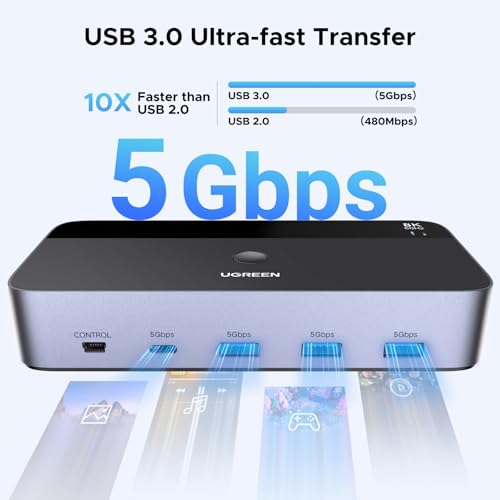
UGREEN 8K@60Hz Displayport KVM Switch 2 Monitors 2 Computers, Aluminum | with 4 USB 3.0 Ports, for 2 Computers Share Dual Monitors Keyboard Mouse Printer, with 2 USB Cables/Power Adapter/Controller




As an Amazon Associate we earn from qualifying purchases. Product prices and availability are accurate as of the date/time indicated.
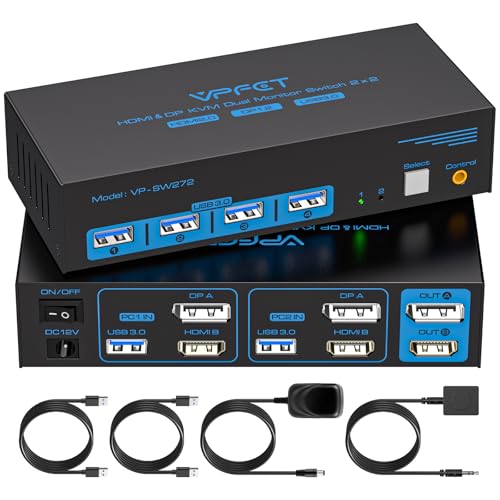
KVM Switch 2 Monitors 2 Computers 4K@60Hz HDMI DisplayPort Dual Monitor | KVM Switches with 4 USB 3.0 Ports, Support Extended/Copy Mode, Perfect for Work, Entertainment & Home Office


As an Amazon Associate we earn from qualifying purchases. Product prices and availability are accurate as of the date/time indicated.

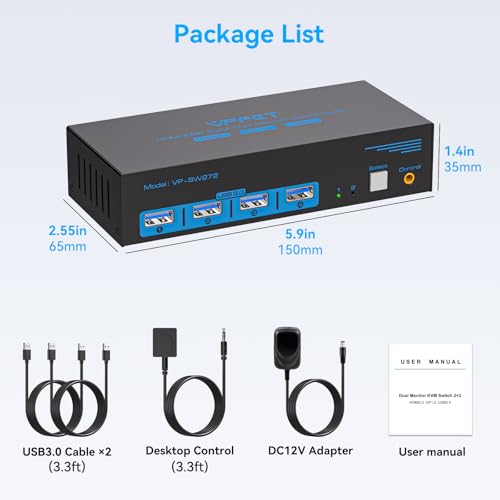
HDMI+Displayport KVM Switch 2 Monitors 2 Computers 4K@60Hz KVM Switcher for Two PC Share Dual Monitors and 4 USB 3.0 Ports Support Extended/Copy Mode with Desktop Controller&2 USB Cables

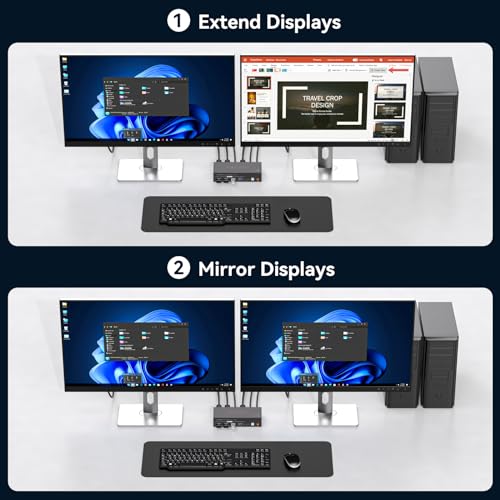
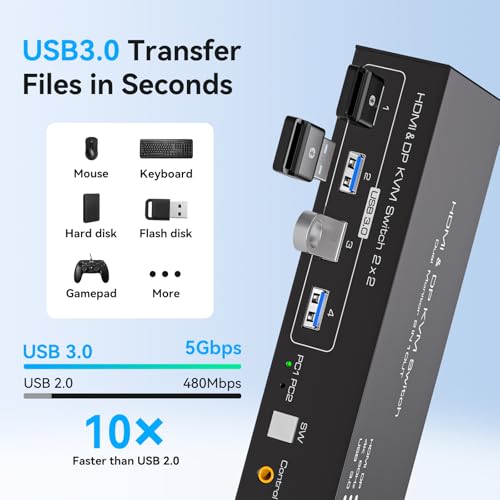


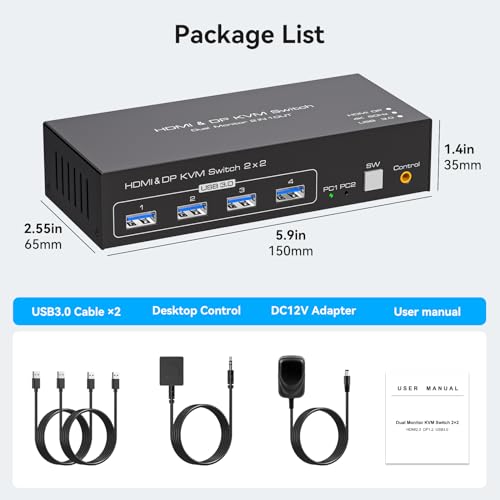
As an Amazon Associate we earn from qualifying purchases. Product prices and availability are accurate as of the date/time indicated.

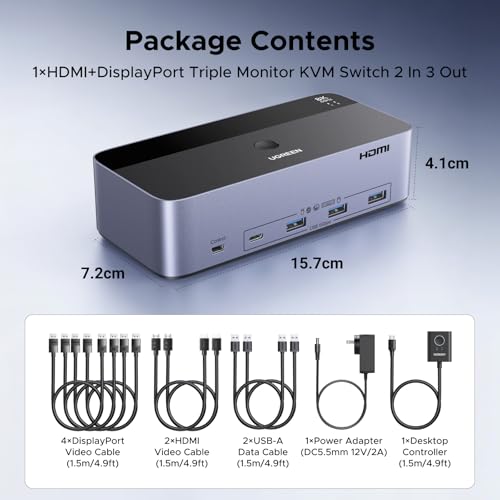
UGREEN 8K@60Hz HDMI Displayport KVM Switch 3 Monitors 2 Computers, Aluminum | 4K@240Hz, with 4 USB 3.0 Ports, for 2 Computers Share Triple Monitors, with 4 DP+2 HDMI+2 USB Cables/Power Adapter/Controller


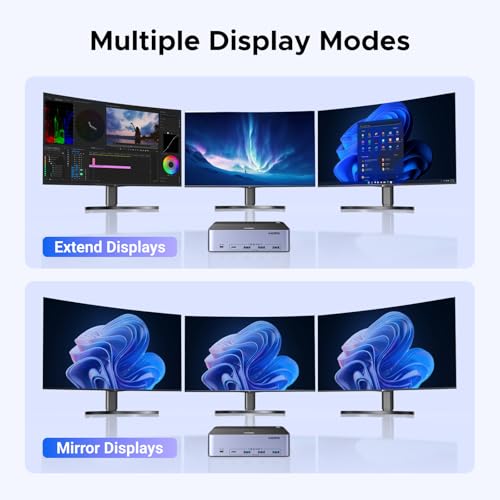

As an Amazon Associate we earn from qualifying purchases. Product prices and availability are accurate as of the date/time indicated.

Unitek KVM Switch 2 Monitors 2 Computers HDMI Displayport Dual Monitor 2 PC | 4K@60Hz KVM Switcher 3 USB Ports for Keyboard Mouse Hard Drives Mic Headphone Jack, DC 5V Power Delivery Controller,Aluminum





As an Amazon Associate we earn from qualifying purchases. Product prices and availability are accurate as of the date/time indicated.

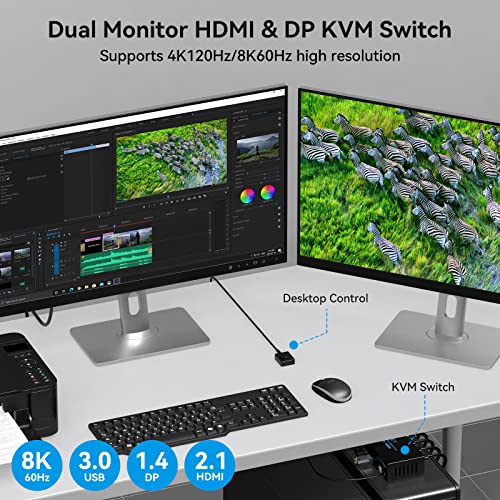
4K@120Hz Kvm Switch 2 Monitors 2 Computers 8K HDMI Displayport Dual Monitor KVM Switches 2 Ports for 2 PC Share Mouse Keyboard and 2 Screens with Desktop Controller and 2 USB 3.0 Cables




As an Amazon Associate we earn from qualifying purchases. Product prices and availability are accurate as of the date/time indicated.

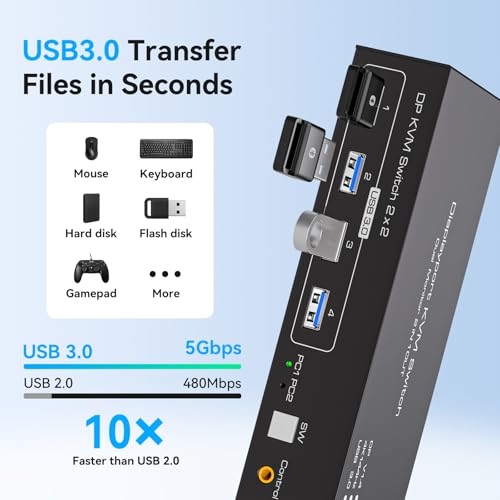
Displayport KVM Switch 2 Monitors 2 Computers 4K@144Hz USB3.0 KVM Switch for 2 Computers Share Dual Displays and 4 USB Devices Support Extended/Copy Mode with Desktop Controller




As an Amazon Associate we earn from qualifying purchases. Product prices and availability are accurate as of the date/time indicated.
| Model | Key point from title | Price tier | Best for |
|---|---|---|---|
| CMSTEDCD HDMI+DP 4K@60Hz | Dual monitor, extended or copy mode, 4 USB 3.0 | Budget | Office pair at 60Hz |
| TJCXELE HDMI+DP 4K@60Hz | Two PCs, desktop controller, 2 USB cables | Budget | Cheapest HDMI/DP mix |
| CMSTEDCD 8K DisplayPort 4K@144Hz | DP-only, 4 USB 3.0, desktop controller | Budget | Fast panels on DP |
| Unitek HDMI+DP 4K@60Hz | Aluminum, 3 USB ports, mic and headphone jacks | Budget | Shared headset and drive |
| TJCXELE DisplayPort 4K@144Hz | DP-only, 4 USB devices, extended or copy mode | Budget | Fast DP desk on a low budget |
| TIGKTING 4K@120Hz HDMI+DP | 8K label, two ports, two USB 3.0 cables | Mid-range | High refresh with HDMI |
| UGREEN 8K@60Hz DisplayPort | Aluminum, 4 USB 3.0, cables and adapter included | Mid-range | All-in-one dual DP kit |
| UGREEN 8K@60Hz 3-monitor | Three screens, 4 DP + 2 HDMI + 2 USB cables | Premium | Triple-screen trading desk |
The eight switches, one by one
CMSTEDCD HDMI+DP 4K@60Hz: the plain office pair
The title offers two monitors, two computers, 4K@60Hz, four USB 3.0 ports and extended or copy mode. It is the cheapest-tier box in the set and a sensible fit for spreadsheets, email and video calls where 60Hz is fine. What it does not say is whether HDMI and DisplayPort can be mixed, or how the USB bandwidth is split, so those answers sit behind the listing. Extended mode, which treats the two screens as one desktop, is the useful setting for office work; copy mode simply mirrors one picture. That makes it a sensible low-risk trial for a first-time KVM buyer.
Pros
- Lowest price tier
- Extended and copy modes named
- Four USB 3.0 ports
Cons
- HDMI/DP mixing not explained
- Brand unfamiliar to us, so check support terms
Who it’s for: two-computer home offices where 4K at 60Hz is the ceiling.
TJCXELE HDMI+DP 4K@60Hz: the near-twin
Almost the same promise as the CMSTEDCD above: two screens, two PCs, 4K@60Hz, four USB 3.0 ports and a wired desktop controller with two USB cables. Because the two listings are so alike, pick on cable inclusion, warranty wording and return terms. We cannot separate them on titles alone, and treating them as interchangeable is the honest read. Neither title lists video cables, so budget for those separately. The wired desktop controller is a real advantage over hotkey-only switching, since a physical button works even when a computer is asleep.
Pros
- Desktop controller included
- Two USB cables in the box
- Same low price tier
Cons
- Near-duplicate of other 4K@60Hz listings
- No video cables mentioned
Who it’s for: a shopper who simply wants the cheapest workable HDMI/DP unit.
CMSTEDCD 8K DisplayPort 4K@144Hz: the DP-only speed claim
This one is DisplayPort-only. It states both 8K and 4K@144Hz, which are almost certainly different modes, with 4K@144Hz the realistic one for dual screens. Our estimate puts 4K@144Hz at about 28.7 Gbps raw, above DisplayPort 1.4’s roughly 25.9 Gbps, so it likely depends on compression. Four USB 3.0 ports and extended or mirror mode are listed. Because it accepts DisplayPort only, check that your graphics cards have DP outputs before ordering; adapters from HDMI generally cannot lift the bandwidth.
Pros
- 144Hz claim at a budget price
- Four USB 3.0 ports
- Desktop controller included
Cons
- 8K and 4K@144Hz labels need clarifying
- DisplayPort version not named
Who it’s for: a DP-equipped gamer or editor who has confirmed the mode on the listing.
Unitek HDMI+DP 4K@60Hz: the shared-peripherals option
Unique here for its mic and headphone jacks plus three USB ports, which lets one headset and a drive follow the keyboard between computers. It has an aluminum body and a DC 5V controller. With only three USB ports and no version number in the title, it suits lighter peripheral loads, and confirm whether those ports are 3.0 before connecting a fast drive. The audio jacks are the feature to weigh here: they save you re-plugging a headset, though the quality of the audio path is not described in the title.
Pros
- Audio jacks for a shared headset
- Aluminum case
- Moderate price tier
Cons
- Three USB ports, version not stated
- 60Hz ceiling
Who it’s for: someone who wants a single headset and a mouse to hop between two machines.
TJCXELE DisplayPort 4K@144Hz: the second DP-only
A DisplayPort-only unit claiming 4K@144Hz, four USB devices and extended or copy mode, with a desktop controller. It is close to the CMSTEDCD DP model, so the same bandwidth caution applies. The title does not say which DP version is used. If both screens must run 144Hz at 4K, confirm that with the seller rather than assuming. In practice a dual-screen gaming desk usually runs 1440p at 144Hz instead, which is comfortably inside DisplayPort 1.4 limits at an estimated 12 Gbps raw.
Pros
- Low price for a 144Hz claim
- Desktop controller
- Four USB devices
Cons
- Near-duplicate of another DP-only listing
- DP version unspecified
Who it’s for: a buyer with two DP screens who values refresh over extras.
TIGKTING 4K@120Hz: the HDMI-friendly high-refresh
Titled 4K@120Hz and 8K, it says two ports, a desktop controller and two USB 3.0 cables. The 120Hz figure would need roughly 23.9 Gbps raw at 4K, our estimate, which is near DisplayPort 1.4’s ceiling and above HDMI 2.0. Unless the listing specifies HDMI 2.1, treat 120Hz over HDMI with caution. The 8K label is a headline for a single-screen mode, and the title gives no more detail about how the two screens divide that bandwidth.
Pros
- 120Hz listed at 4K
- HDMI and DP named
- Two USB 3.0 cables included
Cons
- HDMI version unstated
- Only two USB 3.0 cables, so peripheral ports are unclear
Who it’s for: anyone chasing 4K at 120Hz on one or two desktop PCs.
UGREEN 8K@60Hz DisplayPort: the polished dual-DP
The title lists aluminum build, four USB 3.0 ports, two USB cables, a power adapter and a controller, and it covers sharing a printer too. The 8K@60Hz headline most likely describes a single-screen mode, not two 4K screens at 144Hz. For the typical two-4K-screen setup, the cabling kit and USB count are the practical reasons to choose it. Aluminum casing can also help shed heat from a box that runs all day, though no thermal figures are given. A power adapter in the box means it can supply its own USB hub without relying on a computer port.
Pros
- Cables, adapter and controller listed
- Aluminum case
- Four USB 3.0 ports
Cons
- Higher price tier than the budget boxes
- DisplayPort only
Who it’s for: someone who wants an all-in-one kit for two DisplayPort screens.
UGREEN 8K@60Hz 3-monitor: the triple-screen outlier
The only switch for three screens, with 4 DP + 2 HDMI + 2 USB cables included. The title lists both 8K@60Hz and 4K@240Hz, which cannot hold across three screens at once, so check per-port limits. The included cables cover the computer side; you will still need three cables to the monitors, our inference from the counts. Plan the cable runs before buying. At the top price tier, it asks you to pay for capacity that two-screen users would never touch, so skip it unless a third monitor is certain.
Pros
- Triple-screen support
- Large cable bundle
- Four USB 3.0 ports
Cons
- Highest price tier
- Per-port limits unclear
- More cabling to manage
Who it’s for: a three-monitor desk shared between a work and a personal computer.
How the shortlist was made
These eight listings were supplied for this guide, and we compared them at title level only. We grouped them by number of screens and port types, marked claims that look inconsistent, and ignored brand reputation because nothing in the titles supports it. Our basis is published specifications, manufacturer documentation and buyer reviews. Nobody on the team used or measured these units. Price tiers are relative to this set, and the bandwidth figures below are our estimates at 8-bit colour with the assumptions stated.
Specs that decide whether a KVM works
Video bandwidth, simply
Raw data per screen equals width times height times refresh times 24 bits, before blanking. These are our estimates:
| Mode (per screen) | Raw data | Fits comfortably on |
|---|---|---|
| 1080p at 60Hz | 3.0 Gbps | Any link |
| 1440p at 60Hz | 5.3 Gbps | Any link |
| 4K at 60Hz | 11.9 Gbps | HDMI 2.0, DP 1.2 and up |
| 4K at 120Hz | 23.9 Gbps | DP 1.4 (tight), HDMI 2.1 |
| 4K at 144Hz | 28.7 Gbps | HDMI 2.1, or DP 1.4 with compression |
Usable ceilings are roughly 14.4 Gbps for HDMI 2.0, 17.3 for DisplayPort 1.2, 25.9 for DisplayPort 1.4 and about 42 for HDMI 2.1. A switch cannot pass more than the weakest link, including your cable and graphics port.
Cable count before checkout
For two computers and two screens you need four video cables from the computers to the box, two from the box to the monitors and two USB cables to the computers, plus the power adapter: nine leads. Triple-screen setups need 11. Most titles mention only USB leads; just the three-screen UGREEN counts video cables, and those cover the computer side. Buy the missing runs in the right length before the switch arrives. Our HDMI KVM guide and the four-computer USB guide cover other layouts.
USB sharing and modes
USB 3.0 is nominally 5 Gbps, shared across the ports, so keyboard and mouse leave plenty of room, but an external drive and a webcam compete. Extended mode treats two screens as one desktop, while copy mode mirrors; the titles name both. If you only need to switch the screen between inputs, a plain monitor switch costs less and skips the USB hub.
Display memory and wake behaviour
Many switches mimic a monitor to the computer you are not viewing, so windows stay where you left them. None of these titles confirms that behaviour, so look for buyer reports of windows jumping between screens after a switch. Also check whether the hotkeys can be changed, because a combination that clashes with a shortcut in your software is a daily irritation. If one computer is a laptop, confirm it can output two screens at once through its own ports, since the switch cannot add outputs the laptop lacks.
Common ways to waste money
Buyers often pay for 8K labels they cannot use, since two 4K screens need far less than the headline suggests, and no listing says how its 8K figure divides across two outputs. They also forget that a dual-monitor KVM wants two video cables per computer, which doubles the lead count. A second mistake is assuming HDMI and DisplayPort mix freely; they often do not without adapters. People skip the return window and never check the shipping time, though several brand names here are unfamiliar to us and support is hard to judge from titles. Counting only the switch price and forgetting the extra cables is the usual budget surprise. Finally, hanging a drive, webcam and headset on one shared USB link can leave each starved for bandwidth.
The bottom line
The UGREEN 8K@60Hz DisplayPort box is the most complete-looking dual-screen kit, while the CMSTEDCD HDMI+DP 4K@60Hz is the cheapest sensible office choice. The UGREEN three-monitor unit is the only option if you run three screens. Treat the 144Hz and 120Hz claims as questions for the seller, and avoid buying a DisplayPort-only model if your computers output HDMI. Whatever you choose, count the cables and keep the order receipt for a possible return. Remember that every number here is a title claim until the product page confirms it.
Frequently asked questions about KVM switches for monitors
Is a KVM switch the same as a monitor with a built-in KVM?
No. A standalone KVM switch sits between your computers and your screens, while a KVM-equipped monitor puts a basic switch inside the display, usually sharing one screen between two machines. All eight listings here are standalone dual-monitor boxes, not monitors with built-in switching. A box suits two screens; a built-in switch is simpler if you only have one screen.
Will 4K@144Hz really work through these switches?
Be cautious. Our estimate for 4K at 144Hz and 8-bit colour is about 28.7 Gbps of raw pixel data, above the roughly 25.9 Gbps usable on DisplayPort 1.4 without compression. That means it depends on display stream compression, reduced colour or a different mode. Check the listing for the DisplayPort version and whether the claim applies to one screen or both.
Can I mix HDMI and DisplayPort on the same switch?
The titles do not say. A listing that mentions both HDMI and DisplayPort might offer one type per port, or allow either, and some computers need an adapter. Look at the product images and manual to see which port types sit on the input side and which on the output side. Buying adapters later can cost more than choosing the right model first.
How many USB devices can the 4-port models actually run?
Four ports share one upstream USB 3.0 link, nominally 5 Gbps by the standard. A keyboard and mouse use almost nothing, but an external drive or a webcam can take much more, so heavy devices compete. Put the keyboard and mouse on the switch and plug a fast drive into the computer directly if it matters, or choose a model with more upstream bandwidth.
Do KVM switches affect gaming mice and keyboards?
Possibly. Some switches add small amounts of latency or limit the polling rate of high-end mice, though the titles here say nothing about it. If you game on one of the two computers, check buyer reviews for polling-rate complaints before committing the mouse to a shared port. Many people plug a gaming mouse straight into the PC and use the switch only for office work.