Our Top Picks
 Lenovo ThinkVision T24i-30 24" Class Full HD LED12.7" x 21.3" x 1.9"1.9 x 21.3 x 12.7 Inches11.9 poundsCheck on Amazon
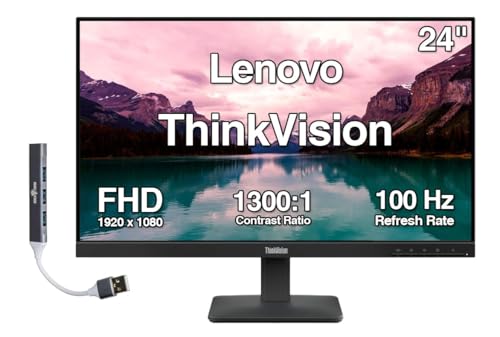 Lenovo ThinkVision 24" FHD IPS Monitor w/ 100Single monitor only7.1 x 21.3 x 15.9 inches6.61 poundsCheck on Amazon
Lenovo’s monitors in this list split into three jobs. Four cheap 100Hz full HD office screens (the L22-4e, L24-4e, a ThinkVision 24-inch and the L27-4e) cover plain desk work; the L27q-4a adds a sharper 2560 x 1440 panel; and the Legion LOQ 27-10 is the gaming option at 200Hz. For most people the L27q-4a is the best Lenovo monitor here, and the L22-4e is the budget pick. The T24i-30 and the portable L15 are special cases that we explain below. Specs come from listing titles only, and where a title is silent, we say so instead of guessing, because ports and refresh rate decide whether a cheap screen works with your computer.
Lenovo monitors compared in one table
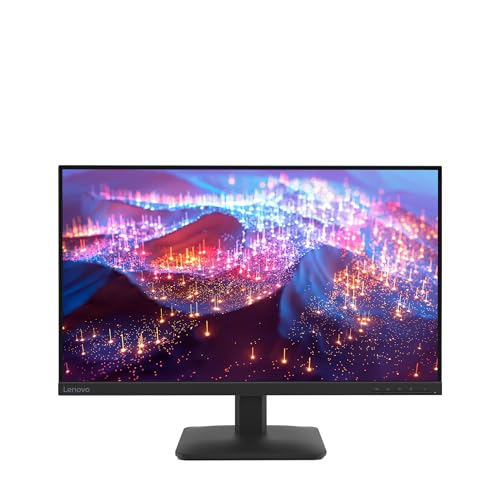
Lenovo L27-4e Monitor - 27" Flat IPS FullHD Display - 100Hz Refresh Rate - 4ms Response Time - HDMI 1.4 - VGA - Tilt Stand - Raven Black




As an Amazon Associate we earn from qualifying purchases. Product prices and availability are accurate as of the date/time indicated.

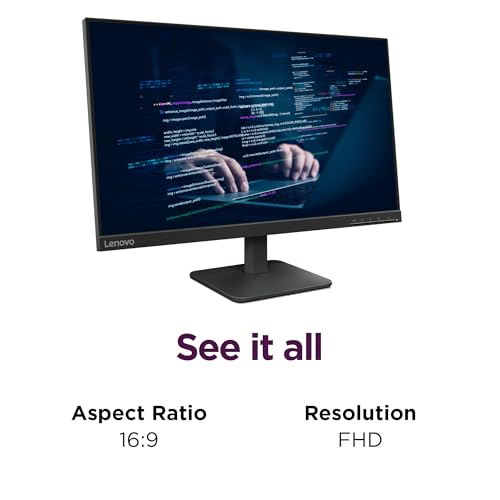
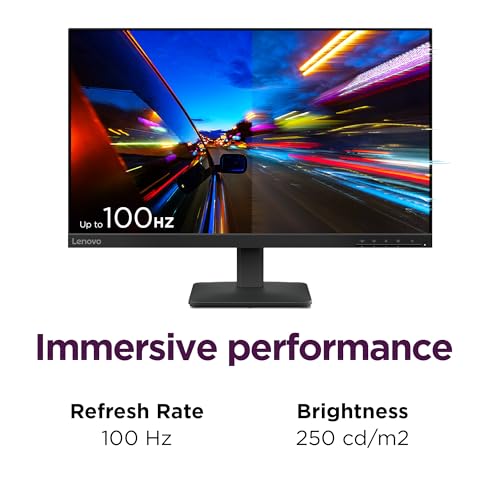
Lenovo L24-4e - Office Monitor - 23.8" FHD IPS Display - 100Hz Refresh Rate - 4 ms MPRT - 99% sRGB - Raven Black - Tilt Stand





As an Amazon Associate we earn from qualifying purchases. Product prices and availability are accurate as of the date/time indicated.
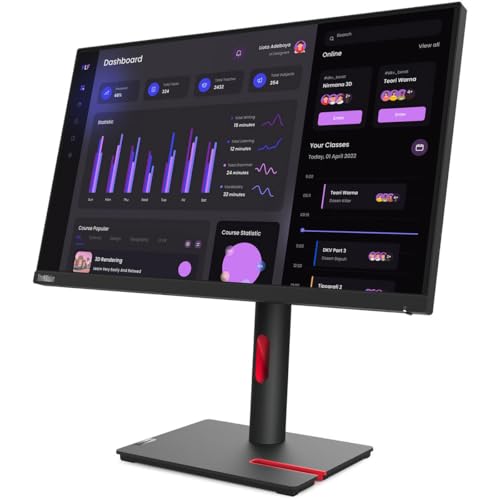
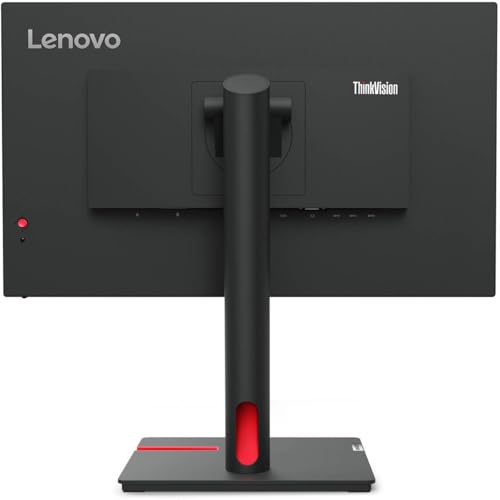
Lenovo ThinkVision T24i-30 24" Class Full HD LED Monitor - 16:9 - Raven Black





As an Amazon Associate we earn from qualifying purchases. Product prices and availability are accurate as of the date/time indicated.
Lenovo ThinkVision 24" FHD IPS Monitor w/ 100 Hz Refresh Rate, VESA Mount | 4ms Response Time, Flicker Free, Anti-Glare, HDMI & DKZ USB Expander, Black


As an Amazon Associate we earn from qualifying purchases. Product prices and availability are accurate as of the date/time indicated.

Lenovo L15 Portable Monitor, 15.6” Display, Full HD Resolution, IPS Panel, 250 nits Brightness, 60Hz Refresh Rate, USB-C Ports, Height-Adjustable Stand, Flicker-Free Technology, Grey


As an Amazon Associate we earn from qualifying purchases. Product prices and availability are accurate as of the date/time indicated.
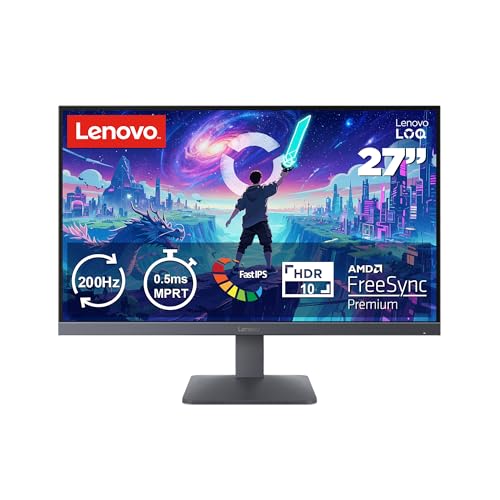
Lenovo Legion LOQ 27-10 Gaming Monitor, 27" FHD, Flat IPS, 200Hz, 0.5ms MPRT, AMD FreeSync Premium, HDR10, Tilt Stand, 2X HDMI 2.1 and DP 1.4, Raven Black


As an Amazon Associate we earn from qualifying purchases. Product prices and availability are accurate as of the date/time indicated.

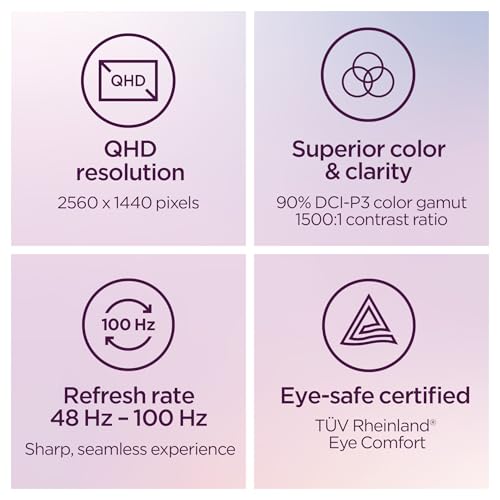
Lenovo L27q-4a - Everyday Monitor - 27" QHD IPS Display - 100Hz Refresh Rate - MaxxAudio® Tuned Speakers - VESA MediaSync - 1ms MPRT - Cloud Grey - Tilt Stand


As an Amazon Associate we earn from qualifying purchases. Product prices and availability are accurate as of the date/time indicated.
| Model | Key point from title | Price tier | Best for |
|---|---|---|---|
| L22-4e | 21.5-inch FHD IPS, 100Hz, 99% sRGB | Budget | Tight desks and second screens |
| ThinkVision 24 FHD | 24-inch IPS, 100Hz, VESA mount, flicker-free | Budget | Mountable office screen |
| L24-4e | 23.8-inch FHD IPS, 100Hz, 99% sRGB | Budget | Standard office desk |
| L27-4e | 27-inch FHD IPS, 100Hz, HDMI 1.4 and VGA | Budget | Large cheap screen for older PCs |
| L27q-4a | 27-inch QHD IPS, 100Hz, speakers | Mid-range | Sharp everyday workspace |
| Legion LOQ 27-10 | 27-inch FHD IPS, 200Hz, 2x HDMI 2.1, DP 1.4 | Mid-range | Budget gaming, PC plus console |
| L15 Portable | 15.6-inch FHD IPS, 60Hz, USB-C | Mid-range | Travel second screen |
| ThinkVision T24i-30 | 24-inch class FHD LED, few specs listed | Mid-range | Matching existing ThinkVision gear |
Each Lenovo listing in turn
Lenovo L22-4e
The smallest of the desk screens: 21.5 inches, full HD IPS, 100Hz, 4ms MPRT, 99% sRGB and a tilt stand. Packing 1920 x 1080 into 21.5 inches gives about 102 pixels per inch by our calculation, the densest picture among the full HD models. The title does not name input ports, so check whether HDMI, VGA or both are fitted before pairing it with an older computer. At this size two documents side by side are cramped, so it works best as a single-task or second screen. The 99% sRGB figure is a gamut claim, which is plenty for ordinary office colour.
Pros
- Cheapest tier of the eight
- Densest full HD picture
- 99% sRGB listed
Cons
- Small for multitasking
- Tilt-only stand
Who it’s for: someone with a shallow desk or a spare second-screen need.
Lenovo ThinkVision 24-inch IPS
This generic-looking title has no model number, so confirm the exact model on the listing. It lists 24 inches, full HD IPS, 100Hz, 4ms, flicker-free, anti-glare, VESA mounting and HDMI. The phrase DKZ USB Expander is unclear and may be a typo, so do not count on a USB hub until you have read the product page. At about 92 pixels per inch it is adequate for documents. Flicker-free and anti-glare wording are comfort features that suit long office days, though eye-strain depends mostly on your breaks, brightness and posture, not on a single spec line.
Pros
- VESA mount named
- Anti-glare finish listed
- Flicker-free wording
Cons
- Ambiguous USB expander wording
- No model number in the title
Who it’s for: an office buyer who plans to put the screen on an arm.
Lenovo L24-4e
A 23.8-inch full HD IPS with 100Hz, 4ms MPRT and 99% sRGB on a tilt stand, in the same family as the L22-4e. At about 93 pixels per inch it is a sensible middle point for documents and video calls. Like the L22-4e, the title is silent about ports. Because the L-series listings look so similar, price and port details are the real deciding factors. It could pair with a small desktop such as the ThinkCentre M70q Tiny for a compact desk. Neither title lists speakers or height adjustment, so plan on a separate audio solution and a riser if your desk is low.
Pros
- Common 24-inch size
- 99% sRGB
- Same family look as the L22-4e
Cons
- Ports unstated
- Tilt-only stand
Who it’s for: office users who want the standard size without paying for extras.
Lenovo L27-4e
This is the large budget screen: 27 inches, full HD, flat IPS, 100Hz, 4ms, with HDMI 1.4, VGA and a tilt stand. VGA inclusion suggests it can serve older computers, and HDMI 1.4 is fine for 1080p at 100Hz in our estimate (about 5 Gbps raw against roughly 8 Gbps available), though whether the monitor accepts 100Hz over that port is a listing question. At about 82 pixels per inch, text looks coarser than on QHD. Because the title names no DisplayPort, newer graphics cards may need an HDMI cable for it, which is perfectly fine at this resolution.
Pros
- VGA for legacy computers
- Large 27-inch canvas
- Low price tier
Cons
- Lower pixel density
- No DisplayPort listed
Who it’s for: someone with an older office PC who wants a big screen on a small budget.
Lenovo L27q-4a
The sharpest option for desk work: 27 inches, QHD at 2560 x 1440, IPS, 100Hz, MaxxAudio-tuned speakers, VESA MediaSync and 1ms MPRT, on a tilt stand. The pixel density is about 109 per inch, so you can run 100% scaling and fit more on screen. Ports are not in the title, and QHD at 100Hz needs about 8.9 Gbps raw, more than HDMI 1.4 carries, so look for HDMI 2.0 or DisplayPort. The built-in speakers are a convenience for calls and video, not a substitute for desk speakers. As the sharpest and best-equipped office listing here, it is the one we would try to verify first.
Pros
- Highest sharpness among the office models
- Speakers listed
- Roomy at 100% scaling
Cons
- Port types unstated
- Tilt-only stand
Who it’s for: a daily writer, coder or spreadsheet user who wants more room without a huge price.
Lenovo Legion LOQ 27-10
The gaming member of the list: 27-inch full HD flat IPS, 200Hz, 0.5ms MPRT, AMD FreeSync Premium, HDR10 wording, two HDMI 2.1 inputs and a DisplayPort 1.4. It needs about 9.9 Gbps raw at 200Hz, which both HDMI 2.1 and DP 1.4 can carry in our estimate. The HDR10 wording means it accepts HDR signals and does not promise high brightness. At 82 pixels per inch, text is softer than on the QHD L27q-4a. It is a better match for a GPU that can already hold 150 frames or more at 1080p, since a 200Hz panel is wasted on slower frame rates. Tilt is the only stand adjustment named.
Pros
- 200Hz with FreeSync Premium
- Two HDMI 2.1 plus DP 1.4
- Mid-range price tier
Cons
- Coarse text at 27 inches
- Tilt-only stand
Who it’s for: a budget gamer with a PC and a console who wants fast, simple 1080p.
Lenovo L15 Portable Monitor
A different class of product: 15.6 inches, full HD IPS, 250 nits, 60Hz, USB-C ports, a height-adjustable stand and flicker-free wording. About 141 pixels per inch makes the picture crisp, but 250 nits suits indoor use more than bright windows. It is a travel companion, not a main monitor. The title says USB-C ports but not which carry video or power, so read the specifications on the listing. A thin laptop usually has to share its charge across ports, so check whether the monitor draws power from the laptop and how that affects battery life.
Pros
- Very high pixel density
- Height-adjustable stand
- Portable
Cons
- Small and dim for a main desk
- 60Hz only
- Mid-range price for a small panel
Who it’s for: travelers and remote workers who want a second screen next to a laptop.
Lenovo ThinkVision T24i-30
The title lists only 24-inch class, full HD, LED and 16:9, so refresh rate, panel type, response time and ports are all unknown. It is priced in the same tier as the more detailed L27q-4a. Unless you need ThinkVision branding for matching hardware or a purchasing standard, listings that state 100Hz IPS and 99% sRGB give you more to go on. Ask the seller for the full specification before ordering, and compare it with the cheaper L24-4e. The word class also hints that the diagonal may differ slightly from 24 inches.
Pros
- Fits fleet matching needs
- Plain 16:9 full HD
Cons
- Almost no stated specs
- Higher price tier than the cheaper L24-4e
Who it’s for: a buyer matching existing ThinkVision screens who can verify the details first.
How these listings were picked
This is a title-level comparison of the eight Lenovo listings supplied for this guide. We sorted them by job (office, gaming, portable), noted where a title is vague, and checked pixel density with simple arithmetic. Our basis is published specifications, manufacturer documentation and buyer reviews. Nobody on the team used or measured these units. Price tiers are relative to this set. Estimates of pixel density and cable data rate assume the stated resolution, 8-bit colour and no blanking overhead.
Matching a Lenovo monitor to your desk
Side-by-side window space
Resolution decides how many windows fit. Place two windows side by side and a full HD screen gives each 960 pixels of width, while a QHD screen gives 1,280. Many web apps and spreadsheets start dropping into narrow layouts below roughly 1,000 to 1,200 pixels, though that threshold varies, so QHD removes a lot of fiddling. Windows scaling adds to this: at 100% scaling, a 27-inch full HD screen shows large, coarse text, while a 27-inch QHD screen looks about right.
| Model | Size and resolution | Approx. PPI | Pixels per half-screen window |
|---|---|---|---|
| L22-4e | 21.5 in, 1920 x 1080 | 102 | 960 |
| L24-4e / ThinkVision 24 | 23.8 to 24 in, 1920 x 1080 | 92 | 960 |
| L27-4e / Legion LOQ | 27 in, 1920 x 1080 | 82 | 960 |
| L27q-4a | 27 in, 2560 x 1440 | 109 | 1,280 |
Ports and refresh rate
Data rates, again our estimates: 1080p at 100Hz is about 5 Gbps, QHD at 100Hz about 8.9 Gbps and 1080p at 200Hz about 9.9 Gbps. HDMI 1.4 tops out near 8 Gbps, so it suits full HD but not QHD at 100Hz. If your computer is an all-in-one such as the Ideacentre 24, you may not need an external screen at all.
Stands and mounting
Most titles say tilt stand, which cannot raise the screen. A common ergonomic guideline puts the top edge of the display at or slightly below eye level and about an arm’s length away, so a tilt-only stand may need a riser. If you use a VESA arm, check the pattern and the monitor’s weight against the arm’s rating; only the ThinkVision 24-inch mentions a VESA mount in its title. An arm also lets you set depth, which tilt-only stands cannot.
Panel wording to treat with care
IPS suggests wide viewing angles. LED alone, as in the T24i-30 title, describes the backlight only. MPRT numbers are seller figures tied to a particular method, so compare them only with each other. Speaker wording is similar: only the L27q-4a title names tuned speakers, so the other desk models will likely need external audio or headphones.
Missteps to avoid
People often assume 100Hz means a gaming monitor, when the four office L-series listings are plainly aimed at desk work. Some buy 27-inch full HD for the size and then dislike the soft text; at 82 pixels per inch, the QHD L27q-4a is the cure. Others skip the port check and find HDMI 1.4 caps their refresh, or discover no DisplayPort cable fits. Ignoring the tilt-only stand can leave the screen too low on a tall desk, which is a posture problem rather than a spec problem. Finally, buying the vaguely described T24i-30 without asking for a datasheet means paying mid-range money for unknowns. A last slip is treating the portable L15 as a bargain desk screen: its small size and 60Hz are the price of portability.
Which one to buy
The L27q-4a is the best all-round Lenovo monitor in this set for work and everyday use. The L22-4e is the best budget pick, the Legion LOQ 27-10 is the one to choose for gaming, and the L15 is a niche travel screen rather than a desk replacement. The ThinkVision 24-inch is the only desk monitor naming a VESA mount, but verify the model and its USB wording first. Skip the T24i-30 unless the specification checks out. Before paying, confirm the ports on the listing match what your computer outputs, because that single mismatch causes most returns.
Lenovo monitor questions answered
Which Lenovo listing is best for everyday office work?
For a sharp, roomy desk, the L27q-4a: 27 inches at 2560 x 1440 with a 100Hz IPS panel. If budget rules, the L22-4e and L24-4e list the same 100Hz IPS and 99% sRGB in smaller, cheaper bodies. All three lack a height-adjustable stand per their titles, so check your seating position and consider a riser or an arm.
Is the Legion LOQ 27-10 only for gamers?
No. It lists 200Hz, 0.5ms MPRT, FreeSync Premium and two HDMI 2.1 ports alongside DisplayPort 1.4, which suits a PC plus a console. But 1080p at 27 inches is roughly 82 pixels per inch by our calculation, so text is softer than on the QHD L27q-4a. If you read and write all day, the sharper panel is the better fit.
Does the 100Hz refresh rate matter for office use?
It makes scrolling and cursor movement a little smoother than 60Hz, but it is a comfort feature, not a requirement. Your computer and cable must also support it, and some graphics outputs default to 60Hz until you change the setting. For spreadsheets and documents, resolution, size and stand adjustment usually matter more than refresh rate.
Can the L15 portable monitor replace a desk monitor?
Not really. At 15.6 inches, 250 nits and 60Hz, it is a travel and second-screen tool. The title mentions USB-C ports plural and a height-adjustable stand, which helps, but the screen is small and dim for a bright room. Check which USB-C port carries video, and whether power is shared, before relying on it with a thin laptop.
What does ‘MPRT’ mean in these titles?
MPRT stands for moving picture response time, a figure tied to motion clarity that is often reached with backlight strobing or similar tricks, so it is not the same as the grey-to-grey response time quoted elsewhere. Several Lenovo titles list 4ms, 1ms or 0.5ms MPRT. Treat those as seller figures and compare them within the same measurement type only.
Related guides
- Helping Hands Soldering Station With Magnifier
- Bench Power Supply For Electronics Hobbyists
- 4K Monitor For Programming