Our Top Picks
 4K Webcam for PC Computer PDAF Autofocus with3.71 inch2.67 x 2.76 x 3.71 Inches0.36 PoundsCheck on Amazon
For most people on video calls, the best webcam is a 1080p model with dependable autofocus, decent light handling and a physical privacy cover; 4K only pays off if your software, bandwidth and use case can actually make use of it. The nine listings below range from a bare-bones 1080p camera to a dual-lens streaming model with a remote, and their titles say far less about picture quality than they do about features. This guide separates what the titles state from what you must still confirm on the listing, so you can pick by need instead of by resolution number.
Two of these listings share the C960 name but are not the same camera, and several “4K” titles also carry 1080p at 60 frames per second in the same line. We unpack both points in the notes below.
The nine webcams side by side
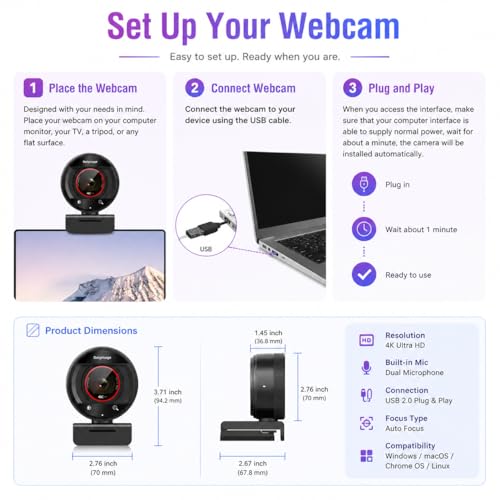
4K Webcam for PC Computer PDAF Autofocus with Built-in Microphone Windows | 1080P@60fps, Privacy Cover, Dual Noise Cancel Mics, 8X Digital Zoom, 78° FOV, Compatible Zoom Teams Twitch Google Meet



As an Amazon Associate we earn from qualifying purchases. Product prices and availability are accurate as of the date/time indicated.

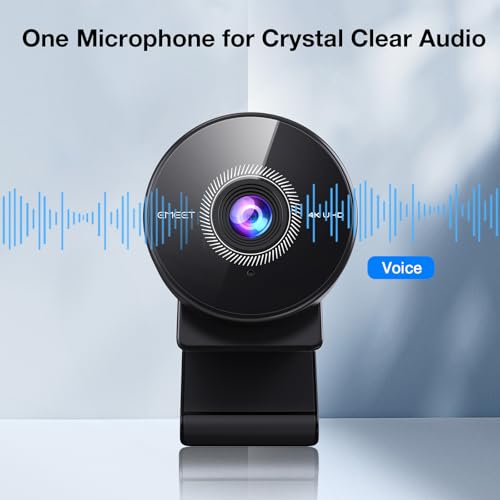
EMEET C960 4K Webcam for PC, PDAF Auto Focus, Dual Omni Mics, 73° FOV | Auto Light Correction, USB-A, Plug&Play, Web cam 4K with Privacy Cover, Webcam 4K Works for Zoom/Teams/Google Meet, Laptop/PC


As an Amazon Associate we earn from qualifying purchases. Product prices and availability are accurate as of the date/time indicated.
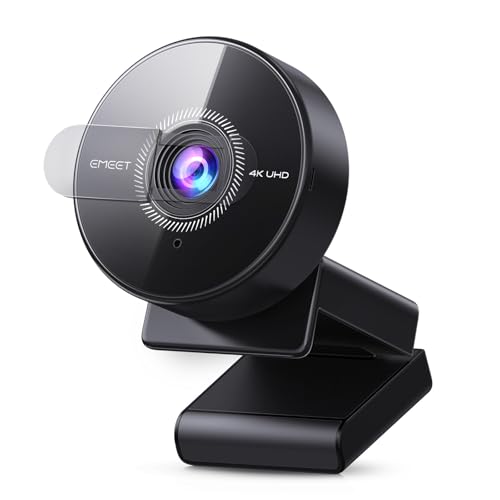
EMEET C950 4K Webcam for PC, PDAF Autofocus, USB Webcam with Microphone | Physical Privacy Cover, 1080P@60FPS, USB 2.0 Plug&Play, No Tripod Hole, Web Cam w/ 70°View for Meeting/Online Classes/Zoom




As an Amazon Associate we earn from qualifying purchases. Product prices and availability are accurate as of the date/time indicated.

1080P HD Webcam with Microphone, Noise Cancellation, Privacy Cover, Wide-Angle Lens, Auto Light Correction, Plug & Play USB Webcam for Laptop, Desktop, PC, Mac, Zoom, Skype, Streaming (Black)


As an Amazon Associate we earn from qualifying purchases. Product prices and availability are accurate as of the date/time indicated.

Logitech Brio 101 Full HD 1080p Webcam for Streaming and Meetings - Black | 1080p with auto-light correction, built-in mic, privacy shutter, USB-A, compatible with Teams, Google Meet, Zoom and more


As an Amazon Associate we earn from qualifying purchases. Product prices and availability are accurate as of the date/time indicated.

EMEET C60E Dual-Camera 4K Webcam for Streaming, Wide-Angle & Telephoto | Max 11X Hybrid Zoom & PDAF Autofocus, Remote Control, RGB Lighting, 2 Mics, Ideal for Livestreaming and Online Meeting


As an Amazon Associate we earn from qualifying purchases. Product prices and availability are accurate as of the date/time indicated.

saylas 4K Webcam with Microphone, 78°FOV FHD PC Camera with 4K/2K/30fps, 1080P/60fps, Privacy Cover, USB Web Cam, Autofocus, External Webcam for PC, Computer Web Camera for Laptop, Mac, Zoom


As an Amazon Associate we earn from qualifying purchases. Product prices and availability are accurate as of the date/time indicated.

NexiGo N680E Pro 4K Webcam with Ring Light, PDAF Autofocus, 1080p 60FPS, Dual Noise-Canceling Mics, Privacy Shutter, USB Plug-and-Play for Zoom, Teams, Twitch, Google Meet


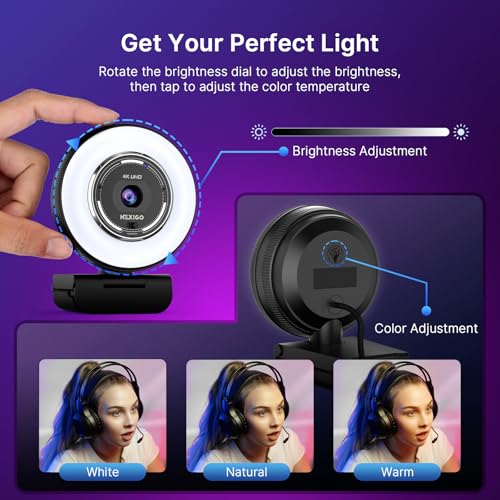


As an Amazon Associate we earn from qualifying purchases. Product prices and availability are accurate as of the date/time indicated.

EMEET C960 1080P Webcam with Microphone, 2 Mics, 90° FOV, Computer Camera | USB Type-A & A-to-C Adapter, Fixed Focus, Plug&Play for Zoom/Teams/Facetime/YouTube/Google Meet/Switch 2 Camera, 2025 Version

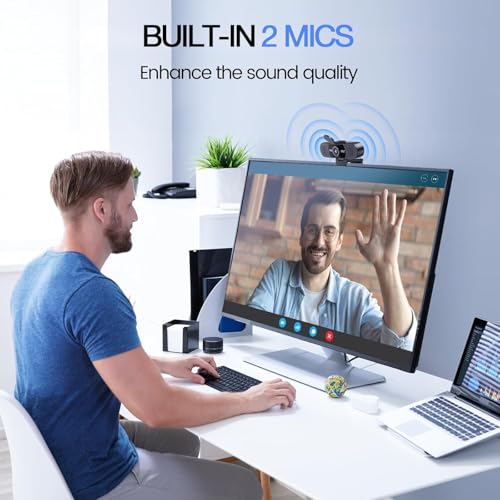


As an Amazon Associate we earn from qualifying purchases. Product prices and availability are accurate as of the date/time indicated.
| Model | Key point from the title | Price tier | Best for |
|---|---|---|---|
| Galyimage 4K PDAF webcam | 4K, PDAF autofocus, dual noise-cancel mics, 8X digital zoom, 78 degree FOV | Mid-range | General calls with room to crop |
| EMEET C960 4K | 4K, PDAF, dual omni mics, 73 degree FOV, auto light correction | Mid-range | Everyday desk calls |
| EMEET C950 4K | PDAF, 1080p at 60fps, USB 2.0, no tripod hole, 70 degree view | Budget | Monitor-clip use on a tight budget |
| Shcngqio 1080P | 1080p, noise cancellation, wide-angle lens, auto light correction | Budget | Spare or backup camera |
| Logitech Brio 101 | Full HD 1080p, auto light correction, privacy shutter, USB-A | Budget | Plain, familiar-brand 1080p |
| EMEET C60E dual-camera | Wide-angle plus telephoto, 11X hybrid zoom, remote, RGB lighting | Mid-range | Streamers who want two framings |
| saylas 4K | 4K, 2K and 1080p modes, autofocus, 78 degree FOV | Budget | Lowest-outlay 4K label |
| NexiGo N680E Pro | 4K, PDAF, ring light, dual noise-cancel mics, privacy shutter | Premium | Dim rooms and creator desks |
| EMEET C960 1080P | Fixed focus, 90 degree FOV, 2 mics, USB-A plus A-to-C adapter | Budget | Wide shots and simple setups |
Where the webcam category is heading
The most visible shift is that resolution has become a marketing contest. Titles lead with 4K even when the same line also lists 1080p at 60 frames per second, which usually hints at a trade-off: a camera that outputs 4K may do so at a lower frame rate than the 1080p mode. Most meeting software does not show 4K to the other side anyway, so the practical gain is cropping headroom, recorded content, and digital zoom that does not look mushy.
A second trend is the spread of phase detection autofocus into inexpensive models. Several titles here advertise PDAF, a method that is meant to lock focus faster than older contrast-based systems. A fixed-focus camera, like the 1080p C960, stays in the market because it is simple and cannot hunt for focus mid-sentence. Which one suits you depends on whether you move around or hold things up to the lens.
Third, the “creator” angle: dual-lens designs, ring lights and remote controls are now sold at prices that would have bought a basic webcam not long ago. These features target streaming and product demos rather than office calls. They add controls, drivers and sometimes lighting heat to a small clip-on device, so they suit someone who will use them, not someone who just wants to be seen clearly.
The audio side is moving too. Dual microphones and noise-cancellation wording show up on most of these titles, but they describe hardware and software features rather than how a voice sounds, and a pair of tiny microphones on a monitor clip cannot get close to your mouth. Expect them to be convenient, not studio quality.
Fourth, privacy hardware is close to standard. Almost every title mentions a physical cover or shutter. And fifth, USB-A is still the connector of choice, with a few listings adding a USB-C adapter. Finally, the gaming console crowd is being courted too: one title mentions a console camera use. Compatibility claims like that deserve a look at the manufacturer’s support page, because a title alone cannot confirm software or driver behavior.
How we picked these nine
This list is built from listing titles, published specifications and manufacturer documentation where available, plus recurring themes in buyer reviews. Nobody on the team used or measured these units, so we make no claims about image sharpness, color, low-light behavior or microphone clarity. Where a number appears that does not come from a title, it is a labeled estimate with its assumptions shown. We picked listings that are USB webcams for a computer, and we cover a deliberate spread: fixed focus, PDAF autofocus, dual-lens, built-in light and several budget options. Each entry names what the title states and sends you to the listing for the rest. Price tiers are relative within these nine listings, so a budget label here is not a statement about the wider market.
Nine webcams, one at a time
Galyimage 4K PDAF webcam: wide frame with digital zoom
The title lists 4K, PDAF autofocus, a built-in microphone, 1080p at 60 frames per second, a privacy cover, dual noise-cancelling mics, 8X digital zoom and a 78 degree field of view, with compatibility notes for Zoom, Teams, Twitch and Google Meet. The brand field names Galyimage. It sits in the middle of the set for price tier. The title does not say what frame rate the 4K mode runs at, which is the first thing to check.
Imagine a home office where you present from your desk and occasionally lean back. A 78 degree view gives a framed torso shot without showing much of the room, and autofocus should keep up when you move. The 8X digital zoom is a crop, not an optical zoom, so image detail drops quickly beyond about 2X on a native 4K sensor if your stream is 1080p.
Inside the set, it shares the 4K, PDAF and dual-microphone bundle with the EMEET C960 4K and the NexiGo, but with a different field of view and no ring light. The practical question is whether 78 degrees and 8X zoom matter more to you than the brand name on the C960. Titles cannot separate them on picture quality; buyer photos can, a little.
Pros
- PDAF autofocus listed.
- Two microphones with noise cancellation mentioned.
- Both 4K and 1080p60 modes named.
Cons
- 4K frame rate is not stated in the title.
- Digital zoom is not optical zoom.
- Brand support terms are not visible in the title.
Check the listing: the USB version, driver or software availability, mount type and tripod thread. Ask first: will I ever actually use the 4K mode, or is 1080p60 all my software will send?
EMEET C960 4K: the focus-tracking desk camera
EMEET’s C960 4K listing mentions 4K, PDAF autofocus, dual omnidirectional microphones, a 73 degree field of view, auto light correction, a USB-A connector, plug-and-play use and a privacy cover. It sits in the mid-range tier. The narrower field of view makes it more of a single-person camera than the wide 90 degree model that shares its name.
Take someone on back-to-back calls from a spare bedroom with a table lamp as the only light. Auto light correction is meant to brighten the image when the room is dim, but how natural the result looks is something only the listing’s photos and buyer comments can hint at. Dual omnidirectional microphones capture sound from all around, which includes the room, so quiet surroundings matter.
Next to the Galyimage listing, the stated numbers differ by only a few degrees of field of view and the zoom claim, so the choice often comes down to which listing shows clearer buyer photos and which maker publishes software for adjusting exposure and white balance. Under mixed lighting, being able to lock exposure is more valuable than another headline feature.
Pros
- PDAF autofocus and auto light correction named.
- 73 degree view suits one person.
- Privacy cover included.
Cons
- Omnidirectional mics pick up background noise.
- No frame rate for the 4K mode in the title.
- Same model name as a different, 1080p camera, which can confuse a search.
Check the listing: whether it is the 4K or 1080p version before checkout, and the software for adjusting exposure. Ask first: is 73 degrees wide enough for my seat and background?
EMEET C950 4K: PDAF at the budget tier, with caveats in the title
This title mentions 4K, PDAF autofocus, a microphone, a physical privacy cover, 1080p at 60 frames per second, USB 2.0 plug-and-play and a 70 degree view. It also states “no tripod hole,” which is unusual to see in a title and is useful information: the camera clips to a monitor or sits on a surface, and it will not mount on a tripod directly.
The USB 2.0 mention explains something about the picture. USB 2.0 has far less bandwidth than uncompressed video needs at 1080p60, so cameras on this interface send compressed video, and quality depends on the camera’s encoder. That is not a flaw so much as a trade, and it is why an inexpensive 4K-labeled USB 2.0 camera and a higher-priced model can differ in ways titles never capture.
A sensible reading is that the C950 is the stripped version of the idea: autofocus and 1080p60 without tripod mounting or extra lenses. If your monitor has a flat top edge, the omission may never matter. If you later move the camera to a stand for a different seating position, it will. Weigh that before saving the price difference with the C960.
Pros
- PDAF autofocus at a budget tier.
- Honest “no tripod hole” disclosure.
- 1080p at 60fps and a physical cover listed.
Cons
- No tripod mounting.
- USB 2.0 is the only interface stated.
- Narrowest field of view in the set at 70 degrees.
Check the listing: clip design for thin laptop screens and curved monitors. Ask first: will a monitor clip hold the camera steady on my desk?
Shcngqio 1080P HD webcam: the plain budget option
The title offers 1080p, a microphone with noise cancellation, a privacy cover, a wide-angle lens, auto light correction and plug-and-play USB use with laptops, desktops, PCs and Macs. It does not mention autofocus type, field of view in degrees, or frame rate. That makes it a camera you buy on price and then confirm details for, rather than one you can compare by numbers.
It could make sense as a backup: a spare for a travel bag, a second computer, or a kid’s laptop used for school classes. For that job, resolution and cover matter more than focus tricks. Be careful with “wide-angle” without a number, because it can mean anything from 70 to well over 90 degrees.
It helps to define what you are paying for: a lens, a cover and a cable. An app, a stable driver or a long cable are not in the title. For a camera you may leave plugged in for years, check the warranty and return window, because small-brand support varies and a title cannot reveal it.
Pros
- Privacy cover and auto light correction named.
- Lowest outlay tier alongside one other model.
- Works with Mac, per the title.
Cons
- No focus type or field of view number in the title.
- No frame rate stated.
- Support and return terms are not in the title.
Check the listing: focus type, frame rate and field of view in degrees. Ask first: if the focus is fixed, is its sharpest distance close enough to my seat?
Logitech Brio 101: a familiar name for plain 1080p
The title says Full HD 1080p for streaming and meetings, auto light correction, a built-in microphone, a privacy shutter and USB-A, with Teams, Meet and Zoom compatibility. It does not name an autofocus system or field of view. The attraction here is the brand and a short, uncomplicated feature list rather than a stack of numbers.
Consider an office worker who wants one reliable camera that works with company-managed laptops. Familiar brands often have driver pages and clear support channels, which matters when IT policy limits what you can install. A plain 1080p camera is also the least likely to need software at all. Whether that holds for this model is something the manufacturer’s support page can confirm.
Compared with the generic 1080p listing above, the difference you can verify from titles is a stated privacy shutter and a short list of named apps. It does not promise autofocus, so if you hold up documents or products to the camera, look for focus details on the listing or move to one of the autofocus models.
Pros
- Recognizable brand and clear feature list.
- Privacy shutter named.
- Budget tier.
Cons
- No autofocus system or field of view stated.
- 1080p only, so no cropping headroom.
- Title lists only USB-A.
Check the listing: focus behavior, frame rate and whether the shutter is a slide or a clip. Ask first: do I need a USB-C adapter for my laptop?
EMEET C60E dual-camera: two lenses for two framings
The C60E title describes a dual-camera 4K webcam for streaming, with wide-angle and telephoto lenses, up to 11X hybrid zoom, PDAF autofocus, a remote control, RGB lighting and two microphones. Of the nine, it is the only one with two lenses, which sets it apart from the single-lens models and places it in the mid-range price tier.
The use case is a streamer who wants a wide scene and a close-up of a keyboard, a product or a drawing without moving the camera. The remote control saves reaching for software mid-stream. “Hybrid zoom” typically blends optical lens switching with digital cropping, so how smooth the transition looks is an item to check in sample footage. The RGB lighting is decorative unless the listing says otherwise.
Because it carries two lenses and a remote, it is also the most likely to need a control window open during use. Streamers often run overlay and capture software already, so one more panel is fine. An office worker who only joins meetings can pick a simpler camera and never miss the second lens.
Pros
- Two lenses for wide and tight framing.
- Remote control included, per the title.
- PDAF autofocus listed.
Cons
- More complicated than a simple clip-on camera.
- RGB lighting may be unwanted on a work desk.
- Title does not give field of view in degrees.
Check the listing: software support, how the lenses switch, and the cable length. Ask first: will I really use two framings, or would one wide lens do?
saylas 4K: the lowest outlay with a 4K label
The saylas title lists a 4K webcam with a microphone, a 78 degree field of view, 4K, 2K and 30fps modes, 1080p at 60fps, a privacy cover, autofocus and compatibility with PC, laptop, Mac and Zoom. It is the lowest price tier in this set. “Autofocus” is named without specifying the type, so the title does not tell us whether it is PDAF or the older contrast-based approach.
At a budget price, the 4K label deserves scrutiny rather than suspicion. A 4K mode at 30 frames per second is normal in this category, but check whether the listing describes a native 4K sensor or an upscaled output. Look at sample images posted by buyers, not just the headline. For a student or occasional caller, the 1080p60 mode may be the one actually used.
In a spread like this, the saylas listing is useful mostly as a price floor. If an alternative one tier up names PDAF, as the C950 does, the extra outlay buys something concrete. If you only want a camera for occasional calls and have decent lighting, the floor may be all you need.
Pros
- Lowest price tier.
- Multiple resolution modes listed.
- Autofocus and privacy cover included.
Cons
- Autofocus type is not specified.
- Support terms are not in the title.
- 4K at 30fps only, per the mode list.
Check the listing: sensor details and whether 4K is native. Ask first: would I notice if I only ever used the 1080p mode?
NexiGo N680E Pro: ring light built in
The title mentions 4K, a ring light, PDAF autofocus, 1080p at 60fps, dual noise-canceling microphones, a privacy shutter and USB plug-and-play for Zoom, Teams, Twitch and Meet. It is the highest price tier here. The ring light is the point of difference: it adds light on your face from the camera’s own position, which helps in dim rooms and can reduce the need for a separate lamp.
Suppose you stream in the evening with no window light. A ring light on the camera is a modest, convenient fill, but placement close to the lens can create catchlights in glasses and a flat look. A separate lamp slightly off-axis is often kinder to faces, and the built-in light is best seen as a convenience, not a substitute. Check whether the light has brightness and color settings.
Among the listings that combine 4K and PDAF, this one costs the most and is the only one with a light. If your room already has good light, the premium buys little, and the Galyimage or EMEET C960 4K do similar work for less. In a dim room, the built-in light is the feature that earns the premium.
Pros
- Built-in ring light for dim rooms.
- PDAF autofocus and a privacy shutter listed.
- Dual noise-canceling mics named.
Cons
- Highest price in the set.
- Light on the camera can cause glare on glasses.
- Extra power draw and controls to manage.
Check the listing: light adjustments, USB power requirements and tripod thread. Ask first: would a separate lamp cost less and look better?
EMEET C960 1080P: fixed focus and a 90 degree view
This C960 is a different camera from the 4K listing despite the shared name. The title says 1080p, a microphone setup with 2 mics, a 90 degree field of view, USB Type-A with an A-to-C adapter, fixed focus and plug-and-play use, and it names Zoom, Teams, FaceTime, YouTube, Google Meet and a Switch 2 camera use. Its title also carries a version label that we omit from headings. It is in the budget tier.
The wide 90 degree view suits a shot that includes two people on a couch or a whiteboard behind you. Fixed focus means no hunting, which some presenters prefer. The Switch 2 mention is a compatibility claim that deserves a check on the manufacturer’s page, since a title cannot confirm console behavior.
Of all nine, this is the title where careful reading avoids a mistake: the same name appears on a 73 degree, PDAF, 4K camera. If a friend says they bought the EMEET C960, ask which one. The cheaper model’s strengths are width and simplicity; its weakness is that it cannot refocus when you lean forward.
Pros
- Wide field of view for group shots.
- USB-A with an adapter for USB-C ports.
- Fixed focus avoids focus hunting.
Cons
- Fixed focus is soft when you lean in or hold objects close.
- 1080p only.
- Same name as the 4K C960, so double-check the listing.
Check the listing: console compatibility notes and the sharpest focus distance. Ask first: do I need the wide view, or will it only show more of my room?
How to choose a webcam, in plain terms
Resolution and frame rate: what your software can use
Video calls compress what you send, and many services deliver 720p or 1080p to others regardless of your camera. A 1080p webcam at 30 frames per second is enough for meetings. Sixty frames per second helps when you stream or move a lot, since motion looks smoother. 4K matters mainly for recording and cropping. A 4K frame is 3840 by 2160 pixels, so a 2X crop gives a 1920 by 1080 region with no upscaling. An 8X crop leaves a region of only 480 by 270 pixels, which has to be stretched, and that is why high digital zoom numbers on cheap cameras look soft.
There is also a bandwidth reason that 4K is typically slower. In a quick estimate, uncompressed 1080p video at 30 frames per second with 2 bytes per pixel needs about 124 megabytes per second, close to 1 gigabit per second. USB 2.0 tops out at 480 megabits per second in theory and less in practice, so USB 2.0 cameras send compressed video. USB 3.0 has more room, and even then cameras compress to keep the load manageable. The takeaway is that the interface limits what the camera can send, so read frame rate by resolution, not just the highest number in the title.
Autofocus versus fixed focus
If you sit still and the camera sits at a fixed distance, fixed focus is reliable and avoids pulsing. If you lean, stand, share a notebook or show products, autofocus is more flexible. PDAF, where a title says so, is designed to judge distance directly and focus quickly. Where a title says only “autofocus,” as with the saylas model, you do not know which system it uses. Look for buyer comments that mention focus hunting in dim light, since low light makes every autofocus system less sure.
Microphones and light correction: what titles can and cannot promise
Titles love phrases such as dual noise-cancel mics or auto light correction. Both describe features, and neither guarantees results. Noise cancellation in a webcam is usually software that suppresses steady sounds like fans while leaving voices; sudden sounds like keyboard clatter still pass through. Auto light correction brightens a dim image, but the cost is often visible noise or a washed-out look, because the sensor is amplifying a weak signal. Fixing the room’s light is more effective than any setting. Where the stakes are higher, plug in a headset with a boom microphone, and treat the webcam microphone as a backup.
Field of view, with a worked example
Field of view in degrees controls how much of the scene fits. The width of the frame at distance d is about 2 times d times the tangent of half the angle. Assume you sit 24 inches from the camera and that each listed figure is horizontal. A 70 degree view gives a frame about 34 inches wide, 73 degrees about 36 inches, 78 degrees about 39 inches and 90 degrees about 48 inches. If a figure is diagonal, as many are, multiply the width by roughly 0.87 for a 16:9 frame, so a 78 degree diagonal is closer to 34 inches wide. A single person at a desk is comfortable at 34 to 39 inches, and 48 inches starts to show a lot of the room.
| Spec concept | What to look for | Why it matters |
|---|---|---|
| Resolution and frame rate | Frame rate stated per resolution | 4K often runs slower than 1080p60 |
| Focus type | PDAF, contrast autofocus or fixed | Decides how well it follows movement |
| Field of view | Degrees, and whether horizontal or diagonal | Sets how much of your room appears |
| Microphones | Count and type (omni versus noise-canceling) | Webcam mics pick up room sound |
| Interface | USB 2.0, 3.0, A or C, adapter | Limits the quality and port options |
| Mounting | Clip, tripod thread or neither | Decides where and how you place it |
| Light handling | Auto light correction, built-in light | Matters in dim rooms |
| Privacy | Physical cover or shutter | Blocks the lens independent of software |
Setup and placement tips
Place the camera at eye level or slightly above, and sit about an arm’s length away. Face a window or lamp so the light lands on your face rather than behind you. A bright window behind the camera user forces the sensor to expose for the glare and turns the face dark. If your monitor is tall, a monitor clip works best on the top bezel, while a tripod thread lets you aim from a stand. Use a direct USB port on the computer, not a crowded hub, since a hub can limit bandwidth and cause dropouts. In your meeting software, choose the camera and microphone you want by name, because laptops often have built-in ones that stay selected by default.
If you want to compare camera tiers before choosing, our list of webcams under $100 breaks down value picks, and our guide to webcams for streaming focuses on features that matter for live broadcasts.
Where buyers go wrong with webcams
- Buying on the 4K label alone. Check frame rate in 4K mode and whether your meeting app can use it. The bigger gain for most people is good focus and good light.
- Ignoring the lighting. A bright lamp in front of you does more for the image than a more expensive camera in a dim room.
- Trusting digital zoom numbers. 8X or 11X digital or hybrid zoom is a crop, and detail drops fast. Optical lens switching, as on the dual-lens C60E, behaves differently.
- Skipping the mount check. The EMEET C950 title says it has no tripod hole, and other titles say nothing. Look at the photos.
- Using the wrong USB port. Plug into a direct port, ideally a faster one when the camera supports it.
- Assuming the microphone is enough. A webcam microphone sits far from your mouth and hears the room. A headset is nearly always clearer.
- Judging sound by the feature list. Dual microphones and noise cancellation are traits, not results. If your voice matters, plan for a headset.
- Forgetting the adapter. Many titles list USB-A only. A laptop with USB-C ports needs an adapter, and the EMEET C960 1080P is the one whose title mentions it.
- Mixing up model names. There are two EMEET C960 listings with different resolution, focus and field of view.
Security reminder: a privacy cover blocks the lens but not the microphone, and the cover does not replace keeping your operating system and meeting software updated.
Which webcam for which job
General office calls: the EMEET C960 4K and the Logitech Brio 101 cover the plain use case, with the EMEET adding autofocus. Smallest outlay: the saylas, Shcngqio and EMEET C950 sit lowest, with the C950 being the one whose title includes PDAF and a clear note about missing tripod mounting. Wide group shots: the EMEET C960 1080P at 90 degrees. Dim rooms and creators: the NexiGo N680E Pro, with its own light, is the premium option. Two framings for streaming: the EMEET C60E. Wide frame with room to crop: the Galyimage listing. If your seat is far from the screen or your room has strong backlight, lean toward a model with good light handling and place a lamp in front of you instead of upgrading the camera. Whatever you choose, confirm frame rate per mode, field-of-view definition, and mounting on the listing first.
In short: if you only join meetings, spend your attention on light, focus type and a field of view that fits your seat. If you record or stream, 4K modes, dual lenses and a built-in light become worth paying for. If you share a computer with family or travel with one, a plain 1080p camera with a cover is the low-stress choice. And if two listings look equal, pick the one with clearer mounting information and a longer return window, because those are the details most likely to cause regret.
Questions people ask about webcams
Is a 4K webcam worth it for video calls?
Usually not for calls alone. Most meeting apps compress video heavily and often send 720p or 1080p to other participants, so extra pixels on your side go unused. 4K helps when you record content, crop in later, or use digital zoom without visible softening. If your main use is Zoom or Teams, a good 1080p camera with reliable autofocus and light handling will likely look the same to the person you are talking to.
What is the difference between PDAF autofocus and fixed focus?
PDAF stands for phase detection autofocus, which uses dedicated sensor pixels to judge distance and usually locks focus quickly. Fixed focus uses a lens set to a single working distance, so it is sharp at roughly desk range and softer when you lean in or hold up objects. Fixed focus is simpler and rarely hunts for focus. Autofocus is more flexible when you move, share a whiteboard or show products to the camera.
Are built-in webcam microphones good enough?
They are fine for casual calls in a quiet room and poor for anything more. A microphone that sits a couple of feet from your mouth picks up keyboard noise, room echo and fans along with your voice. Titles mentioning dual microphones or noise cancellation describe features, not results. If audio quality matters for streaming or recording, a headset or a separate desktop microphone nearly always sounds better than any webcam microphone.
Which field of view should I choose?
Around 70 to 80 degrees frames one person at a desk without showing much of the room. Around 90 degrees fits two people or a wider background, but it makes your face smaller in frame and exposes more clutter. Check whether the number is horizontal or diagonal, since the same lens gives a narrower horizontal view than the diagonal figure suggests. Many apps also let you crop or zoom digitally to tighten a wide frame.
Do I need a webcam with a privacy cover?
It is a simple, low-tech safeguard. A physical cover or shutter blocks the lens regardless of software, which is reassuring for a camera that stays plugged in all day. It does not stop the microphone from picking up sound, so unplug the camera or mute the microphone in system settings when you want full privacy. If you rarely leave a webcam connected, the cover matters less.
Does a built-in ring light replace a desk lamp?
Not fully. A light mounted at the camera is convenient and gives a quick fill in a dim room, but it comes from the same direction as the lens, which can look flat and reflect in glasses. A lamp placed to one side and slightly above eye level usually models the face more naturally. The NexiGo’s ring light is best treated as a convenient top-up. Check whether its brightness and color temperature can be adjusted.
Will a USB-A webcam work on a laptop with only USB-C ports?
Usually yes, with an adapter or a hub, and the EMEET C960 1080P title mentions an A-to-C adapter. The adapter simply changes the plug; the camera still uses the same data path. Avoid daisy-chaining it through a crowded hub that shares bandwidth with storage drives, since that can cause stutter or disconnects. If dropouts happen, try a different port or a direct adapter.
Related guides
- Helping Hands Soldering Station With Magnifier
- Bench Power Supply For Electronics Hobbyists
- 4K Monitor For Programming