
Key takeaways
- Best Overall: Logitech C920s, the dependable 1080p all-rounder for calls, school and casual streaming.
- Best Value: OBSBOT Meet SE, a large sensor and 100fps mode for a mid-range price.
- Best 2K Image for Meetings: Anker PowerConf C200, with 1440p capture and three field-of-view presets.
- Best 4K Under $100: EMEET S600, a Sony sensor with phase-detection autofocus.
- Best for Streamers: Razer Kiyo V2 X, the only pick here that records 1440p at 60fps.
- Best Budget: Logitech Brio 101, a no-fuss 1080p upgrade over most laptop cameras.
- Best for Gamers with a Separate Mic: Elgato Facecam Neo, 1080p60 with HDR and no built-in microphone.
If you only want the short answer: the Logitech C920s is still the safest pick among the best webcams under $100, because its 1080p autofocus image, stereo mics and privacy shade work on almost any computer with zero setup. The runner-up is the OBSBOT Meet SE, which brings a larger 1/2.8-inch sensor, 1080p at up to 100fps and AI auto-framing to the same price band, making it the better choice for dim rooms and streaming. Below you will find seven main picks across every budget tier, three extra options, a buying guide with real thresholds, and answers to the questions people search most.
Disclosure: this page contains affiliate product cards. If you buy through them we may earn a commission at no extra cost to you. Picks are based on manufacturer spec sheets and independent reviews, not lab work of our own.
Top Picks at a Glance
- Best Overall: Logitech C920s, the dependable 1080p all-rounder for calls, school and casual streaming.
- Best Value: OBSBOT Meet SE, a large sensor and 100fps mode for a mid-range price.
- Best 2K Image for Meetings: Anker PowerConf C200, with 1440p capture and three field-of-view presets.
- Best 4K Under $100: EMEET S600, a Sony sensor with phase-detection autofocus.
- Best for Streamers: Razer Kiyo V2 X, the only pick here that records 1440p at 60fps.
- Best Budget: Logitech Brio 101, a no-fuss 1080p upgrade over most laptop cameras.
- Best for Gamers with a Separate Mic: Elgato Facecam Neo, 1080p60 with HDR and no built-in microphone.
Comparison Table: Best Webcams Under $100
| Webcam | Best For | Max Video | Field of View | Focus | Watch For | Price Tier |
|---|---|---|---|---|---|---|
| Logitech C920s | Most people | 1080p30 | 78° | Autofocus | No 60fps mode | Mid-range |
| OBSBOT Meet SE | Low light, streaming | 1080p100 | 78° | Autofocus | Single basic mic | Budget to mid |
| Anker PowerConf C200 | Meetings, small rooms | 1440p | 65° / 78° / 95° | Autofocus | No auto-framing | Mid-range |
| EMEET S600 | Sharp 4K stills and calls | 4K30 / 1080p60 | Up to 73° | PDAF | Narrower view than older listings claim | Budget to mid |
| Razer Kiyo V2 X | Streaming at high frame rate | 1440p60 | About 80° | Autofocus | Noisy in dim light | Upper-mid |
| Logitech Brio 101 | Tight budgets | 1080p30 | Not stated | Fixed focus | No autofocus | Budget |
| Elgato Facecam Neo | Gamers with a USB or XLR mic | 1080p60 | 77° | Autofocus | No microphone | Mid-range |
1. Logitech C920s: Best Overall Webcam Under $100

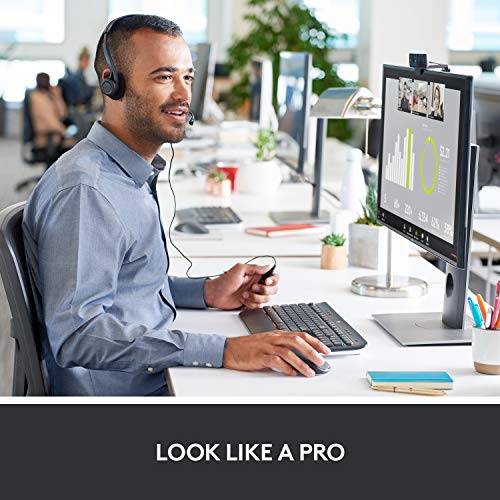
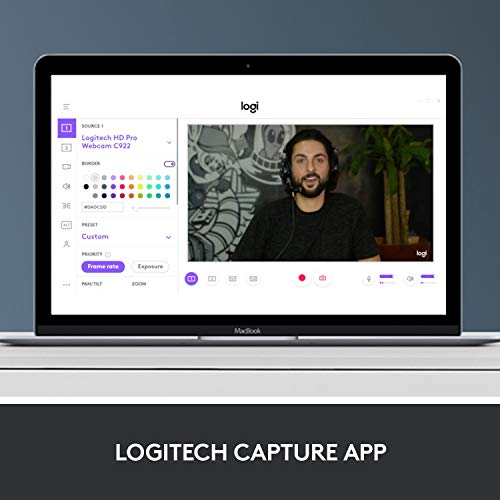
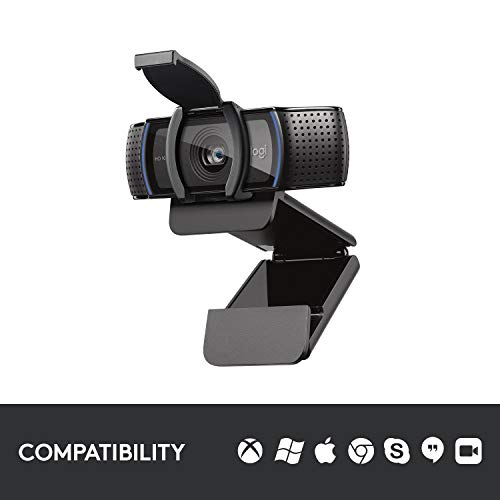
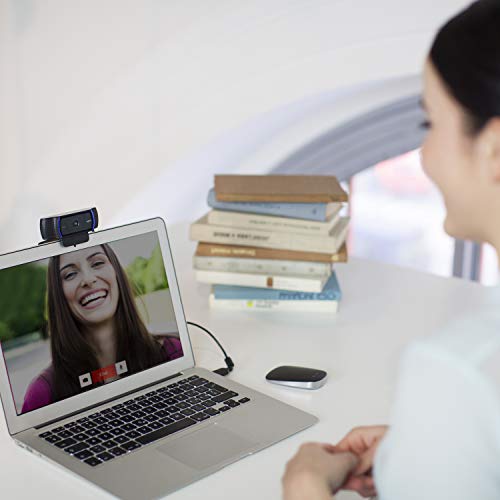
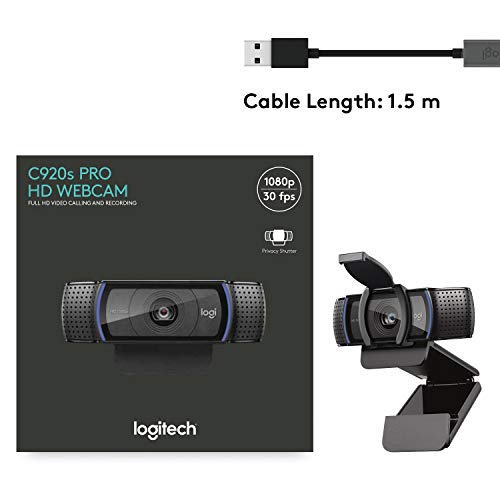
Logitech C920S HD Pro Webcam Full 1080p/30fps Video Calling Clear Stereo

As an Amazon Associate we earn from qualifying purchases. Product prices and availability are accurate as of the date/time indicated.
- Video: 1080p at 30fps, 720p at 30fps
- Field of view: 78° diagonal
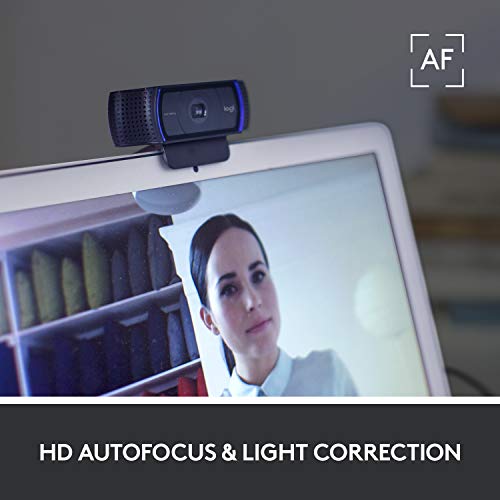
- Focus: Autofocus with automatic light correction
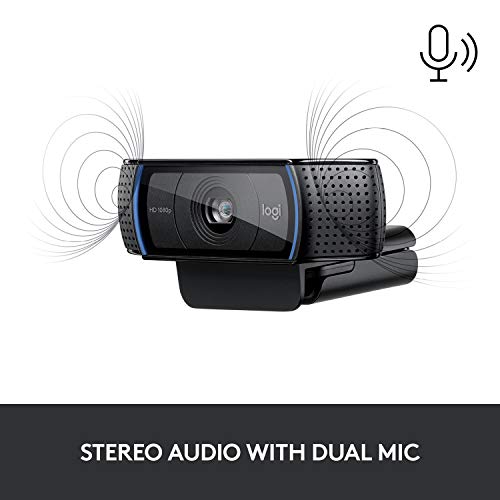
- Audio: Dual stereo microphones
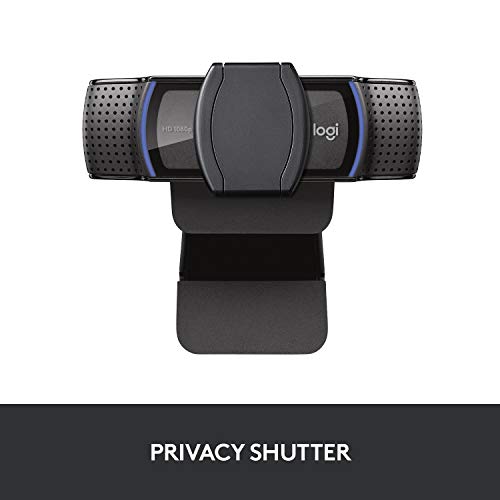
- Extras: Attachable privacy shade, clip mount with tripod thread
- Connection: USB-A, plug and play on Windows, macOS and ChromeOS
Best for: anyone who wants a webcam that simply works for calls, classes and casual streams. Skip if: you need smooth 60fps motion or you mostly sit in a dark room.
The C920 family has been the default budget webcam recommendation for years, and the C920s keeps that reputation for a simple reason: it gets the basics right. The glass lens and autofocus keep your face sharp when you lean forward to read a screen, and the 78-degree view frames one person at a desk without showing your whole room. Two microphones on either side of the lens give a clearer voice pickup than most laptop mics, although a dedicated USB microphone will still sound better for streaming.
Compared with the newer picks on this list, the C920s does not chase specs. It tops out at 1080p30, it has a smaller sensor than the OBSBOT Meet SE, and it does not offer HDR. What it offers instead is predictability. It works with Zoom, Teams, Google Meet, Discord and OBS without extra drivers, and Logitech’s optional software lets you lock exposure and white balance if the auto settings drift. Expect clean results in a reasonably lit room and some softness and grain once the light drops, which is typical of sensors in this class.
For longevity, the C920s is a low-risk buy. Its wide software support means it rarely breaks after an operating system update, and the clip fits both monitors and laptop lids. If you later add a key light, the image improves noticeably, so it scales with a better setup.
Pros
- Reliable autofocus and natural color in good light
- Stereo mics are a real step up from most laptops
- Privacy shade included
- Broad compatibility with no driver hassle
Cons
- 1080p30 only, so fast motion looks less fluid
- Low-light image is noisier than newer large-sensor rivals
2. OBSBOT Meet SE: Best Value for Low Light and Streaming

OBSBOT Meet SE 1080P 100FPS Webcam for PC, AI Framing Streaming Camera


As an Amazon Associate we earn from qualifying purchases. Product prices and availability are accurate as of the date/time indicated.
- Sensor: 1/2.8-inch stacked BSI CMOS, f/1.8 aperture, dual native ISO
- Video: 1080p at up to 100fps, 1080p60 with staggered HDR
- Field of view: 78°, 4x digital zoom
- Smart features: AI auto-framing, gesture control, portrait mode
- Connection: USB-C (USB 2.0), USB-A adapter included
- Mount: Magnetic monitor mount plus tripod thread
Best for: streamers and remote workers who want a cleaner image in imperfect lighting. Skip if: you plan to rely on the built-in microphone for anything important.
The Meet SE is the pick that most changes the value math under $100. Its 1/2.8-inch sensor with 2.9-micron pixels and an f/1.8 lens is larger and brighter than what most budget webcams use, and that matters more than resolution once the sun goes down. Based on its spec tier, you can expect less grain and better skin tones in a typical bedroom or office than a small-sensor 1080p camera delivers.
The 100fps mode is unusual at this price and is useful for streamers who want very smooth motion or who record short clips for slow-motion edits. You need to enable the higher output options in OBSBOT’s software to reach it, and staggered HDR runs at up to 1080p60. AI framing keeps you centered if you shift around, and gesture controls let you zoom without touching the keyboard. It cannot physically pan like the Tiny SE further down this page, so framing is digital.
The trade-off is audio. Independent reviewers describe the single microphone as basic, so pair it with a headset or USB mic for streams. The magnetic mount is a nice touch for quick portrait or landscape switching, which helps if you post vertical clips.
Pros
- Large sensor and bright f/1.8 lens for the price
- 1080p100 and HDR modes
- AI framing and gesture control
- Flexible magnetic and tripod mounting
Cons
- Mic is serviceable at best
- Best features live in companion software
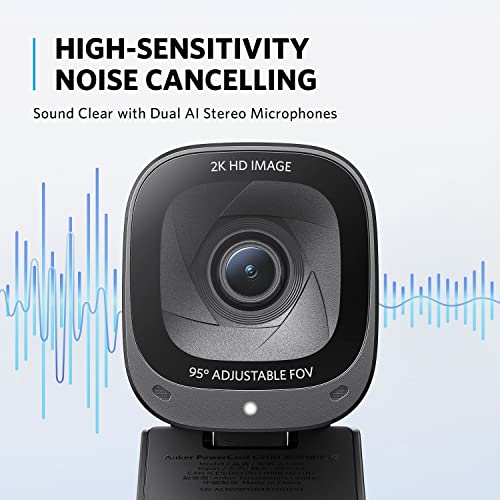
3. Anker PowerConf C200: Best 2K Webcam for Meetings

Anker PowerConf C200 2K Webcam for PC/Laptop/Mac, Low-Light Correction



As an Amazon Associate we earn from qualifying purchases. Product prices and availability are accurate as of the date/time indicated.
- Video: Up to 1440p (2K), scalable down for slow connections
- Field of view: 65°, 78° or 95°, selectable in the AnkerWork app
- Focus: Autofocus with low-light correction
- Audio: Dual stereo mics with AI noise reduction, directional or omni pickup
- Extras: Sliding privacy cover, tripod mount
- Connection: USB-C on camera, USB-A cable end
Best for: home office workers who want more detail than 1080p and a wider view for shared desks. Skip if: you want auto-tracking or 60fps.
The C200 sits between the C920s and the 4K picks. Its 1440p capture gives you a little more detail to crop into, which helps if your video app or recording software zooms the frame. The bigger win, though, is the selectable field of view. At 65 degrees it frames one person tightly and hides clutter, at 78 degrees it matches the C920s, and at 95 degrees it fits two people side by side or a small whiteboard.
Audio is better thought out than on many budget cameras. You can switch the pickup between a narrow directional pattern and a wider pattern, and the AI noise reduction is aimed at fan hum and keyboard clatter. Reviewers note it will not replace a real microphone, but for daily calls it is a step above the typical single mic.
The C200 does not reframe you automatically and does not offer 60fps, so streamers who move a lot should look at the OBSBOT or Razer picks. For a quiet desk setup where clarity and flexibility matter more than motion, it is a strong middle option.
Pros
- Three field-of-view presets
- 1440p detail above standard 1080p cameras
- Directional mic mode and noise reduction
- Built-in privacy cover
Cons
- No auto-framing
- 30fps-class motion only
4. EMEET S600: Best 4K Webcam Under $100

EMEET S600 4K Webcam for Streaming, Sony 1/2.55'' Sensor, PDAF Autofocus


As an Amazon Associate we earn from qualifying purchases. Product prices and availability are accurate as of the date/time indicated.
- Sensor: Sony 1/2.55-inch, 8MP
- Video: 4K at 30fps, 1080p at 60fps or 30fps
- Field of view: 73° at 4K, adjustable 40° to 73° at 1080p
- Focus: PDAF (phase-detection autofocus)
- Audio: Two omnidirectional noise-cancelling mics
- Extras: Physical privacy cover
Best for: creators who want the sharpest image here and quick, confident focus. Skip if: you need a wide view for two people.
The S600 is proof that real 4K capture has reached the budget tier. Its Sony sensor is one of the larger ones on this list, and phase-detection autofocus locks on faster than the contrast-based systems found on older webcams. That makes a difference if you hold products up to the camera for reviews or show handwritten notes in a class.
Most video calls are still compressed to 1080p or lower, so the 4K mode shines most when you record locally, crop in during editing, or grab still frames. For live use, the 1080p60 mode is the practical choice because it delivers smoother motion. Note that EMEET’s current spec page lists a 73-degree maximum view, narrower than the 88 degrees quoted in some older listings, so plan for a tight single-person frame.
Compared with the Razer Kiyo V2 X, the S600 trades 1440p60 for higher still detail and a larger sensor. Compared with the OBSBOT Meet SE, it gives more resolution but no AI framing and no 100fps mode.
Pros
- True 4K capture with a Sony sensor
- Fast PDAF autofocus
- 1080p60 option for live streaming
- Dual noise-cancelling mics and privacy cover
Cons
- Narrower field of view than many rivals
- 4K benefits are limited in compressed video calls
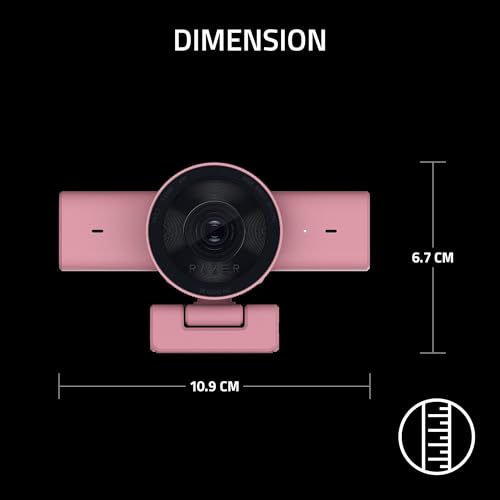
5. Razer Kiyo V2 X: Best Under-$100 Webcam for Streamers

Razer Kiyo V2 X Webcam for Streaming and Meetings, 1440p 60 FPS, Quartz




As an Amazon Associate we earn from qualifying purchases. Product prices and availability are accurate as of the date/time indicated.
- Video: 1440p at 60fps, 1080p at 60/30/24fps, 720p at 60/30fps
- Sensor: 3.7MP
- Field of view: About 80°, adjustable in software
- Focus: Autofocus with manual override
- Audio: Omnidirectional mic
- Extras: Integrated privacy shutter, non-detachable USB-A cable
Best for: Twitch and YouTube streamers who want higher resolution and smooth motion at the same time. Skip if: your room is dim and you will not add a light.
The Kiyo V2 X stands out for one spec: 1440p at 60fps. Even Razer’s pricier Kiyo V2 tops out at 1440p30, so this is the camera to pick if you want a sharper facecam that still looks fluid when you react quickly or move around. Out of the box, reviewers found its colors natural, which saves time tweaking settings before a stream.
The weak point is low light. Its sensor is smaller than the Sony units in the EMEET S600 or the stacked sensor in the OBSBOT Meet SE, and independent reviews describe a gritty image in moderate lighting. In practice, plan to pair it with a small key light or ring light. With decent light, it should deliver the smoothest high-resolution image on this list.
Pricing varies by color, with some finishes sitting comfortably under $100 and others close to the limit, so check the card above for the current tier. The fixed cable is a minor annoyance if you move the camera between machines.
Pros
- 1440p60 capture, rare at this price
- Natural default color
- Privacy shutter and manual focus option
Cons
- Grainy in dim rooms
- No HDR or auto-tracking
- Cable is not detachable
6. Logitech Brio 101: Best Budget Webcam

Logitech Brio 101 Full HD 1080p Webcam for Streaming and Meetings - Black


As an Amazon Associate we earn from qualifying purchases. Product prices and availability are accurate as of the date/time indicated.
- Video: 1080p at 30fps
- Focus: Fixed focus
- Light handling: Automatic light balance
- Audio: Built-in microphone
- Extras: Built-in privacy shutter
- Connection: USB-A, plug and play
Best for: students, desktop PCs without a camera and anyone whose budget tops out in the entry tier. Skip if: you hold objects close to the lens, since there is no autofocus.
The Brio 101 is Logitech’s entry-level 1080p webcam, and it is the pick we would point to for a desktop PC that has no camera at all. It covers the essentials: Full HD video, automatic light balancing to keep your face from looking washed out under a window, a built-in mic for quick calls and a sliding shutter for privacy.
The main compromise is fixed focus. At a normal seated distance you will look sharp, but anything held up close to the lens will be soft. Compared with the C920s, you give up autofocus and stereo audio in exchange for a much lower price tier. Compared with no-name cameras at the very bottom of the market, you get Logitech’s driver support and more consistent image processing.
If you later decide you want more, the Brio 101 makes a good secondary camera for a laptop bag or a family PC.
Pros
- Entry-level price tier from a major brand
- Privacy shutter built in
- Simple plug and play setup
Cons
- No autofocus
- Basic single mic
7. Elgato Facecam Neo: Best for Gamers Who Already Own a Mic

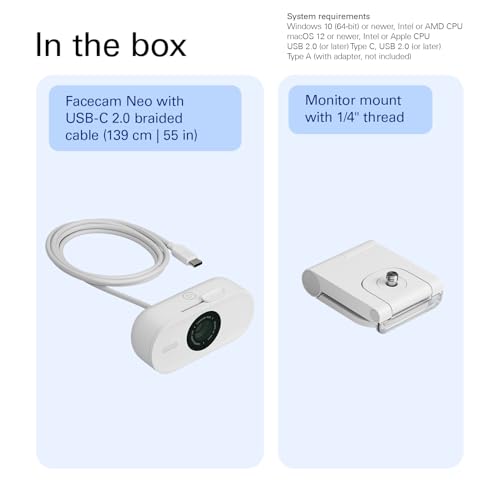
Elgato Facecam Neo, Full HD Webcam with Privacy Shutter


As an Amazon Associate we earn from qualifying purchases. Product prices and availability are accurate as of the date/time indicated.
- Sensor: 1/2.9-inch CMOS
- Lens: Autofocus, f/2.0, 26mm full-frame equivalent
- Video: 1080p60, 1080p30 with HDR, 720p and 540p modes
- Field of view: 77°
- Connection: Fixed braided USB-C cable, UVC driverless
- Audio: None, no built-in microphone
Best for: PC gamers and streamers who already use a headset, USB mic or XLR setup. Skip if: you want an all-in-one camera for calls.
The Facecam Neo is built for the typical gaming desk. It delivers 1080p at 60fps for smooth motion, and an HDR mode at 1080p30 for scenes with a bright monitor glow behind you. Elgato’s Camera Hub software gives you control over exposure, white balance and other image settings, and the eye-contact effect works on systems with an Nvidia GeForce RTX 2060 or newer.
Leaving out the microphone is a deliberate choice. Most streamers already have a better mic, and skipping it keeps the price in the mid tier. If you do not own one, the C920s or OBSBOT Meet SE make more sense. The fixed USB-C cable needs a USB-C port or a third-party adapter, which is worth checking on older desktops.
Compared with the Razer Kiyo V2 X, the Neo gives up 1440p but adds HDR. Compared with the OBSBOT Meet SE, it lacks the 100fps mode and AI framing but integrates tightly with Elgato’s Stream Deck ecosystem.
Pros
- Smooth 1080p60 plus an HDR mode
- Solid image controls in Camera Hub
- Privacy shutter and tripod thread
Cons
- No microphone at all
- USB-C only, adapter not included
Also Consider
OBSBOT Tiny SE: Best for Auto-Tracking

OBSBOT Tiny SE 1080P 100FPS Webcam for PC, AI Tracking PTZ Streaming Camera


As an Amazon Associate we earn from qualifying purchases. Product prices and availability are accurate as of the date/time indicated.
Best for presenters and streamers who move around. It uses the same 1/2.8-inch sensor class as the Meet SE with 1080p at 100fps, but adds a two-axis gimbal that pans up to 140 degrees and follows you with AI tracking. The trade-off is that it sits near the top of the under-$100 range and the gimbal moves a little slowly.
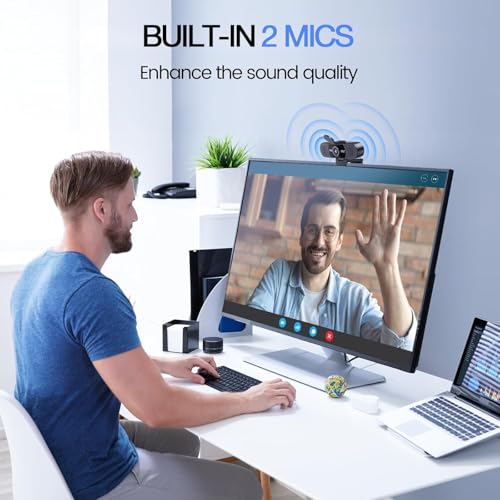
EMEET C960 1080p: Best Ultra-Budget Pick

EMEET C960 1080P Webcam with Microphone, 2 Mics, 90° FOV, Computer Camera



As an Amazon Associate we earn from qualifying purchases. Product prices and availability are accurate as of the date/time indicated.
Best for the lowest possible spend. It offers 1080p video, dual mics and a 90-degree view that suits a shared desk. The trade-off is fixed focus and simpler image processing, so it looks best in a bright room.
Logitech C270: Best 720p Floor

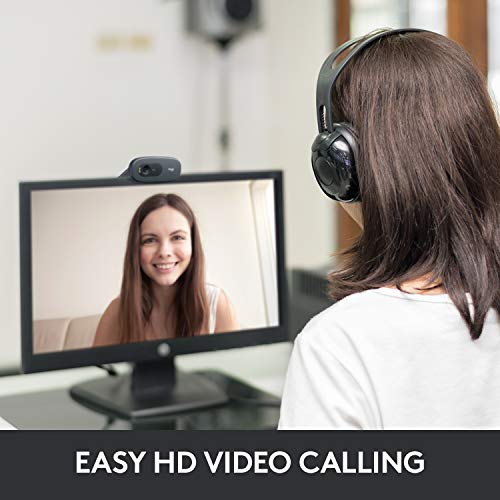
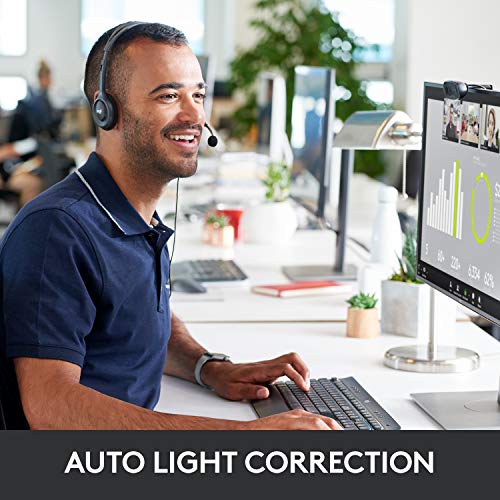
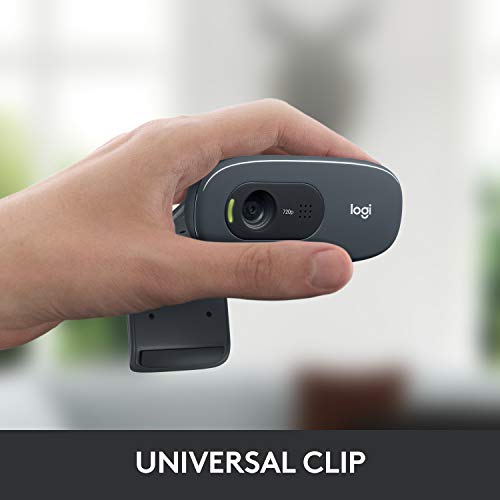
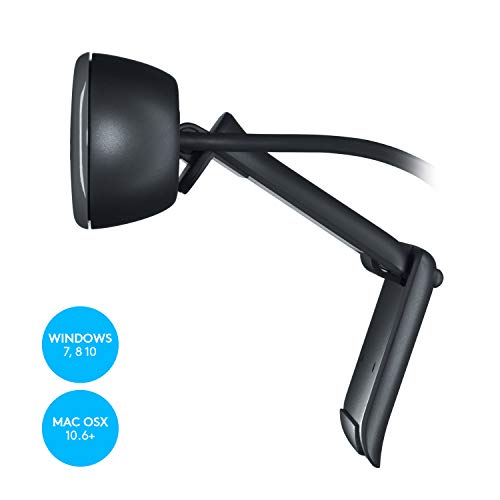
Logitech C270 720p Webcam Plug-and-Play Wide Screen Video Calling - Black


As an Amazon Associate we earn from qualifying purchases. Product prices and availability are accurate as of the date/time indicated.
Best for a basic family PC or a spare backup. It records 720p at 30fps with a single mic. It is clearly a budget floor rather than a recommendation for streaming, but it is very cheap and widely compatible.
How We Chose
We started with the webcams that appear most often across current 2026 buying guides for budget webcams, then cut anything that is discontinued, hard to find or clearly above the price band. For each candidate we checked the manufacturer spec sheet and cross-referenced independent reviews from publications that publish image samples and test notes. Where sources disagreed, for example on the EMEET S600’s field of view, we used the maker’s current spec page.
Our criteria were:
- Sensor size and lens brightness, because these drive low-light quality more than resolution.
- Resolution and frame rate options, with weight on 1080p60 or better for streaming.
- Focus system: autofocus or PDAF over fixed focus.
- Audio and privacy features, such as dual mics and shutters.
- Software support and compatibility across Windows, macOS and major call apps.
- Price tier, so every budget level from entry to the top of the band is covered.
These picks are research-based. We did not run our own lab comparisons, and any performance notes are estimates based on each camera’s spec tier and published reviews.
Buying Guide: How to Pick a Webcam Under $100
Resolution: is 1080p enough or should you get 4K?
For video calls, 1080p is the sensible floor in 2026. Zoom, Teams and Meet usually compress your stream to 1080p or lower, so a 4K camera rarely looks four times better on the other end. 4K and 1440p pay off when you record locally, crop the frame in OBS, or want sharper still images. If you stream to Twitch at 1080p, a 1440p or 4K source gives you room to crop without losing detail.
Frame rate: 30fps vs 60fps vs 100fps
30fps is fine for meetings where you mostly sit still. For streaming and gaming facecams, aim for 60fps at 1080p, which makes reactions and hand movement look fluid. Modes above 60fps, like the OBSBOT 100fps option, are niche but useful for slow-motion clips. Remember that high frame rates need more light, because each frame gets less exposure time.
Sensor size and low light
This is the spec most shoppers overlook. A sensor around 1/2.8-inch or larger, paired with an aperture of f/2.0 or brighter, will usually produce a cleaner picture in a dim room than a small sensor with a higher resolution label. If your desk is lit only by a monitor, prioritize sensor size first and resolution second, or plan to add a small key light.
Autofocus vs fixed focus
Fixed-focus cameras are sharp at one distance, usually around arm’s length. If you show products, notes or game controllers to the camera, choose autofocus. Phase-detection autofocus, as on the EMEET S600, tends to lock on faster and hunt less than contrast-detection systems.
Field of view
Around 75 to 80 degrees frames one person at a desk well. Go wider, 90 degrees or more, if two people share the camera or you want to show a whiteboard. Narrower views around 65 degrees hide a messy room. Adjustable presets, as on the Anker C200, give you the most flexibility.
Microphone, mount and connection
Built-in webcam mics are fine for calls but rarely match a headset or USB mic. If you already own a good microphone, a mic-less camera like the Facecam Neo saves money. Check the mount: monitor clips should fit thin bezels and laptop lids, and a tripod thread adds options. Finally, confirm the connector. Some cameras use USB-C cables that need an adapter for older USB-A desktops.
Mistakes to Avoid
The most common mistake is buying on resolution alone. A 4K label on a tiny sensor with weak processing can look worse than a good 1080p camera, especially in the evening. Check sensor size, aperture and independent image samples before you trust the box.
The second mistake is ignoring light. Even the best camera under $100 benefits enormously from a small light placed in front of you, slightly above eye level. A window behind you will turn your face into a silhouette on any webcam, so turn your desk or use HDR where available.
Third, do not count on the built-in mic for streams. Viewers forgive a slightly soft image far more readily than muffled or echoey audio. Budget for a headset or USB mic if you broadcast.
Finally, avoid unknown brands at the very bottom of the market. Many skip autofocus, ship with poor color processing and have no software updates. Spending a little more on a known brand usually buys better drivers and a longer useful life.
FAQ
What is the best webcam under $100?
The Logitech C920s is the best all-round webcam under $100 for most people. It offers 1080p autofocus video, stereo mics and broad compatibility. If you often work in dim light or stream, the OBSBOT Meet SE is the better value thanks to its larger sensor, 100fps mode and AI framing.
Is a 4K webcam worth it for Zoom or Teams?
Usually not for calls alone. Most meeting apps compress video to 1080p or less, so the extra detail is lost in transmission. A 4K webcam is worth it if you record locally, crop the image for streams or capture product shots. For calls, a large sensor and good lighting matter more.
Is an external webcam better than a laptop camera?
Yes, in most cases. Many laptop cameras still use small sensors with 720p or soft 1080p output. An external webcam gives you a larger sensor, better autofocus, improved microphones and the freedom to position the camera at eye level on a monitor.
What frame rate do I need for streaming?
Aim for 1080p at 60fps for streaming. It makes movement look smooth and matches most game stream settings. 30fps is acceptable for talking-head content, while 1440p60, offered by the Razer Kiyo V2 X, is a step up if your upload speed and lighting can support it.
Why does my webcam look grainy at night?
Grain appears because the sensor boosts its gain to compensate for low light, which amplifies noise. Small sensors suffer most. Add a light in front of you, lower the frame rate to 30fps so each frame gets more exposure, or choose a camera with a larger sensor and brighter lens.
Do webcams under $100 work with Mac and PC?
All seven main picks here use standard USB video protocols and work on Windows and macOS without extra drivers for basic use. Companion apps add features such as framing or image controls, and some, like Elgato’s, list minimum operating system versions, so check those before you buy.
Do I need a webcam with a built-in microphone?
Only if you do not have another mic. Webcam mics are fine for casual calls, but a headset or USB microphone sounds clearer. If you already own one, a mic-less camera such as the Elgato Facecam Neo lets you put more of your budget into image quality.
Which Webcam Under $100 Should You Buy?
- You want something that just works: Logitech C920s.
- Your room is dim or you stream regularly: OBSBOT Meet SE.
- You share a desk or want framing options: Anker PowerConf C200.
- You want the sharpest recordings and fast focus: EMEET S600.
- You stream and want 1440p with smooth motion: Razer Kiyo V2 X, plus a small light.
- Your budget is tight: Logitech Brio 101, or the EMEET C960 at the very bottom.
- You already own a good microphone: Elgato Facecam Neo.
- You move around while presenting: OBSBOT Tiny SE.
Whichever you choose, a well-placed light in front of you is the cheapest upgrade you can make to any of them.
Sources consulted: manufacturer spec pages from Logitech, OBSBOT, Anker, EMEET, Razer and Elgato, plus independent reviews from outlets such as XDA Developers, Tom’s Hardware, PC Gamer and Stream Tech Reviews.
Last updated: October 10, 2026
