Key takeaways
- Working from home turns a laptop into a full-time office. It sits on a dining table or a spare-room desk for eight hours.
Working from home turns a laptop into a full-time office. It sits on a dining table or a spare-room desk for eight hours, joins video calls back to back, and has to stay connected through a VPN and a dozen browser tabs without complaint. Lenovo covers this niche with a wide range of 15.6-inch machines, from the IdeaPad Slim 3 family to Essential and V-series models, and most of them look alike at a glance. The decision comes down to a short list of home-office needs: enough memory for calls and tabs, a screen that does not tire your eyes, and connections for a second monitor.
This guide is for remote employees, freelancers, and part-time home workers shopping in 2026 who prefer Lenovo and want a reliable daily driver without paying for a workstation. Seven laptops are compared, all with 15.6-inch FHD screens and 8GB of memory in their listings. The differences are in storage, processor family, and extras such as an external drive, a memory card, or a bundled Office subscription, so the sections below help you pick what fits your workflow.
Quick Picks
Our top picks






As an Amazon Associate we earn from qualifying purchases at no extra cost to you.
| Product | Best for | Key spec taken from the product title |
|---|---|---|
| Lenovo 15.6-inch FHD Business Laptop | Cloud-first remote workers | 8GB DDR5, 128GB storage, 1TB cloud storage |
| Lenovo IdeaPad Slim-3i with SD card | Extra file space on a budget | Intel N150, 8GB LPDDR5, 128GB UFS plus 256GB SD card |
| Lenovo IdeaPad Slim 3 (Ryzen 5) | Fast local storage and AMD power | Ryzen 5, 8GB DDR5, 256GB SSD |
| Lenovo IdeaPad Slim 3i (Arctic Grey) | Simple Microsoft 365 workflows | Intel N150, 8GB RAM, 128GB SSD |
| Lenovo Essential with external HDD | Backups and large files | 8GB DDR5, 128GB storage, 500GB external HDD |
| Lenovo V15 15.6-inch | Balanced home-office setups | 8GB DDR5, 256GB SSD, Wi-Fi 6, Copilot AI |
| Lenovo Essential with Bluetooth 5.2 | Wireless headset users | 8GB DDR5, WiFi 6, Bluetooth 5.2, anti-glare |
How to Choose
Memory and processor for calls plus tabs
A typical remote workday combines a video call, a chat app, a browser with many tabs, and a document editor. Eight gigabytes of RAM is the practical floor for that mix, and every laptop here meets it. Memory type matters a little: DDR5 and LPDDR5 are both current standards. For the processor, an Intel N150 is an entry-level chip good for web apps and documents, while a Ryzen 5 offers more headroom for heavier spreadsheets and multitasking. If your job involves large files or design tools, the AMD option gives more margin.
Storage you can live with
Remote work generates downloads, meeting recordings, and shared files. A 128GB drive fills up faster than expected once Windows updates and apps are installed, and a 256GB SSD is the more comfortable minimum. Some listings add a memory card or an external drive to boost the total, but those are separate from the internal drive and are slower or less convenient to use. Cloud storage helps with backups, though it is typically a limited-term subscription, so confirm the details before relying on it.
Display, webcam, and connections
Full HD at 15.6 inches is a good baseline for documents and calls. An anti-glare finish, mentioned on several Lenovo listings, cuts reflections from a window behind you. Titles rarely describe the webcam or microphone, so read the full listing and plan on a headset if call quality matters. For connectivity, Wi-Fi 6 helps on a busy home network, and USB-C allows you to connect a monitor or dock for a better desk setup. Bluetooth 5.2, listed on one model, is useful for wireless headsets.
Where budget models cut corners
Lower-cost Lenovo laptops usually save on storage, display brightness, and build materials, and they often have fewer ports. Bundled Office subscriptions and AI branding add little if your company already provides software. Ignore year-based edition labels and focus on RAM, drive size, and processor. Make sure the keyboard layout suits your typing needs, because a laptop that you use for eight hours a day should feel good under your hands.
The 7 Best Options
Lenovo 15.6-inch FHD Business Laptop
This Lenovo pairs an Intel processor with 8GB of DDR5 RAM and 128GB of local storage, plus 1TB of cloud storage, Copilot AI, and Office 365 on a slim 15.6-inch FHD display. The bundle favors people whose files live online and who need Office for email and documents.
- Strength: 8GB of DDR5 memory and a 15.6-inch FHD display suit calls and tabs.
- Strength: 1TB of cloud storage helps with backups and shared files.
- Trade-off: 128GB of local storage can fill quickly with recordings and downloads.
Skip it if your job produces large local files. It suits a remote employee who works mainly in browser-based tools. Because the title does not name the processor, confirm it in the full listing, and treat the Copilot AI label as a software convenience, not a performance feature.
Lenovo IdeaPad Slim-3i with SD Card
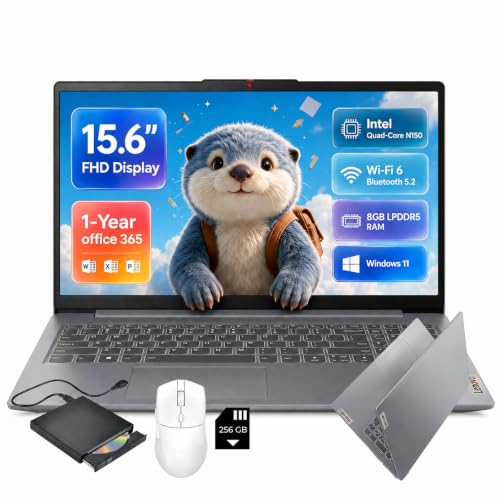
The Slim-3i lists an Intel quad-core N150, 8GB of LPDDR5 memory, 128GB of UFS storage, and a 256GB SD card, plus a one-year Office 365 subscription, Wi-Fi 6, and USB-C. The card adds storage for files, and USB-C is useful for a second monitor.
- Strength: USB-C and Wi-Fi 6 are helpful for a home desk setup.
- Strength: the 256GB SD card adds room for documents and photos.
- Trade-off: UFS storage plus a card is less convenient than a single large SSD.
Skip it if you want all files on a fast internal drive. It fits a budget buyer who needs expandable space. The SD card is best used for documents and archives you open occasionally, while the operating system and daily apps stay on the internal drive, so keep your most active project folders there.
Lenovo IdeaPad Slim 3 (Ryzen 5)
This IdeaPad Slim 3 uses an AMD Ryzen 5 processor with 8GB of DDR5 RAM and a 256GB SSD, on a 15.6-inch FHD display with Windows 11. Among these seven, it combines the strongest processor class with a true SSD, which makes it a solid fit for sustained work-from-home tasks.
- Strength: a Ryzen 5 processor gives more headroom than the Intel N150 models.
- Strength: a 256GB SSD offers more local space than the 128GB models.
- Trade-off: the title does not mention Wi-Fi standard, ports, or software bundles.
Skip it if you want bundled Office software. It is the pick for people who run heavier spreadsheets or many tabs. Add a monitor if the listing confirms a video-capable port, and use a cloud service for the software your employer expects, since this configuration does not mention a bundle.
Lenovo IdeaPad Slim 3i (Arctic Grey)
The Slim 3i in Arctic Grey comes with Microsoft 365, 8GB of RAM, a 128GB SSD, an Intel N150 processor, and Windows 11. It is a straightforward entry laptop for documents, email, and video meetings, and the SSD is quicker than flash storage for everyday tasks.
- Strength: Microsoft 365 is included for office tasks.
- Strength: an SSD with 8GB of RAM supports smooth basic work.
- Trade-off: only 128GB of storage and an entry-level processor.
Skip it if your tasks are heavy. It is a quiet fit for a part-time home worker. If you work from home two or three days a week and handle most tasks in a browser, this level of hardware is a sensible, low-drama choice.
Lenovo Essential with External HDD
This Lenovo Essential includes a 500GB external hard drive along with 8GB of DDR5 RAM and 128GB of internal storage. The 15.6-inch FHD anti-glare display and long battery life claim suit daily work, and an Office subscription is listed. The external drive gives you a simple place for backups.
- Strength: a 500GB external HDD makes backups and archives easy.
- Strength: an anti-glare display reduces reflections near windows.
- Trade-off: an external HDD is slower than an SSD and one more item on your desk.
Skip it if you want a tidy setup with everything inside the laptop. It is for people who keep archives of reports. Remember that an external drive must be plugged in and safely ejected, so it works best on a desk that stays in one place rather than a laptop you carry between rooms.
Lenovo V15 15.6-inch Laptop
The V15 lists 8GB of DDR5 RAM, a 256GB SSD, Copilot AI, Wi-Fi 6, Office 365, and a portable design. It combines the 256GB SSD size of the Ryzen model with a bundled software package and modern wireless, so it covers more of the home-office checklist.
- Strength: a 256GB SSD with 8GB of DDR5 RAM is a balanced pairing.
- Strength: Wi-Fi 6 helps keep video calls stable.
- Trade-off: the title does not name the processor, so check the listing.
Skip it if you want a named, high-end processor. It suits a worker who wants a no-fuss laptop. The internal SSD means files open quickly, and the wireless standard helps if your router sits a room away from your desk.
Lenovo Essential with Bluetooth 5.2
This Essential model lists an Intel CPU, 8GB of DDR5, 128GB of storage with 1TB of cloud storage, Office 365, Copilot AI, Wi-Fi 6, Bluetooth 5.2, and an anti-glare screen. The wireless features are the highlight, particularly for people who use wireless headphones on calls.
- Strength: Wi-Fi 6 and Bluetooth 5.2 support wireless headsets and stable calls.
- Strength: an anti-glare FHD screen helps near bright windows.
- Trade-off: 128GB of local storage means leaning on the cloud.
Skip it if you need lots of local storage. It is for meeting-heavy days. Pair it with a good headset and a simple desk lamp, and the laptop becomes a comfortable base for long stretches of calls.
Which One Fits Your Situation
You do spreadsheet-heavy work from home
The IdeaPad Slim 3 with the Ryzen 5 processor and a 256GB SSD gives the most processing margin in this group.
You live on video calls
The Lenovo Essential with Bluetooth 5.2 and Wi-Fi 6 fits wireless headset users, with an anti-glare screen for window light.
You want everything in a single drive
The Lenovo V15 combines a 256GB SSD, 8GB of DDR5 RAM, and Wi-Fi 6 in a simple package.
You need backup and archive space
The Lenovo Essential with the 500GB external HDD or the IdeaPad Slim-3i with its SD card both add storage, with the HDD better for backups and the card better for compact portability.
Common Mistakes
- Counting an external drive or SD card as internal storage when comparing models.
- Relying on the built-in webcam and microphone without checking the listing details.
- Buying on edition labels or AI branding instead of RAM and SSD size.
- Forgetting that bundled Office and cloud plans often expire after a year.
- Skipping a USB-C or HDMI check and then missing a second monitor connection.
Related guides
- Helping Hands Soldering Station With Magnifier
- Is 8000Hz Polling Rate Worth It For 144Hz Monitor
- Bench Power Supply For Electronics Hobbyists
Frequently Asked Questions
Is 8GB of RAM enough for working from home?
For video calls, browsers, and Office apps, yes. Heavier tasks such as large spreadsheets benefit from 16GB, which none of these listings state.
Do I need a Ryzen 5 over an Intel N150?
The Ryzen 5 offers more performance for demanding work. The N150 is fine for documents, email, and web apps.
Is a 128GB drive enough?
It can work with cloud storage, but it fills quickly. A 256GB SSD is a better choice for a daily work laptop.
Which port do I need for a second monitor?
USB-C with video output or an HDMI port. Check the full listing, since not every USB-C port supports display output.