Key takeaways
- Searching for the best Windows laptop sounds simple until you notice how wide the range is.
Searching for the best Windows laptop sounds simple until you notice how wide the range is. The same operating system runs on an 11-inch touchscreen convertible, a 15.6-inch budget workhorse, and a thin machine built on a newer Arm-based processor. Each one will open a browser and a spreadsheet, but they feel very different after a year of daily use. The decision is less about which model is objectively best and more about which compromise you can live with.
This guide is for people who want Windows specifically: students handling coursework, parents setting up a family computer, remote workers who live in browser tabs and video calls, and anyone replacing an aging desktop-class laptop. The seven machines below cover entry-level, mid-range, and one premium option, and every judgment comes from the listed specs. In 2026, the practical differences come down to memory, storage type, screen quality, battery claims, and whether the machine can be upgraded later.
Quick Picks
Our top picks





As an Amazon Associate we earn from qualifying purchases at no extra cost to you.
| Product | Best for | Key spec taken from the product title |
|---|---|---|
| Microsoft Surface Laptop | Premium everyday and work use | 13.8-inch touchscreen, Snapdragon X2 Elite, 16GB RAM, 1TB SSD |
| Dell 15.6-inch Core 3 100U | Balanced home and office use | 8GB RAM, 512GB SSD, Wi-Fi 6, FHD anti-glare IPS |
| HP 14-inch N150 laptop | Light browsing and school | Intel N150, 4GB RAM, 128GB UFS, Microsoft 365 for one year |
| 15.6-inch Core i5-7Y57 laptop | Buyers who want to upgrade later | Upgradeable RAM and SSD, FHD IPS, cooling fan |
| 15.6-inch N4020 lay-flat laptop | Shared screens and fast top-ups | 180-degree lay-flat hinge, 38Wh battery, 45W fast charging |
| Dell 11-inch convertible | Compact touch use | 11-inch IPS touchscreen, 8GB RAM, 128GB SSD |
| HP 14-inch Ultra-Light | Carrying all day | Celeron N4500, 64GB eMMC plus 64GB SD card, 12-hour battery claim |
How to Choose
Memory and storage type
Windows 11 runs comfortably on 8GB of RAM for browsing, documents, and video calls, while 4GB leaves little room once several tabs and an office suite are open. Storage matters just as much. A true SSD is quicker than eMMC or UFS flash for boot and app loading, and capacity of 256GB or more avoids constant cleanup. Many budget models cut corners with 64GB or 128GB of flash storage, which fills quickly after updates and downloads.
Processor class
Celeron, Pentium, and N-series chips target basic tasks. Newer Intel Core 3 and Core i5 parts offer more headroom for multitasking, and premium Arm-based processors such as the Snapdragon X2 Elite aim at long battery life with strong responsiveness. If you rely on older desktop software, confirm compatibility with Windows on Arm before choosing that platform. Ignore the year printed in a product name; it says little about the actual chip inside. Read the processor model instead, and keep in mind that low-power chips save battery but can feel sluggish when a video call, a browser, and a document are open together.
Screen size, resolution, and brightness
For a main laptop, look for Full HD resolution at 1920 by 1080 on a 14- to 16-inch panel, preferably IPS for wider viewing angles. Brightness figures help when stated: 250 nits is acceptable indoors, while higher numbers suit windows and cafes. A touchscreen adds convenience for pen or tablet-style use but can reduce battery life. An 11-inch screen is compact but cramped for spreadsheets.
Battery, charging, and ports
Battery claims in listings are marketing figures, so use them to compare, not to plan. Watt-hour ratings are more meaningful: a 38Wh pack is on the smaller side. Fast charging at 45W can help top up between classes. Check for USB-C, HDMI, and a card slot if you move photos, and look for Wi-Fi 6 if your router supports it. Budget models often skip backlit keyboards, so check the listing if you type in dim rooms. Weight matters too: anything near 3 pounds is easy to carry daily, while larger 15.6-inch bodies suit a desk more than a backpack.
The 7 Best Options
Microsoft Surface Laptop
The Surface Laptop is the premium pick here, listing a 13.8-inch touchscreen, a Snapdragon X2 Elite processor, 16GB of RAM, and a 1TB SSD. It suits professionals and students who want a thin, polished machine and are willing to pay for it.
- Strength: 16GB of RAM and 1TB of SSD space handle heavy multitasking and large files.
- Strength: A touchscreen with a 13.8-inch size balances portability and workspace.
- Trade-off: Arm-based Windows may not run every older program, so verify your key software.
Skip it if you only need basic browsing, because the specs go well beyond that. Buyers who just want email and streaming can get there with a far simpler machine from this list.
Dell 15.6-inch Core 3 100U
This Dell lists an Intel Core 3 100U, 8GB of RAM, a 512GB SSD, Wi-Fi 6, and a 15.6-inch FHD anti-glare IPS display rated at 250 nits. It is the balanced pick for a household or small office laptop.
- Strength: 8GB with a 512GB SSD hits the comfortable zone for everyday work.
- Strength: An anti-glare IPS panel is easier on the eyes during long sessions.
- Trade-off: A 250-nit panel is merely adequate for bright rooms.
Skip it if you want a touchscreen or a very light carry-around machine. Its larger body is better suited to a desk or couch than a crowded commuter train.
HP 14-inch N150 Laptop
The HP 14-inch lists an Intel N150 processor, 4GB of RAM, 128GB of UFS storage, an HD display, Windows 11 Home, and a one-year Microsoft 365 Personal subscription. It is aimed at school assignments and casual browsing.
- Strength: The included Microsoft 365 subscription covers documents out of the box.
- Strength: A 14-inch size is easy to carry and use on a small desk.
- Trade-off: 4GB of RAM and an HD display feel limiting with heavy tab use.
Skip it if you plan to multitask with many windows or edit photos. The listing’s HD resolution also means less sharp text than a Full HD panel.
15.6-inch Core i5-7Y57 Laptop
This model lists a Core i5-7Y57, 4GB of SO-DIMM memory, a 128GB SSD, a 15.6-inch FHD IPS display, a 2MP webcam, a cooling fan, and Type-C. The standout is that the title advertises upgradeable RAM and SSD, which lets you grow the machine later.
- Strength: Upgradeable RAM and SSD extend its useful life.
- Strength: The FHD IPS display and cooling fan suit longer sessions.
- Trade-off: It ships with only 4GB of memory, so an upgrade is nearly a necessity.
Skip it if you prefer a sealed, ready-to-go machine and do not want to open the case. Confirm the exact memory type and maximum supported size in the listing before ordering parts.
15.6-inch N4020 Lay-Flat Laptop
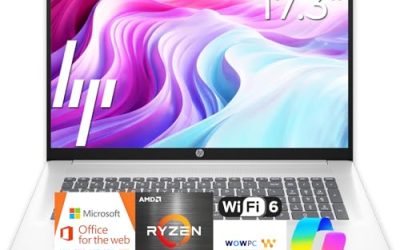
The N4020 model lists 4GB of LPDDR4 memory, 128GB of eMMC storage, an FHD display, Office 365, a 180-degree lay-flat hinge, a 38Wh battery, and 45W fast charging. The lay-flat hinge helps when you show a screen to someone across a table.
- Strength: 45W fast charging makes quick top-ups possible.
- Strength: A lay-flat hinge suits teaching, presentations, and group work.
- Trade-off: eMMC storage and an entry-level N4020 processor feel slow compared with an SSD-based laptop.
Skip it if you want responsive performance under heavy multitasking. Students who mostly write documents and join video classes are the better fit.
Dell 11-inch Convertible
The Dell convertible lists an 11-inch IPS touchscreen, an Intel Pentium processor up to 3.3GHz, 8GB of RAM, a 128GB SSD, and sixth-generation Wi-Fi. It suits younger students and anyone who wants a small touch device that doubles as a tablet.
- Strength: 8GB of RAM exceeds most other compact budget models.
- Strength: A convertible touchscreen enables note taking and tablet-style use.
- Trade-off: The 11-inch size is cramped for spreadsheets and multiple windows.
Skip it if you plan to work for hours at a desk on a larger display. A small laptop like this works best as a second device.
HP 14-inch Ultra-Light Laptop
The HP 14 Ultra-Light lists a Celeron N4500, 4GB of RAM, 64GB eMMC plus a 64GB SD card, a one-year Office 365 subscription, and a 12-hour battery claim. It is a light carry-along for students and home users.
- Strength: A listed 12-hour battery claim points to a long day away from a charger.
- Strength: The included SD card adds storage beyond the internal drive.
- Trade-off: 64GB of internal eMMC leaves little room for apps, updates, and files.
Skip it if you store many downloads or large documents locally. Storage will be the first limit you hit, so lean on cloud folders.
Which One Fits Your Situation
You work in Windows all day and want longevity
The Microsoft Surface Laptop gives you the most memory and storage on this list, and the touchscreen adds flexibility. It is the stronger choice for professionals who keep many apps open.
You need one laptop for a household
The Dell 15.6-inch with the Core 3 100U and a 512GB SSD handles school, bills, streaming, and video calls without drama, and the anti-glare panel helps in shared rooms.
You are on a tight budget but want room to grow
The 15.6-inch Core i5-7Y57 model lets you add memory and storage later. Buy it knowing that an upgrade is part of the plan, and budget for a larger memory module so it runs well from the start.
You carry the laptop everywhere
The HP 14-inch Ultra-Light is built around portability and a long battery claim. Pair it with cloud storage or an external drive to offset the small internal space. A 14-inch body also slides easily into a school bag.
Common Mistakes
- Choosing 4GB of RAM for a main laptop and then blaming Windows for slow tabs.
- Ignoring storage type, so a 128GB eMMC drive fills up within months.
- Buying an Arm-based laptop without checking whether your must-have software runs on it.
- Trusting battery hour claims as real-world figures instead of comparing watt-hours.
- Paying extra for a touchscreen or convertible hinge that you will rarely use.
Related guides
- Helping Hands Soldering Station With Magnifier
- Is 8000Hz Polling Rate Worth It For 144Hz Monitor
- Bench Power Supply For Electronics Hobbyists
Frequently Asked Questions
How much RAM should a Windows laptop have?
8GB is a comfortable baseline for browsing, office apps, and video calls. Choose 16GB if you keep dozens of tabs open, work with large spreadsheets, or want the laptop to last for several years.
Is an SSD really better than eMMC?
Yes, in most cases. SSDs read and write faster, which speeds up startup and app loading. eMMC and UFS flash are cheaper and often come in small sizes, so they suit very light use.
Will older software run on a Snapdragon laptop?
Many programs run through built-in compatibility, but some drivers, games, and specialist tools may not. Check the vendor of any must-have software before choosing an Arm-based Windows laptop.
Should I buy a touchscreen laptop?
Only if you will use it. Touch and pen input are handy for notes and sketches, but a non-touch panel can offer longer battery life and a lower cost.