Key takeaways
- Searching for the best Hewlett Packard laptop means sorting through a catalog that stretches from compact 14-inch student machines to 17-inch.
Searching for the best Hewlett Packard laptop means sorting through a catalog that stretches from compact 14-inch student machines to 17-inch business workhorses. HP sells similar-looking laptops under several naming schemes, including plain HP numbers, the OmniBook line, and retailer-configured editions, and the differences hide in the spec line: processor family, memory, and whether storage is a true SSD or a mix of flash and a memory card. The decision is less about brand loyalty and more about choosing the right tier inside the brand.
This guide is written for shoppers who have already settled on HP and want to narrow down in 2026. Seven models are covered, split between large 17-inch screens for office work, a performance-leaning Core i7 15.6-inch, and a pair of compact 14-inch laptops for light use. Each section sticks to what the listing says and flags where you should read the full description, especially when the title lists storage that includes a removable card.
Quick Picks
Our top picks
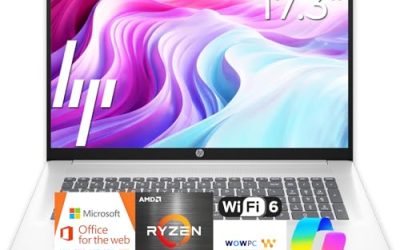
 HP 17 inch Business Laptop Computer •
- All In The Detail: The HP laptop has…
- Immersive Full HD Display: Experience high performance with…
- Windows 11 & Office 365 for Web: Preloaded…



As an Amazon Associate we earn from qualifying purchases at no extra cost to you.
| Product | Best for | Key spec taken from the product title |
|---|---|---|
| HP 17-inch Business Laptop (Ryzen 5) | Spreadsheets and multitasking | Ryzen 5, 16GB RAM, 512GB SSD, numeric keypad |
| HP OmniBook 3 17.3 (Core Ultra 5) | Modern office work on a big screen | Core Ultra 5 225U, 8GB RAM, 512GB SSD |
| HP 14-inch Laptop (N150) | Basic home and school use | Intel N150, 4GB RAM, 128GB UFS |
| HP 14 Ultra-Light Laptop | Students who carry a laptop daily | Intel N150, 4GB RAM, 128GB plus 128GB SD card |
| HP 15.6-inch Core i7 Laptop | Faster everyday performance | Core i7-1255U, 16GB RAM, 1TB PCIe SSD |
| HP 17.3-inch Business Laptop (Core 5) | Business use with an AI Copilot key | Core 5-120U, 12GB RAM, 768GB combined storage |
| HP OmniBook 3 17.3 (Ryzen 3) | Budget large-screen computing | Ryzen 3, 8GB RAM, 512GB SSD, Radeon 610M |
How to Choose
Start with the screen size and how you will carry it
HP’s 17.3-inch laptops give you a full-size layout, often with a numeric keypad, and they are comfortable for spreadsheets and split windows. They are also heavier and need a larger bag. A 14-inch model is far easier to carry across campus or between meetings but offers a smaller workspace. The 15.6-inch size sits in the middle and is the most common. Pick the size that matches where the laptop will actually live, because a 17-inch machine used mostly on the move becomes a burden.
Processor families: what the names tell you
Intel N150 is an entry-level chip meant for web browsing, email, and streaming. Core i7-1255U, Core 5-120U, and Core Ultra 5 225U are step-up processors suited to heavier multitasking, and Ryzen 5 and Ryzen 3 are the AMD equivalents at different tiers. Do not chase the highest model number alone, since memory and storage often decide whether a machine feels fast. Titles also use phrases such as up to 4.7GHz, which describes a maximum boost, not the speed during sustained work.
Memory and storage: read the fine print
Aim for 8GB of RAM as a minimum for office use, and 16GB if you keep many apps open. For storage, 512GB SSD is a comfortable baseline. Be careful with listings that combine a smaller SSD and an SD card to reach a headline total, as in the 768GB and 256GB-plus-card examples. A memory card is removable and slower than an internal drive, so it suits photos and backups more than the operating system. Also note UFS storage, a flash type that differs from a standard SSD.
Ports, software, and where budget models cut corners
Check for USB-C, HDMI, and a card reader if you plan to connect a monitor or move files. Windows 11 Home is common on consumer models, while some business-oriented listings mention Pro, which adds management features. Ignore bundled software lists in a title unless you will use them, since a one-year Office subscription expires. Budget models usually reduce RAM and storage, thin out the display quality, and use plastic bodies, so make sure the model you pick covers your core needs first.
The 7 Best Options
HP 17-inch Business Laptop (Ryzen 5)
This 17-inch HP combines an AMD Ryzen 5 processor with 16GB of RAM, a 512GB SSD, and a 17.3-inch FHD display. A numeric keypad is listed, and the title advertises long battery life. For anyone who works with spreadsheets or runs several windows side by side, the spec balance stands out in this group.
- Strength: 16GB of RAM and a 512GB SSD provide solid multitasking headroom.
- Strength: a full-size numeric keypad speeds up data entry.
- Trade-off: a 17.3-inch body is larger and heavier to carry.
Skip it if you need an ultra-portable laptop for a daily commute. It suits office workers, accountants, and home users who keep the laptop on a desk.
HP OmniBook 3 17.3 (Core Ultra 5)
The OmniBook 3 with an Intel Core Ultra 5 225U brings a newer processor family to a 17.3-inch FHD screen, alongside 8GB of RAM, a 512GB SSD, Intel graphics, and Windows 11 Home in a Glacier Silver finish. It pairs a modern processor with a large display, which makes it a fit for everyday office tasks.
- Strength: a Core Ultra 5 processor in a newer generation.
- Strength: a 512GB SSD with a large FHD display.
- Trade-off: 8GB of RAM is adequate but not generous for heavy multitasking.
Skip it if you plan to keep many apps open at once, since the Ryzen 5 model above lists double the memory. It is a good match for users who prefer an Intel platform.
HP 14-inch Laptop (N150)
This 14-inch HP uses an Intel N150 processor, 4GB of RAM, and 128GB of UFS storage, with Intel graphics, an HD display, and Windows 11 Home. The listing includes a one-year Microsoft 365 Personal subscription, which suits a student or a household that needs documents and email.
- Strength: a one-year Microsoft 365 Personal subscription is included.
- Strength: a compact 14-inch body is easy to carry.
- Trade-off: 4GB of RAM and 128GB of UFS storage limit heavier use.
Skip it if you want a full HD display or smooth multitasking. It is a basic machine for light browsing and homework.
HP 14 Ultra-Light Laptop
This HP 14 targets students and home users with an Intel N150 processor, 4GB of RAM, and 128GB of storage plus a 128GB SD card. It lists a one-year Office 365 subscription, fast charge, and a long battery life claim in an ultra-light design. The SD card extends storage for files, though it is separate from the internal drive.
- Strength: an ultra-light body and fast charge fit a busy school day.
- Strength: the SD card adds extra file space.
- Trade-off: only 4GB of RAM, so tabs and apps will compete for memory.
Skip it if you need all your storage on a single fast drive. It is better for note-taking and web classes.
HP 15.6-inch Core i7 Laptop
This is the performance-leaning pick, with a Core i7-1255U processor listed at up to 4.7GHz, 16GB of RAM, and a 1TB PCIe SSD. The 15.6-inch FHD display includes a webcam, and the listing mentions long battery life. It gives power users the most storage in the group.
- Strength: 16GB of RAM and a 1TB PCIe SSD are generous for the category.
- Strength: a Core i7 processor handles heavier multitasking.
- Trade-off: a faster processor in a 15.6-inch body may draw more power than entry models.
Skip it if you want the lowest cost or the lightest body. It is for buyers who want a single laptop to last years.
HP 17.3-inch Business Laptop (Core 5)
This HP 17.3-inch uses a 10-core Intel Core 5-120U processor with 12GB of RAM and 768GB of combined storage, made up of a 256GB SSD and a 512GB SD card. The title mentions an AI Copilot feature and Windows 11, with the edition cut off, so check the listing to confirm Pro versus Home. It suits business users who want a larger screen and a business-oriented configuration.
- Strength: a 10-core processor and 12GB of RAM support multitasking.
- Strength: a large 17.3-inch display with an AI Copilot feature listed.
- Trade-off: the 768GB total relies on an SD card, so internal SSD space is only 256GB.
Skip it if you want all storage on an internal drive. It is a better fit for office use than for portable work.
HP OmniBook 3 17.3 (Ryzen 3)
The AMD version of the OmniBook 3 pairs a Ryzen 3 processor with 8GB of RAM, a 512GB SSD, and Radeon 610M graphics on a 17.3-inch FHD display, in Mica Silver. It is the entry point for a large OmniBook screen.
- Strength: a 512GB SSD with a big FHD screen.
- Strength: an AMD processor with integrated Radeon graphics.
- Trade-off: a Ryzen 3 class processor is below the Ryzen 5 model for heavy tasks.
Skip it if you need more than light-to-moderate office work. It is a sensible choice for a family PC with a big display.
Which One Fits Your Situation
You want maximum power for office work
The HP 15.6-inch Core i7 laptop, with 16GB of RAM and a 1TB SSD, is the most capable pick. If you prefer a larger screen, the 17-inch Ryzen 5 model offers 16GB and a numeric keypad.
You need a large screen for spreadsheets
Choose between the HP 17-inch Ryzen 5 and the OmniBook 3 with Core Ultra 5. The first has more memory, while the second uses a newer Intel platform.
You want to spend as little as possible
The HP 14-inch laptop with the Intel N150 is a basic route with Microsoft 365 included, while the OmniBook 3 Ryzen 3 offers a bigger screen and a 512GB drive.
You carry the laptop to class every day
The HP 14 Ultra-Light laptop fits a student bag, with fast charge and an SD card for extra files.
Common Mistakes
- Counting an SD card as internal storage when the listing totals the space.
- Choosing a 17-inch laptop and then carrying it daily, which becomes tiring.
- Assuming a higher processor name always means a faster laptop, regardless of RAM.
- Ignoring the one-year software bundles that expire after twelve months.
- Buying a 4GB model for multitasking, which leads to slowdowns.
Related guides
- Helping Hands Soldering Station With Magnifier
- Is 8000Hz Polling Rate Worth It For 144Hz Monitor
- Bench Power Supply For Electronics Hobbyists
Frequently Asked Questions
What is the difference between HP and OmniBook laptops?
OmniBook is an HP product line with a consistent naming scheme and newer processors, while plain HP numbered laptops often come in configurations that vary by retailer. Compare the spec lines, not just the name.
Is 8GB of RAM enough on an HP laptop?
For office tasks, browsing, and video calls, yes. If you multitask heavily or keep many tabs open, choose 16GB.
Is UFS storage the same as an SSD?
No. UFS is a type of flash storage commonly used in phones and some budget laptops, and it may be slower than a standard SSD. It is fine for light use.
Should I choose Windows 11 Home or Pro?
Home works for most households. Pro adds business features such as device management, which matter for work-issued laptops.