Key takeaways
- Searching for a 15-inch laptop sounds simple until you realize the number covers two different machines.
Searching for a 15-inch laptop sounds simple until you realize the number covers two different machines. Some models use a 15.3-inch panel in a thin aluminum-style body, while the Windows crowd mostly sits at 15.6 inches with a full-size keyboard and a numeric keypad. The decision is really about what you give up to get that extra screen: a bit of portability, a bit of battery headroom, and sometimes a lot of memory or storage if you buy the cheapest option on the shelf. This guide sorts five 15-class laptops by the trade-offs that matter in 2026, so you can pick on specifications rather than on a lucky guess.
It is written for people who want one machine for spreadsheets, browser tabs, video calls and the occasional photo edit, and who would rather read a bigger window than squint at a 13-inch screen. Students, home-office workers and anyone replacing an aging family computer will find a fit below. Every pick is judged from the specifications in its listing title, so where the title is cut off or vague, the advice is to confirm the missing detail on the product page before buying.
Quick Picks
Our top picks



As an Amazon Associate we earn from qualifying purchases at no extra cost to you.
| Product | Best for | Key spec from the title |
|---|---|---|
| MacBook Air 15 (M5) | Premium all-rounder | 15.3-inch Liquid Retina display, 16GB unified memory, 512GB SSD |
| ASUS Vivobook Go 15 | Durable daily driver | 15.6-inch FHD, Ryzen 5, 8GB RAM, 512GB SSD, WiFi 6E |
| Dell 15.6 (Core 3 100U) | Office and school work | FHD anti-glare IPS, 250 nits, 8GB RAM, 512GB SSD |
| Dell 15.6 (Ryzen 5 7520U) | Smooth scrolling on a budget | FHD 120Hz IPS, LPDDR5, 512GB SSD |
| HP Portable 15 | Lowest-cost basics | Pentium processor, 4GB DDR4, 128GB SSD, HDMI |
How to Choose
Screen size and panel quality
A 15.6-inch panel at 1920 x 1080 is the baseline worth buying; anything labeled only HD usually means a lower resolution that looks soft at this size. Look for IPS in the title, since it keeps colors and text readable from an angle. Brightness is the number many listings hide. A figure around 250 to 300 nits is fine indoors, while a dimmer panel struggles near a window. A 120Hz refresh rate is a pleasant extra for scrolling but not a requirement for office work.
What to ignore: marketing labels such as micro-edge or ultra-clear, which describe bezels or coatings rather than measurable quality. Resolution, panel type and nits tell you far more than adjectives do.
Memory and storage floors
Treat 8GB of RAM as the minimum for a laptop you plan to keep for several years, and 16GB if you keep dozens of tabs open or run video calls alongside documents. For storage, 512GB is the comfortable floor because the operating system and apps already take a large slice. A 128GB drive, common on the cheapest models, fills up quickly and is hard to upgrade on thin designs. Memory type matters less than capacity, though LPDDR5 and DDR5 are newer than DDR4.
Cheaper laptops often solder the memory to the board, which means the amount you buy is the amount you keep. If a listing does not say the RAM is upgradeable, assume it is not, and spend the extra on capacity now.
Processor class and battery expectations
Ryzen 5 and Intel Core 3 chips handle everyday work well. A Pentium-class chip is fine for web pages and email but will feel slow with heavy multitasking. Apple silicon is a different family with its own strengths in efficiency. Battery hours are rarely printed in titles, so check the listing for a watt-hour figure or a stated runtime and treat vague phrases like long battery life with caution.
Also ignore processor boast lines that compare a chip with a rival brand. Those comparisons are marketing copy, and the model number plus RAM tell you more about daily speed.
Ports, wireless and build
Windows laptops at this size often include HDMI, USB-A and a headphone jack, which saves dongles. Wi-Fi 6 or 6E is worth having for a router that supports it; Wi-Fi 5 still works but is a generation older. A numeric keypad is a real benefit for spreadsheet users, and a camera shutter is a quiet privacy plus. Budget models usually cut corners on brightness, keyboard backlighting and chassis stiffness.
Check whether the listing mentions a backlit keyboard if you type in dim rooms; many entry models leave it out without saying so.
The 5 Best Options
MacBook Air 15 (M5)
This is the premium pick for buyers who want the largest comfortable screen without a heavy machine. The title lists a 15.3-inch Liquid Retina display, 16GB of unified memory, a 512GB SSD and a 12MP Center Stage camera, which is a stronger memory and storage baseline than most laptops here.
- Strength: 16GB of memory and 512GB of storage come as the listed configuration, so there is no need to upgrade.
- Strength: the M5 chip and Liquid Retina display suit creative work and long writing sessions.
- Trade-off: it sits in the premium tier and uses macOS, so Windows-only software will not run.
It also suits buyers who plan to keep one laptop for many years, because the initial memory leaves room as apps grow. Skip it if your office depends on Windows-specific programs or if you want a numeric keypad.
ASUS Vivobook Go 15
The Vivobook Go 15 targets people who want a sturdy everyday laptop without paying for premium materials. The title mentions a 15.6-inch FHD 60Hz screen, an AMD Ryzen 5 processor with Radeon graphics, 8GB of RAM and a 512GB SSD, plus military-grade durability and an ErgoSense keyboard.
- Strength: WiFi 6E support and a 512GB drive make it a modern choice at a mid-range tier.
- Strength: the military-grade label points to a build meant to survive a backpack commute.
- Trade-off: only 8GB of RAM, so heavy multitasking will feel tight over time.
It works well for students and remote workers who need a dependable all-rounder rather than the thinnest body. Skip it if you want a high-refresh display or plan to run many demanding apps at once.
Dell 15.6 (Core 3 100U)
This Dell is the straightforward office machine. The title lists a full HD anti-glare IPS panel rated at 250 nits, an Intel Core 3 100U processor, 8GB of DDR4 memory and a 512GB SSD, along with Wi-Fi 6, Bluetooth and Windows 11 Home.
- Strength: the anti-glare IPS screen is a good match for documents and video calls.
- Strength: 512GB of storage is generous for the budget-to-mid tier it targets.
- Trade-off: 250 nits is modest, so a bright room or outdoor table will wash it out.
Families who share one computer for homework and household paperwork will find the configuration easy to live with. Skip it if you plan to work near windows all day or want a faster refresh rate.
Dell 15.6 (Ryzen 5 7520U)
This variant swaps the Intel chip for an AMD Ryzen 5 7520U with Radeon 610M graphics and, more interestingly, an FHD IPS display running at 120Hz. The title also lists LPDDR5 memory, a 512GB SSD, Bluetooth and Carbon Black styling.
- Strength: the 120Hz panel makes scrolling and cursor movement look noticeably smoother than 60Hz screens.
- Strength: LPDDR5 memory and a 512GB drive are a solid foundation for daily use.
- Trade-off: the title lists Wi-Fi 5, one generation behind Wi-Fi 6 routers.
The memory capacity is not spelled out in the shortened title, so confirm it on the listing. Skip it if fast wireless matters more than screen smoothness.
HP Portable 15
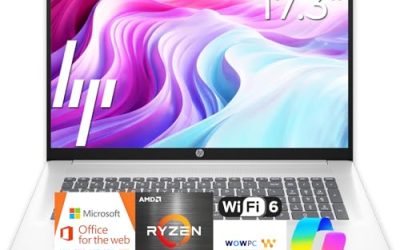
The HP Portable 15 is the stripped-down option for light tasks. The title mentions a 15-inch HD Micro-Edge IPS display, an Intel Pentium processor up to 3.68GHz, 4GB of DDR4 memory, a 128GB SSD, an HDMI port, a webcam and sixth-generation Wi-Fi.
- Strength: it sits at the lowest cost tier and still includes an IPS panel and HDMI output.
- Strength: Wi-Fi 6 is a nice inclusion for a model at this level.
- Trade-off: 4GB of RAM and 128GB of storage leave little room as software updates accumulate.
It makes sense as a backup laptop for a kitchen counter or a child learning to type. Skip it if you multitask, keep many browser tabs open, or expect to store photos and downloads locally.
Which One Fits Your Situation
You want the biggest comfortable screen for creative work
Go with the MacBook Air 15 (M5). The 15.3-inch Liquid Retina display, 16GB of unified memory and 512GB of storage give photo and video editors, writers and designers a roomy canvas without needing configuration upgrades.
You commute with your laptop every day
Daily carrying punishes flimsy hinges and cramped keyboards, so durability matters here. The ASUS Vivobook Go 15 fits this better than the others because its listing emphasizes military-grade durability and an ErgoSense keyboard. It also has WiFi 6E for connecting on the road.
You mostly live in documents and video meetings
The Dell 15.6 with the Core 3 100U is the sensible choice. The anti-glare IPS screen and 512GB SSD cover everything a typical office workday throws at it, and the Windows 11 Home install is ready to go.
You care about smooth scrolling and a small outlay
Pick the Dell 15.6 with the Ryzen 5 7520U. The 120Hz display is the standout feature, and the 512GB SSD keeps storage comfortable. Reserve the HP Portable 15 for a spare machine that only handles email and web pages.
Common Mistakes
- Buying on screen size alone and ignoring resolution; an HD panel at 15 inches looks noticeably less sharp than FHD.
- Accepting 4GB of RAM or a 128GB drive to save a little, then running out of room within a year.
- Assuming every 15-inch laptop has a numeric keypad; confirm it if you work in spreadsheets.
- Skipping the brightness figure; a dim panel is the most common regret with budget laptops.
- Comparing a MacBook to a Windows laptop on chip names instead of software needs and daily workflow.
Related guides
- Helping Hands Soldering Station With Magnifier
- Is 8000Hz Polling Rate Worth It For 144Hz Monitor
- Bench Power Supply For Electronics Hobbyists
Frequently Asked Questions
Is a 15.3-inch screen different from 15.6 inches?
Yes, but only slightly in size. The difference is mostly in aspect ratio and body design: the 15.3-inch panel in the MacBook Air is taller relative to its width, which many writers and coders appreciate for seeing more lines at once.
How much RAM do I need on a 15-inch laptop?
For multitasking, 8GB is the practical minimum and 16GB is safer for longer ownership. If a laptop lists only 4GB, treat it as a light-use machine for web browsing and email.
Is a 120Hz screen worth it for office work?
It is a comfort feature rather than a necessity. Scrolling through long documents and web pages looks smoother, but a bright, sharp 60Hz IPS display matters more for eye comfort.
Should I worry about Wi-Fi 5 versus Wi-Fi 6?
Only if your router supports the newer standard and you move large files over wireless. For streaming and browsing, Wi-Fi 5 is adequate, and the laptop will still connect to newer routers at the older speed.