Key takeaways
- An everyday laptop is the one you open without thinking: email in the morning, a spreadsheet at noon, a video call, a streaming show at night.
An everyday laptop is the one you open without thinking: email in the morning, a spreadsheet at noon, a video call, a streaming show at night. The right pick is rarely the most powerful machine. It is the one that stays responsive after a year of browser tabs, wakes up quickly, charges without fuss, and does not feel cramped on a kitchen table. Because the job is general, the decision turns on three plain specs, memory, storage, and display, instead of processor-name bragging.
This guide is for households, students, remote workers, and anyone replacing an aging laptop in 2026 who wants a dependable machine without a premium price. The six options below include a mainstream Dell, a fresh Apple entry, and four HP everyday models that share a similar formula of modest processors, cloud storage, and Office bundles. They look alike in marketing, so the sections below focus on the details that actually separate them: RAM, local storage, and screen finish.
Quick Picks
Our top picks


As an Amazon Associate we earn from qualifying purchases at no extra cost to you.
| Product | Best for | Key spec taken from the product title |
|---|---|---|
| Dell 15.6-inch FHD laptop | All-round family use | Core 3 100U, 8GB DDR5, 512GB SSD |
| Apple MacBook Neo 13-inch | Mac users who want a simple, compact machine | A18 Pro chip, 8GB unified memory, 256GB SSD |
| HP 14-inch Everyday laptop | Compact browsing and Office work | Intel N150, 128GB SSD, Microsoft 365 |
| HP Everyday Slim (AMD) | Light web use and streaming | AMD processor, 4GB DDR5, 128GB SSD |
| HP Everyday laptop with 8GB RAM | Multitaskers on a tight budget | 8GB RAM, 128GB SSD, fast charge |
| HP Everyday laptop with WiFi 6 | Home Wi-Fi and cloud storage users | 128GB storage, WiFi 6, Copilot AI |
How to Choose
8GB of memory is the practical floor
Modern browsers, video calls, and Office apps each take a share of memory, and a 4GB machine can slow down when you open more than a few tabs. For a laptop that must last several years, look for 8GB at minimum. Memory type matters too, and DDR5, which appears in several listings here, is the newer standard. If a title lists only 4GB, treat it as a light-duty machine for email, documents, and streaming, and avoid planning for heavy multitasking.
Storage: local space versus the cloud
Many everyday laptops ship with a 128GB drive and a year of cloud storage. That works if your files live online, but Windows updates and apps take up a good portion of 128GB. A 256GB or 512GB drive gives more room for photos and downloads and delays the point when you need an external drive. Cloud bundles are helpful backups, but they are subscriptions that often expire, so check the terms in the listing.
Screen size, finish, and resolution
A 14-inch screen is easier to carry, while a 15.6-inch panel gives more room for spreadsheets and side-by-side windows. Full HD resolution is the baseline for sharp text, and an anti-glare finish helps in bright rooms. Brightness is listed in nits on some models, with 300 nits being a reasonable level for indoor use. Ignore marketing terms such as stunning color unless the listing names a panel type, because they do not describe an actual measurement.
Battery, charging, and connectivity
Listings often say long battery life without giving hours, so treat these as claims and read the full description for a number. Fast charge is useful for a quick top-up before leaving the house. For connectivity, Wi-Fi 6 offers better performance on modern routers than older standards, and a USB-C port makes it easier to add a monitor or dock later. Budget models usually cut corners on RAM, storage, and port selection first, so check those before you check the processor. Also look at the keyboard and trackpad descriptions, since you will use them for hours every day; a full-size keyboard with a number pad helps if you handle spreadsheets, while a compact 13-inch or 14-inch body trades that for portability.
The 6 Best Options
Dell 15.6-inch FHD Laptop
The Dell is the most complete everyday spec on paper. It pairs an Intel Core 3 100U processor with 8GB of DDR5 memory and a 512GB SSD, plus a 300-nit anti-glare WVA display, Wi-Fi 6, and Bluetooth. That mix gives families a laptop that does not require external storage after a few months of photos.
- Strength: 8GB of DDR5 RAM and a 512GB SSD give breathing room for multitasking.
- Strength: an anti-glare FHD screen with 300 nits suits bright rooms.
- Trade-off: a 15.6-inch body is bulkier to carry than a 14-inch laptop.
Skip it if you want the lightest possible laptop for a commute. It is the best fit for a home laptop that stays on a desk or couch most of the time. The roomy storage also makes it the easiest of the group to live with for years, because you are unlikely to need an external drive in the first season of ownership.
Apple MacBook Neo 13-inch
The MacBook Neo is a 13-inch Mac with an A18 Pro chip, a Liquid Retina display, 8GB of unified memory, and a 256GB SSD. It is the only non-Windows option in this list, and it appeals to people who already use an iPhone and want tight integration with their messages, photos, and files.
- Strength: a Liquid Retina display and compact 13-inch size are appealing for portability.
- Strength: a 256GB SSD offers more local space than the 128GB HP models.
- Trade-off: Mac software and accessories differ from Windows, so check that your must-have apps are available.
Skip it if your work depends on Windows-only software or if you want a larger screen for spreadsheets. It suits Apple households that value simplicity. Remember that the title shows a single storage tier, so anyone planning a big photo library should think about iCloud or an external drive early rather than after the disk fills.
HP 14-inch Everyday Laptop
This HP is a compact 14-inch machine with an Intel N150 processor, a 128GB SSD, 1TB of cloud storage, and Microsoft 365 included. Windows 11 and Copilot AI features are listed, and the model is marketed for long battery life. It fits users who browse, write, and stream from the couch.
- Strength: a 14-inch body is easy to carry from room to room.
- Strength: Microsoft 365 is included, which suits students and home offices.
- Trade-off: the 128GB SSD fills up quickly, so lean on the cloud space.
Skip it if you plan to store large photo libraries locally. The title does not list the RAM, so check the listing before buying. Students who write papers, join video classes, and watch lectures will find the size and bundled Office subscription convenient, as long as large files go to the cloud.
HP Everyday Slim Laptop (AMD)
The HP Everyday Slim with an AMD processor lists 4GB of DDR5 memory, a 128GB SSD, 1TB of cloud storage, and Windows 11. It focuses on light, daily computing and long battery life, with a slim body that appeals to anyone who wants portability.
- Strength: DDR5 memory is the newer standard, even at a modest capacity.
- Strength: a slim body and long battery life claim favor portability.
- Trade-off: 4GB of RAM limits how many tabs and apps you can keep open.
Skip it if you multitask heavily or keep dozens of browser tabs open. It is a better match for light web use, email, and streaming. Think of it as a secondary laptop for a spare room or a child’s homework, where weight and simplicity matter more than raw capability.
HP Everyday Laptop with 8GB RAM
This HP raises the memory to 8GB while keeping the 128GB SSD and 1TB of cloud storage. Office 365 is included, along with Windows 11, fast charge, and a long battery claim. The extra memory makes it the more comfortable HP for people who juggle a browser, documents, and video calls together.
- Strength: 8GB of RAM supports smoother multitasking than the 4GB HP models.
- Strength: fast charge helps with quick top-ups before heading out.
- Trade-off: a 128GB SSD still limits local file storage.
Skip it if you want a larger drive or a clearly named processor, since the title lists only an Intel processor. It is the value pick for everyday multitasking. Buyers who do a lot of video calls will appreciate the extra memory, though they should still plan to move photos and large downloads to the cloud or an external drive.
HP Everyday Laptop with WiFi 6
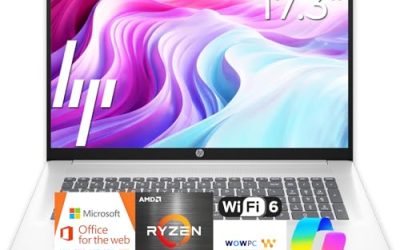
The last HP highlights WiFi 6, fast charge, Copilot AI, Office 365, and 1TB of cloud storage, with 128GB of local storage on Windows 11. It is sold as a light, portable choice for a household that keeps files in the cloud and wants a modern wireless standard.
- Strength: WiFi 6 works well with newer home routers.
- Strength: Office 365 and cloud storage are included for documents and backups.
- Trade-off: the title does not state RAM, so confirm the memory in the full listing.
Skip it if you need a confirmed 8GB of memory from the headline. It suits cloud-first users with straightforward needs. If your router is recent, the faster wireless standard can make cloud syncing and streaming feel smoother, which is where a small local drive is least painful.
Which One Fits Your Situation
You want one laptop for the whole family
The Dell 15.6-inch laptop is the safest choice, with 8GB of DDR5 memory and a 512GB SSD that handle shared accounts, school work, and photos.
You live in the Apple ecosystem
The MacBook Neo fits best. Its 13-inch size, 256GB SSD, and Mac software make it a simple companion to an iPhone.
You want to keep spending low and still multitask
The HP Everyday laptop with 8GB of RAM is a sensible compromise. It adds memory without moving into a premium tier.
You mostly browse, stream, and write on the couch
The HP 14-inch Everyday laptop or the AMD-based Everyday Slim suit light use. Choose the 14-inch model for Microsoft 365 and portability, or the AMD model for a slim design.
Common Mistakes
- Buying a 4GB laptop and expecting it to handle many browser tabs and video calls at once.
- Counting cloud storage as local space, then running out of room for apps and updates.
- Treating a long battery life claim as a measured number without checking the details.
- Choosing by processor name alone and ignoring RAM and drive size.
- Overlooking the display finish, then struggling with glare in a bright room.
Related guides
- Helping Hands Soldering Station With Magnifier
- Is 8000Hz Polling Rate Worth It For 144Hz Monitor
- Bench Power Supply For Electronics Hobbyists
Frequently Asked Questions
How much RAM does an everyday laptop need?
8GB is a practical minimum for web browsing, Office apps, and video calls. A 4GB model is fine for light use but feels tight with many open tabs.
Is 128GB of storage enough?
It can work if you rely on cloud storage, but Windows and apps use a large share. A 256GB or 512GB drive is more comfortable.
Should I choose a Mac or a Windows laptop?
Pick based on your apps and devices. Windows offers broader hardware choices and software compatibility, while a Mac is attractive if you use other Apple products.
Are bundled Office and cloud storage permanent?
Not always. Many bundles include a fixed-term subscription, so read the listing details to see how long they last.