Key takeaways
- A large-screen laptop is a different kind of purchase from a normal notebook. You are buying a portable desktop: a machine that lives on a desk or a.
A large-screen laptop is a different kind of purchase from a normal notebook. You are buying a portable desktop: a machine that lives on a desk or a kitchen table, moves between rooms now and then, and earns its keep through a big canvas for spreadsheets, timelines, split-screen research or simply reading comfortably. The first decision is how big is big. The listings below fall into two groups, 17.3-inch models from HP and 18.5-inch models from smaller brands, and the gap between them changes weight, battery size and support options.
This guide is for buyers in 2026 who want more screen than a standard 15.6-inch laptop without moving to a separate monitor and tower. Think of retirees who want larger text, home-office workers who hate scrolling, and students who study at one desk. Everything here is judged from the specifications written in each listing title, so when a detail is missing, such as weight or battery runtime, confirm it on the product page before you buy.
Quick Picks
Our top picks
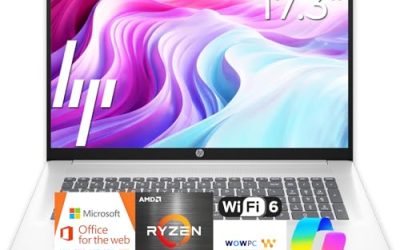
 HP 17 inch Business Laptop Computer •
- All In The Detail: The HP laptop has…
- Immersive Full HD Display: Experience high performance with…
- Windows 11 & Office 365 for Web: Preloaded…



As an Amazon Associate we earn from qualifying purchases at no extra cost to you.
| Product | Best for | Key spec from the title |
|---|---|---|
| HP 17 Business Laptop (Ryzen 5) | Balanced desk machine | 17.3-inch FHD, 16GB RAM, 512GB SSD, numeric keypad |
| EKY 18.5-inch | Storage and ports on a big screen | 16GB RAM, 1TB SSD, 6316mAh battery, RJ45, HDMI, TF card |
| BWPED 18.5-inch | Memory-heavy multitasking | 24GB RAM, 1TB SSD, 48Wh battery, 3 USB ports, RJ45 |
| HP 17.3 Touchscreen (Core Ultra 7) | Touch and security features | Touchscreen, Core Ultra 7, 16GB RAM, fingerprint reader, Windows 11 Pro |
| 18.5-inch Core i9 | Color-aware work on a wide panel | Core i9, 16GB RAM, 512GB SSD, 100% sRGB FHD, backlit keyboard |
| HP 17.3 (Ryzen 5 7520U) | Everyday family use | HD+ display, 16GB RAM, 512GB SSD, Windows 11 Home |
| HP OmniBook 3 17 (Ryzen 3) | Lowest-cost HP large screen | FHD display, 8GB RAM, 512GB SSD, Radeon 610M |
| HP OmniBook 3 17 (Core Ultra 5) | Newer Intel platform on a budget | FHD, Core Ultra 5 225U, 8GB RAM, 512GB SSD |
How to Choose
Screen size versus what you can actually carry
A 17.3-inch laptop still fits in a large backpack, while an 18.5-inch model is realistically a desk-bound machine. Weight is rarely given in titles, so assume anything above 17 inches is heavy and plan accordingly. Choose 17.3 inches if you will carry it weekly and 18.5 inches if it stays put. Also measure your desk: an 18.5-inch body can overhang a small table, leaving less room for a mouse or notes. Resolution matters more at this size: FHD is the baseline, because HD+ looks coarse stretched across a big panel.
Battery and power expectations
Larger bodies can hold bigger batteries, but large screens also draw more power. Two listings state battery sizes, a 6316mAh pack and a 48Wh pack, which tells you little about real runtime without knowing the voltage and workload. Treat a large-screen laptop as something you keep plugged in, and view any battery figure as a convenience for moving between rooms rather than all-day use away from an outlet.
Memory, storage and ports
For a big-screen multitasker, 16GB of RAM is the practical floor, and 8GB feels limiting when you keep several windows side by side. Storage of 512GB is comfortable; 1TB suits people who keep photo or video libraries. Ports deserve a look. RJ45 Ethernet, HDMI and a card slot appear on the 18.5-inch listings and remove the need for adapters. Wi-Fi 6 is a useful modern standard.
Brand, support and corners cut by budget models
The 17.3-inch HP models come from a large manufacturer with established support channels. The 18.5-inch laptops come from lesser-known brands, so read the warranty and return policy carefully and keep realistic expectations for software updates. Budget large-screen models often skimp on panel quality, keyboard backlighting and processor power, and the titles with very high clock speeds do not guarantee similar performance in daily use.
The 8 Best Options
HP 17 Business Laptop (Ryzen 5)
This is the most balanced all-rounder. The title lists a 17.3-inch FHD display, an AMD Ryzen 5 processor, 16GB of RAM, a 512GB SSD and a numeric keypad, with a long-battery claim.
- Strength: 16GB and 512GB are the right everyday baseline for a large display.
- Strength: the numeric keypad suits spreadsheet and data-entry work.
The trade-off is that the title does not state the Windows edition or the exact battery capacity. A home office worker or student who studies at one desk will be comfortable here, and the specifications are easy to compare with the other HP models in this guide. Skip it if you want touch input or an Ethernet port.
EKY 18.5-inch
The EKY aims for the largest screen with a generous port selection. The title lists an 18.5-inch display, 16GB of RAM, a 1TB SSD, a 6316mAh battery, a privacy shutter camera, TF card support, RJ45 and HDMI.
- Strength: 1TB of storage and Ethernet make it practical as a fixed workstation.
- Strength: the privacy shutter and card slot are useful extras.
The trade-off is the lesser-known brand, so read warranty terms closely. The processor model is not named beyond a clock speed of up to 3.4GHz. Skip it if you need a recognized brand or demanding performance.
BWPED 18.5-inch
This model stands out for memory: 24GB of RAM with a 1TB SSD. The title also lists a 3.4GHz Core m3 processor, a 48Wh battery, three USB ports, HDMI, RJ45, dual-band Wi-Fi and Bluetooth 5.0.
- Strength: 24GB of RAM gives plenty of room for many windows open at once.
- Strength: the port list covers wired networking and several USB devices.
The trade-off is that a Core m3 is a modest processor class, so heavy workloads may feel slow regardless of memory. Skip it if you want strong processing power or a well-known support network.
HP 17.3 Touchscreen (Core Ultra 7)
This HP is the feature-rich choice. The title lists a 17.3-inch touchscreen, an Intel Core Ultra 7 processor, 16GB of RAM, 1TB of combined storage (a 512GB SSD plus a 512GB external docking set), Windows 11 Pro and a fingerprint reader.
- Strength: Windows 11 Pro, a fingerprint reader and touch make it a flexible work device.
- Strength: the Core Ultra 7 sits among the more capable processors here.
The trade-off is that half the storage is external, so internal space is only 512GB. Skip it if you want all storage inside the laptop or the lowest cost tier.
18.5-inch Core i9
This unbranded 18.5-inch laptop pairs a Core i9 processor, listed up to 4.8GHz, with 16GB of RAM, a 512GB SSD and WiFi-6. The title also mentions a 100% sRGB FHD display, Windows 11 Home, a backlit keyboard and a numeric pad.
- Strength: the 100% sRGB panel is attractive for photo and design review.
- Strength: a backlit keyboard and numeric pad suit long sessions.
The trade-off is the Home edition and an unclear brand identity, so verify support terms. Creators on a tight budget who review photos on a wide screen are the natural audience, though the clock speed alone says little about sustained performance. Skip it if you need Windows 11 Pro management tools.
HP 17.3 (Ryzen 5 7520U)
A straightforward family laptop, this model lists a 17.3-inch HD+ display, an AMD Ryzen 5 7520U, 16GB of RAM, a 512GB SSD, Radeon graphics and Windows 11 Home in Natural Silver.
- Strength: 16GB of RAM and 512GB of storage make it dependable for daily tasks.
- Strength: it comes from a major brand with a specific model number you can look up.
The trade-off is the HD+ resolution, which is less sharp than FHD on a large panel. It suits a shared family computer for homework, bills and streaming, where sharpness matters less than memory. Skip it if text clarity is your priority.
HP OmniBook 3 17 (Ryzen 3)
The first of two OmniBook 3 models is the budget entry. The title lists a 17.3-inch FHD display, an AMD Ryzen 3 processor, 8GB of RAM, a 512GB SSD, Radeon 610M graphics and Windows 11 Home in Mica Silver.
- Strength: FHD resolution at the large size, which is better than the HD+ model above.
- Strength: 512GB of storage on a low-cost tier.
The trade-off is 8GB of RAM, which limits heavy multitasking. It is a sensible pick for an older relative who wants large text for email, video calls and web pages without paying for extras. Skip it if you keep many programs open.
HP OmniBook 3 17 (Core Ultra 5)
This sibling swaps in an Intel Core Ultra 5 225U with Intel graphics, keeping the 17.3-inch FHD display, 8GB of RAM, a 512GB SSD and Windows 11 Home in Glacier Silver.
- Strength: a newer Intel processor family on the same FHD panel.
- Strength: easy to compare directly against the Ryzen 3 OmniBook.
The trade-off is the same 8GB memory ceiling. A buyer who prefers Intel platforms, or wants a newer processor name for longer ownership, will find it a clean comparison with its Ryzen sibling. Skip it if you want 16GB without paying for a higher tier.
Which One Fits Your Situation
You want the safest everyday large screen
Go with the HP 17 Business Laptop with the Ryzen 5. It pairs a 17.3-inch FHD display with 16GB of RAM and a 512GB SSD, plus a numeric keypad, from a major brand.
You work from a fixed desk and need wired connections
The EKY 18.5-inch fits, with RJ45 Ethernet, HDMI, a TF card slot and 1TB of storage. Choose the BWPED 18.5-inch instead if memory capacity matters more, since it offers 24GB.
You need touch, security and a business operating system
Pick the HP 17.3 Touchscreen with the Core Ultra 7. Windows 11 Pro and the fingerprint reader suit shared or managed environments.
You are watching the budget but want a big FHD panel
Choose between the two HP OmniBook 3 17 models. The Ryzen 3 version is the straightforward budget pick, while the Core Ultra 5 version suits buyers who prefer Intel.
Common Mistakes
- Buying an 18.5-inch laptop expecting to carry it daily; it is realistically a desk machine.
- Accepting HD+ resolution on a large panel, then finding text softer than expected.
- Trusting a very high processor clock in a title instead of the actual processor family.
- Ignoring warranty and return terms on lesser-known brands.
- Counting external storage as internal when comparing total terabytes.
Related guides
- Helping Hands Soldering Station With Magnifier
- Is 8000Hz Polling Rate Worth It For 144Hz Monitor
- Bench Power Supply For Electronics Hobbyists
Frequently Asked Questions
Is a 17-inch or 18.5-inch laptop better?
The 17.3-inch size is easier to move and comes from established brands. The 18.5-inch size gives more viewing area but is best left on a desk.
Can I use a large-screen laptop instead of a desktop?
For office tasks, browsing and media, yes. Choose 16GB of RAM and an SSD, and add an external keyboard and mouse if you plan to sit at it for long sessions.
Does a big screen drain the battery faster?
Generally, yes, because the panel uses more power. Treat battery figures in the listing as a guide and keep the charger nearby.
Is 8GB of RAM enough on a large display?
It works for web browsing, email and documents, but 16GB is more comfortable when you use several windows side by side. Choose 8GB only for lighter use.