Key takeaways
- Picking an HP laptop for business is less about brand loyalty and more about avoiding two expensive mistakes: buying a consumer machine with a.
Picking an HP laptop for business is less about brand loyalty and more about avoiding two expensive mistakes: buying a consumer machine with a business sticker, and overspending on features a small team will never use. HP sells everything from a 14-inch entry notebook to a 17-inch desk replacement, and the listing titles often use the word business loosely. What separates a genuine work machine is the operating system edition, the memory, the storage and the little hardware details such as a camera shutter and a numeric keypad.
This guide is for freelancers, small-office owners, and managers buying a handful of laptops for staff in 2026. It compares six HP models using only the specifications printed in their titles, then explains how to match each to a real job. Where a title is shortened or vague, treat that as a prompt to read the full listing before you commit, especially for battery life, port counts and warranty terms.
Quick Picks
Our top picks
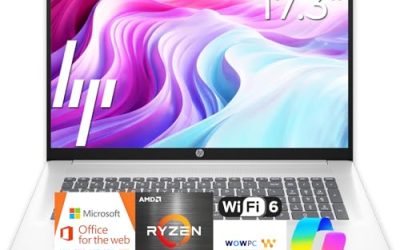
 HP 17 inch Business Laptop Computer •
- All In The Detail: The HP laptop has…
- Immersive Full HD Display: Experience high performance with…
- Windows 11 & Office 365 for Web: Preloaded…


As an Amazon Associate we earn from qualifying purchases at no extra cost to you.
| Product | Best for | Key spec from the title |
|---|---|---|
| HP 17 Business Laptop (Ryzen 5) | Spreadsheet-heavy desk work | 17.3-inch FHD, 16GB RAM, 512GB SSD, numeric keypad |
| HP Business Laptop (Ryzen 5 7430U) | Large screen with Wi-Fi 6 | Ryzen 5 7430U, 17.3-inch FHD, 16GB RAM, 512GB PCIe |
| HP 255 G10 (AMD quad-core) | Managed office fleets | 15.6-inch Full HD, 16GB RAM, 512GB SSD, Windows 11 Pro |
| HP 15 (Core i5-1135G7) | Intel-based office software | 11th Gen i5, Iris Xe, 16GB RAM, 512GB SSD, Windows 11 Pro |
| HP 255 G10 (Ryzen 7 7730U) | Power users and multitaskers | Ryzen 7 7730U, 32GB RAM, 1TB PCIe SSD, Windows 11 Pro |
| HP 14 Business (N150) | Light travel and email | 14-inch, Intel N150 quad-core, 4GB RAM, 128GB UFS, Office 365 |
How to Choose
Operating system edition matters more than the badge
Windows 11 Pro adds device encryption management, domain join and remote desktop hosting, which are the features IT policies usually require. Windows 11 Home lacks several of them. If your company uses managed accounts or you plan to connect to a work network, filter for Pro first. A listing that bundles a year of Office 365 can save a subscription, but it does not replace the Pro edition for management tools.
Memory and storage for real office workloads
For a business laptop, 16GB of RAM is the dependable floor because browsers, video-call software, spreadsheets and security tools all compete for memory. Use 32GB only if you keep very large files open or run virtual machines. For storage, 512GB covers most staff, while 1TB suits people who keep local project archives. Avoid 4GB and 128GB configurations for anyone who will use the machine all day, since updates alone can eat a surprising share of the drive.
Screen size, keypad and webcam
A 17.3-inch panel gives accountants and analysts more columns on screen, but the machine is bulkier. A 15.6-inch model balances room and portability, and 14 inches is best for people who travel. A numeric keypad speeds data entry on the larger sizes. Meeting-heavy roles should look for a webcam with a privacy shutter, which appears in one of the listings below. Full HD is the sensible resolution for all of them, and it is worth ignoring decorative words such as ultra-light or micro-edge, which do not change how the machine performs at work.
Processors, ports and where budgets cut corners
Ryzen 5 and Core i5 chips are plenty for documents, calls and browsers. A Ryzen 7 helps with multitasking and larger data sets. Entry-level quad-core chips like the N150 handle email and web apps but slow down under many open windows. Check for HDMI, USB-A and USB-C, plus Wi-Fi 6 for modern routers. Cheaper business-labeled laptops typically skimp on brightness, memory and upgrade room, and they rarely list their battery capacity clearly.
The 6 Best Options
HP 17 Business Laptop (Ryzen 5)
This model targets office staff who spend the day in spreadsheets and want a large display with a built-in numeric keypad. The title lists a 17.3-inch FHD screen, an AMD Ryzen 5 processor, 16GB of RAM and a 512GB SSD, plus a long-battery claim.
- Strength: 16GB and 512GB are the right baseline for sustained office use.
- Strength: the 17.3-inch screen and numeric keypad speed up data entry and side-by-side windows.
- Trade-off: a 17-inch body is larger to carry, and the title does not state the Windows edition.
It suits a bookkeeper or operations lead who stays at one desk and wants fewer scrolling gestures during the day. Skip it if you travel often or need Windows 11 Pro management tools confirmed up front.
HP Business Laptop (Ryzen 5 7430U)
This one pairs a Ryzen 5 7430U with the same 17.3-inch FHD display, Wi-Fi 6, 16GB of RAM and a 512GB PCIe drive. It is a good fit for a consultant who works mostly at a desk but wants the option to take the machine to client sites.
- Strength: the named 7430U processor and PCIe storage make the specification easy to verify and compare.
- Strength: Wi-Fi 6 helps in crowded offices and shared networks.
- Trade-off: the title relies on a marketing comparison with an Intel chip, so ignore that line and judge by the model number.
The mix of a mid-range processor and ample memory means it should stay responsive as your document library grows. Skip it if you want a smaller body or a guaranteed Pro operating system.
HP 255 G10 (AMD quad-core)
The 255 G10 is the most office-like option here. The title lists a 15.6-inch Full HD display, an AMD quad-core CPU, 16GB of RAM, a 512GB SSD, Windows 11 Pro, a webcam with a shutter, a numeric keypad and Microsoft Copilot support.
- Strength: Windows 11 Pro plus a camera shutter suits teams with security policies.
- Strength: 16GB and 512GB give a standard, supportable configuration for staff.
- Trade-off: the exact processor model is not named in the shortened title, so confirm it on the listing.
It is also a practical choice when you want identical machines for several employees, since one configuration is easier to support than a mixed pile. Skip it if you need a thin travel laptop or a bigger screen for dense spreadsheets.
HP 15 (Core i5-1135G7)
For buyers who prefer Intel, this model offers an 11th Gen Core i5-1135G7 with Iris Xe graphics, 16GB of RAM, a 512GB SSD and Windows 11 Pro on a 15.6-inch FHD display, along with a numeric pad.
- Strength: Windows 11 Pro and 16GB RAM make it ready for managed business accounts.
- Strength: Iris Xe graphics handle video calls, presentations and light photo work.
- Trade-off: the processor generation is older than the Ryzen models in this list.
A small agency that already runs software built around Intel, or a team that prefers the familiar platform, will find it comfortable. Skip it if you want the newest chip generation or plan to keep the laptop for many years.
HP 255 G10 (Ryzen 7 7730U)
This is the power configuration. The title lists a Ryzen 7 7730U, 32GB of RAM, a 1TB PCIe SSD, a 15.6-inch FHD display, a numeric keypad, a webcam, Wi-Fi 6, HDMI and Windows 11 Pro. It fits analysts, developers and anyone running many applications at once.
- Strength: 32GB of RAM and 1TB of storage leave a lot of headroom for large files and multitasking.
- Strength: Windows 11 Pro and HDMI make it easy to deploy and connect to meeting-room displays.
- Trade-off: it sits at the premium end of this group, which is more than most office roles need.
Think of it as a long-term investment for a role that grows more demanding rather than a machine for a new hire answering email. Skip it if your work is mostly email and documents.
HP 14 Business (N150)
The smallest and simplest pick, this 14-inch laptop uses an Intel quad-core N150 processor with 4GB of RAM and 128GB of UFS storage, and it comes with a one-year Office 365 subscription and Windows 11 Home. The title also mentions earphones.
- Strength: a compact body and a bundled office suite make it a convenient budget travel companion.
- Strength: it sits in the lowest cost tier of the six.
- Trade-off: 4GB of RAM, 128GB of storage and Windows 11 Home limit it for all-day professional use.
It can also serve as a loaner for visiting staff or a spare for a front desk. Skip it if you need domain-join tools, many browser tabs or large local files.
Which One Fits Your Situation
You run a small office with managed accounts
Choose the HP 255 G10 with the AMD quad-core CPU. Windows 11 Pro, 16GB of RAM, a camera shutter and a 512GB SSD form a configuration that is simple to standardize across several desks.
You live in spreadsheets and accounting software
The HP 17 Business Laptop with the Ryzen 5 is the better match. The 17.3-inch display and numeric keypad reduce scrolling and typing errors, and 16GB of memory keeps large workbooks responsive.
You handle large files, data or several applications
The HP 255 G10 with the Ryzen 7 7730U gives you 32GB of RAM and a 1TB drive, which is the clearest headroom in the group. It pays off if you keep many programs open.
You need something light for travel and email
The HP 14 Business with the N150 handles basic tasks and fits in a small bag. Choose it only as a secondary machine, and consider the HP 15 with the Core i5 if you want a stronger primary laptop with Windows 11 Pro.
Common Mistakes
- Assuming the word business in a title means Windows 11 Pro; check the edition in the listing.
- Buying 8GB or less for staff who will keep browsers, calls and spreadsheets open together.
- Choosing a 17-inch laptop for someone who commutes daily, then finding it too heavy to carry.
- Trusting processor comparison lines in titles instead of looking up the actual model number.
- Counting a bundled Office subscription as a reason to accept a weak processor and tiny storage.
Related guides
- Helping Hands Soldering Station With Magnifier
- Is 8000Hz Polling Rate Worth It For 144Hz Monitor
- Bench Power Supply For Electronics Hobbyists
Frequently Asked Questions
Do I need Windows 11 Pro for a small business?
If you manage several laptops, join a domain or rely on encryption policies, yes. For a single freelancer with simple needs, Windows 11 Home can work, but Pro gives more control and fewer limitations later.
Is 16GB of RAM enough for office work?
For most roles it is. Documents, video calls, cloud apps and many browser tabs run smoothly. Move to 32GB only if you work with large data sets, design files or virtual machines.
Why does the camera shutter matter?
A physical shutter blocks the lens when you are not on a call. It is a simple privacy safeguard that many companies prefer, and it costs nothing in daily use.
Should I pick AMD or Intel in an HP business laptop?
Both handle office software well. The Ryzen models here are newer and name specific chips, while the Core i5 listed is an 11th Gen part. Choose based on the configuration, the Windows edition and the memory rather than the brand name.