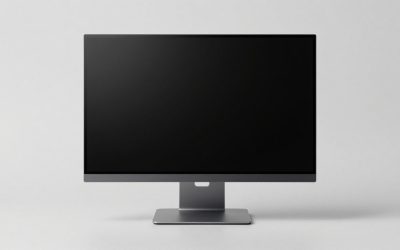
Our Top Picks
 VIVO STAND-V002F Dual LED LCD Monitor Free-Standing Desk13" - 27" screens17.5 x 11.4 x 3.8 inches4.48 poundsCheck on Amazon
Pick a monitor stand by weight limit first and by looks second, because the eight listings here, six arms and two free-standing desk stands, differ far more in what they can hold than in how they look. For one screen, the WALI single arm (up to 26.4 lbs) and the ErGear single (19.8 lbs) are the two budget options. For two screens, the VIVO and MOUNT PRO dual stands cost a little more, and the HUANUO FlowLift dual is the premium choice. None of these is a riser shelf or a plain pedestal base.
The eight listings at a glance

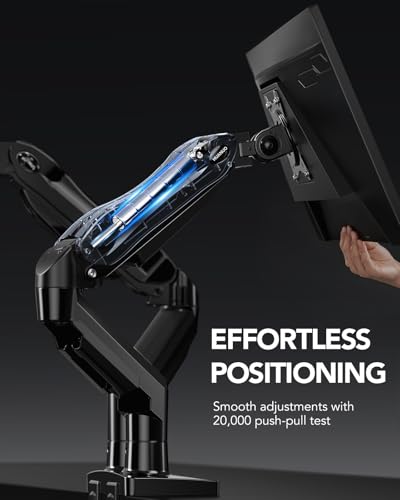
HUANUO FlowLift™ Dual Monitor Stand, Fully Adjustable Gaming Monitor Desk Mount for 13–32″ Computer Screens, Full Motion VESA 75x75/100x100 with C-Clamp & Grommet Base, Each Arm Holds 4.4 to 19.8 lbs




As an Amazon Associate we earn from qualifying purchases. Product prices and availability are accurate as of the date/time indicated.

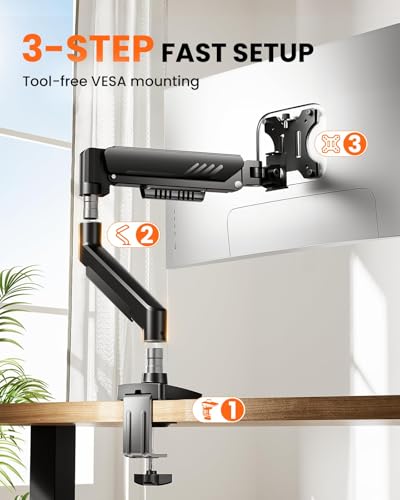
ErGear Single Monitor Arm, Fully Adjustable Monitor Mount for 13–34 Inch Screens, Fast Install Computer Monitor Stand with Tool-Free VESA Mount, Cable Management, Holds 19.8 lbs




As an Amazon Associate we earn from qualifying purchases. Product prices and availability are accurate as of the date/time indicated.
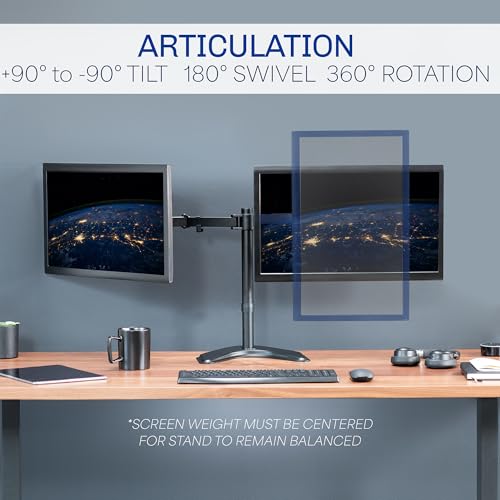
VIVO STAND-V002F Dual LED LCD Monitor Free-Standing Desk Stand for 2 Screens up to 27 Inch Heavy-Duty Fully Adjustable Arms with Max VESA 100x100mm




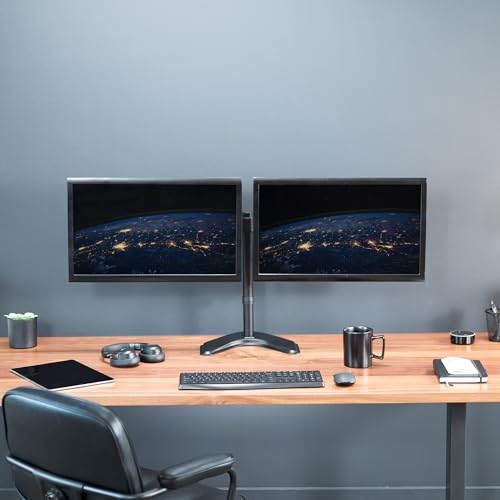
As an Amazon Associate we earn from qualifying purchases. Product prices and availability are accurate as of the date/time indicated.

VIVO Dual Monitor Desk Mount, Holds 2 Computer Screens up to 30 inches and 22lbs Each, Heavy Duty Fully Adjustable Steel Stand with C-Clamp and Grommet, Black, STAND-V002


As an Amazon Associate we earn from qualifying purchases. Product prices and availability are accurate as of the date/time indicated.

ErGear Dual Monitor Arm, Full Adjustable Monitor Mount for 13–32″ Screens, Fast Install Computer Monitor Stand with Tool-Free VESA Mount, Max Load 19.8 lbs, Max VESA 100x100mm
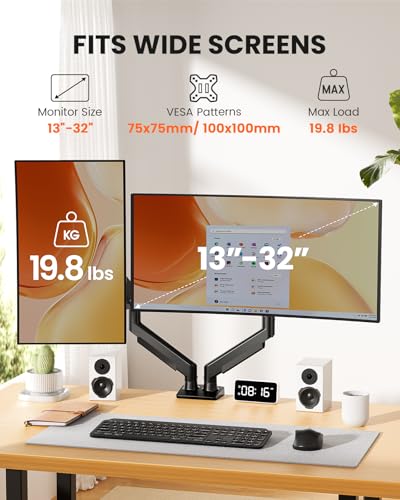


As an Amazon Associate we earn from qualifying purchases. Product prices and availability are accurate as of the date/time indicated.

WALI Adjustable Single Monitor Arm for 13-34 inch Screens, up to 26.4 lbs | Single Monitor Desk Mount, Full Motion with Tilt, Swivel, Rotation, C-Clamp & Grommet Base, VESA 75/100mm (GSMP001N), Black


As an Amazon Associate we earn from qualifying purchases. Product prices and availability are accurate as of the date/time indicated.

HUANUO FlowLift™ Single Monitor Mount, 13 to 32 Inch Monitor Arm, Adjustable Monitor Stand, Vesa Mount with Clamp and Grommet Base - Fits 4.4 to 19.8lbs LCD Computer Monitors


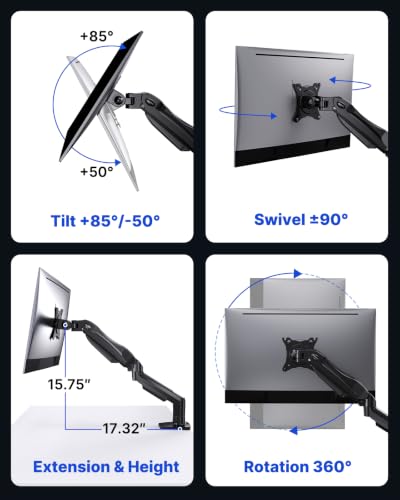


As an Amazon Associate we earn from qualifying purchases. Product prices and availability are accurate as of the date/time indicated.

MOUNT PRO Dual Monitor Stand, Free-Standing Full Motion Monitor Desk Mount Fits 2 Screens up to 27 inches,17.6lbs with Height Adjustable, Swivel, Tilt, Rotation, VESA 75x75 100x100, Black


As an Amazon Associate we earn from qualifying purchases. Product prices and availability are accurate as of the date/time indicated.
| Model | Key point from title | Price tier | Best for |
|---|---|---|---|
| ErGear Single Monitor Arm | 13 to 34 inch screens, tool-free VESA mount, 19.8 lbs | Budget | One light-to-mid screen, quick setup |
| WALI GSMP001N Single Arm | 13 to 34 inch, up to 26.4 lbs, VESA 75/100 | Budget | Heavier single screens |
| HUANUO FlowLift Single | 13 to 32 inch, clamp and grommet, 4.4 to 19.8 lbs | Mid-range | Spring-assisted single arm |
| MOUNT PRO Dual Stand | Free-standing, two screens to 27 inch, 17.6 lbs | Budget | Dual setups with no clamping |
| VIVO STAND-V002F Dual | Free-standing, two screens to 27 inch, VESA 100×100 | Mid-range | Dual setups on delicate desks |
| VIVO STAND-V002 Dual | Two screens to 30 inch, 22 lbs each, clamp and grommet | Mid-range | Heavier dual screens |
| ErGear Dual Monitor Arm | 13 to 32 inch, tool-free VESA, 19.8 lbs | Mid-range | Dual desks, simple install |
| HUANUO FlowLift Dual | 13 to 32 inch, each arm 4.4 to 19.8 lbs | Premium | Dual arms with a stated weight floor |
A weight-headroom worksheet before you click buy
These numbers are our own examples, not measurements. Step one: weigh your monitor without its base, or find the “without stand” weight on the manufacturer page. Step two: divide by the arm’s rating. A 10 lb screen on a 19.8 lb arm uses about 50 percent of the rating, which leaves a comfortable margin. A 14 lb ultrawide uses about 71 percent, and a 17 lb screen uses 86 percent, close enough to the limit that the arm may sag or creep over time.
Step three, width. A 27-inch 16:9 screen is about 23.5 inches wide by our arithmetic, so two sit at roughly 47 inches plus bezels. A pair of 32-inch screens needs about 56 inches. Measure your desk before choosing a dual setup, and remember that a screen on a long arm extends farther than the base clamp.
Step four, the floor. If a listing gives a minimum, such as 4.4 lbs, a light travel monitor may not sit where you leave it.
The eight picks, one by one
ErGear Single Monitor Arm
This ErGear lists a fully adjustable single arm for 13 to 34 inch screens, a tool-free VESA mount, cable management and a 19.8 lb capacity. Tool-free mounting saves time, but ask whether the clamp itself still needs a hex key. It shares its price tier with the WALI, and has a lower weight limit. Before buying, confirm that the clamp range suits your desk thickness, since the title does not give it, and look at buyer comments about whether the arm holds its height without creeping down.
Pros
- Low price
- Wide screen-size range
- Tool-free VESA mount
Cons
- 19.8 lbs is below the WALI rating
- VESA patterns are not named in the title
Who it’s for: one standard monitor on a desk that takes a clamp.
WALI Adjustable Single Monitor Arm GSMP001N
WALI lists a single full-motion arm for 13 to 34 inch screens, up to 26.4 lbs, with tilt, swivel and rotation, C-clamp and grommet bases and VESA 75/100. It has the highest weight limit of the single arms and is among the cheapest. Rotation means a portrait orientation is possible if your screen allows it. The 26.4 lb limit leaves room for many large single monitors, though an ultrawide should still be checked against its exact weight and width. Buyer comments on how firmly the joints hold are worth a read before ordering.
Pros
- Highest single-arm weight limit
- Two mounting bases
- Names both VESA patterns
Cons
- Black finish only
- No cable detail in the title
Who it’s for: heavier single screens, including larger gaming monitors.
HUANUO FlowLift Single Monitor Mount
The single FlowLift lists 13 to 32 inch screens, a clamp and grommet base, and a 4.4 to 19.8 lb load range. The range and the “FlowLift” name suggest a spring-assisted arm that needs a minimum load to balance. It costs more than the budget singles, so the extra money pays for adjustment feel, not for capacity. If your screen is lighter than the stated floor, the spring may push the arm upward, and adjusting the tension screw, if one is supplied, would be the first thing to check in the manual.
Pros
- Stated weight range
- Clamp and grommet options
- Names the clamp and grommet bases
Cons
- Minimum weight rules out very light displays
- 32 inch ceiling is below the budget singles
Who it’s for: people who want smooth height changes on a mid-weight monitor.
MOUNT PRO Dual Monitor Stand
This free-standing dual stand lists two screens up to 27 inches, 17.6 lbs, height adjustment, swivel, tilt and rotation, with VESA 75×75 and 100×100. It sits on the desk, so no clamp is needed. The 17.6 lb figure is ambiguous in the title, so confirm whether it means each arm or the total. It is the cheapest dual option, which suits two modest screens on a standard desk. Because the base sits on the desk, measure the footprint against your keyboard space and leave room for the monitors to swing without hitting a wall.
Pros
- Lowest dual price
- No desk clamp
- Both VESA patterns
Cons
- Weight wording is unclear
- Limited to 27 inch screens
Who it’s for: two modest monitors on a desk you do not want to clamp.
VIVO STAND-V002F Dual Free-Standing Stand
VIVO lists a free-standing steel stand for two screens up to 27 inches, with heavy-duty adjustable arms and VESA 100×100. No weight limit appears in the title, and only the 100×100 pattern is named, so check that your monitors use it. The base sits on the desk, so the footprint is larger than a clamp. Because only 100×100 is named, a monitor with a 75×75 pattern would need an adapter, so check the back of the screen before ordering and keep the screws that came with the original base.
Pros
- No clamp needed
- Heavy-duty wording
- Mid-range price
Cons
- No weight limit in the title
- Only VESA 100×100
Who it’s for: renters or owners of glass-top desks.
VIVO STAND-V002 Dual Monitor Desk Mount
This VIVO lists two screens up to 30 inches and 22 lbs each, a steel stand, a C-clamp and grommet base. The title says “each”, so the capacity is clearer than on some others. It carries the highest stated per-screen limit among the dual options.
Pros
- 22 lbs each
- Supports up to 30 inch screens
- Two mounting options
Cons
- No VESA pattern in the title
- Clamp requires a sturdy desk edge
Who it’s for: two heavier screens, such as larger 1440p monitors.
ErGear Dual Monitor Arm
The dual ErGear lists 13 to 32 inch screens, tool-free VESA mounting, a maximum load of 19.8 lbs and VESA up to 100×100. The max load is not labeled per arm, so treat it cautiously. It costs slightly more than the VIVO duals, and the tool-free design means quick installation, though a firm clamp still depends on a solid desk edge. If you run two screens near the weight limit, choose a model that states its load per arm instead.
Pros
- Tool-free mounting
- Wide size range
- Names the top VESA pattern
Cons
- Load wording unclear
- No clamp or grommet detail in the title
Who it’s for: two light monitors where quick installation matters.
HUANUO FlowLift Dual Monitor Stand
The most expensive item is a dual stand for 13 to 32 inch screens, full motion, VESA 75×75 and 100×100, clamp and grommet base, and each arm holds 4.4 to 19.8 lbs. The “each arm” wording is the clearest of the duals, and the minimum weight matters for very light screens. The extra cost buys spring-assisted movement rather than higher capacity. For a plain pair of mid-weight monitors it is the most polished choice here, but the price gap to the VIVO duals is only worth paying if you move the screens often.
Pros
- Per-arm weight stated clearly
- Both VESA patterns
- Two base options
Cons
- Highest price
- Minimum weight excludes very light displays
Who it’s for: buyers who adjust heights often and have mid-weight screens.
How we picked these
We collected listings that name a monitor arm or desk stand and sorted them by screen count, weight rating and mounting method. Everything comes from published specifications, manufacturer documentation and buyer reviews. Nobody on the team used or measured these units. Where a title leaves out capacity or states it ambiguously, we say so, and numbers beyond the title are labeled as our estimates, with the assumptions shown. We left out any claim about build quality or noise, because the titles say nothing about them.
What to look for in a monitor stand
Weight rating and the VESA pattern
Match both before anything else. Remove the base from your monitor, check for a 75×75 or 100×100 hole pattern, and compare the screen weight to the rating with the margin described above. Without VESA holes, an adapter or a different stand type is needed. Also note the screen size range: a listing that says 13 to 32 inches describes screens the seller expects to fit, not a guarantee for every 32-inch model, since weight and curve vary.
Clamp, grommet or free-standing
Clamps need a desk edge, grommets need a hole, and free-standing models need desk surface. Very thin, glass or hollow desks may not take a clamp safely. A free-standing base avoids drilling or clamping, but it puts the weight of two screens on the desk surface, so check that the desk is level and stable. For a clamp, tighten gradually and recheck after a few days, since wood can compress slightly under pressure.
Reach and movement
Full-motion arms tilt, swivel and rotate. For two or three screens, see our triple monitor setup guide. Put the top edge near eye level and keep the screen about an arm’s length away to ease neck strain. Sharing a desk with a keyboard tray or a wall behind it limits how far an arm can extend, so measure the clearance behind the monitor, too.
Cable management
A channel along the arm keeps cables from pulling when you move the screen. Leave slack at each joint, and avoid pulling the video cable tight when the arm is extended. If you use a thick display cable, check its bend radius before fixing any zip ties, and keep power leads away from the moving parts.
Mistakes buyers make
The biggest error is judging by size range alone and ignoring weight, which can leave a heavy gaming monitor sagging. Others skip VESA pattern checks, forget that a free-standing stand uses desk area, or trust an ambiguous load figure. People also overtighten clamps on thin desks. Finally, many mount a screen too low; raising it improves posture. Some overlook the minimum-weight floor on spring-type arms, and a few forget that mounting an ultrawide pushes weight far from the pole, which strains the clamp. Last, keep the original screws and stand until you know the arm works, in case you need to return it.
Verdict
For one screen, the WALI single gives the highest stated limit at the lowest tier, while the ErGear single suits lighter monitors. For two screens, the VIVO STAND-V002 is the clearest per-screen weight rating, the free-standing models suit desks that cannot take clamps, and the HUANUO dual is the premium option. Confirm VESA and weight on the listing first, and read the load wording twice on any dual model that does not say “each”. If your screens sit near the stated limit, choose the next size up instead of pushing the rating.
Related guides
- Helping Hands Soldering Station With Magnifier
- Bench Power Supply For Electronics Hobbyists
- Does The Motherboard Affect Gaming Performance
Frequently asked questions
Will a monitor arm fit my monitor?
Check three things: the screen size range in the title, the VESA pattern on the back of your monitor (75×75 or 100×100 are the two named here) and the weight against the arm’s stated limit. If your monitor has no VESA holes, you need an adapter plate or a free-standing stand. Weigh the screen without its original base, then keep a margin below the arm’s rating so it holds position.
Is a clamp arm or a free-standing stand better?
A clamp or grommet arm frees desk space and gives more movement, but it needs a desk edge or hole of suitable thickness and a surface that can take the pressure. A free-standing stand sits on the desk, needs no mounting and is easier to move, though its base uses desk area. Pick the clamp type if your desk is solid and you want reach; choose free-standing for rented or fragile desks.
What does a minimum weight like 4.4 lbs mean?
Both HUANUO FlowLift titles list a range, 4.4 to 19.8 lbs, rather than only a maximum. A range with a floor usually points to a spring-assisted arm that needs some load to balance, so a very light screen may drift upward or be hard to hold. The wording in the listing is the first place to check. If your monitor weighs under the minimum, consider a different arm type.
Does the 19.8 lbs on a dual arm mean each arm or the pair?
The listings differ in clarity. The HUANUO dual states that each arm holds 4.4 to 19.8 lbs, and the VIVO dual lists 22 lbs each. The ErGear dual says “Max Load 19.8 lbs” and the MOUNT PRO says “17.6lbs”, without saying per arm in the title. Read the product description or manual page, and assume the lower per-arm reading until the seller confirms otherwise.
Can I mount an ultrawide on these arms?
Several single arms list screens up to 34 inches and 19.8 or 26.4 lbs, which might cover some ultrawides. Many ultrawides are wide and heavy, so compare the exact monitor weight, VESA pattern and width with the listing. Wide screens also put more leverage on the arm and clamp, so check the desk and tighten the joints. When the listing gives no detail, ask the seller.