
Our Top Picks
Most buyers should start with the Dell 27 Plus S2725DSM. Its title lists a 27-inch QHD panel, 144Hz, HDMI plus DisplayPort 1.4, built-in speakers and a stand that adjusts for height, tilt, pivot and swivel, which covers more than the other mid-range Dells here. If you want to spend less, the Dell SE2426H is the cheapest Dell here. If sharp text matters more than speed, the 27-inch 4K models sit at the premium end. The list below spans eight Dell listings from 23.8 to 34 inches, and a data-rate table later turns the ports and resolutions into cable advice.
The eight Dell listings at a glance

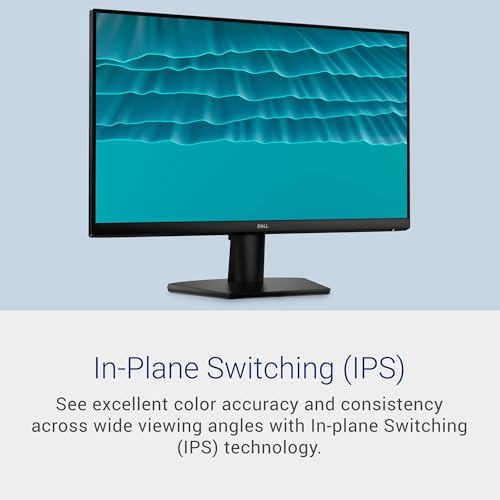
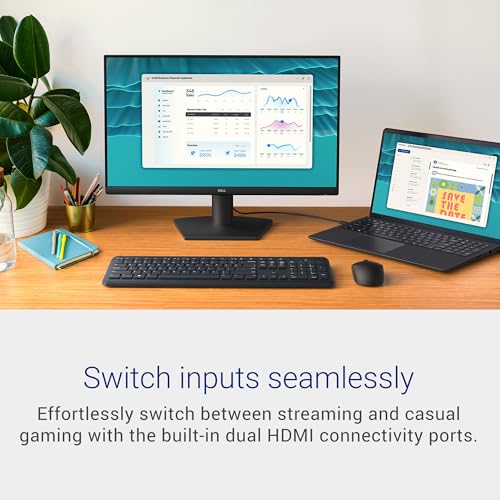
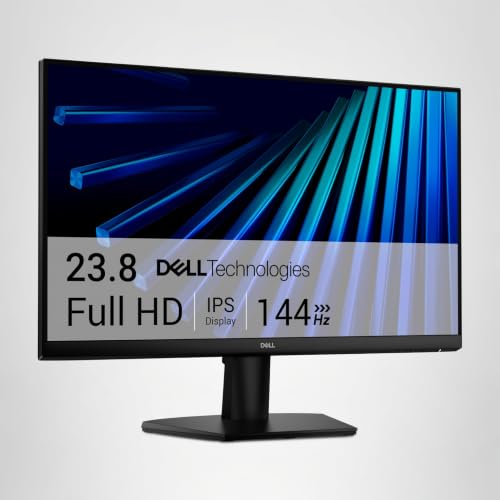
Dell 24 Monitor - SE2426H - 23.8-inch FHD (1920x1080) 144Hz 1ms Display, in-Plane Switching (IPS) Technology, AMD FreeSync™, TÜV 3-Star 2X HDMI, Tilt





As an Amazon Associate we earn from qualifying purchases. Product prices and availability are accurate as of the date/time indicated.
Dell 27 Monitor - SE2726H - 27-inch FHD (1920x1080) 144Hz 1ms Display, in-Plane Switching (IPS) Technology, AMD FreeSync™, TÜV 3-Star 2X HDMI, Tilt
As an Amazon Associate we earn from qualifying purchases. Product prices and availability are accurate as of the date/time indicated.

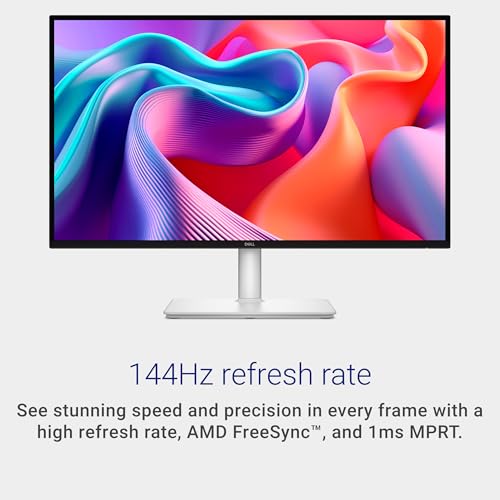
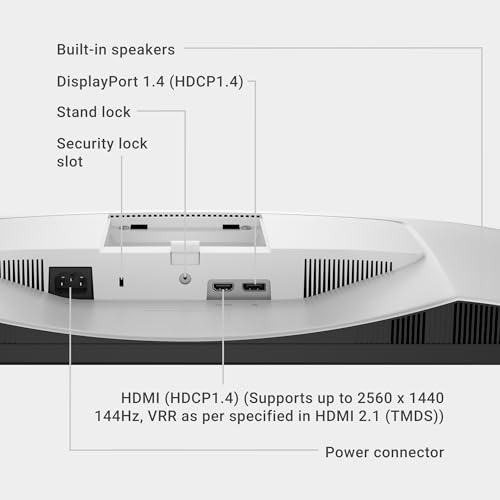
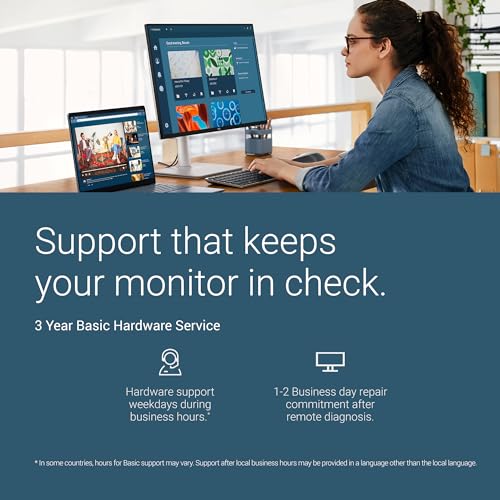
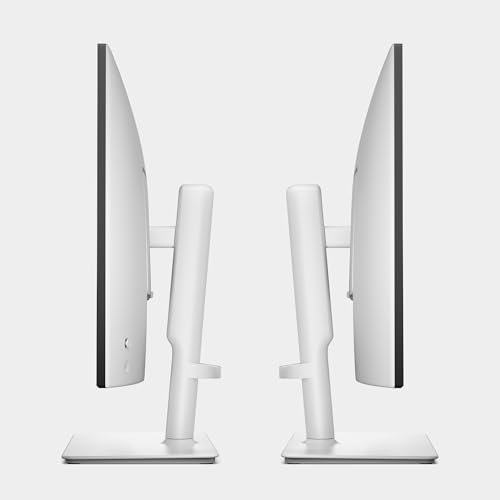
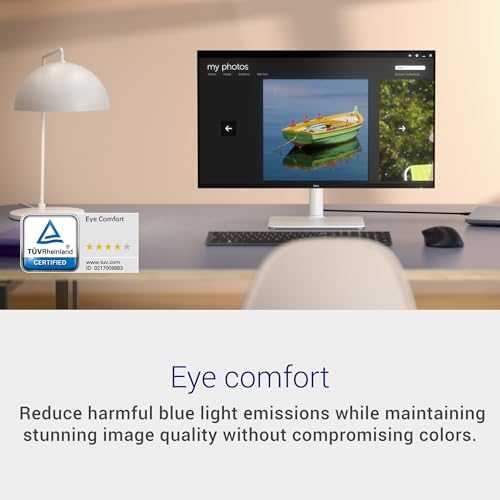
Dell 27 Plus QHD Monitor - S2725DSM - 27-inch QHD (2560x1440) 144Hz 1ms Display, 2 x 3W Speakers, HDMI/DisplayPort 1.4 Connectivity, Height/Tilt/Pivot/Swivel Adjustability, AMD FreeSync - Ash White






As an Amazon Associate we earn from qualifying purchases. Product prices and availability are accurate as of the date/time indicated.

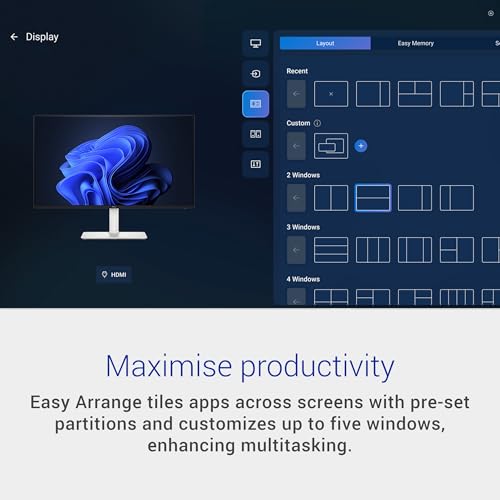
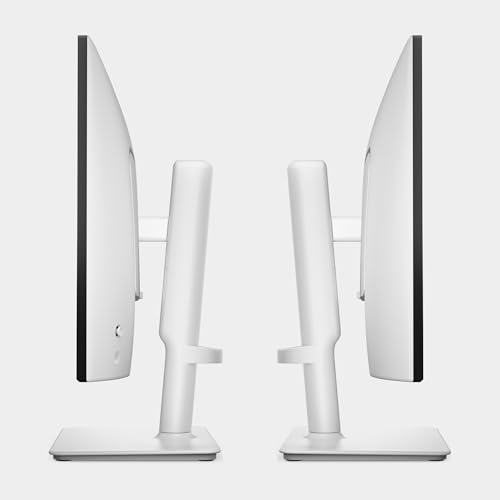
Dell 24 Plus Monitor - S2425HSM - 23.8-inch FHD (1920x1080) 144Hz 1ms Display, 2 x 3W Speakers, HDMI Connectivity, Height/Tilt/Pivot/Swivel Adjustability, AMD FreeSync - Ash White






As an Amazon Associate we earn from qualifying purchases. Product prices and availability are accurate as of the date/time indicated.

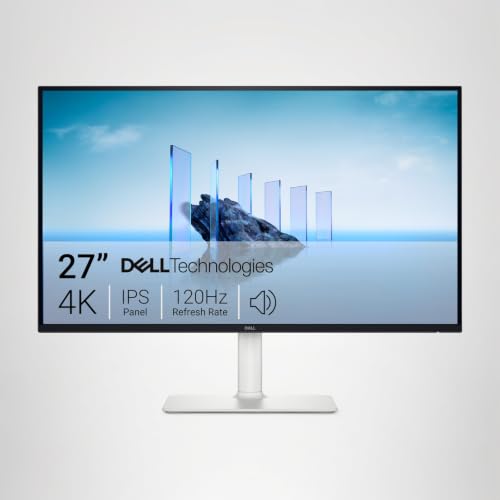
Dell 27 Monitor S2725QS, 4K UHD IPS, 120Hz, 5ms, FreeSync Premium | 350 cd/m2 Brightness, 1,500:1 Contrast, 99% sRGB, Anti-Glare, HDMI, DisplayPort, USB‑C, Height Adjustable, Swivel, Pivot


As an Amazon Associate we earn from qualifying purchases. Product prices and availability are accurate as of the date/time indicated.

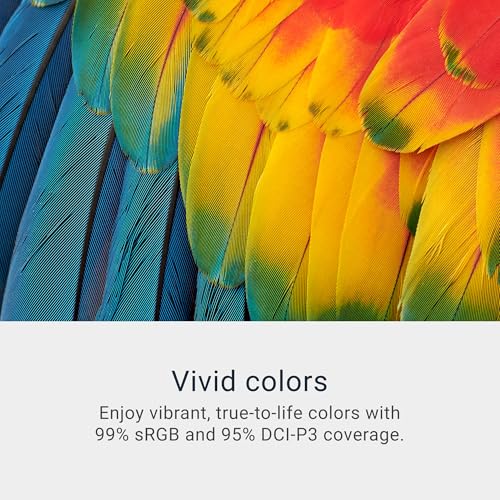
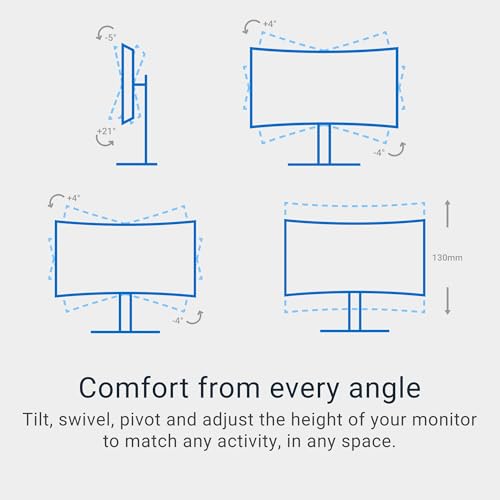
Dell 34 Monitor S3425DW, WQHD VA, 120Hz, FreeSync Premium, Eye Comfort | HDR10, Anti-Glare, 300 cd/m2 Brightness, 3,000:1 Contrast, 95% DCI-P3, 2x10W Speakers, USB-C 65W Power Delivery






As an Amazon Associate we earn from qualifying purchases. Product prices and availability are accurate as of the date/time indicated.

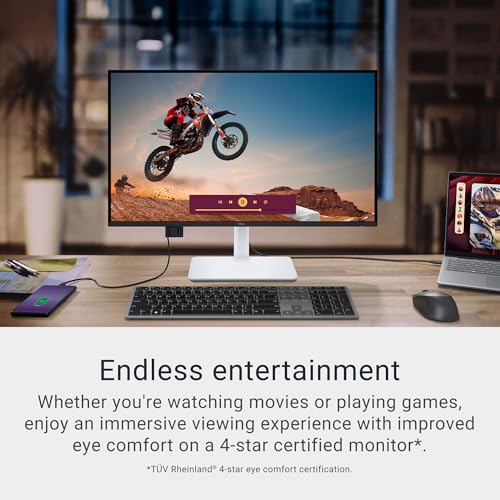
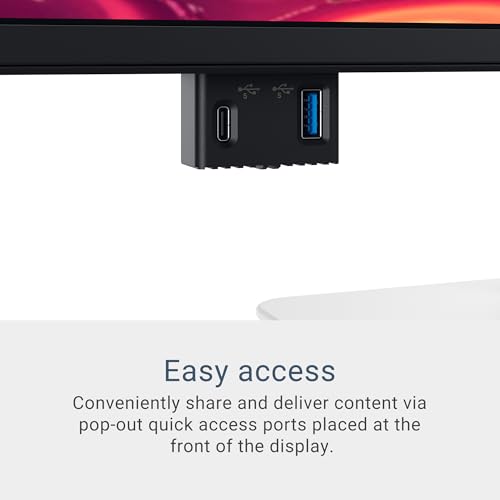
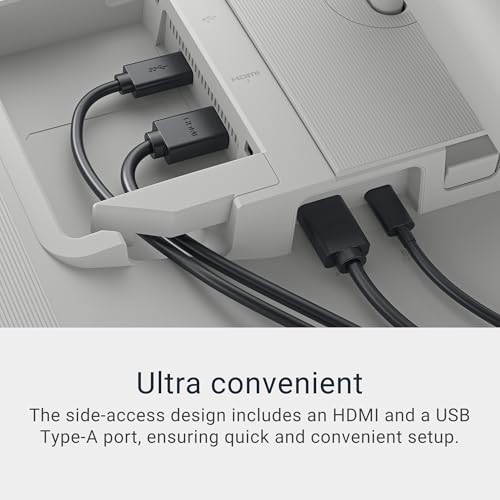
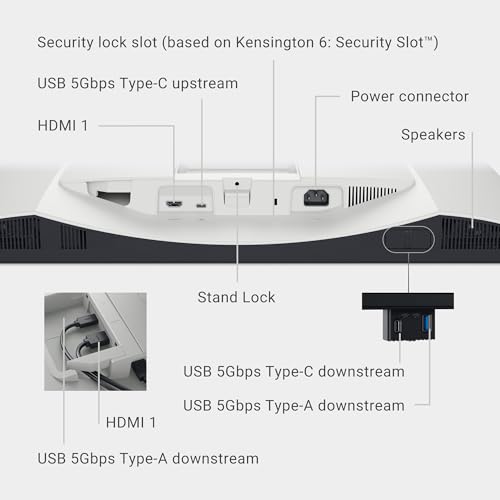
Dell 27 Monitor S2725QC, 4K UHD IPS, 120Hz, 99% sRGB, 4ms, FreeSync Premium | 3840x2160, 163 PPI, USB-C, HDMI, DisplayPort, Anti-Glare, Eye Comfort Technology, LED Edgelight System





As an Amazon Associate we earn from qualifying purchases. Product prices and availability are accurate as of the date/time indicated.

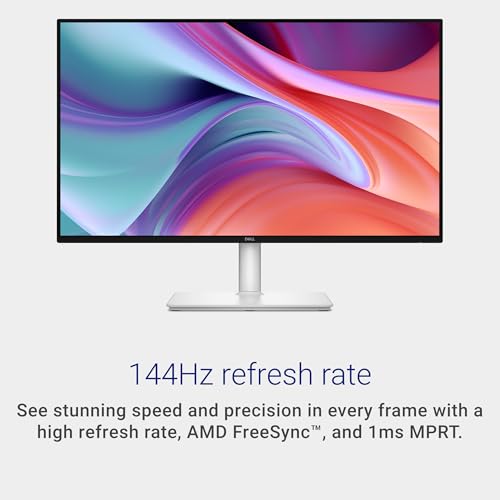
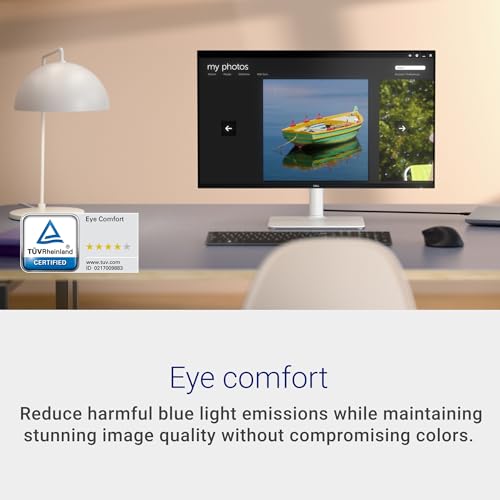
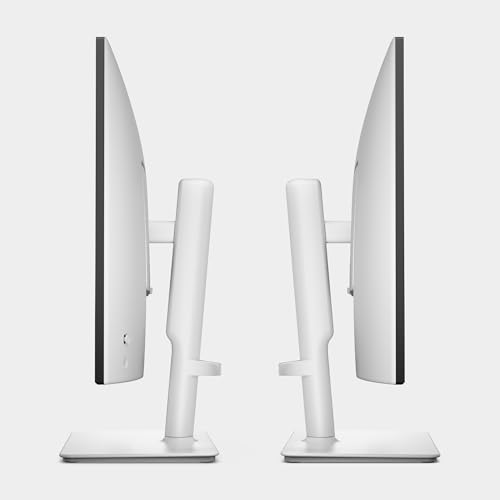
Dell 27 Plus Monitor - S2725HSM - 27-inch FHD (1920x1080) 144Hz 1ms Display, 2 x 3W Speakers, HDMI Connectivity, Height/Tilt/Pivot/Swivel Adjustability, AMD FreeSync - Ash White




As an Amazon Associate we earn from qualifying purchases. Product prices and availability are accurate as of the date/time indicated.
| Model | Key point from title | Price tier | Best for |
|---|---|---|---|
| Dell SE2426H | 23.8-inch IPS FHD, 144Hz, 1ms, 2x HDMI, tilt | Budget | Cheapest way into Dell at 144Hz |
| Dell SE2726H | 27-inch IPS FHD, 144Hz, 1ms, 2x HDMI, tilt | Budget | Larger budget screen |
| Dell S2425HSM | 23.8-inch FHD 144Hz, 2x3W speakers, HDMI, full stand adjustment | Mid-range | Compact desk, adjustable stand |
| Dell S2725HSM | 27-inch FHD 144Hz, 2x3W speakers, HDMI, full stand adjustment | Mid-range | Everyday 27-inch with speakers |
| Dell S2725DSM | 27-inch QHD 144Hz, HDMI plus DisplayPort 1.4, speakers, full stand | Mid-range | Best all-rounder on titles |
| Dell S2725QS | 27-inch 4K IPS, 120Hz, 350 nit, USB-C, height/swivel/pivot | Premium | Sharp text, adjustable stand |
| Dell S2725QC | 27-inch 4K IPS, 120Hz, 163 PPI, USB-C, HDMI, DisplayPort | Premium | 4K with USB-C, fewer stated details |
| Dell S3425DW | 34-inch WQHD VA, 120Hz, HDR10, USB-C 65W, 2x10W speakers | Premium | Ultrawide office desk |
The eight Dell listings, ranked by value for the job
Dell SE2426H: lowest entry price
Dell’s SE line is the stripped-back one: 23.8 inches, IPS, 1920×1080, a 144Hz and 1ms claim, FreeSync, a TUV 3-Star mention, two HDMI ports and a tilt-only stand. There is no DisplayPort and no speaker mention, so a PC with only DisplayPort outputs needs an adapter. Refresh above 60Hz over HDMI depends on the HDMI version, which the title does not give; confirm it before you count on 144Hz. About 93 pixels per inch (estimate) is fine for general use, and the small footprint suits shallow desks.
Pros
- Lowest price tier among the Dell listings
- Two HDMI inputs and a 144Hz claim
Cons
- No DisplayPort and no speakers named
- Tilt-only stand
Who it’s for: a first monitor or a second screen where cost is the main factor.
Dell SE2726H: the budget upsize
The SE2426H spec list repeated for 27 inches: IPS, FHD, 144Hz, 1ms, FreeSync, TUV 3-Star, two HDMI inputs and tilt. The jump from 23.8 to 27 inches at the same resolution lowers sharpness from about 93 to about 82 pixels per inch (our estimate), which is visible in small text. It is the cheapest large Dell in the set, but the stand offers tilt only, so raising the panel to eye level means a riser or arm. Check the listing for a VESA pattern before choosing an arm, since the title gives none.
Pros
- Large screen at the budget tier
- IPS with two HDMI inputs
Cons
- FHD at 27 inches is noticeably less sharp
- Tilt-only stand and no DisplayPort
Who it’s for: someone prioritising size over sharpness on a limited outlay.
Dell S2425HSM: the Plus line in 24 inches
The “Plus” naming adds the things the SE line leaves out: two 3W speakers and a stand that adjusts for height, tilt, pivot and swivel, all in Ash White. The title lists 23.8 inches, FHD, 144Hz, 1ms, FreeSync and HDMI. Only HDMI is named, so check the port count. Pivot lets the panel rotate to portrait for documents or code, a feature the SE twins lack. The speakers are small and best for alerts and calls, and the title does not name a second video input.
Pros
- Full stand adjustment and pivot for portrait use
- Speakers and an Ash White finish
Cons
- Higher tier than the SE twin for the same panel size
- Only HDMI named in the title
Who it’s for: a desk worker who wants a compact, adjustable screen.
Dell S2725HSM: the Plus line in 27 inches
A 27-inch FHD panel with 144Hz, 1ms, FreeSync, two 3W speakers, HDMI and the same height, tilt, pivot and swivel stand, in Ash White. It costs more than the SE2726H and buys ergonomics plus speakers rather than a better picture, since both are FHD. At 27 inches that picture is about 82 pixels per inch (estimate). Against the QHD S2725DSM it saves money but gives up sharpness and a DisplayPort input, so it makes sense mainly for office tasks, video and casual play.
Pros
- Ergonomic stand and speakers
- 144Hz claim with FreeSync
Cons
- Same FHD sharpness limit as the cheaper SE2726H
- No DisplayPort named in the title
Who it’s for: buyers who want an adjustable 27-inch screen without a QHD premium.
Dell S2725DSM: the QHD all-rounder
A 27-inch QHD (2560×1440) monitor with 144Hz, 1ms, FreeSync, two 3W speakers, HDMI and DisplayPort 1.4, and the full height, tilt, pivot and swivel stand. QHD lifts density to about 109 pixels per inch (estimate), a clear step above FHD at this size, and the DisplayPort input makes 144Hz easy to reach on a desktop PC. It is the only title in the set that states a DisplayPort version, which makes cable planning simpler. Its title does not mention USB-C or a brightness figure, so treat it as a gaming-and-office screen rather than a one-cable laptop dock.
Pros
- QHD density with HDMI and DisplayPort 1.4
- Full stand adjustment and speakers
Cons
- No 4K and no USB-C
- Speakers at 3W each are basic
Who it’s for: most gamers and office users choosing a single 27-inch Dell.
Dell S2725QS: the 4K with the fuller spec
The title is generous: 27-inch 4K IPS, 120Hz, 5ms, FreeSync Premium, 350 cd/m2, 1,500:1 contrast, 99% sRGB, anti-glare, HDMI, DisplayPort, USB-C and a stand that adjusts for height, swivel and pivot. At 163 pixels per inch (this matches the 4K, 27-inch maths) text is crisp. USB-C is listed without a wattage, so check whether it carries power or only data. See the dedicated Dell S2725QS write-up for a closer look, and our notes on 4K monitors for programming for text-size guidance.
Pros
- Stated brightness, contrast and gamut
- USB-C plus height, swivel and pivot adjustments
Cons
- Premium tier; 4K at 120Hz needs a capable cable path
- USB-C power delivery not specified
Who it’s for: someone who reads text all day and wants adjustable ergonomics.
Dell S2725QC: the near-twin with less stated
A second 27-inch 4K IPS at 120Hz with 99% sRGB, 4ms, FreeSync Premium, USB-C, HDMI, DisplayPort, anti-glare, an Eye Comfort mark and an LED edgelight system. The title gives density (163 PPI) but no brightness, contrast or stand adjustments, and it sits at a higher tier than the S2725QS. On title information alone the QS lists more for less, so unless the QC’s listing proves a differentiator, the QS is the more compelling of the pair. Always compare both pages line by line, including the stand details and the stated port versions.
Pros
- 4K IPS with USB-C and two video inputs
- 4ms response claim, slightly faster than the QS
Cons
- Brightness, contrast and ergonomics not stated
- Costs more than the near-identical S2725QS
Who it’s for: a 4K buyer whose listing details confirm what the title leaves out.
Dell S3425DW: the office ultrawide
A 34-inch WQHD VA panel with 120Hz, FreeSync Premium, HDR10, anti-glare, 300 cd/m2, 3,000:1 contrast, 95% DCI-P3, two 10W speakers and USB-C with 65W power delivery. The title says WQHD; on a 34-inch ultrawide that normally means 3440×1440 and we assume that here, giving about 110 pixels per inch. The 65W figure suits many laptops but not high-power workstations. A VA panel gives strong contrast but narrower viewing angles than IPS, and the speakers help for calls but not for music.
Pros
- USB-C with stated 65W power and 10W speakers
- Wide workspace with strong stated contrast
Cons
- Highest price tier of the group
- VA viewing angles narrower than IPS
Who it’s for: a laptop user wanting one-cable docking and a wide timeline or spreadsheet view.
How we picked these
The Editorial team collected Dell listings from published specifications, manufacturer documentation and buyer reviews, aiming to cover the SE, Plus and S-series tiers across FHD, QHD, 4K and ultrawide. Nobody on the team used or measured these units. All claims are seller figures taken from titles; missing details are flagged rather than guessed, and where two models look nearly identical, the differences are spelled out so you can check them on the listings. Price tiers compare these eight only. Pixel-density and data-rate numbers are estimates calculated from stated resolutions, with the assumptions listed beside them.
How to choose a Dell monitor
Read the line-up as a ladder
These titles suggest a pattern: the first digits track diagonal size (24, 27, 34), SE models are the plain budget tier, Plus models add speakers and a full stand, and the S-series 4K and ultrawide models add USB-C. That is our reading of the titles, not Dell’s official naming guide, so confirm details in Dell’s documentation.
Match resolution to size and cables
The table gives pixel density and the uncompressed data rate for each resolution at the stated refresh rate, using 8-bit colour and counting active pixels only. Blanking overhead adds roughly 5 to 10 percent, and HDMI 2.0 carries about 14.4 Gbps of data, DisplayPort 1.4 about 25.9 Gbps. These are estimates.
| Resolution | Pixels per inch at listed sizes | Data rate (est.) | Cable note |
|---|---|---|---|
| FHD 144Hz | about 93 (23.8 in), 82 (27 in) | about 7.2 Gbps | Fits HDMI 1.4 only tightly; HDMI 2.0 or DisplayPort preferred |
| QHD 144Hz | about 109 (27 in) | about 12.7 Gbps | HDMI 2.0 is borderline; DisplayPort is safer |
| WQHD ultrawide 120Hz (assumed 3440×1440) | about 110 (34 in) | about 14.3 Gbps | Beyond HDMI 2.0 once blanking is added; use DisplayPort or USB-C |
| 4K 120Hz | about 163 (27 in) | about 23.9 Gbps | Very tight on DisplayPort 1.4; check the listing for version or compression |
| 4K 60Hz | about 163 (27 in) | about 11.9 Gbps | Works on HDMI 2.0 |
Only the S2725DSM title names a DisplayPort version (1.4), so check the others before assuming 120Hz or 144Hz will work with your cable and graphics output.
Panel type and picture settings
Five of the eight titles name a panel type: IPS on four, VA on the S3425DW. The three Plus models leave it out, so check the listing. IPS keeps colour steadier from the side, while VA gives higher stated contrast. Colour claims such as 99% sRGB or 95% DCI-P3 are seller figures and say nothing about factory calibration.
Stand, mounting and USB-C
The SE models give tilt only. The Plus models and the S2725QS list height or pivot adjustments. None of the titles states a VESA pattern or weight limit, so check the specification before buying an arm; if the plan includes hiding a small PC behind the screen, our Dell OptiPlex Micro VESA mount guide explains the bracket side. For USB-C, look for a wattage: only the S3425DW states one (65W). If you outgrow 27-inch 4K, a 5K monitor is the next step up in density.
Mistakes buyers make
- Choosing by diagonal alone and ending up with 27-inch FHD, which looks soft for text.
- Assuming every Dell here has DisplayPort; the SE twins and the HSM models name HDMI only.
- Paying more for the S2725QC when the cheaper S2725QS title lists more detail.
- Counting on 120Hz at 4K without checking the cable and graphics output.
- Ignoring stand adjustment; tilt-only stands force a riser or arm.
- Reading “USB-C” as laptop charging; wattage is stated only on the S3425DW.
- Treating 1ms and 5ms figures as comparable; the titles give no measurement method.
- Skipping the panel-type check on the Plus models, whose titles do not state IPS or VA.
- Buying an ultrawide without checking that the laptop’s USB-C port supports video output.
Verdict
The Dell S2725DSM is the all-round pick: QHD, 144Hz, two video inputs and a full stand. The Dell SE2426H is the budget pick, with the cabling caveat that it has HDMI only. For text-heavy work, the Dell S2725QS gives 4K plus a stand that adjusts. The Dell S3425DW is the choice for an ultrawide with laptop docking. Skip the S2725QC unless its listing proves a feature the QS lacks. Whichever you choose, read the port list on the listing first, because the cable decides whether the refresh rate in the title is reachable.
Frequently asked questions
Which Dell monitor in this list is best overall?
On title information, the Dell S2725DSM: 27-inch QHD, 144Hz, HDMI plus DisplayPort 1.4, 3W speakers and a stand with height, tilt, pivot and swivel. It sits at the mid-range tier, which makes it the best balance of sharpness and price here. If you prefer 4K and USB-C, the Dell S2725QS is the stronger spec sheet but costs considerably more.
What is the difference between the Dell S2725QS and S2725QC?
Both are 27-inch 4K IPS monitors at 120Hz with USB-C, HDMI and DisplayPort. The QS title adds 350 nits, 1,500:1 contrast and height, swivel and pivot adjustments, with a 5ms claim. The QC title adds a 4ms claim and the 163 PPI figure but lists no stand or brightness details. Check both pages.
Do I need DisplayPort on a Dell monitor?
Not always. HDMI works for most 60Hz and many 144Hz FHD uses, but higher refresh at QHD or 4K often needs DisplayPort, depending on the HDMI version. The SE2426H and SE2726H name only HDMI, as do the HSM models, so a PC with only DisplayPort outputs would need an adapter. The S2725DSM lists DisplayPort 1.4; the 4K models list DisplayPort without a version, which matters at 120Hz.
Is USB-C on these Dell monitors enough to charge a laptop?
Only one title gives a number: the S3425DW lists USB-C with 65W power delivery, which suits many thin laptops but not high-power ones. The S2725QS and S2725QC list USB-C without wattage, so check the specification for power delivery and DisplayPort Alt Mode before relying on one-cable charging. Also confirm your laptop’s own USB-C port supports video output.
Is a 27-inch Dell 1080p monitor sharp enough?
It is usable but not crisp. A 27-inch 1920×1080 panel works out to about 82 pixels per inch (our estimate), against about 109 for QHD and 163 for 4K. Games and video look fine at that density, but small text can look coarse at a normal desk distance. Choose QHD or 4K if you read all day.







