
If you are still renting the router your internet provider gave you, you are probably paying $10 to $15 a month for hardware slower and weaker than a $60 box you can own outright. The best Wi-Fi 6 router under $100 fixes that in one purchase: faster speeds on crowded networks, better handling of dozens of devices, and modern WPA3 security.
Wi-Fi 6 used to be a premium feature. In November 2026 it is the floor. AX1800 routers — the sweet spot for most homes — regularly sell for $45 to $70 on Amazon US, and AX3000 models dip under $100 during sales. You do not need to spend $200 for a meaningful upgrade, but you do need to pick the right model: the budget shelf is crowded with lookalike boxes, some with only 100 Mbps ports and some that are really extenders in disguise.
We researched real Amazon US listings, catalog prices, and November 2026 roundups to pick five routers that are actually available, under $100, and worth buying. Prices below are November 2026 snapshots — check current price on Amazon before you buy.
Quick Picks
| Router | Best For | Wi-Fi Class | Key Specs | Price Note (Nov 2026) |
|---|---|---|---|---|
| TP-Link Archer AX55 | Best overall | AX3000 | 2,402 Mbps on 5 GHz, 4 antennas, VPN server, USB 3.0 | Around $80 on sale; list $99.99 |
| TP-Link Archer AX21 | Best value | AX1800 | 1,201 Mbps on 5 GHz, quad-core CPU, EasyMesh, Alexa | Around $55–$70 on sale |
| NETGEAR Nighthawk R6700AX | Easiest setup | AX1800 | 1,500 sq ft coverage, 20 devices, Nighthawk app | Around $45–$60 on sale |
| ASUS RT-AX1800S | Best firmware & security | AX1800 | AiProtection, AiMesh, lifetime free security | Around $62–$70 |
| TP-Link Archer AX23 | Best budget | AX1800 | Dual-core CPU, OneMesh, 4 gigabit ports | Around $40–$60 |
How to Choose a Wi-Fi 6 Router Under $100
Speed class: AX1800 is enough for most homes
Router makers advertise a combined speed — both bands added together. AX1800 means up to 1,201 Mbps on 5 GHz plus 574 Mbps on 2.4 GHz; AX3000 means up to 2,402 Mbps on 5 GHz plus 574 Mbps on 2.4 GHz. Neither is the speed one device will get — real-world throughput is always lower and can never exceed your internet plan.
For plans up to 500 Mbps, an AX1800 router is plenty. For gigabit plans, AX3000 gives you more headroom on the 5 GHz band and is worth the extra $20 or so when it is on sale. Do not pay extra for AX5400 or higher in this budget — those models either cost more than $100 or cut corners elsewhere to hit the price.
Coverage: match the router to your home
Manufacturers quote coverage in square feet, and those numbers are optimistic. A router rated for 2,000 sq ft will comfortably cover a typical apartment or small house, and one rated for 1,500 sq ft is fine for an apartment or a single floor. If your home is larger than about 2,500 sq ft, or has thick walls or multiple floors, buy a router that supports mesh expansion — TP-Link EasyMesh or ASUS AiMesh — so you can add a satellite node later instead of replacing the whole router.
Ports: gigabit is non-negotiable
Every router in this guide has gigabit Ethernet ports. That matters: some ultra-cheap routers still ship with 100 Mbps ports, which cap every wired device at 100 Mbps no matter how fast your plan is. Four LAN ports is standard at this price. None of these routers has a 2.5 GbE port — that starts in the $120-and-up range.
Mesh support: buy the upgrade path, not just the router
A standalone router covers one area. A mesh-capable router can join a mesh system later: TP-Link’s EasyMesh and OneMesh, and ASUS AiMesh, let you add a compatible node and extend coverage without buying a whole new system. If you might move to a bigger home, this is the most valuable feature after raw speed.
Firmware and security: the part nobody checks
A router guards your whole network, and its firmware is its immune system. Look for WPA3 support, automatic firmware updates, and a free security suite — ASUS AiProtection is free for life, TP-Link HomeShield has a free tier, and NETGEAR Armor is paid after a trial. Also check the model is still receiving updates: a router that stopped getting updates in 2024 is a security risk in 2026.
The 5 Best Wi-Fi 6 Routers Under $100
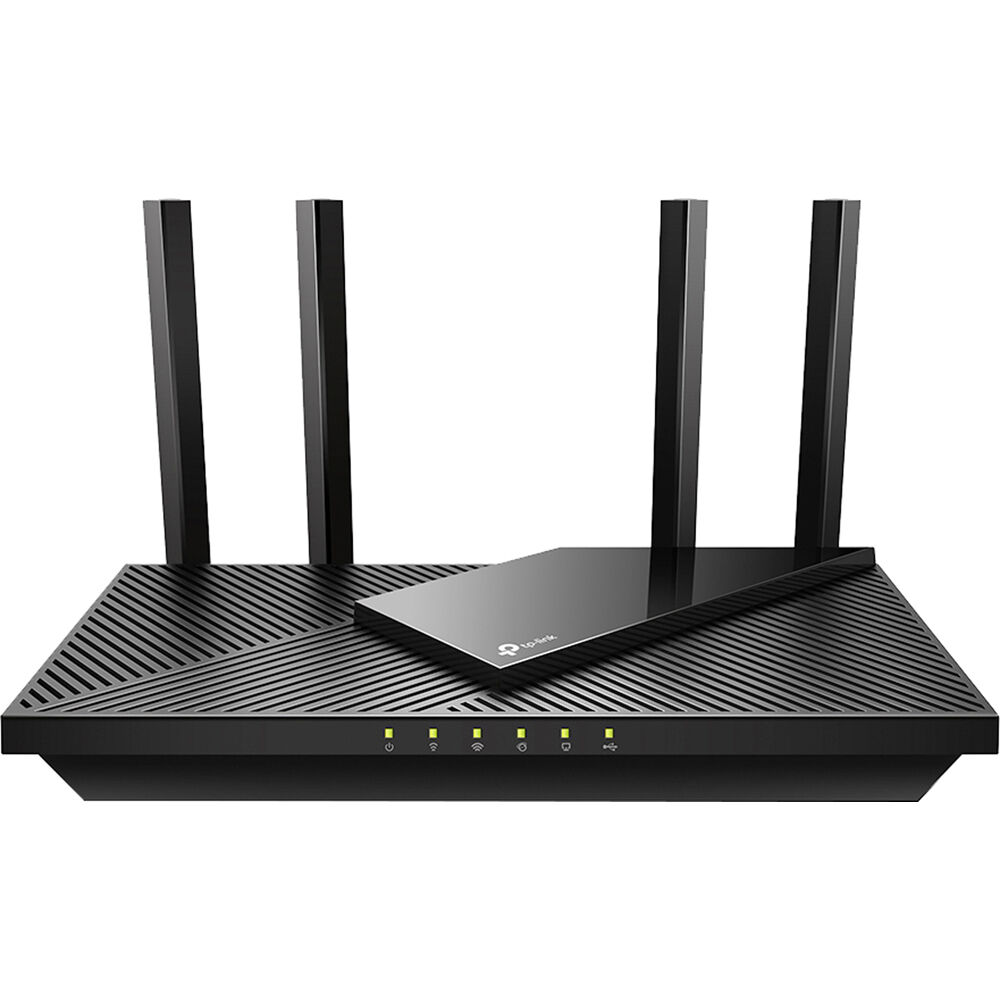
1. TP-Link Archer AX55 — Best Overall
The Archer AX55 is the router we would hand to most people: an AX3000 dual-band Wi-Fi 6 router with four external antennas and a cooling design that keeps it from throttling under sustained load. In November 2026 roundups it was the top pick under $100, with sale prices around $75 to $80.
Specs: Wi-Fi 6 (802.11ax), AX3000 (2,402 + 574 Mbps), 4 external antennas, 1 gigabit WAN + 4 gigabit LAN, USB 3.0 port, OFDMA and MU-MIMO, WPA3, VPN server, EasyMesh support.
Pros: Genuine AX3000 speeds that comfortably exceed a gigabit plan’s real-world Wi-Fi throughput. The USB 3.0 port lets you share a drive or a printer across the network. A built-in VPN server is rare at this price, and EasyMesh support means you can add a satellite later.
Cons: At full list price it is $99.99, so buy it on sale. HomeShield Pro requires a subscription. No 2.5 GbE port, so wired speeds top out at gigabit.
Best for: Most homes with a gigabit plan, or anyone who wants the fastest Wi-Fi 6 router under $100 without stepping up to Wi-Fi 7 prices.
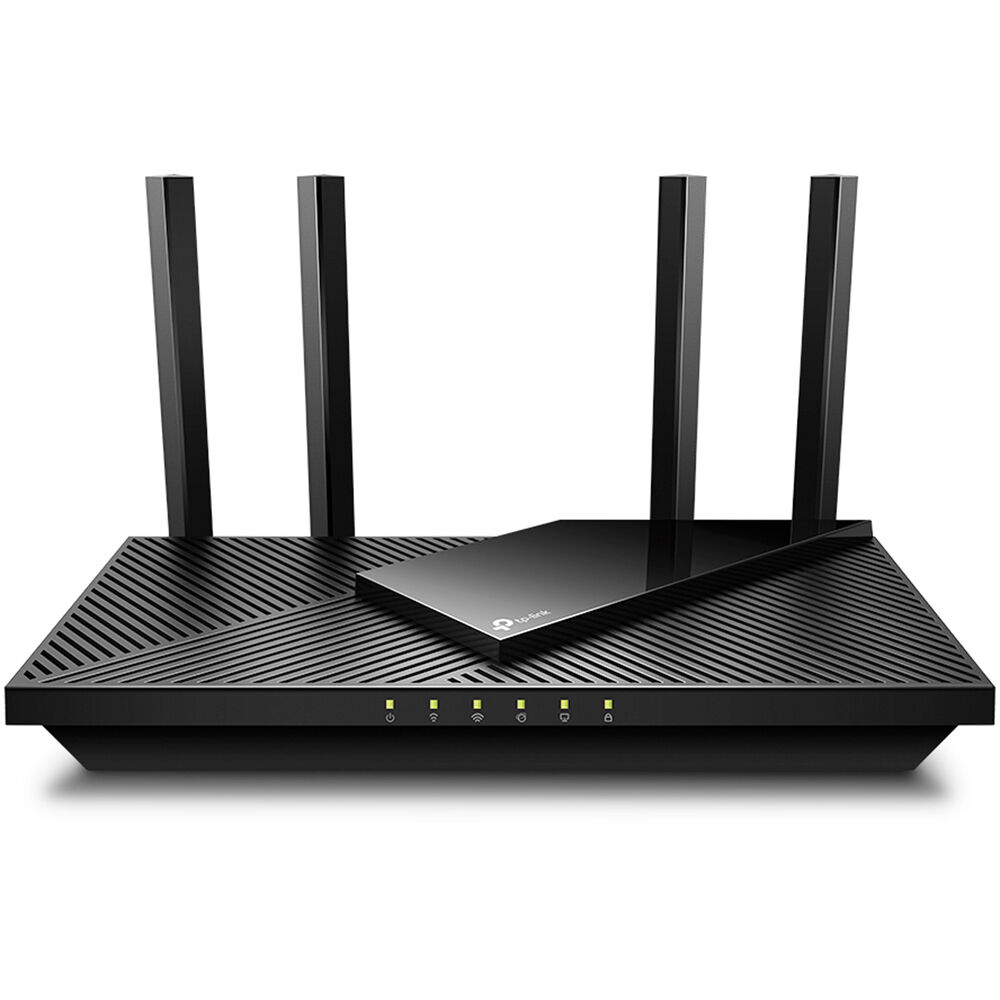
2. TP-Link Archer AX21 — Best Value
The Archer AX21 is still the best value in the category in November 2026. It is an AX1800 dual-band router — up to 1,201 Mbps on 5 GHz and 574 Mbps on 2.4 GHz — with a quad-core processor, OFDMA, and MU-MIMO. Catalog listings showed it at $69.99, marked down from $79.99, with sale prices around $55 to $60.
Specs: Wi-Fi 6 (802.11ax), AX1800 (1,201 + 574 Mbps), 4 external antennas with FEM, 1 gigabit WAN + 4 gigabit LAN, quad-core CPU, OFDMA and MU-MIMO, WPA3, VPN server, EasyMesh support.
Pros: True Wi-Fi 6 performance at a price that used to buy Wi-Fi 5. The quad-core processor and OFDMA keep latency low when twenty devices share the network. EasyMesh support for future expansion.
Cons: No USB port and no multi-gig port. At close to $70 it is not much cheaper than the AX55 on sale — check both prices first.
Best for: Homes with internet plans up to 500 Mbps, apartments, and anyone who wants proven Wi-Fi 6 performance for the least money.
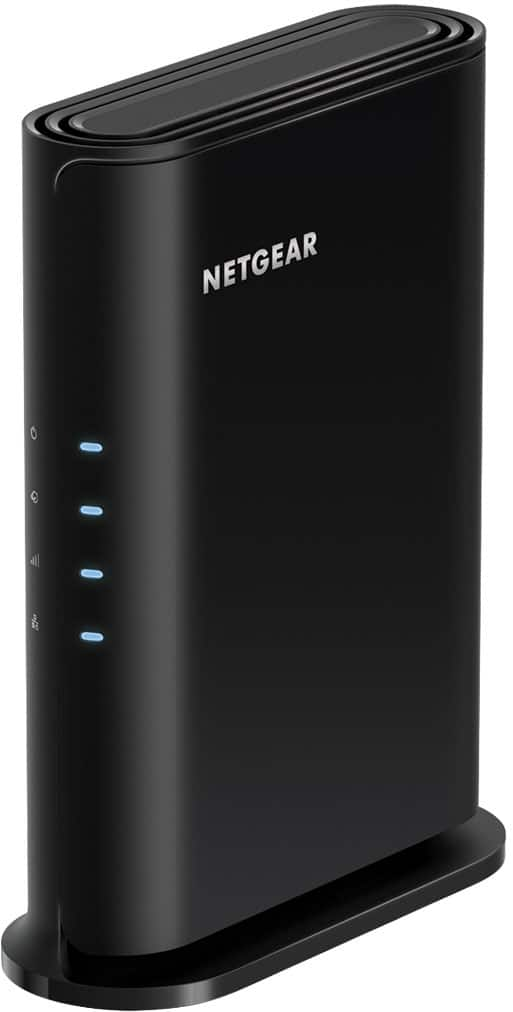
3. NETGEAR Nighthawk R6700AX — Easiest Setup
If you want the router that is simplest to set up and just works, the Nighthawk R6700AX is it. It is an AX1800 dual-band Wi-Fi 6 router rated for up to 1,500 sq ft and 20 devices, with four gigabit ports and NETGEAR’s Nighthawk app. Amazon US price trackers showed it at $55.15 in mid-November 2026, with a Black Friday-week sale dropping it to $44.99 — a record low.
Specs: Wi-Fi 6 (802.11ax), AX1800 (1,201 + 574 Mbps), 4-stream, up to 1,500 sq ft coverage, up to 20 devices, 1 gigabit WAN + 4 gigabit LAN, OFDMA and MU-MIMO, WPA3, Nighthawk app.
Pros: The easiest setup in this guide — the Nighthawk app walks you through it in minutes. The lowest sale price here, at $44.99 during Black Friday week.
Cons: Coverage is rated for 1,500 sq ft, the smallest here — not the pick for a large house. NETGEAR Armor is a paid subscription after the trial, unlike ASUS’s free AiProtection. No USB port and no flexible mesh path.
Best for: Apartments and small homes, first-time router buyers, and anyone who values a painless setup over extra features.
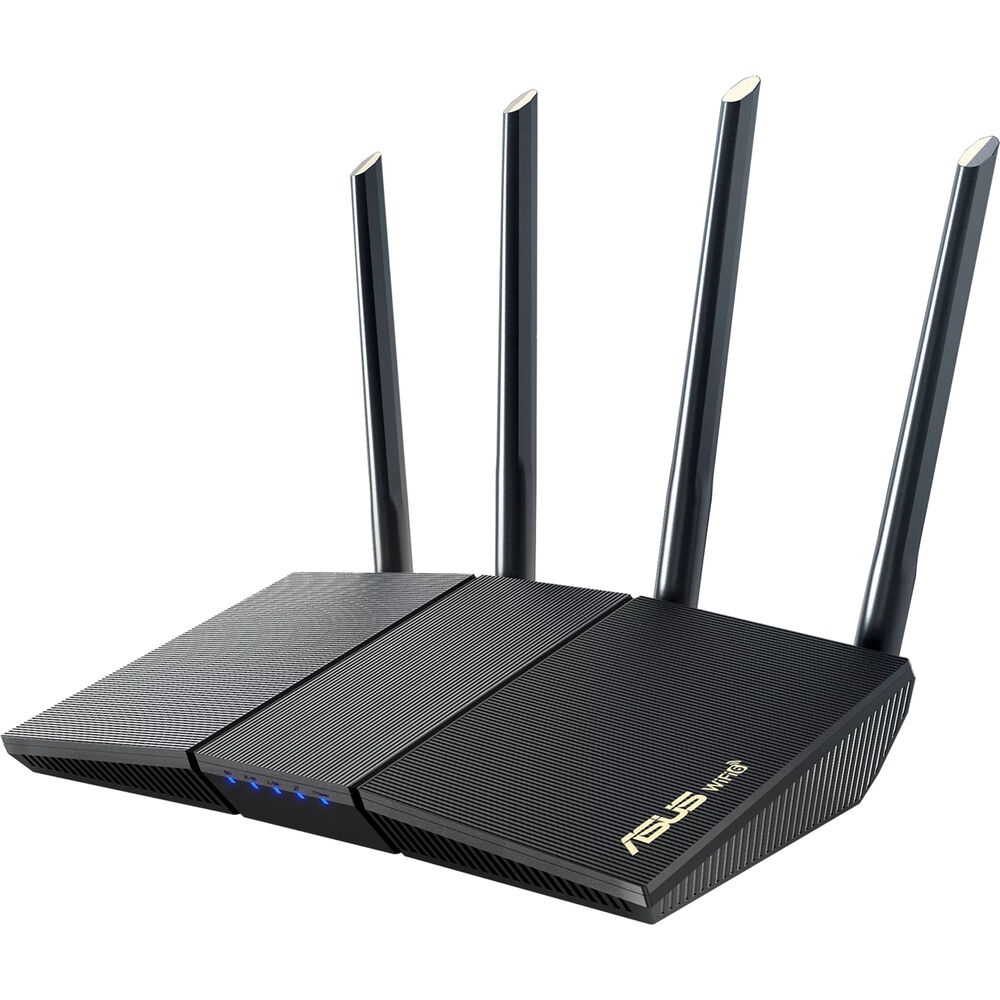
4. ASUS RT-AX1800S — Best Firmware and Security
The RT-AX1800S is the pick for people who care about what runs inside the box. It is an AX1800 dual-band Wi-Fi 6 router with ASUS’s AiProtection — a lifetime-free security suite powered by Trend Micro — plus AiMesh support for mesh expansion. Catalog listings showed it at $69.99, with some retailers at $61.99 on sale.
Specs: Wi-Fi 6 (802.11ax), AX1800 (1,201 + 574 Mbps), 2×2, 128 MB flash / 256 MB RAM, 1 gigabit WAN + 4 gigabit LAN, MU-MIMO and OFDMA, WPA3, AiProtection (free for life), AiMesh.
Pros: AiProtection is free for the life of the router — no subscription, unlike NETGEAR Armor. AiMesh is the most mature mesh system in this price range. ASUS firmware is widely regarded as the best in the business, with frequent updates and deep settings.
Cons: Only 256 MB of RAM, which is low if you run many features at once. Two antennas and a 2×2 design mean slightly less range than the four-antenna TP-Link models. At $69.99 it costs more than the AX21 for the same headline speed — you are paying for the firmware.
Best for: Security-conscious buyers, ASUS households that may add AiMesh nodes, and power users who want deep settings.
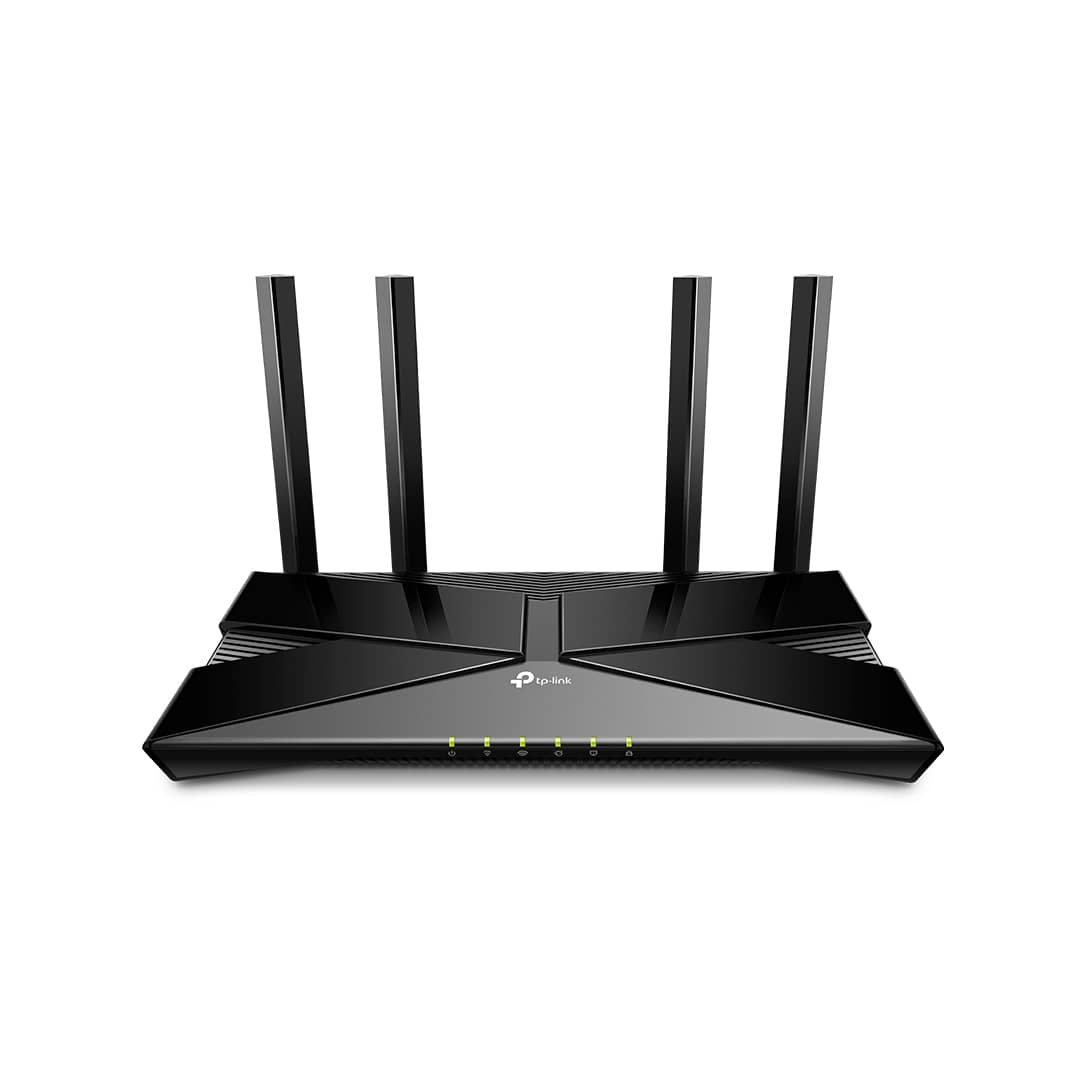
5. TP-Link Archer AX23 — Best Budget
The Archer AX23 is the cheapest way to get real dual-band Wi-Fi 6. It is an AX1800 router — 1,201 Mbps on 5 GHz and 574 Mbps on 2.4 GHz — with a dual-core CPU, four fixed antennas, four gigabit ports, and OneMesh support. Catalog listings showed it at $40, marked down from $60.
Specs: Wi-Fi 6 (802.11ax), AX1800 (1,201 + 574 Mbps), 4 fixed high-performance antennas, dual-core CPU, 1 gigabit WAN + 4 gigabit LAN, OFDMA and MU-MIMO, WPA3, OneMesh support.
Pros: The lowest price here — around $40 on sale. Full Wi-Fi 6 on both bands, which cheaper AX1500 models do not offer, so older 2.4 GHz devices also get the newer standard. Four gigabit ports and OneMesh support.
Cons: A dual-core CPU instead of the AX21’s quad-core, so it can struggle under very heavy multi-device loads. Fixed antennas cannot be repositioned. The $40 price is a sale price — at full price it is closer to $60, where the AX21 is the better buy.
Best for: Tight budgets, small apartments, and anyone replacing an old Wi-Fi 5 router who wants Wi-Fi 6 for the least money possible.
What to Avoid
Routers with 100 Mbps ports. Some of the cheapest routers on Amazon still ship with Fast Ethernet ports, which cap every wired device at 100 Mbps no matter how fast your plan is. If the spec sheet does not say “gigabit,” do not buy it.
Wi-Fi 6 on only one band. A few budget models advertise Wi-Fi 6 but only implement it on the 5 GHz band. All five picks here are dual-band Wi-Fi 6, but check any other model you consider.
Wi-Fi 5 routers at Wi-Fi 6 prices. Older AC1200 and AC1750 routers are fine at $30 to $40, but a bad buy at $60 or more when the AX21 costs the same.
Range extenders sold as routers. Extenders like the TP-Link RE500X and RE600X are useful accessories, but they are not routers — they need an existing router to work. Check that the box says “router,” not “extender.”
End-of-life models with no firmware updates. A router that stopped receiving security updates is a liability. Check the manufacturer’s support page for recent firmware releases before buying — if the last update was more than a year ago, pick something else.
FAQ
Is a Wi-Fi 6 router under $100 good enough for gigabit internet?
Yes, with the right model. The Archer AX55 (AX3000) is the best choice for gigabit plans in this budget, since its 2,402 Mbps 5 GHz band has the headroom to deliver real-world speeds well above 500 Mbps over Wi-Fi. An AX1800 router can also work with a gigabit plan, but its 5 GHz band will top out lower in practice.
What is the difference between AX1800 and AX3000?
Both are Wi-Fi 6. AX1800 combines 1,201 Mbps on 5 GHz with 574 Mbps on 2.4 GHz; AX3000 combines 2,402 Mbps on 5 GHz with 574 Mbps on 2.4 GHz. The difference is entirely on the 5 GHz band. For most homes on plans up to 500 Mbps, you will not notice it. For gigabit plans, AX3000 is worth the premium.
Do I need a modem as well as a router?
Yes, in most cases. All five routers in this guide are routers only — they need a separate modem (or a modem-router combo in bridge mode). If you have cable internet, you need a DOCSIS modem; if you have fiber, you usually need an ONT, which your provider supplies.
Can I use these routers as a mesh system?
The TP-Link models support EasyMesh or OneMesh, and the ASUS RT-AX1800S supports AiMesh, so you can add compatible nodes later to extend coverage. The NETGEAR R6700AX has no flexible mesh path, so pick a TP-Link or ASUS model if you think you will need mesh coverage.
How long will a budget Wi-Fi 6 router last?
A well-supported Wi-Fi 6 router bought in 2026 should serve a typical home for four to five years. The limiting factor is usually firmware support, not hardware — check that the manufacturer is still releasing updates, and replace the router when security updates stop.
Verdict
The best Wi-Fi 6 router under $100 for most people is the TP-Link Archer AX55. Its AX3000 speeds, USB port, VPN server, and EasyMesh support give you the most router for the money, and at sale prices around $75 to $80 it costs only a little more than the AX1800 models.
If you want to spend less, the TP-Link Archer AX21 is the best value — proven AX1800 performance, a quad-core CPU, and EasyMesh support for around $55 to $70. If setup simplicity matters most, get the NETGEAR Nighthawk R6700AX, which dropped to $44.99 during Black Friday week. If you care about firmware and free lifetime security, the ASUS RT-AX1800S is the pick. And if your budget is truly tight, the TP-Link Archer AX23 delivers real dual-band Wi-Fi 6 for around $40 on sale.
As an Amazon Associate, we earn from qualifying purchases.
Suggested Internal Links
- Best Wi-Fi 7 Router Under $300
- Best Mesh Wi-Fi System Under $300
- Best 2.5GbE Network Switch Under $200
More from Amazon
Programs that pair well with the guide above. Offers and eligibility are set by Amazon and may change.
Free shipping on eligible items, Prime Video and more. Eligible new members can start with a free trial.
Start a Prime free trialAd-free music streaming. Eligible new subscribers can start with a free trial.
Try Music Unlimited freeA Prime membership for ages 18-24 with a trial period. Eligibility is set by Amazon.
See Prime for Young AdultsAudiobooks and podcasts to listen to on the go. Eligible new members can start with a free trial.
Try Audible freeAs an Amazon Associate we earn from qualifying purchases.
