
Key takeaways
- /best-wifi-7-router-under-300/ — for readers who also need a faster router to feed the switch
- /best-mesh-wifi-system-under-300/ — for readers covering a larger home with access points on the switch
- /best-2-5gbe-network-switch-under-100/ — for readers on a tighter budget who only need five ports
The best 2.5GbE network switch under $200 for most people is the TP-Link TL-SG108S-M2: eight 2.5GbE ports in a silent, fanless metal box, working on the Cat5e cable already in most homes, listed at $59.99 in our catalog search on 17 November 2026, against a $119.99 list price. If you want VLANs, the NETGEAR MS308E is the safer managed step up. If you have a NAS, a switch with a 10G SFP+ uplink is worth the premium.
Prices move week to week, so treat every price below as a snapshot from 17 November 2026 and check the current price on Amazon before you buy. We have not bench-tested these switches.
Quick Picks
| Product | Best for | Key specs | Price note |
|---|---|---|---|
| TP-Link TL-SG108S-M2 | Best overall | 8x 2.5GbE, unmanaged, fanless, 40 Gbps fabric | Check current price on Amazon; catalog showed $59.99, list $119.99 |
| NETGEAR MS308E | Best managed | 8x 2.5GbE, Easy Smart web management, fanless, VLANs, QoS | Check current price on Amazon; catalog showed $129.99, list $229.99 |
| UGREEN 6-Port 2.5GbE Switch | Best for a NAS | 5x 2.5GbE + 1x 10G SFP+, fanless | Check current price on Amazon; seen around $49.99 in Sep 2026, catalog $83.99–$119.98 |
| MokerLink 2G08110GSM | Best value managed | 8x 2.5GbE + 1x 10G SFP+, web managed, fanless | Check current price on Amazon; reported $79.68 on 9 Nov 2026, other listings around $129 |
| MokerLink 8-Port 2.5GbE PoE Switch | Best PoE | 8x 2.5GbE PoE, 120W budget, 1x 10G SFP+, web managed | Check current price on Amazon; catalog showed $184.99 |
How to Choose a 2.5GbE Switch Under $200
Start with the bottleneck. A 2.5GbE switch only helps if something can use 2.5GbE: a NAS, a PC with a 2.5GbE port, a Wi-Fi 7 access point, or a multi-gig internet plan. If every device is still 1GbE, the switch will work — ports auto-negotiate down — but you will not see faster transfers until you add a faster device. One 2.5GbE link moves roughly 280 MB/s in practice.
Count ports, then add two. Count every wired device, add one port for the router uplink, and add two spares. Eight ports is the sweet spot under $200. Five-port switches are fine for a desk, but they fill up fast.
Managed vs unmanaged. Unmanaged switches are plug and play, with nothing to configure. That suits most homes. Managed switches add a web interface for VLANs, QoS, port monitoring, and link aggregation. VLANs let you separate cameras and smart-home gear from your PCs. If you run a homelab, a managed switch is worth the extra money. NETGEAR’s Easy Smart interface and MokerLink’s plain web UI cover the basics without a controller or cloud account.
PoE: only pay for it if you need it. Power over Ethernet powers an access point or camera through the same cable that carries data. Most need PoE+ (802.3at, up to 30W). Check the total budget too: 120W can power four 30W devices at once, but not eight. If you have no PoE devices today, buy a cheaper data-only switch and add a PoE injector later.
The 10G uplink question. Several switches under $200 include a 10G SFP+ cage — a faster uplink for a NAS or server. The cage is empty by default: budget $15 to $40 extra for a DAC cable or fibre module. If your NAS has a 10GbE port, an SFP+ uplink is one of the best upgrades at this price.
Fanless and cabling. Almost every switch here is fanless: no fan noise, and no fan bearing to fail. Give it airflow. And 2.5GbE normally runs at full speed over existing Cat5e on typical home runs, so do not rewire working Cat5e just for 2.5GbE.
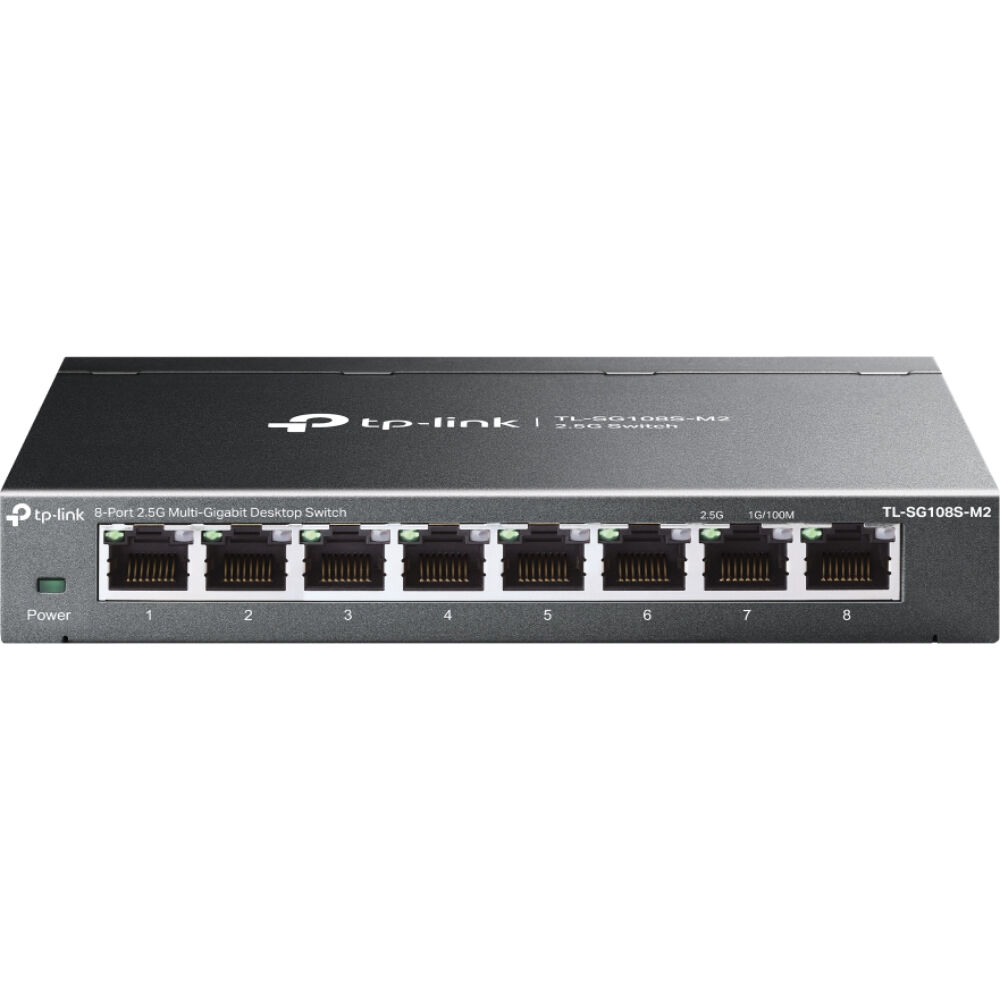
1. TP-Link TL-SG108S-M2 — Best Overall
Best for: Most homes that want eight fast ports, silence, and nothing to configure.
The TL-SG108S-M2 is the default pick: eight 2.5GbE ports at the lowest price from a major brand, with no fan and no setup. Every port negotiates at 100Mb, 1Gb, or 2.5Gb, with up to 40 Gbps of switching capacity.
Our catalog search on 17 November 2026 showed it at $59.99, against a $119.99 list price; roundups on 21 September and 9 November 2026 showed the same $59.99. The buy box has at times been an Amazon Resale listing in new condition, so check the seller before you order. At $55 to $60 this is the price to pay; above $70, wait for a sale.
Specs: 8x 2.5GbE RJ45 ports; 40 Gbps switching capacity; unmanaged, plug and play; fanless metal case; desktop or wall mount; IEEE 802.3az.
Pros: Lowest credible price for eight 2.5GbE ports from a major brand; completely silent; solid metal case.
Cons: No VLANs, QoS, or port monitoring; no 10G uplink; no PoE.
Check price on Amazon — TP-Link TL-SG108S-M2
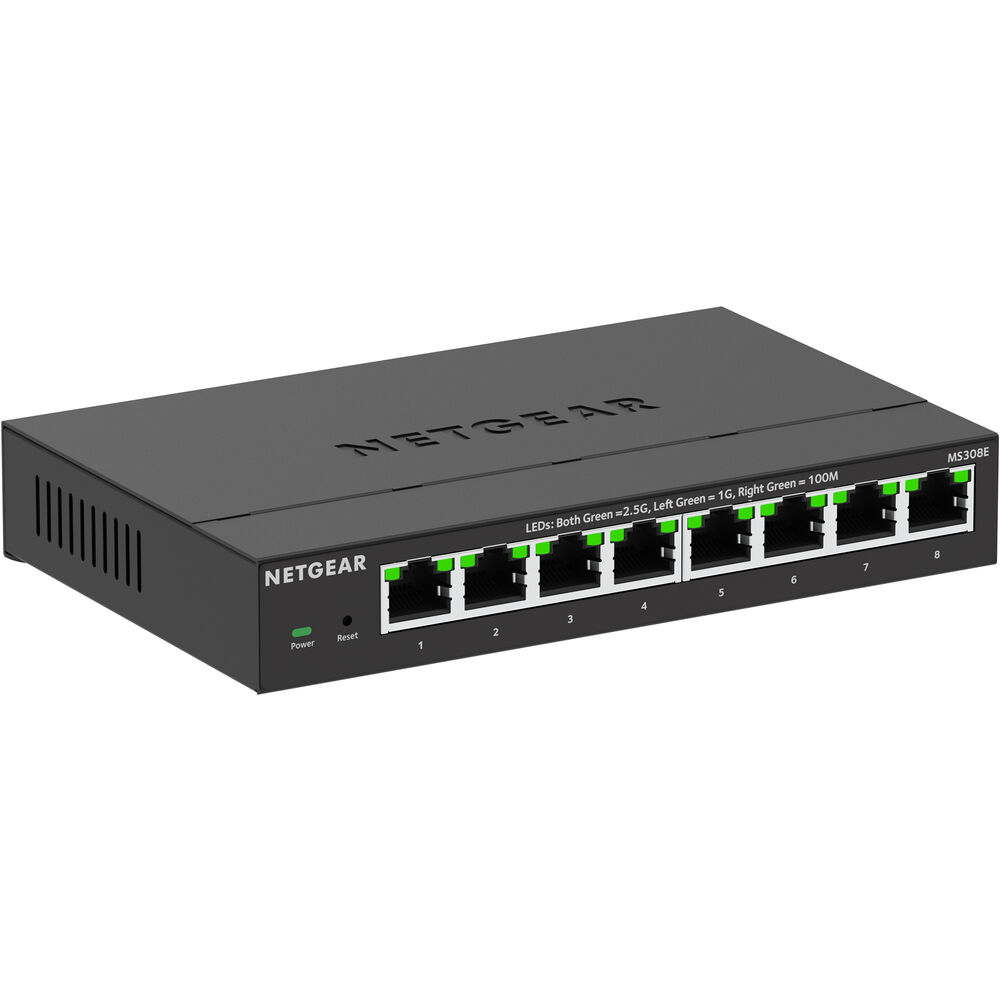
2. NETGEAR MS308E — Best Managed
Best for: Home labs that want VLANs, QoS, and port monitoring from a vendor with long-term firmware support.
The MS308E is the same eight 2.5GbE ports as the unmanaged NETGEAR MS308, plus a web interface: 802.1Q VLANs, QoS, and port monitoring through a browser, without the learning curve of a full managed switch. It is fanless, in a compact metal case, with a limited-lifetime hardware warranty, subject to region and terms.
Our catalog search on 17 November 2026 showed it at $129.99, against a $229.99 list price; NETGEAR’s own store showed the same $129.99. Other guides list $149.99, so treat $130 as a good price and $150 as the top of the normal range. That is roughly double the unmanaged TP-Link, and the extra money buys management and support, not speed.
Specs: 8x 2.5GbE RJ45 ports; 40 Gbps switching capacity; Easy Smart web management (VLAN, QoS, port monitoring); fanless metal case; desktop or wall mount.
Pros: Real VLAN and QoS support at a manageable price; fanless and silent; simple interface, no controller required.
Cons: Roughly twice the price of the unmanaged TP-Link for the same ports; no 10G uplink; no PoE.
Check price on Amazon — NETGEAR MS308E
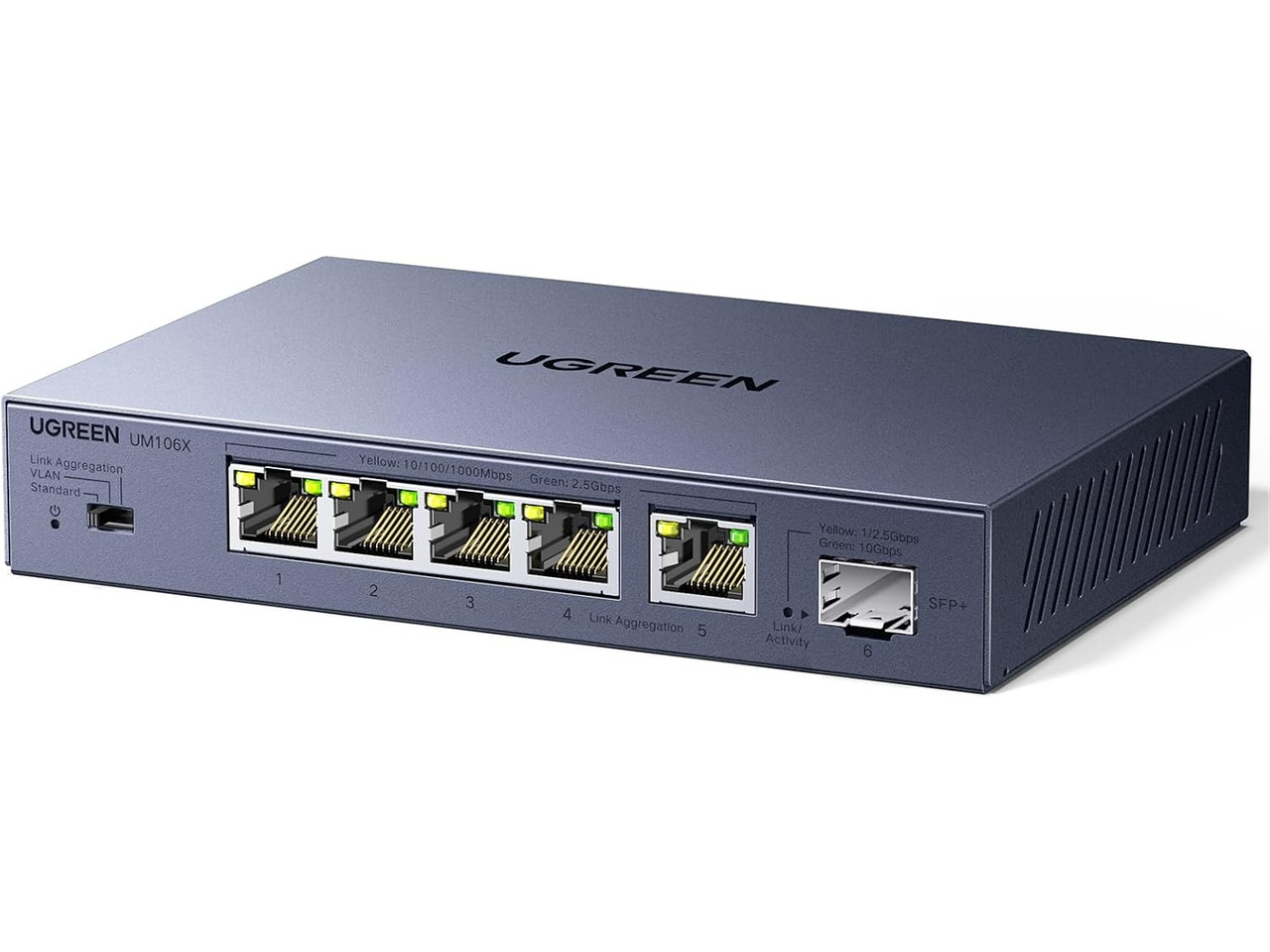
3. UGREEN 6-Port 2.5GbE Switch — Best for a NAS or Server
Best for: A small setup where one device — a NAS or home server — needs a 10GbE uplink and the rest can live on 2.5GbE.
The UGREEN 6-port switch is the cheapest way to get a 10G SFP+ cage into a home network: five 2.5GbE RJ45 ports and one 10G SFP+ cage, in a fanless metal case. Connect the NAS to the SFP+ port with a DAC cable or module, and the NAS is no longer capped at 2.5GbE when several devices pull from it at once.
There is a catch: this is not a fully managed switch. It has a mode button rather than a real switch operating system, so you get basic link aggregation and port-isolation modes, not VLANs or QoS.
Pricing varies more than on the TP-Link or NETGEAR picks. A September 2026 roundup reported $49.99 on Amazon, with 4.5 stars from 307 ratings. Our catalog search on 17 November 2026 returned listings at $83.99 and $119.98 from different sellers. Do not pay over $100 for this switch when the TP-Link eight-port model is often $60.
Specs: 5x 2.5GbE RJ45 ports + 1x 10G SFP+ cage; unmanaged with a mode button; fanless metal case; jumbo frames up to 12K; SFP+ module or DAC cable not included.
Pros: The cheapest 10G uplink in this guide; silent and compact.
Cons: Only five 2.5GbE device ports; no real management interface; you must buy a DAC cable or module separately.
Check price on Amazon — UGREEN 6-Port 2.5GbE Switch
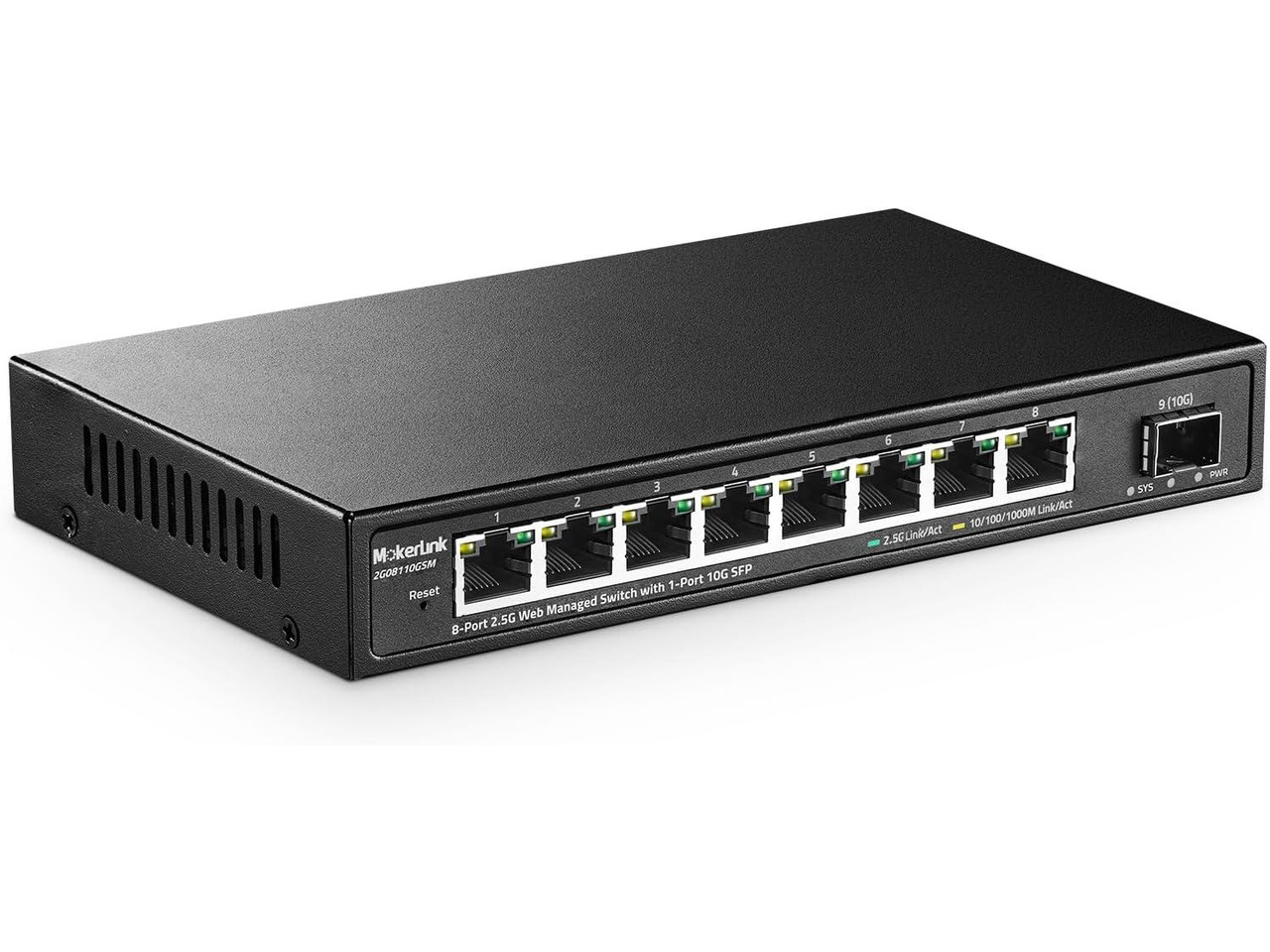
4. MokerLink 2G08110GSM — Best Value Managed
Best for: A homelab that wants real VLANs and a 10G SFP+ uplink for the price of an unmanaged eight-port switch.
The MokerLink 2G08110GSM gives you eight 2.5GbE copper ports, one 10G SFP+ cage, and a web-managed Layer 2 interface with 802.1Q VLANs, QoS, multicast control, and link aggregation, in a small fanless metal box. A homelab guide that re-checked prices live on 9 November 2026 reported it flat at $79.68 since 10 October.
That price needs a note. Our catalog search on 17 November 2026 returned MokerLink managed eight-port listings at $128.99 and $144.19, from different sellers and closely related variants. Check the exact model number, 2G08110GSM, and the current price before you order.
Specs: 8x 2.5GbE RJ45 ports + 1x 10G SFP+ uplink; web-managed Layer 2 (VLAN, QoS, IGMP, link aggregation); fanless metal case; desktop or wall mount.
Pros: Eight 2.5GbE ports plus a 10G uplink for roughly the price of an unmanaged switch; real VLAN and QoS support; fanless and silent.
Cons: Plain web interface and a smaller brand; only one 10G cage; Layer 2 only.
Check price on Amazon — MokerLink 2G08110GSM
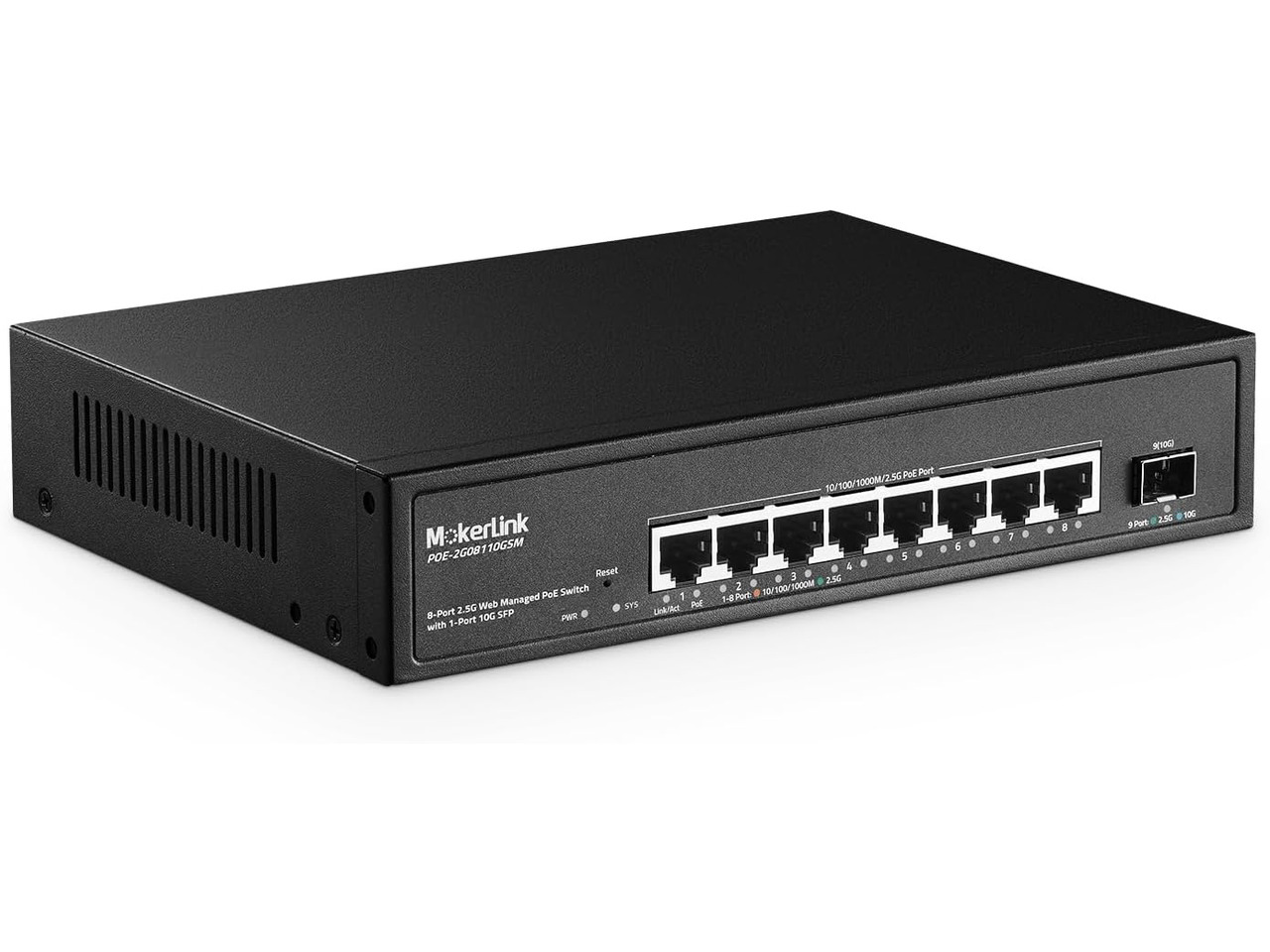
5. MokerLink 8-Port 2.5GbE PoE Managed Switch — Best PoE
Best for: Powering Wi-Fi access points and security cameras over the same cable that carries their data, with a 10G uplink for the NAS.
This is the PoE version of the MokerLink managed switch above, and the only pick here that powers devices: eight 2.5GbE PoE ports, a 120W total PoE budget, and one 10G SFP+ uplink, with web management and a fanless metal case. PoE supports IEEE 802.3af/at, up to 30W per port, covering most access points and cameras. The 120W budget is enough for four 30W devices at once — add up your devices before you buy.
Our catalog search on 17 November 2026 showed this model at $184.99, under the $200 budget but only just. Other guides list a closely related MokerLink PoE model at $118.99, a different variant, so confirm the exact listing: eight 2.5GbE PoE ports, 120W budget, and one 10G SFP+ cage.
Specs: 8x 2.5GbE PoE RJ45 ports (IEEE 802.3af/at, up to 30W per port); 120W total PoE budget; 1x 10G SFP+ uplink; web-managed Layer 2; fanless metal case; built-in power supply.
Pros: Powers access points and cameras over Ethernet, so no separate injectors are needed; 120W budget covers a realistic home setup; 10G SFP+ uplink for the NAS.
Cons: The most expensive pick here, close to the $200 limit; 120W is not enough for eight high-power PoE devices at once; SFP+ module or DAC cable not included.
Check price on Amazon — MokerLink 8-Port 2.5GbE PoE Managed Switch
What to Avoid
Do not buy a gigabit switch by mistake. TP-Link’s TL-SG108 is gigabit; the TL-SG108-M2 and TL-SG108S-M2 are the 2.5GbE models. NETGEAR’s GS308 is gigabit; the MS308 and MS308E are 2.5GbE. Check that the listing says 2.5GbE on every port, not just in the title.
Do not pay for ports you will not use. A 16-port 2.5GbE switch sounds future-proof, but models under $200 in that size are usually no-name brands with no support. An eight-port switch from TP-Link or NETGEAR, plus a second one later, is usually the better buy.
Do not assume a 10G port is a 2.5GbE port. A switch with two 10G RJ45 ports and four 2.5GbE ports, such as the TRENDnet TEG-S762, is over $200 on Amazon US; the five-port 10G TRENDnet TEG-S750 is around $300. Neither fits this under-$200 brief.
Do not buy a managed switch and never log in. If you buy the MS308E or a MokerLink managed model and leave it on default settings, you paid extra for features you are not using. Budget $15 to $40 extra for a DAC cable or module for a 10G SFP+ port, and check the seller and return terms before you order.
FAQ
Is a 2.5GbE switch worth it in 2026?
Yes, if you have at least one device that can use 2.5GbE — a NAS, a PC with a 2.5GbE port, a Wi-Fi 7 access point, or a multi-gig internet plan. It removes the gigabit bottleneck for roughly $60, over the Cat5e cable already in most homes.
Do I need Cat6 cable for 2.5GbE?
Usually not. 2.5GbE normally runs at full speed over Cat5e on typical home runs. Use Cat6 for new runs, but do not rewire a working Cat5e installation just for 2.5GbE.
What is the difference between managed and unmanaged switches?
An unmanaged switch is plug and play, with nothing to configure. A managed switch adds a web interface for VLANs, QoS, and port monitoring. Buy unmanaged if you just want faster ports; buy managed if you run a homelab or want to separate networks with VLANs.
How many ports do I need?
Count every wired device, add one port for the router uplink, and add two spares. For most homes that means eight ports. Five-port switches are fine for a desk, but they fill up fast.
Can I use a 2.5GbE switch with a 10GbE NAS?
Yes. A 2.5GbE port will connect to a 10GbE port at 2.5GbE, because both ends auto-negotiate to the fastest speed they share. For full 10GbE speed, you need a switch with a 10G SFP+ uplink, such as the UGREEN or MokerLink picks here, plus a DAC cable or module.
Verdict
The best 2.5GbE network switch under $200 is the TP-Link TL-SG108S-M2 for most buyers: the cheapest credible way to get eight 2.5GbE ports, silent, with no setup, at $59.99 in our catalog search on 17 November 2026.
Buy the NETGEAR MS308E if you want VLANs from a familiar brand and will pay about $130 for them. Buy the MokerLink 2G08110GSM if you want those VLANs plus a 10G SFP+ uplink — at around $80 it is the best value managed pick here. Buy the UGREEN 6-port switch if one fast device needs the 10G uplink. Buy the MokerLink PoE model if you have three or more access points or cameras to power.
Whatever you choose, check the current price on Amazon before you order. Prices move weekly, and the price on the day you buy is the only one that matters.
As an Amazon Associate, we earn from qualifying purchases.
Suggested Internal Links for gizmopc.com
- /best-wifi-7-router-under-300/ — for readers who also need a faster router to feed the switch
- /best-mesh-wifi-system-under-300/ — for readers covering a larger home with access points on the switch
- /best-2-5gbe-network-switch-under-100/ — for readers on a tighter budget who only need five ports
More from Amazon
Programs that pair well with the guide above. Offers and eligibility are set by Amazon and may change.
Free shipping on eligible items, Prime Video and more. Eligible new members can start with a free trial.
Start a Prime free trialAd-free music streaming. Eligible new subscribers can start with a free trial.
Try Music Unlimited freeA Prime membership for ages 18-24 with a trial period. Eligibility is set by Amazon.
See Prime for Young AdultsAudiobooks and podcasts to listen to on the go. Eligible new members can start with a free trial.
Try Audible freeAs an Amazon Associate we earn from qualifying purchases.
