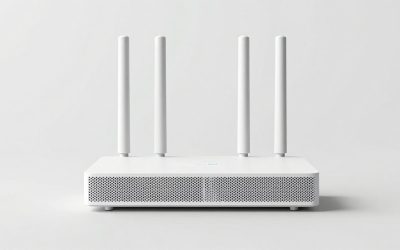
The best router in the budget under-100-dollar tier for most homes is the TP-Link Archer AX21, an AX1800 Wi-Fi 6 model that suits apartments and small houses with gigabit or slower internet. For future-proofing, the Archer BE230 brings Wi-Fi 7 and 2.5 Gbps ports at the top of this price band, and the Archer AX55 Pro or ASUS RT-AX58U step up to AX3000 speeds. Pick based on your internet plan speed, the number of devices and the size of your home.
Quick Comparison of Budget Router Picks
| Pick | Best for | Wi-Fi class | Key feature | Price range |
|---|---|---|---|---|
| TP-Link Archer AX21 | Best overall value | Wi-Fi 6, AX1800 | Dual-band, gigabit LAN | Budget |
| TP-Link Archer AX10 | Cheapest Wi-Fi 6 | Wi-Fi 6, AX1500 | Entry-level Wi-Fi 6 | Budget |
| TP-Link Archer AX55 Pro | Best balance of speed and stability | Wi-Fi 6, AX3000 | Faster AX3000 class | Upper budget |
| ASUS RT-AX58U | Best features | Wi-Fi 6, AX3000 | AiProtection and Adaptive QoS | Upper budget |
| NETGEAR R6700AX | Best budget gaming | Wi-Fi 6, AX1800 | Built-in VPN client and server | Budget |
| TP-Link Archer BE230 | Best future-proof | Wi-Fi 7, up to 3.6 Gbps | Dual 2.5 Gbps ports, EasyMesh | Top of the band |
| TP-Link Deco X55 (single node) | Best for mesh expansion | Wi-Fi 6, AX3000 | Mesh-ready, app control | Upper budget |
Prices change often, so check current listings. Wi-Fi speed ratings such as AX1800 are combined theoretical maximums across bands, not what a single device will reach.
Best Overall: TP-Link Archer AX21
The Archer AX21 is the most commonly recommended router in this price tier. It is a dual-band Wi-Fi 6 router rated at AX1800, with enough capacity for a typical family streaming, working and gaming at once on a plan up to about 500 Mbps. Trade-off: it lacks a multi-gig port and has fewer advanced features than ASUS models.
Cheapest Wi-Fi 6: TP-Link Archer AX10
The Archer AX10 (AX1500) is the lowest-cost way to get Wi-Fi 6 features such as better handling of many devices. It is fine for small apartments and plans up to a few hundred megabits. Trade-off: it has lower peak speeds and less range than the AX21.
Best Balance: TP-Link Archer AX55 Pro
This AX3000-class router sits at the top of the price band and is praised in one roundup for balancing performance, stability and long-term support. Choose it if your internet plan is 500 Mbps to 1 Gbps and you have many devices. It may include a faster WAN port; check the spec sheet for the exact port speeds.
Best Features: ASUS RT-AX58U
The RT-AX58U is the pick for anyone who wants ASUS firmware: Adaptive QoS to prioritize gaming or video calls, and AiProtection for network security scanning. It is an AX3000 router that suits households that like to adjust settings. Trade-off: the interface has many options that new users may not need.
Best Budget Gaming: NETGEAR R6700AX
The R6700AX offers AX1800 Wi-Fi 6 and a built-in VPN client and server, which gamers and remote workers appreciate. Trade-off: the Netgear app encourages subscriptions for some security extras, so review settings before accepting.
Best Future-Proof: TP-Link Archer BE230
The Archer BE230 is a Wi-Fi 7 router with rated speeds up to 3.6 Gbps, dual 2.5 Gbps Ethernet ports and EasyMesh support. It makes sense if you own Wi-Fi 7 phones or laptops, or have an internet plan above 1 Gbps. Trade-off: Wi-Fi 7 gains show only with compatible devices, and you can get strong everyday performance from cheaper Wi-Fi 6 models.
Best for Mesh: TP-Link Deco X55
A single Deco X55 node covers a modest home and you can add more nodes later to cover large or multi-floor spaces. It is easier to manage in an app than a traditional router, but one node alone offers less tuning.
Worked Example: Match the Router to Your Internet Plan
| Internet plan | Devices | Suggested class | Why |
|---|---|---|---|
| Up to 300 Mbps | 10-20 | AX1500 to AX1800 | Plenty for streaming and calls |
| 300-600 Mbps | 20-30 | AX1800 to AX3000 | More headroom, better multi-device handling |
| 600 Mbps to 1 Gbps | 30+ | AX3000 or Wi-Fi 7 entry | Higher ceilings; gigabit ports suffice |
| Above 1 Gbps | Any | Router with 2.5 Gbps WAN | A gigabit port would cap your plan |
Real Wi-Fi throughput is often 40 to 60 percent of the headline link rate once distance, walls and interference are included, so an AX1800 router might deliver 300 to 600 Mbps at typical distances. Treat these as planning estimates, not measurements.
Is Buying Your Own Router Worth It?
If your provider charges a monthly rental fee for a gateway, divide the router cost by that monthly fee to find the payback period. A router costing five times the monthly rental pays back in five months, and anything beyond that is a saving. Buying your own also gives better Wi-Fi control, but check that your modem or gateway can run in bridge mode or that you have a separate modem.
How to Choose a Budget Router
- Wi-Fi standard: Wi-Fi 6 is the sweet spot; Wi-Fi 7 helps only if your devices support it.
- Ports: gigabit LAN is standard; look for a 2.5 Gbps WAN if your plan is above 1 Gbps.
- Coverage: a single router covers about 1,500 to 2,000 square feet in open layouts; use mesh for larger or concrete-heavy homes.
- Firmware updates: choose brands that regularly patch security flaws.
- Management: app control is easy; web admin offers deeper settings.
Setup Steps That Improve Speed
- Place the router centrally and high. A shelf at head height in a central room reduces dead spots, because signal radiates outward and is absorbed by floors and walls.
- Use the 5 GHz band for fast devices. It carries more data than 2.4 GHz but covers less distance, so keep streaming boxes and laptops on it when possible.
- Wire what you can. A gaming console or desktop PC on Ethernet frees Wi-Fi capacity for phones and tablets and reduces latency.
- Update firmware first. Install the latest version before connecting devices to close known security holes.
- Change default names and passwords. Use a unique admin password and WPA3 or WPA2 security to protect the network.
Used and Refurbished Options
Some roundups note that refurbished ASUS AX models and OpenWrt-compatible routers such as the Netgear R7800 often sell in this band, and can outclass new entry-level units in features. Buy from a seller with a return policy, factory reset the router and update firmware before use.
Ownership Realities
- Firmware support is the long-term concern. Check the maker’s update history before buying.
- Heat builds up in tightly enclosed shelves; keep the router in open air.
- Power adapters and Ethernet ports are the parts that fail first on budget units.
- A restart every few weeks and regular updates keep performance stable.
Frequently Asked Questions
Is a Wi-Fi 6 router under 100 dollars good enough?
Yes, for most homes. Wi-Fi 6 routers at this price handle streaming, video calls and gaming across a dozen or more devices without trouble.
Should I buy Wi-Fi 7 at this price?
Only if you have compatible devices or a plan above 1 Gbps. The Archer BE230 is the entry point, but Wi-Fi 6 is still the better value for many.
Does a cheap router limit my internet speed?
It can, if its ports or Wi-Fi ceiling are below your plan. Check that the WAN port supports your plan’s speed.
Do I need a mesh system?
If your home is larger than about 2,000 square feet or has thick walls, a mesh system such as the Deco X55 will give more even coverage than a single router.
How long does a budget router last?
Many last four to six years, but security updates and Wi-Fi standards often prompt upgrades before hardware fails.