
The best mesh Wi-Fi system under $300 for most homes is the TP-Link Deco BE23 (3-pack). It brings Wi-Fi 7, a rated 6,500 sq ft of coverage, and two 2.5 Gbps Ethernet ports on every unit, at a price seen at $204.99 on Amazon in November 2026 research, down from a $249.99 list price. If you want a dedicated band for node traffic, the TP-Link Deco XE75 (3-pack) is the tri-band Wi-Fi 6E alternative, seen at $199.99. If you want the simplest setup, the Amazon eero 6+ (3-pack) is the pick, also seen at $199.99 on sale.
A mesh system is two or three units that work as one network, with one network name, so your phone moves from room to room without dropping a video call. This guide covers five real systems sold on Amazon US in November 2026, in pack sizes that fit the under-$300 budget at the time of research. Prices change often, so treat any price below as a snapshot and check the current price before you buy. Coverage figures are the makers’ own ratings. We have not bench-tested these systems.
Quick Picks
| Product | Best for | Key specs | Price note |
|---|---|---|---|
| TP-Link Deco BE23 (3-pack) | Best overall | Wi-Fi 7 BE3600, 6,500 sq ft, 150 devices, 2x 2.5G per unit | Seen at $204.99 in Nov 2026 research, list $249.99 |
| TP-Link Deco XE75 (3-pack) | Best tri-band Wi-Fi 6E | Wi-Fi 6E AXE5400, 7,200 sq ft, 200 devices, 3x Gigabit | 3-pack seen at $199.99 in Nov 2026 research |
| TP-Link Deco X55 (3-pack) | Best value | Wi-Fi 6 AX3000, 6,500 sq ft, 150 devices, 3x Gigabit | Seen at $138.26-$199.99 in Nov 2026 research |
| Amazon eero 6+ (3-pack) | Easiest setup | Wi-Fi 6 AX3000, 4,500 sq ft, 75+ devices, Zigbee/Thread hub | Seen at $199.99 on sale in Nov 2026, was $299.99 |
| Google Nest Wifi Pro (2-pack) | Best for Google Home | Wi-Fi 6E AXE5400, 4,400 sq ft, Matter + Thread border router | 2-pack list $299.99, from $199.99 at Google Store |
How to Choose a Mesh Wi-Fi System Under $300
Start with coverage, not speed. Every rating here assumes open space and normal walls. Allow roughly one node per 1,500 to 2,200 sq ft. A 2-pack suits most apartments and smaller homes up to about 4,000 sq ft. A 3-pack is safer for two-story homes and homes over 3,000 sq ft.
Match the Wi-Fi generation to your plan. Wi-Fi 7, as in the Deco BE23, adds Multi-Link Operation and 4K-QAM, which help most with recent devices and a fast plan. Wi-Fi 6E, as in the Deco XE75 and Nest Wifi Pro, adds the less-crowded 6 GHz band. Wi-Fi 6, as in the Deco X55 and eero 6+, is still fine for plans up to 1 Gbps.
Dual-band vs. tri-band. A dual-band system has 2.4 GHz and 5 GHz. A tri-band system adds a third band, usually 6 GHz, which can carry node-to-node traffic instead of sharing airtime with your laptop and TV. In a busy home — two video calls, a 4K stream, and a dozen smart devices — tri-band is worth it. In a quieter home, dual-band is fine.
Nodes, placement, and Ethernet backhaul. Put each node in the open, at about chest height, roughly halfway between the main router and the dead zone, not hidden in a cabinet or behind a TV. Every system here can also link its nodes with a cable, called wired backhaul, which is faster and more stable than a wireless link. The Deco BE23 has two 2.5 Gbps ports per unit, so it can carry a multi-gig plan. The other four have Gigabit ports, capping wired throughput at about 940 Mbps — fine for plans up to 1 Gbps.
App, subscriptions, and smart-home hubs. Mesh systems are set up from a phone app. TP-Link uses the Deco app, with HomeShield; full HomeShield Pro requires a subscription, at about $2.99 per month in the research we found. Eero uses the eero app and Alexa, with eero Plus adding ad blocking, parental controls, a VPN, and antivirus for a subscription. Nest Wifi Pro uses Google Home. The eero 6+ also has a built-in Zigbee hub, and the Nest Wifi Pro has a built-in Thread border router and Matter support.
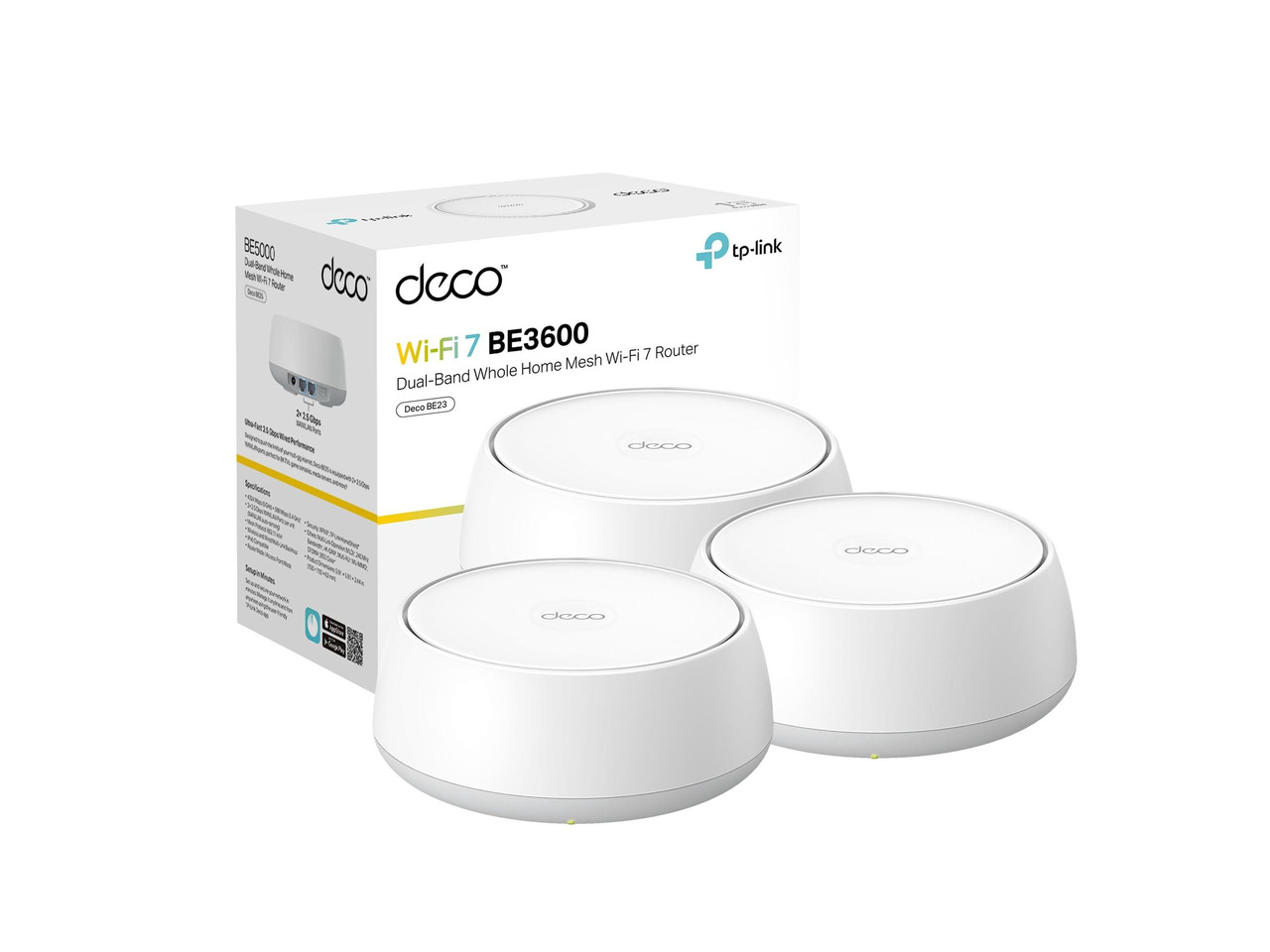
1. TP-Link Deco BE23 (3-Pack) — Best Overall
Best for: Most homes that want Wi-Fi 7, large coverage, and multi-gig wired ports without going over $300.
The Deco BE23 is a dual-band Wi-Fi 7 system, rated BE3600, with 2,882 Mbps on 5 GHz and 688 Mbps on 2.4 GHz, using 160 MHz channels, Multi-Link Operation, and 4K-QAM. TP-Link rates the 3-pack for up to 6,500 sq ft and up to 150 devices. Each unit has two 2.5 Gbps WAN/LAN ports and supports wired backhaul, so it will not be the bottleneck if you upgrade to a plan faster than 1 Gbps later. In November 2026 research, the 3-pack was listed at $204.99 on Amazon, down from a $249.99 list price.
Specs: Wi-Fi 7, dual-band; BE3600; up to 6,500 sq ft (3-pack); up to 150 devices; 2x 2.5 Gbps ports per unit; WPA3; Deco app.
Pros: Newest Wi-Fi standard here; two 2.5 Gbps ports per unit; large rated coverage for the price. Cons: Dual-band only, so no dedicated 6 GHz band for node traffic; full HomeShield Pro requires a subscription; Wi-Fi 7 benefits depend on recent devices.
Check price on Amazon — TP-Link Deco BE23 (3-Pack)
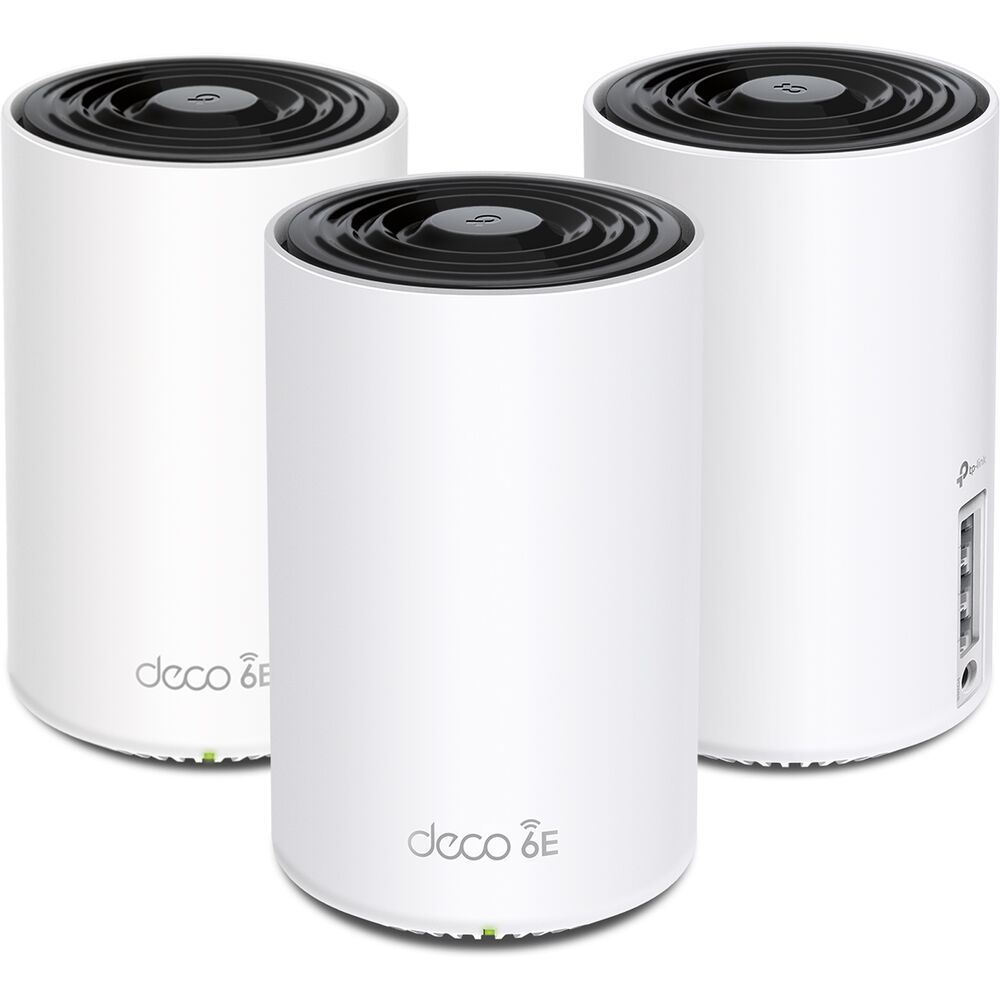
2. TP-Link Deco XE75 (3-Pack) — Best Tri-Band Wi-Fi 6E
Best for: Busy homes that want a dedicated band for traffic between nodes.
The Deco XE75 is a tri-band Wi-Fi 6E system, rated AXE5400, with 574 Mbps on 2.4 GHz, 2,402 Mbps on 5 GHz, and 2,402 Mbps on 6 GHz. TP-Link rates the 3-pack for up to 7,200 sq ft and up to 200 devices, the largest coverage and device count in this guide. The 6 GHz band is used for backhaul by default, keeping node traffic off the bands your devices use. Each unit has three Gigabit Ethernet ports. The trade-off is wired speed — every port is Gigabit, capping throughput at about 940 Mbps. If your plan is 1 Gbps or slower, that does not matter. In November 2026 research, the 3-pack was seen at $199.99 on Amazon, and the 2-pack at $146.95, rated for up to 5,500 sq ft.
Specs: Wi-Fi 6E, tri-band; AXE5400; up to 7,200 sq ft (3-pack); up to 200 devices; 3x Gigabit ports per unit; WPA3; Deco app.
Pros: Dedicated 6 GHz backhaul; largest rated coverage here; 200-device capacity. Cons: Gigabit ports only, so no multi-gig support; no Wi-Fi 7; full HomeShield Pro requires a subscription.
Check price on Amazon — TP-Link Deco XE75 (3-Pack)
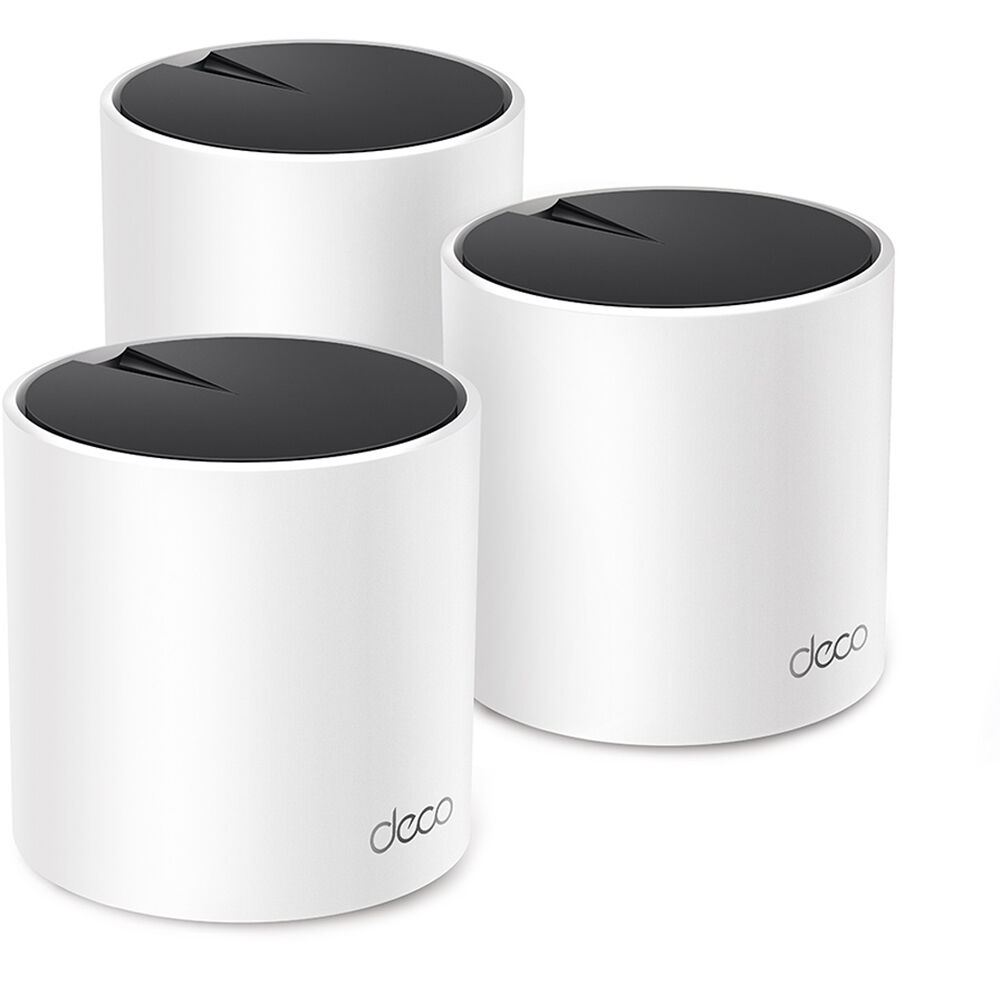
3. TP-Link Deco X55 (3-Pack) — Best Value
Best for: Buyers who want the most coverage per dollar and do not need Wi-Fi 6E or Wi-Fi 7.
The Deco X55 is a dual-band Wi-Fi 6 system, rated AX3000, with 2,402 Mbps on 5 GHz and 574 Mbps on 2.4 GHz using 160 MHz channels. TP-Link rates the 3-pack for up to 6,500 sq ft and up to 150 devices. Each unit has three Gigabit Ethernet ports, one more per unit than the eero 6+ or Nest Wifi Pro. In November 2026 research, the 3-pack was seen at $138.26 to $199.99 on Amazon. The limits are honest: it is dual-band, so wireless backhaul shares airtime with your devices, and it has no 2.5 Gbps port. In a normal home on a plan up to 1 Gbps, those limits rarely show up.
Specs: Wi-Fi 6, dual-band; AX3000; up to 6,500 sq ft (3-pack); up to 150 devices; 3x Gigabit ports per unit; WPA3; Deco app.
Pros: Lowest price for this much rated coverage; three Ethernet ports per unit; no subscription needed for basic use. Cons: Dual-band only; Gigabit ports only; no Wi-Fi 6E or Wi-Fi 7.
Check price on Amazon — TP-Link Deco X55 (3-Pack)
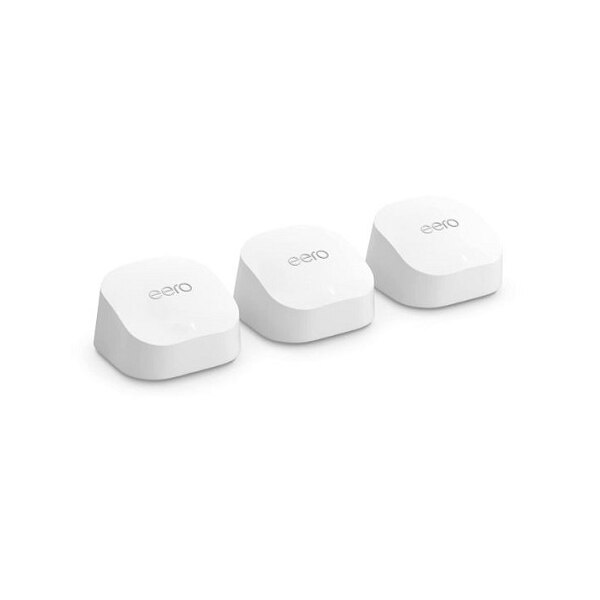
4. Amazon eero 6+ (3-Pack) — Easiest Setup
Best for: Households that want mesh Wi-Fi to just work, especially homes that already use Alexa.
The eero 6+ is a dual-band Wi-Fi 6 system, rated AX3000, with 160 MHz channel support. Amazon rates the 3-pack for up to 4,500 sq ft and 75+ devices, and for internet plans up to 1 Gbps, with speeds up to 940 Mbps. Each unit has two Gigabit Ethernet ports. It also has a built-in Zigbee smart home hub, Thread support, and Bluetooth Low Energy, so it can connect compatible smart-home devices without a separate hub. The app walks you through placement and updates the system automatically. In November 2026 research, the 3-pack was seen at $199.99 on Amazon in an early Black Friday sale, down from $299.99. The trade-offs are coverage and ports: it covers less than the TP-Link systems here, and advanced features such as ad blocking and a VPN require an eero Plus subscription.
Specs: Wi-Fi 6, dual-band; AX3000; up to 4,500 sq ft (3-pack); 75+ devices; plans up to 1 Gbps; 2x Gigabit ports per unit; Zigbee hub, Thread; TrueMesh; eero app, Alexa; WPA3.
Pros: Simplest setup here; built-in Zigbee hub; automatic updates. Cons: Smallest rated coverage here; only two Ethernet ports per unit; advanced features require a paid subscription.
Check price on Amazon — Amazon eero 6+ (3-Pack)
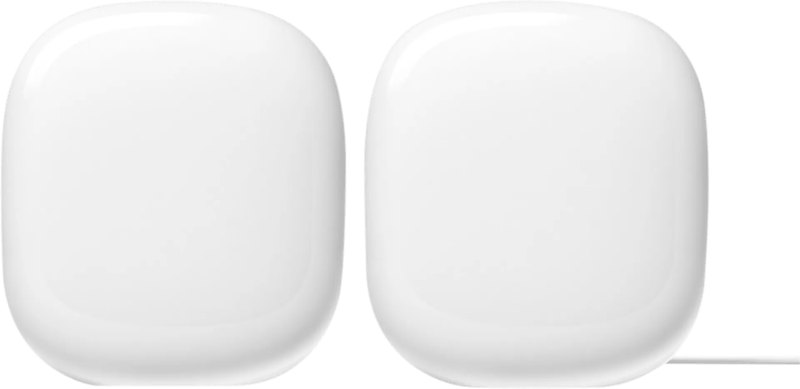
5. Google Nest Wifi Pro (2-Pack) — Best for Google Home
Best for: Homes that already run on Google Home and want a mesh system that doubles as a smart-home hub.
The Nest Wifi Pro is a tri-band Wi-Fi 6E system, rated AXE5400, with up to 5.4 Gbps combined across 2.4 GHz, 5 GHz, and 6 GHz. Google rates each router for up to 2,200 sq ft, so the 2-pack covers up to 4,400 sq ft. Each point handles up to 100 connected devices. Each unit has two 1 Gbps Ethernet ports, WPA3, and automatic updates. Every point has a built-in Thread border router and Matter support, so it connects Thread and Matter devices without a separate hub, and it is managed in Google Home. Two limits matter: the 2-pack is the configuration that fits under $300 — it lists at $299.99, and it was listed from $199.99 on the Google Store in October 2026 research, while the 3-pack lists at $399.99. Nest Wifi Pro cannot mesh with older Google Wifi or Nest Wifi units.
Specs: Wi-Fi 6E, tri-band; AXE5400; up to 2,200 sq ft per router, 4,400 sq ft (2-pack); up to 100 devices per point; 2x 1 Gbps ports per unit; Thread border router, Matter; WPA3; Google Home app.
Pros: Best Google Home integration here; Thread border router and Matter support; tri-band Wi-Fi 6E. Cons: 2-pack only fits under $300; Gigabit ports only; cannot mesh with older Google Wifi or Nest Wifi.
Check price on Amazon — Google Nest Wifi Pro (2-Pack)
What to Avoid
Buying a 1-pack and calling it mesh. A single unit is a router, not a mesh system. Buy at least a 2-pack, and a 3-pack if your home is over 3,000 sq ft or has two floors.
Choosing by the speed label alone. AX3000, AXE5400, and BE3600 are aggregate ratings across bands, not the speed one device will get. Compare coverage, bands, ports, and pack size first.
Putting nodes in the wrong place. Hiding a node in a cabinet or behind a TV is the most common mesh mistake. Nodes need open air, at about chest height, halfway between the main router and the dead zone.
Ignoring the subscription. Basic Wi-Fi, setup, and updates are free on all five systems here. Advanced parental controls, ad blocking, antivirus, and VPN features are often paid. Add the subscription to the cost before you compare prices.
Mixing brands and generations. Mesh systems from different brands do not mesh with each other. Buy all of your nodes as one system, in one pack.
FAQ
Is a mesh Wi-Fi system better than a single router under $300?
Yes, if your problem is coverage. A single router cannot push a strong signal through thick walls and across two floors. A mesh system puts a node closer to where you use Wi-Fi.
How many mesh nodes do I need?
Allow roughly one node per 1,500 to 2,200 sq ft, with a minimum of two nodes. A 2-pack suits most apartments and homes up to about 4,000 sq ft. A 3-pack suits two-story homes and homes over 3,000 sq ft.
Is Wi-Fi 7 worth it in a mesh system under $300?
It can be, now that the Deco BE23 3-pack was seen at $204.99 in November 2026 research. Wi-Fi 7 adds Multi-Link Operation and 4K-QAM, which help most with recent phones and laptops and fast plans. If your devices are a few years old and your plan is 500 Mbps or slower, Wi-Fi 6 or 6E will feel the same.
Do I need tri-band mesh, or is dual-band enough?
Tri-band helps in busy homes. The extra band, usually 6 GHz on Wi-Fi 6E systems such as the Deco XE75 and Nest Wifi Pro, can carry traffic between nodes, leaving more of the 5 GHz band for your devices. In a quiet home, dual-band is fine.
Can I use Ethernet backhaul with these mesh systems?
Yes, all five have Ethernet ports and support wired backhaul. A cable between nodes carries node traffic, leaving Wi-Fi free for your devices. The Deco BE23 is best for wired backhaul on a multi-gig plan, with 2.5 Gbps ports. The other four have Gigabit ports, capping wired throughput at about 940 Mbps.
Verdict
For most homes, buy the TP-Link Deco BE23 (3-pack). It combines the newest Wi-Fi standard, a large 6,500 sq ft rated coverage, and two 2.5 Gbps ports per unit, at a price seen at $204.99 in November 2026 research. If your home is very busy, buy the TP-Link Deco XE75 (3-pack) instead — its dedicated 6 GHz backhaul and 7,200 sq ft coverage are the largest here, seen at $199.99. If budget is the priority, buy the TP-Link Deco X55 (3-pack), seen at $138.26 to $199.99. If you want the simplest setup, buy the Amazon eero 6+ (3-pack), seen at $199.99 on sale. If your home already runs on Google Home, buy the Google Nest Wifi Pro (2-pack), listed at $299.99. Whichever you choose, check the current price on Amazon before you buy and confirm the pack size.
As an Amazon Associate, we earn from qualifying purchases.
Suggested internal links for gizmopc.com: /best-wifi-7-router-under-300/, /best-wifi-6-router-under-100/, /best-mesh-wifi-system-under-200/
More from Amazon
Programs that pair well with the guide above. Offers and eligibility are set by Amazon and may change.
Free shipping on eligible items, Prime Video and more. Eligible new members can start with a free trial.
Start a Prime free trialAd-free music streaming. Eligible new subscribers can start with a free trial.
Try Music Unlimited freeA Prime membership for ages 18-24 with a trial period. Eligibility is set by Amazon.
See Prime for Young AdultsAudiobooks and podcasts to listen to on the go. Eligible new members can start with a free trial.
Try Audible freeAs an Amazon Associate we earn from qualifying purchases.
