
Key takeaways
- Best Wi-Fi 7 Router Under $300 —
/best-wifi-7-router-under-300/ - Best Mesh Wi-Fi System Under $300 —
/best-mesh-wifi-system-under-300/ - Best 2.5GbE Network Switch Under $200 —
/best-2-5gbe-network-switch-under-200/
A 2.5GbE switch is the cheapest meaningful network upgrade most homes and small labs can still make. Gigabit Ethernet caps every wired device at 1,000 Mbps, while 2.5GbE lifts that ceiling to 2,500 Mbps on the same Cat5e cable already in your walls. For a NAS, a Wi-Fi 7 access point, or a gaming PC, that is a real difference you can feel.
The $300 budget is a sweet spot. Under $200, you mostly get simple unmanaged switches. Under $300, the same money also buys web management, Power over Ethernet, and 10-gigabit uplinks. This guide covers five real switches sold on Amazon US in November 2026. Prices change often, so treat any price below as a snapshot and check the current price before you buy. We have not bench-tested these units.
Top pick: the TP-Link TL-SG108S-M2 is the best 2.5GbE network switch under $300 for most buyers. Eight 2.5GbE ports, a fanless metal case, and a street price far below its list price make it the default choice. If you want VLANs and QoS, step up to the NETGEAR MS308E; if you run a homelab, the MikroTik CRS310-8G+2S+IN is the one to beat.
Quick Picks
| Product | Best for | Key specs | Price note |
|---|---|---|---|
| TP-Link TL-SG108S-M2 | Best overall | 8x 2.5GbE, unmanaged, fanless, 40 Gbps fabric | Check current price; $59.99 on Amazon on 9 Nov 2026 |
| NETGEAR MS308E | Best managed | 8x 2.5GbE, Easy Smart web management, VLANs, QoS | Check current price; $129.99 at NETGEAR/B&H in Oct 2026 |
| MikroTik CRS310-8G+2S+IN | Best homelab / advanced managed | 8x 2.5GbE + 2x 10G SFP+, RouterOS/SwOS | Check current price; $191.70 on Amazon on 9 Nov 2026 |
| TP-Link TL-SG105PP-M2 | Best PoE | 5x 2.5GbE, 4x PoE++ up to 60W, 123W budget | Check current price; $125 on Amazon in Sep 2026 |
| QNAP QSW-2104-2T-R2 | Best 10GbE bridge | 4x 2.5GbE + 2x 10GbE RJ45, unmanaged | Check current price; $119 at QNAP/B&H in Oct 2026 |
How to Choose a 2.5GbE Switch Under $300
Count the ports you will actually use, then add two. Eight ports sounds generous until you plug in a router, a NAS, two PCs, a console, and an access point. Five-port switches suit a single desk; eight ports suit a whole home. Sixteen-port 2.5GbE switches from reputable brands sit above $300.
Decide managed or unmanaged before you shop. Unmanaged switches need no setup: plug in the cables and they work. They offer no VLANs, no QoS, and no port monitoring. Smart-managed switches such as the NETGEAR MS308E add VLANs, QoS, IGMP snooping, and port mirroring through a web interface, which matters the moment you want a guest, IoT, or camera network separated from your main LAN. Fully managed switches such as the MikroTik CRS310 go further, but they demand real networking knowledge.
Check PoE only if something needs power. An access point or a PoE camera plugged into a plain switch still needs an injector or a separate PoE switch. If two or more devices want power, buy a PoE switch instead of a plain switch plus injectors. Size the PoE budget, not just the port count: a Wi-Fi 7 access point can draw 30W or more. The TP-Link TL-SG105PP-M2 covers four powered devices on a 123W budget.
Look at the uplink, not just the access ports. A switch full of 2.5GbE ports still bottlenecks if everything funnels through a single gigabit uplink to the router or NAS. A 10G SFP+ uplink on the MikroTik CRS310, or 10GbE RJ45 ports on the QNAP QSW-2104-2T, keeps the fast lane open to your NAS or server.
Fanless matters on a desk; fans matter in a rack. A fanless switch is silent, which is what you want in a living room or office. A switch with a fan, such as the MikroTik CRS310, belongs in a closet or rack.
Remember the cable rule. 2.5GbE runs on ordinary Cat5e cable, so most homes need no rewiring. That is the whole point of the standard. New cable runs are still worth doing in Cat6a if you ever plan to go to 10GbE.
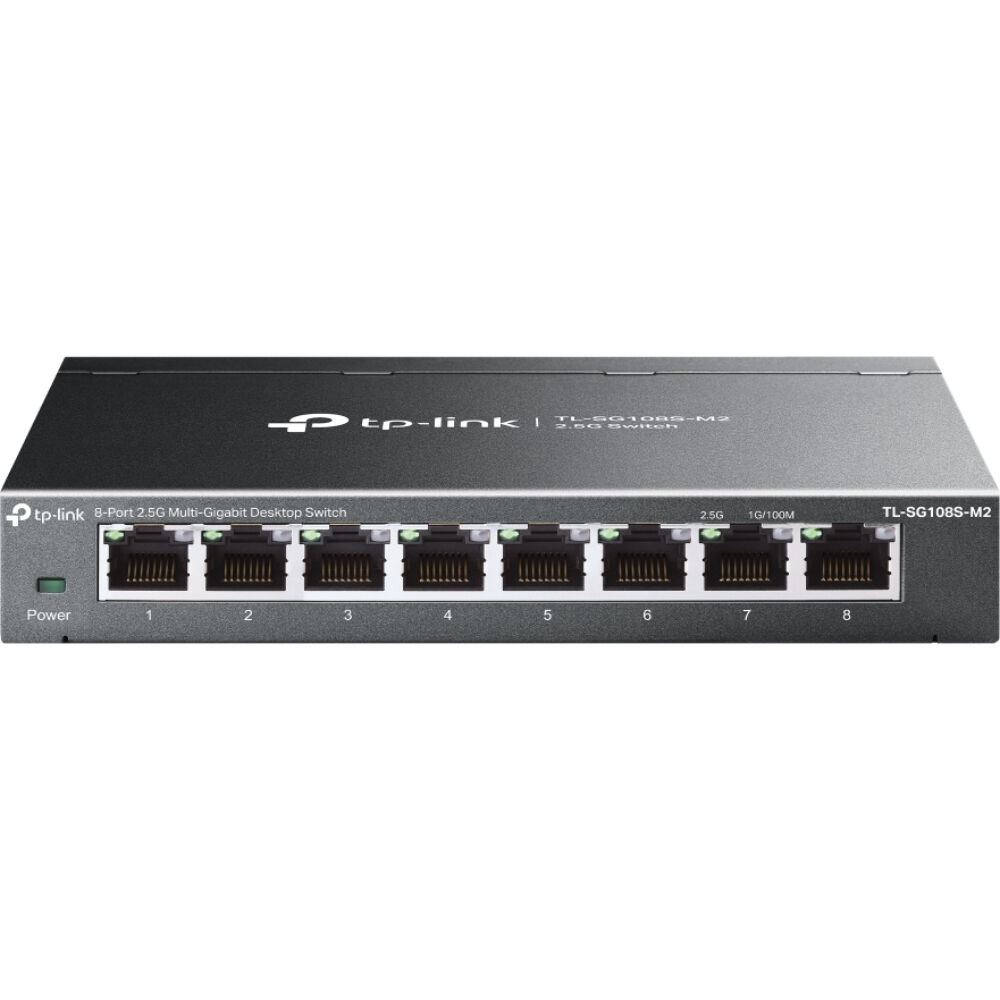
1. TP-Link TL-SG108S-M2 — Best Overall
Best for: Most buyers who want eight fast ports with no setup and no noise.
The TL-SG108S-M2 is the default 2.5GbE switch for a reason. Eight 2.5GbE ports, a 40 Gbps switching fabric, a fanless metal case, and a street price far below its $129.99 list price for much of 2026. Roundups that re-checked Amazon listings on 9 November 2026 found it at $59.99, and September checks found the same price.
It is unmanaged, so there is nothing to configure. Plug in the cables and every device negotiates the fastest speed its port supports: 2.5G, 1G, or 100 Mbps. It runs on existing Cat5e cabling, as the 2.5GBASE-T standard promises.
Specs: 8x 2.5GbE RJ45 ports; unmanaged; 40 Gbps switching capacity; fanless metal housing; 802.3az Energy Efficient Ethernet; plug-and-play.
Pros: Eight 2.5GbE ports at a budget price; silent fanless design; works on existing Cat5e cable.
Cons: No VLANs or QoS; no PoE, so access points and cameras still need injectors; no 10G uplink for a NAS.
Who it is best for: Buyers who want the fastest simple upgrade for a home network and do not need network segmentation.
Check price on Amazon — TP-Link TL-SG108S-M2
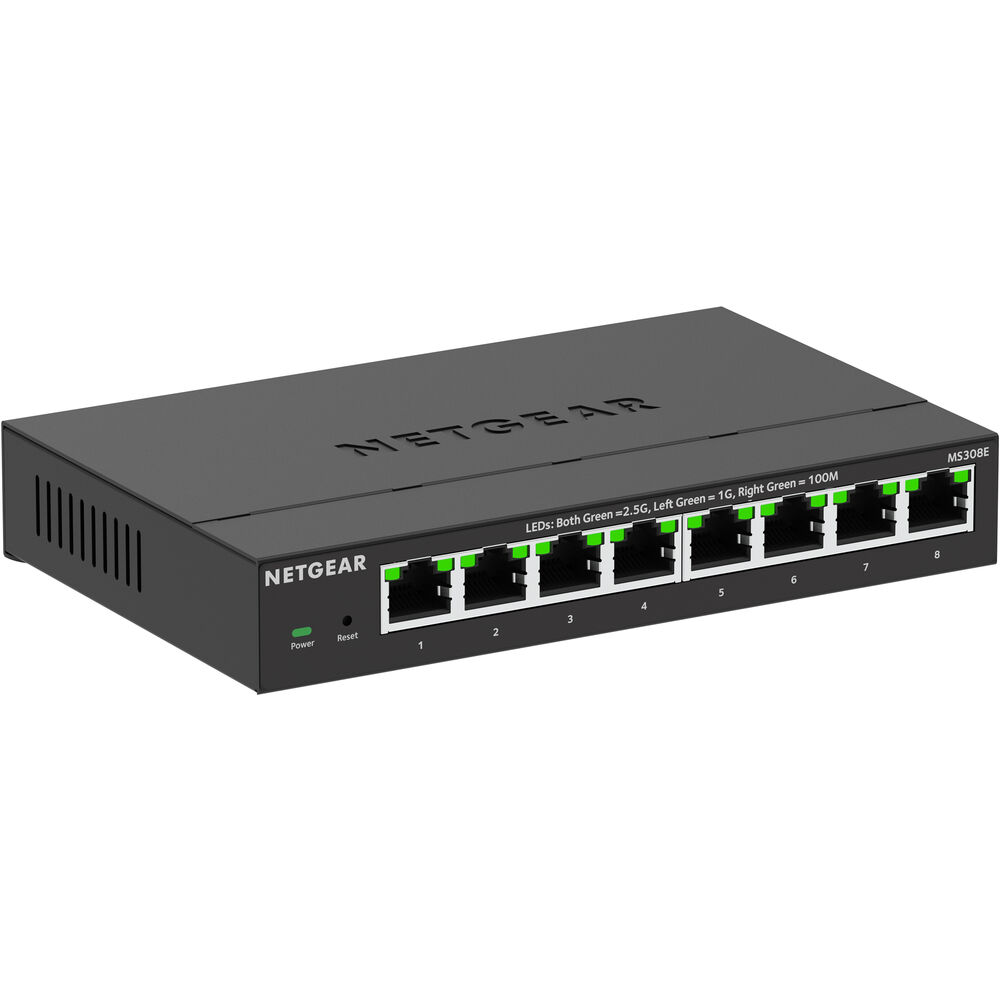
2. NETGEAR MS308E — Best Managed
Best for: Buyers who want VLANs, QoS, and port monitoring without learning a switch operating system.
The MS308E is the same eight 2.5GbE ports as the unmanaged NETGEAR MS308, with an Easy Smart web interface added. That interface brings up to 64 VLANs, QoS, IGMP snooping, port mirroring, and basic traffic monitoring — the features that let you split a guest, IoT, and camera network onto separate VLANs. Most buyers will set it once and forget it.
NETGEAR’s own store and B&H listed it at $129.99 in October 2026, and Amazon listings showed it around $109.99 in September 2026 — roughly double the street price of the unmanaged TP-Link above, and the entire premium buys management.
Specs: 8x 2.5GbE RJ45 ports; Easy Smart web management; up to 64 VLANs; QoS, IGMP snooping, port mirroring; fanless.
Pros: Real management features at a fair price; same eight fast ports as the unmanaged models; fanless and quiet.
Cons: Costs about twice the unmanaged TP-Link; no PoE; no 10G uplink; the web GUI is basic next to a fully managed switch.
Who it is best for: Home offices and small networks that need a guest or IoT VLAN but do not need a homelab-grade switch OS.
Check price on Amazon — NETGEAR MS308E
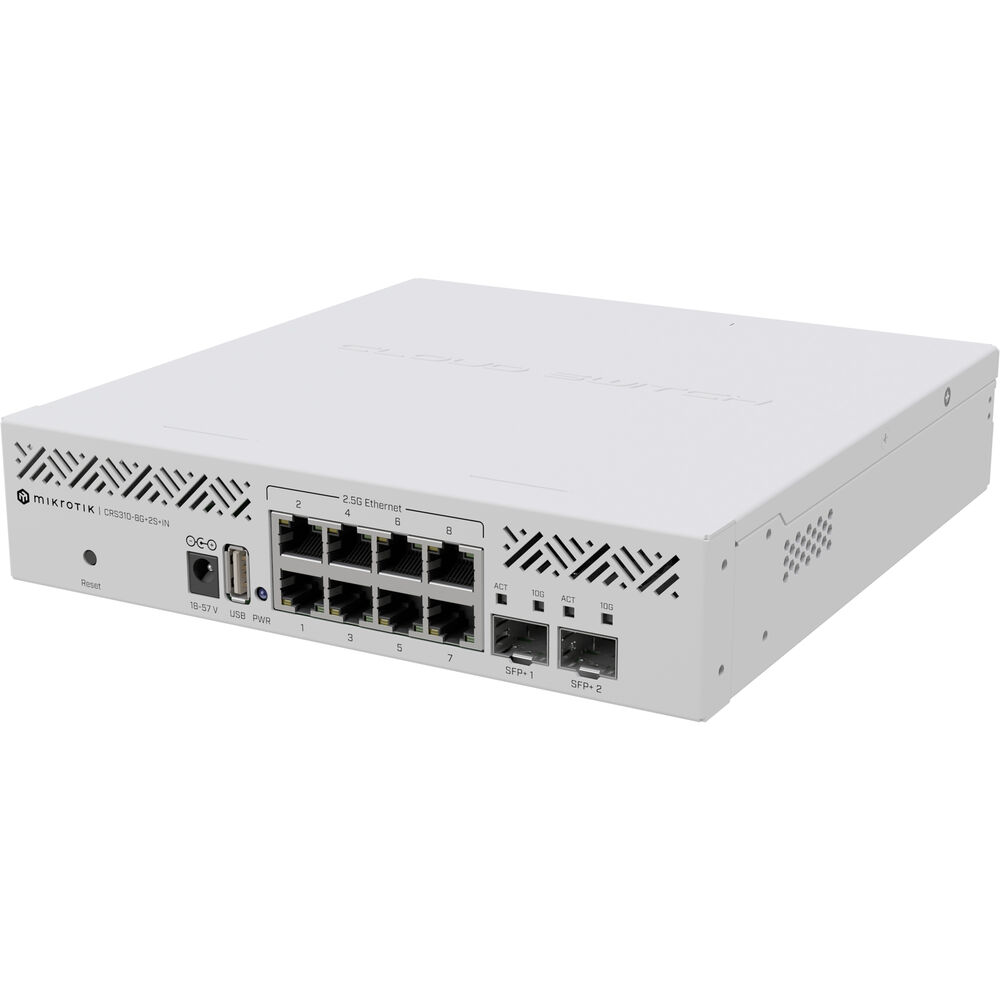
3. MikroTik CRS310-8G+2S+IN — Best Homelab / Advanced Managed
Best for: Homelab owners who want a real switch OS, 10G uplinks, and Layer 3 features.
The CRS310-8G+2S+IN is the homelab benchmark in this price class. Eight 2.5GbE ports plus two 10G SFP+ cages, built around the Marvell 98DX226S switch chip, running RouterOS v7 or SwitchOS with a full Layer 3 feature set: VLANs, bonding, ACLs, static routing, and monitoring the smart-managed switches cannot match. It is the cheapest way to get two real 10G uplinks with a serious OS.
The manufacturer’s suggested price is $219, and a roundup that re-checked Amazon listings on 9 November 2026 found it at $191.70, near the lowest price it had tracked.
There are two honest trade-offs. First, it has a fan, and reviewers describe it as loud for a desk; put it in a closet or rack. Second, RouterOS has a steep learning curve. If you have never configured a VLAN, the NETGEAR MS308E above is the kinder first managed switch.
Specs: 8x 2.5GbE RJ45 ports; 2x 10G SFP+ ports; Marvell 98DX226S switch chip; RouterOS v7 / SwitchOS, Layer 3; one fan; no PoE.
Pros: Two real 10G SFP+ uplinks; full RouterOS feature set; excellent value for a managed 10G-capable switch.
Cons: Fan noise makes it a poor desk switch; steep learning curve; no PoE; SFP+ modules or DAC cables are an extra purchase.
Who it is best for: Homelab owners running Proxmox, TrueNAS, or a 10G NAS who want proper management and uplinks.
Check price on Amazon — MikroTik CRS310-8G+2S+IN
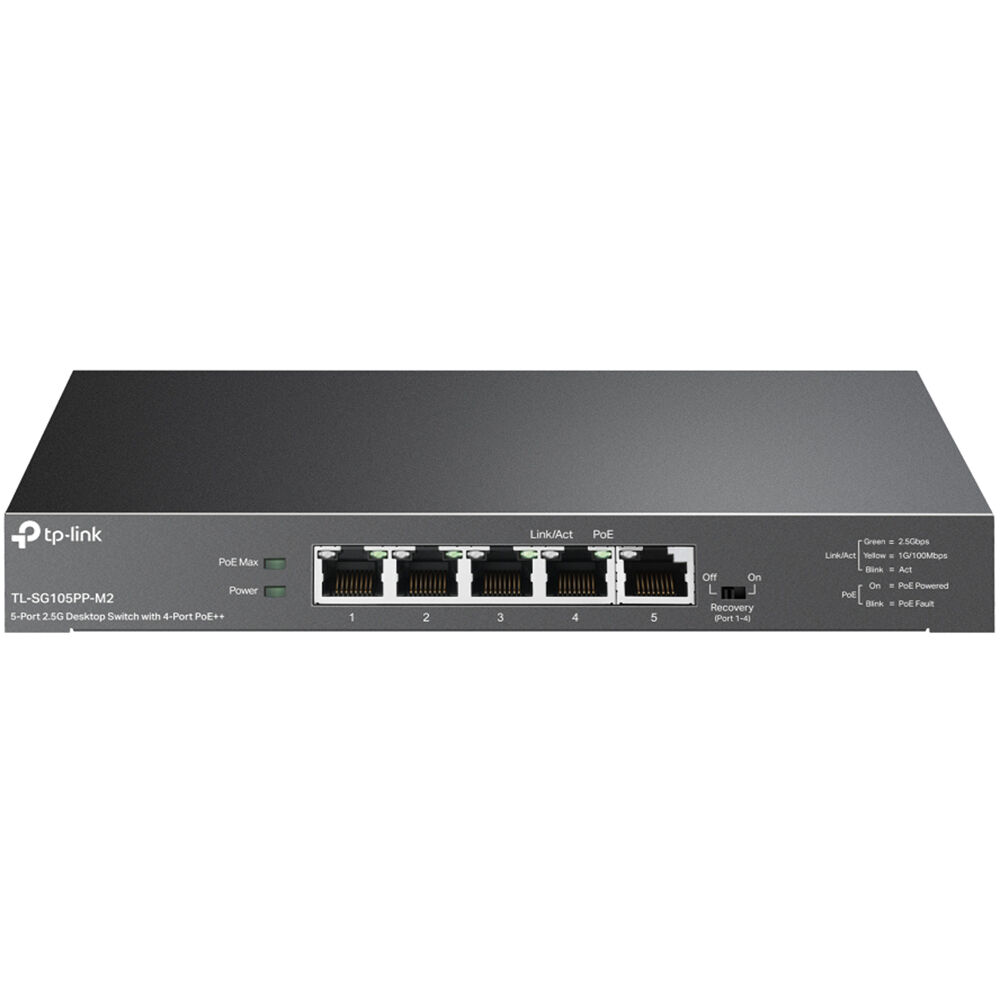
4. TP-Link TL-SG105PP-M2 — Best PoE
Best for: Powering a Wi-Fi access point and a few cameras from one small switch.
The TL-SG105PP-M2 solves a specific problem: four devices that need both data and power. It has five 2.5GbE ports, four of them PoE++ up to 60W each, on a 123W total budget. That covers a Wi-Fi 6E or Wi-Fi 7 access point with a 2.5GbE uplink, plus two or three cameras, from a single fanless box. It also has a recovery button that reboots a dead camera. Pricing was $125 on Amazon in September 2026 against a $169.99 list price. Do the wattage math first: the 123W budget, not the per-port 60W figure, is the real limit.
Specs: 5x 2.5GbE RJ45 ports; 4x PoE++ ports up to 60W each; 123W total PoE budget; unmanaged; fanless.
Pros: Powers APs and cameras on 2.5GbE ports; fanless and silent; far cheaper than an 8-port PoE+ switch.
Cons: Only five ports, so it fills up fast; 123W budget limits high-power devices; unmanaged, so no camera VLAN.
Who it is best for: Buyers with one access point and a few cameras who want a single small switch to power them all.
Check price on Amazon — TP-Link TL-SG105PP-M2
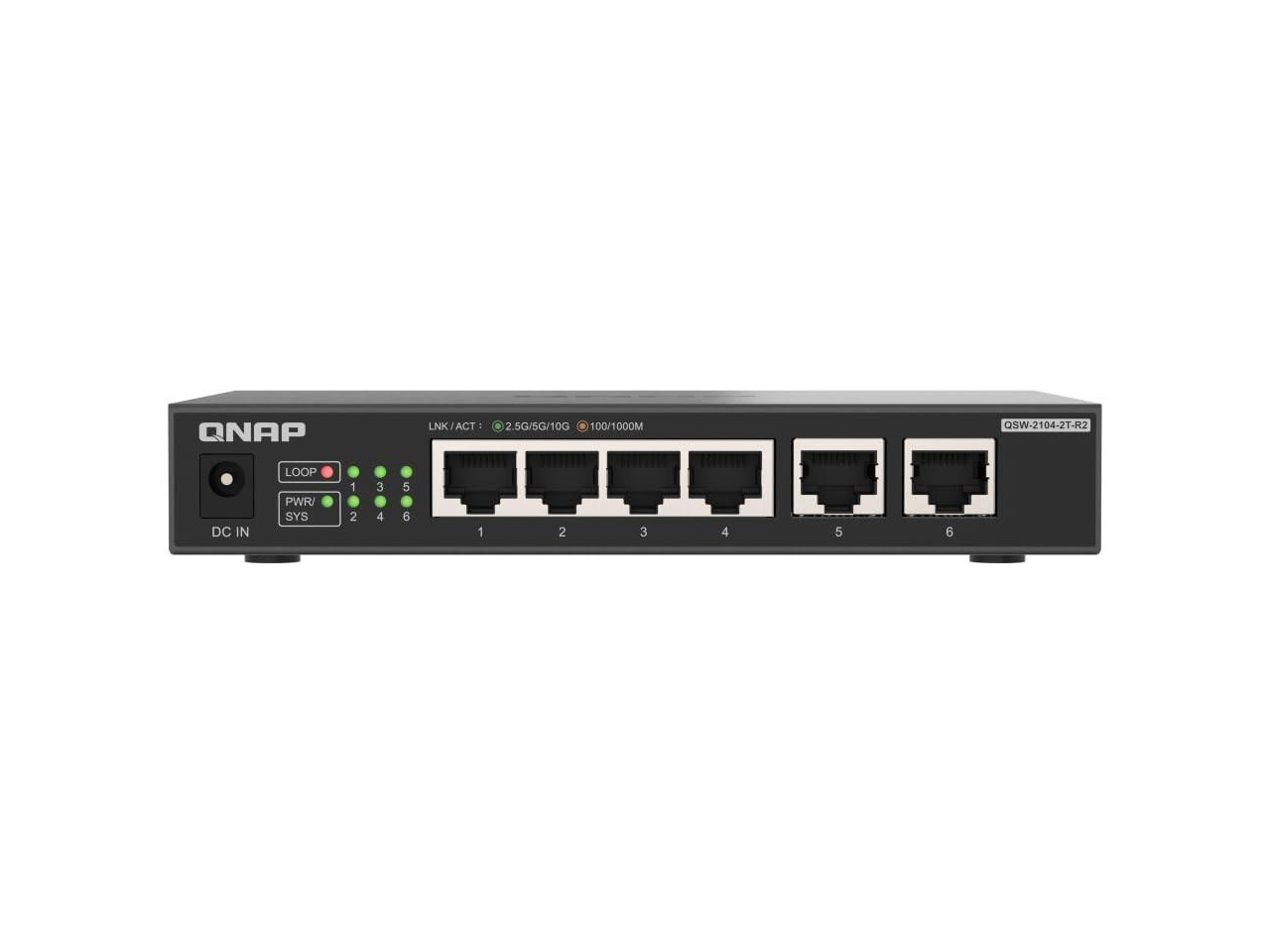
5. QNAP QSW-2104-2T-R2 — Best 10GbE Bridge
Best for: Connecting a 10GbE NAS or workstation to a 2.5GbE network without buying a full 10G switch.
The QSW-2104-2T-R2 is a specialist. Four 2.5GbE ports plus two 10GbE RJ45 ports, unmanaged, in a small desktop case. The 10GbE ports accept ordinary copper Ethernet — no SFP+ modules, no DAC cables, no fiber — which makes it the simplest bridge between a 10GbE NAS and the rest of a 2.5GbE home network.
It was listed at $119 through the QNAP US store and B&H in October 2026 — more than the eight-port TP-Link, but it buys two 10GbE ports the TP-Link cannot offer. With only four 2.5GbE ports, this is a bridge for a NAS and a workstation, not a whole-home switch.
Specs: 4x 2.5GbE RJ45 ports; 2x 10GbE RJ45 ports (10G/5G/2.5G/1G/100M); unmanaged; fanless; 60 Gbps switching capacity.
Pros: Two real 10GbE copper ports with no transceivers to buy; simple unmanaged setup; a cheap way to give a NAS a 10G link.
Cons: Only four 2.5GbE ports; no management; no PoE; wasted if nothing in the network runs at 10G.
Who it is best for: Buyers with a 10GbE NAS or workstation who want a 10G link into an otherwise 2.5GbE network.
Check price on Amazon — QNAP QSW-2104-2T-R2
What to Avoid
Do not buy a gigabit switch by mistake. Listings mix 1GbE and 2.5GbE models with nearly identical names. The NETGEAR GS308E, for example, is a fine smart-managed switch, but its ports are gigabit, not 2.5GbE. Check the port speed in the specifications, not the title.
Do not buy managed when you need PoE, or PoE when you need managed. Management, PoE, and 10G uplinks rarely all appear in one switch under $300. The TP-Link Omada SG3210X-M2 comes closest — eight 2.5GbE ports, two 10G SFP+ uplinks, Omada management, fanless, at $229.99 on Amazon in November 2026 — but it has no PoE, and the PoE version costs far more. Rank your three needs before you shop.
Do not assume a 2.5GbE port helps a gigabit device. A 2.5GbE switch only helps when the devices plugged into it have 2.5GbE ports. A gigabit-only printer, console, or smart TV gains nothing, so check each device’s network port first.
Do not ignore the fan. A switch with a fan belongs in a closet or a rack, not on a desk in a bedroom. If silence matters, buy fanless.
Do not buy on port count alone. A 16-port 2.5GbE switch under $300 usually comes from a no-name brand with thin support and a short warranty. Eight ports from TP-Link, NETGEAR, MikroTik, or QNAP beats sixteen ports from a brand you cannot reach.
FAQ
Is a 2.5GbE switch worth it over gigabit?
Yes, if you move large files, run a NAS, or use a Wi-Fi 6E or Wi-Fi 7 access point with a 2.5GbE uplink. A 2.5GbE link moves a 10 GB file in roughly half the time of gigabit, on the Cat5e cable most homes already have. If your network is only browsing and streaming, gigabit is still enough.
Do I need Cat6 cable for 2.5GbE?
No. 2.5GBASE-T runs at full speed on Cat5e cable up to 100 metres. Cat6 or Cat6a is worth using for new runs, because it leaves the door open to 10GbE later.
What is the difference between managed and unmanaged switches?
An unmanaged switch forwards traffic with no configuration. A managed switch adds a web interface or OS with VLANs, QoS, port mirroring, and monitoring. Smart-managed switches such as the NETGEAR MS308E offer a small set of those features; fully managed switches such as the MikroTik CRS310 offer the full set and a steeper learning curve.
Can a 2.5GbE switch power my Wi-Fi access point?
Only if it is a PoE switch. A plain 2.5GbE switch carries data only. The TP-Link TL-SG105PP-M2 in this guide powers up to four devices on a 123W budget.
Do I need a 10G uplink on a 2.5GbE switch?
It helps when two fast devices need to talk to each other — a NAS and a workstation, for example. Without one, that traffic caps at 2.5 Gbps. The MikroTik CRS310 and the QNAP QSW-2104-2T both solve this under $300.
Verdict
For most buyers, the TP-Link TL-SG108S-M2 is the best 2.5GbE network switch under $300. Eight fast ports, no noise, no setup, and a street price around $60.
If you want to split your network into VLANs, choose the NETGEAR MS308E. If you run a homelab with a NAS and 10G ambitions, choose the MikroTik CRS310-8G+2S+IN and put it somewhere the fan will not bother you. If you need to power an access point and cameras, choose the TP-Link TL-SG105PP-M2. And if a 10GbE NAS is the whole point, choose the QNAP QSW-2104-2T-R2.
Whichever you choose, check the exact model number and current price on Amazon before you buy.
As an Amazon Associate, we earn from qualifying purchases.
Suggested internal links for gizmopc.com
- Best Wi-Fi 7 Router Under $300 —
/best-wifi-7-router-under-300/ - Best Mesh Wi-Fi System Under $300 —
/best-mesh-wifi-system-under-300/ - Best 2.5GbE Network Switch Under $200 —
/best-2-5gbe-network-switch-under-200/
More from Amazon
Programs that pair well with the guide above. Offers and eligibility are set by Amazon and may change.
Free shipping on eligible items, Prime Video and more. Eligible new members can start with a free trial.
Start a Prime free trialAd-free music streaming. Eligible new subscribers can start with a free trial.
Try Music Unlimited freeA Prime membership for ages 18-24 with a trial period. Eligibility is set by Amazon.
See Prime for Young AdultsAudiobooks and podcasts to listen to on the go. Eligible new members can start with a free trial.
Try Audible freeAs an Amazon Associate we earn from qualifying purchases.
