
Key takeaways
- Best Wi-Fi 7 Router Under $300 —
/best-wifi-7-router-under-300/ - Best Wi-Fi 7 Router Under $200 —
/best-wifi-7-router-under-200/ - Best Mesh Wi-Fi System Under $300 —
/best-mesh-wifi-system-under-300/
A single router can be fast on paper and still leave dead zones in the far bedroom, the basement, or the upstairs office. A mesh system fixes that by spreading two or three small nodes around the house so your devices always connect to the nearest one, on one network name. In November 2026, several proven mesh systems sell on Amazon US for under $200, including Wi-Fi 6E and Wi-Fi 7 kits.
This guide covers five real mesh systems sold on Amazon US in November 2026. Prices change often, so treat any price below as a snapshot.
Top pick: the TP-Link Deco XE75 Pro (2-pack) is the best mesh Wi-Fi system under $200 for most buyers. It is the only pick here with tri-band Wi-Fi 6E and a 2.5G port at this price, and it was $179.99 on Amazon on November 16, 2026.
Quick Picks
| Product | Best for | Key specs | Price note |
|---|---|---|---|
| TP-Link Deco XE75 Pro (2-pack) | Best overall | Wi-Fi 6E, tri-band AXE5400, 6 GHz, 2.5G port, up to 5,500 sq. ft. | Check current price; $179.99 on Amazon on 16 Nov 2026 |
| TP-Link Deco X55 (3-pack) | Best value for large homes | Wi-Fi 6, dual-band AX3000, up to 6,500 sq. ft., 3 GbE ports per node | Check current price; $149.96 on Amazon on 16 Nov 2026 |
| Amazon eero 6+ (3-pack) | Best for simple setup | Wi-Fi 6, dual-band AX3000, up to 4,500 sq. ft., Zigbee hub built in | Check current price; $194.99 on Amazon on 13 Nov 2026 |
| TP-Link Deco BE23 (3-pack) | Best Wi-Fi 7 on sale | Wi-Fi 7, dual-band BE3600, 2x 2.5G per node, up to 6,500 sq. ft. | Check current price; under $200 only on sale |
| TP-Link Deco S4 (3-pack) | Best budget under $100 | Wi-Fi 5, dual-band AC1900, up to 5,500 sq. ft., 100 devices | Check current price; cheapest 3-pack in this guide |
How to Choose a Mesh Wi-Fi System Under $200
Start with coverage, not speed
Mesh is a coverage product first. Manufacturers measure coverage in open space, so treat their figures as a best case and buy the pack that covers about 1.5 times your home’s floor area. Two nodes suit most homes up to about 2,500 square feet; three nodes suit larger or multi-story homes.
Wi-Fi 6 vs Wi-Fi 6E vs Wi-Fi 7
Wi-Fi 6 is the baseline here and is fast enough for almost every household. Wi-Fi 6E adds the 6 GHz band, which is less crowded and gives the nodes a cleaner channel to talk to each other, but only newer phones and laptops can use 6 GHz directly. Wi-Fi 7 adds Multi-Link Operation, which lets a device use two bands at once. At under $200, Wi-Fi 7 kits are dual-band, so they skip 6 GHz entirely, and their real-world advantage over Wi-Fi 6 is small today.
Count the nodes, not just the price
A mesh system’s price only means something next to its pack size. A 2-pack at $180 and a 3-pack at $150 are not comparable buys: the 3-pack covers more space and gives you a spare node for a dead spot. Always check which pack size the price refers to.
Ethernet backhaul and ports
Mesh nodes talk to each other over Wi-Fi by default, which costs some speed at each hop. If your home has Ethernet wiring, a wired backhaul keeps full speed everywhere. That is why ports per node matter: a node with three ports can take a wired backhaul and still connect a TV or console.
The app and the subscription trap
Every system here is managed from a phone app. TP-Link’s Deco app gives you parental controls and basic security free through HomeShield, with a paid Pro tier for more. Eero’s app is the simplest of the bunch, but several of its best features, including advanced parental controls and VPN, need an eero Plus subscription at about $10 a month.
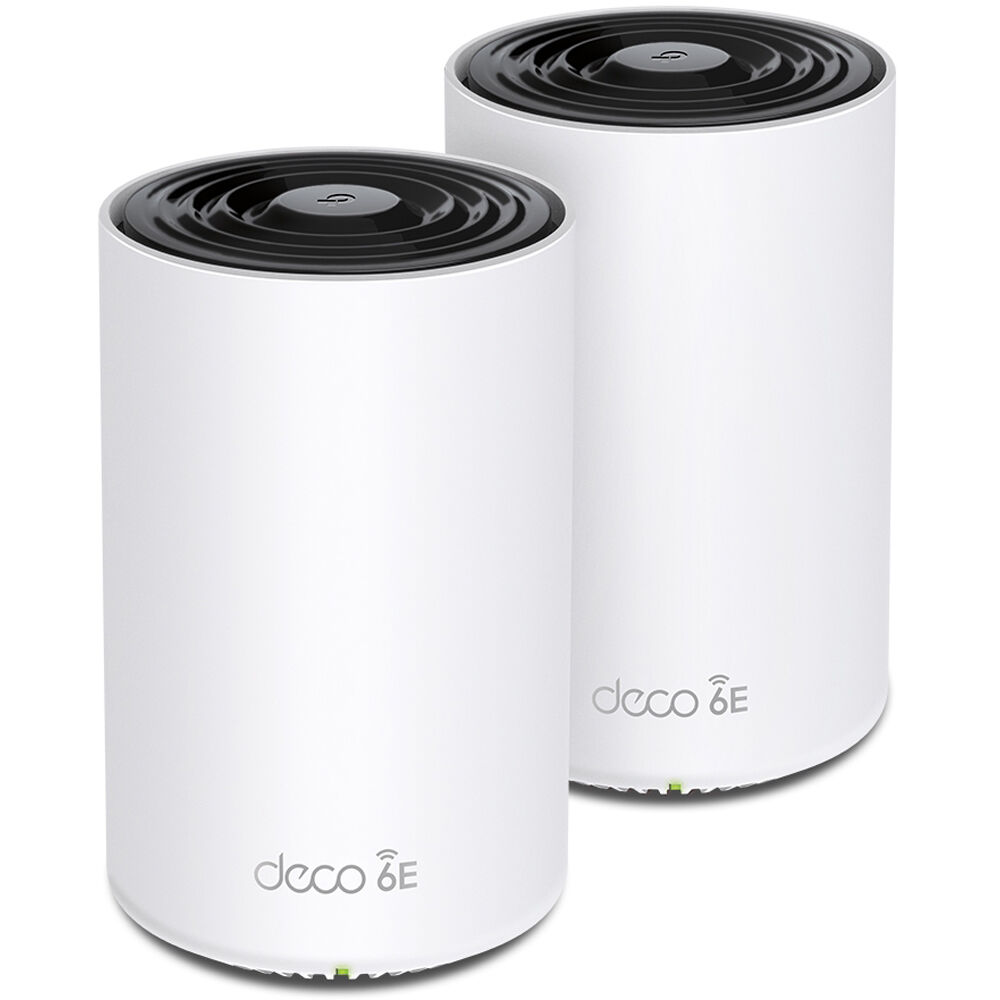
1. TP-Link Deco XE75 Pro (2-pack) — Best Overall
Best for: Most buyers who want the strongest mesh system that still fits under $200.
The Deco XE75 Pro is the tri-band Wi-Fi 6E version of TP-Link’s popular XE75, and the Pro upgrade is the one that matters at this price: it adds a 2.5G WAN/LAN port, so a gigabit-plus internet plan is not bottlenecked at the router, and it keeps the dedicated 6 GHz band that the standard XE75 uses for backhaul. The 2-pack covers up to 5,500 square feet according to TP-Link, and it was $179.99 on Amazon on November 16, 2026, down from a $229.99 list price.
Specs: Wi-Fi 6E, tri-band AXE5400; up to 5,500 sq. ft. (2-pack); 1x 2.5G WAN/LAN port plus 2x Gigabit ports; AI-driven mesh; HomeShield security; WPA3.
Pros: Only tri-band Wi-Fi 6E system under $200 here; 2.5G port for gigabit-plus internet; clean 6 GHz backhaul in crowded areas.
Cons: Only two nodes, so very large homes may need a third; no USB port; 6 GHz range is shorter than 5 GHz through walls.
Who it is best for: Buyers who want the best mesh system under $200 in a home up to about 3,000 square feet, especially in apartments or dense neighborhoods.
Check price on Amazon — TP-Link Deco XE75 Pro (2-pack)
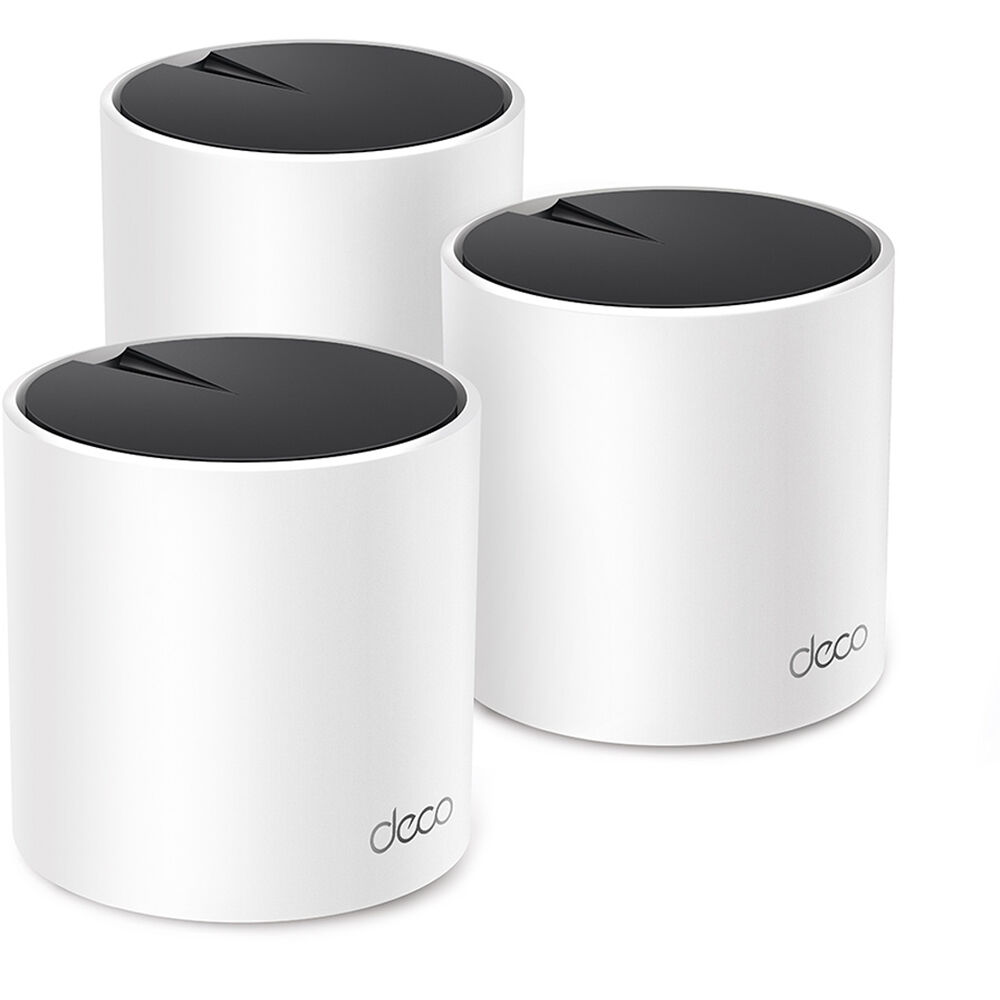
2. TP-Link Deco X55 (3-pack) — Best Value for Large Homes
Best for: Large or multi-story homes that need three nodes without paying for Wi-Fi 6E.
The Deco X55 is the value king of this guide. It is a Wi-Fi 6 dual-band system, so it skips the 6 GHz band, but it makes up for that with three nodes for about $150: $149.96 on Amazon on November 16, 2026, against a list price near $195. TP-Link rates the 3-pack for up to 6,500 square feet and up to 150 devices, and every node has three Gigabit Ethernet ports, the best port count in this guide.
Specs: Wi-Fi 6, dual-band AX3000; up to 6,500 sq. ft. (3-pack); up to 150 devices; 3x Gigabit Ethernet ports per node; HomeShield security; WPA3.
Pros: Three nodes for about $150; widest coverage in this guide; three Ethernet ports per node for wired backhaul; no subscription needed for the basics.
Cons: Dual-band only, so node-to-node traffic shares the 5 GHz band; no 2.5G port; no 6 GHz band for future devices.
Who it is best for: Buyers with a large or multi-story home who want the most coverage per dollar, and anyone with Ethernet wiring who can use the wired backhaul.
Check price on Amazon — TP-Link Deco X55 (3-pack)
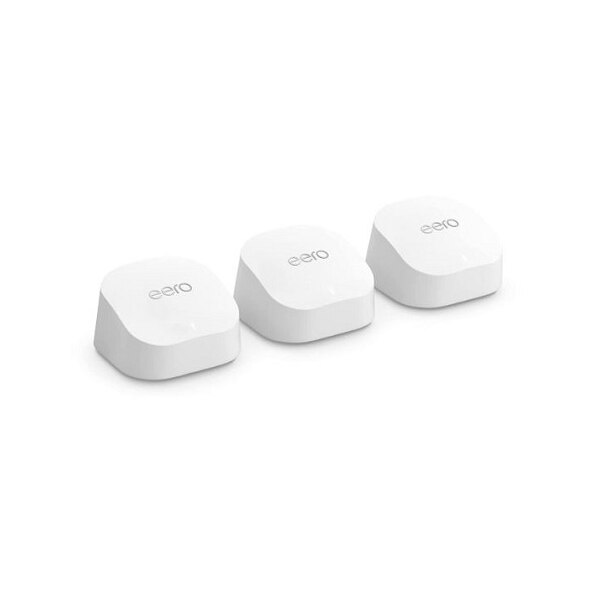
3. Amazon eero 6+ (3-pack) — Best for Simple Setup
Best for: Renters, non-technical buyers, and Alexa households that want mesh to just work.
The eero 6+ is the easiest mesh system in this guide to set up and to live with. Plug in the first node, open the eero app, and the rest of the setup is mostly tapping “next.” The 3-pack covers up to 4,500 square feet, supports 75 or more devices, and includes a built-in Zigbee smart home hub, so it can control compatible smart lights and sensors without a separate hub. It was $194.99 on Amazon on November 13, 2026, down from a $299.99 list price; the 2-pack was $159.99 at the same time.
The eero’s strength is also its trade-off. It is a closed ecosystem: eero nodes only mesh with other eero nodes, there is no web interface, and advanced settings are limited compared with TP-Link. Several of the best features, including advanced parental controls and VPN, need an eero Plus subscription at about $10 a month.
Specs: Wi-Fi 6, dual-band AX3000; up to 4,500 sq. ft. (3-pack); 75+ devices; 2x Gigabit Ethernet ports per node; built-in Zigbee smart home hub; TrueMesh routing; works with Alexa.
Pros: Simplest setup and app in this guide; built-in Zigbee hub; compact, good-looking nodes; strong Alexa integration.
Cons: Key features sit behind the eero Plus subscription; no web interface and limited advanced settings; closed ecosystem; Amazon account required.
Who it is best for: Buyers who want the least fuss, renters who need something that works the day it arrives, and households already deep into Alexa and Ring.
Check price on Amazon — Amazon eero 6+ (3-pack)
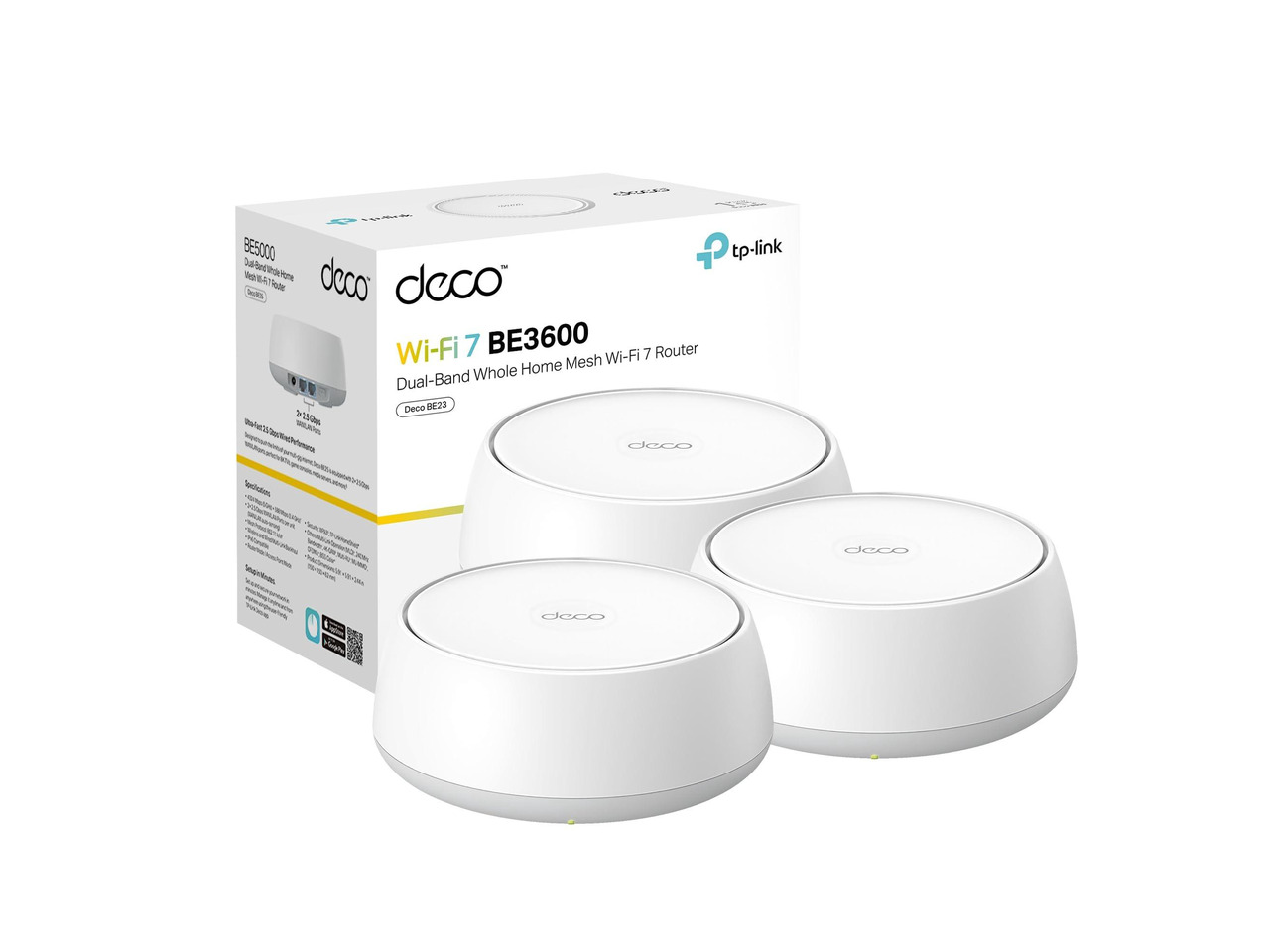
4. TP-Link Deco BE23 (3-pack) — Best Wi-Fi 7 on Sale
Best for: Buyers who want Wi-Fi 7 now and are willing to wait for a sale to get it under $200.
The Deco BE23 is the cheapest way into Wi-Fi 7 mesh. It is a dual-band BE3600 system, so it has no 6 GHz band, but it does have Wi-Fi 7’s Multi-Link Operation, 4K-QAM, and two 2.5G Ethernet ports on every node. TP-Link rates the 3-pack for up to 6,500 square feet and 150 devices. The catch is the price: the 3-pack lists at $249.99, and it only fits this guide when it goes on sale. It has been seen at $180 to $205 in 2026, so the under-$200 price is real but not permanent. If you buy at list price, you have not bought a mesh system under $200.
Specs: Wi-Fi 7, dual-band BE3600; up to 6,500 sq. ft. (3-pack); up to 150 devices; 2x 2.5G Ethernet ports per node; Multi-Link Operation; HomeShield security; WPA3; works with Alexa and Google Assistant.
Pros: Newest Wi-Fi standard in this guide; 2.5G ports on every node, not just the main unit; same wide coverage as the X55.
Cons: Only under $200 on sale, and the list price is $249.99; dual-band, so no 6 GHz band despite the Wi-Fi 7 label; the Wi-Fi 7 advantage is small today.
Who it is best for: Patient buyers who want the newest standard and can wait for a sale, and anyone whose internet plan is already above 1 Gbps.
Check price on Amazon — TP-Link Deco BE23 (3-pack)
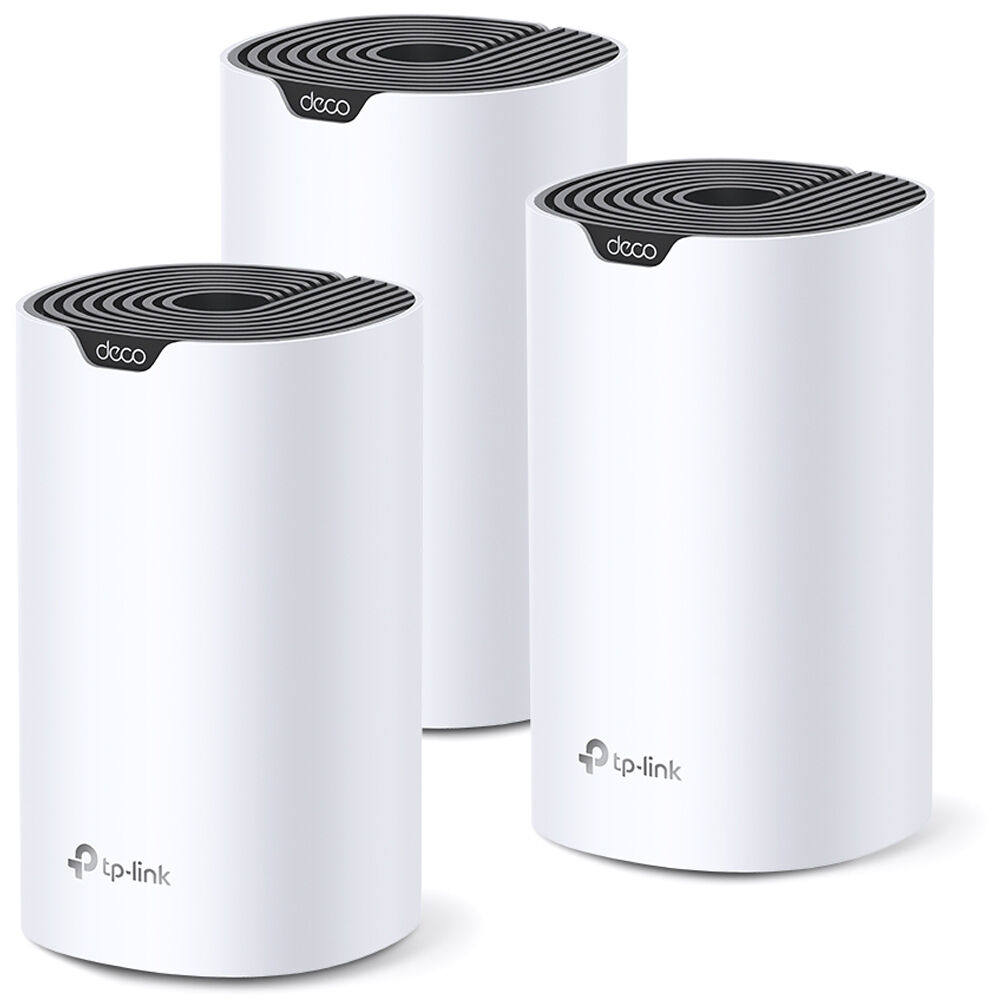
5. TP-Link Deco S4 (3-pack) — Best Budget Under $100
Best for: Buyers who want whole-home coverage for the lowest possible price.
The Deco S4 is the oldest system in this guide, and that is exactly why it is here. It is a Wi-Fi 5 AC1900 mesh system, which sounds dated next to Wi-Fi 6 and 7, but for a household that streams, browses, and video-calls, Wi-Fi 5 is still enough. The 3-pack covers up to 5,500 square feet, supports up to 100 devices, and regularly sells as the cheapest 3-pack in this guide, well under $150.
The trade-offs are honest ones. AC1900 speeds are lower than AX3000, the S4 has no Wi-Fi 6 features such as OFDMA for crowded device counts, and it will not make sense if your internet plan is faster than about 500 Mbps, because the system itself becomes the bottleneck.
Specs: Wi-Fi 5, dual-band AC1900; up to 5,500 sq. ft. (3-pack); up to 100 devices; 2x Gigabit Ethernet ports per node; Deco app with parental controls; WPA3; works with Alexa.
Pros: Cheapest 3-pack in this guide; covers a big home for very little money; same easy Deco app as the newer models.
Cons: Wi-Fi 5 only, so no OFDMA or Wi-Fi 6 efficiency; slower than every other pick here; not a good match for gigabit internet.
Who it is best for: Budget buyers, renters, and anyone whose main problem is dead zones in a big house rather than raw speed.
Check price on Amazon — TP-Link Deco S4 (3-pack)
What to Avoid
Do not buy a single unit and call it mesh. A one-pack “mesh router” is just a router. The mesh benefit starts with the second node, and buying nodes one at a time almost always costs more than the pack.
Do not compare prices across different pack sizes. A 2-pack at $180 is not cheaper than a 3-pack at $200. Always compare the same pack size, and remember that a 3-pack covers a meaningfully larger home.
Do not ignore the subscription. Eero Plus at about $10 a month turns a $195 system into a $315 system in the first year if you want its best features. TP-Link’s HomeShield basics are free, which is part of why the Deco picks are such good value.
FAQ
What is the best mesh Wi-Fi system under $200?
For most buyers, the TP-Link Deco XE75 Pro (2-pack). It is the only pick here with tri-band Wi-Fi 6E and a 2.5G port under $200, and it was $179.99 on Amazon on November 16, 2026.
Is a mesh Wi-Fi system better than a single router under $200?
It depends on your home. Mesh wins in homes over about 2,000 square feet, multi-story homes, and homes with thick walls, because several nodes beat one strong radio. A single router wins in small, open-plan homes under 1,500 square feet, where it is cheaper and simpler.
How many mesh nodes do I need?
Two nodes suit most homes up to about 2,500 square feet. Three nodes suit larger homes, multi-story layouts, and homes with brick or concrete walls.
Does Wi-Fi 7 matter in a mesh system under $200?
Not much yet. The Wi-Fi 7 kits under $200, such as the Deco BE23, are dual-band, so they skip the 6 GHz band, and few devices support Wi-Fi 7 today.
Can I mix mesh systems from different brands?
No. A TP-Link Deco node will not mesh with an eero or a Google Nest Wifi node. Each brand’s system only works with its own nodes.
Verdict
The best mesh Wi-Fi system under $200 is the TP-Link Deco XE75 Pro (2-pack). Its November sale price of $179.99 makes it a clear value.
If your home is big, buy the TP-Link Deco X55 (3-pack) instead: three nodes and three Ethernet ports per node for about $150 is the best coverage per dollar here. If you want the simplest setup, buy the Amazon eero 6+ (3-pack). If you want Wi-Fi 7, wait for the TP-Link Deco BE23 (3-pack) to go on sale under $200. And if the budget is the point, the TP-Link Deco S4 (3-pack) covers a large home for the least money.
As an Amazon Associate, we earn from qualifying purchases.
Suggested internal links for gizmopc.com
- Best Wi-Fi 7 Router Under $300 —
/best-wifi-7-router-under-300/ - Best Wi-Fi 7 Router Under $200 —
/best-wifi-7-router-under-200/ - Best Mesh Wi-Fi System Under $300 —
/best-mesh-wifi-system-under-300/
Prices and availability were checked in November 2026 and are subject to change. Check the current price on Amazon before buying.
More from Amazon
Programs that pair well with the guide above. Offers and eligibility are set by Amazon and may change.
Free shipping on eligible items, Prime Video and more. Eligible new members can start with a free trial.
Start a Prime free trialAd-free music streaming. Eligible new subscribers can start with a free trial.
Try Music Unlimited freeA Prime membership for ages 18-24 with a trial period. Eligibility is set by Amazon.
See Prime for Young AdultsAudiobooks and podcasts to listen to on the go. Eligible new members can start with a free trial.
Try Audible freeAs an Amazon Associate we earn from qualifying purchases.
