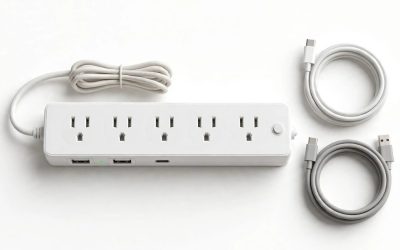
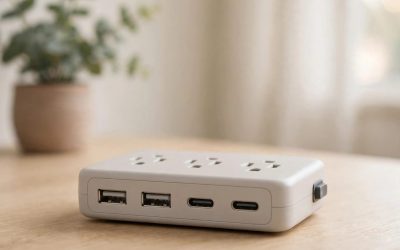
Our Top Picks


A surge protector is the cheapest insurance your desk will ever buy — and the most misunderstood. It is not a UPS: it gives you no battery backup, no graceful shutdown, and no runtime when the power goes out. What it does is stand between a voltage spike and everything plugged into it. The five strips below were sold on Amazon US in November 2026 and fit the under-$100 budget. We have not bench-tested these units.
Top pick: the APC P11U2 is the best surge protector with USB under $100 for most buyers — the Wirecutter-tested default: 2,880 joules, 11 outlets with six widely spaced for wall warts, two USB-A ports, and a lifetime warranty with a $250,000 equipment protection policy, for roughly $32–$45.
Our top picks
Best for: Most desks — a PC, a monitor, a router, and two phones that need charging without a wall brick
Check price on AmazonBest for: A full desk or home theater where the gear costs more than the strip by an order of magnitude
Check price on Amazon
Best for: A desk where the laptop charges from the strip and the wall brick stays in a drawer
Check price on AmazonBest for: A full desk that needs 12 outlets and USB charging for the least money
Check price on Amazon
Best for: A small desk or a bedroom setup where $30 needs to buy real protection and a USB-C port
Check price on AmazonQuick Picks
| Product | Best for | Key specs | Price note |
|---|---|---|---|
| APC P11U2 | Best overall | 2,880J, 11 outlets, 2× USB-A (2.4A total), 6 ft cord | Check price; roundups showed $32–$45 |
| APC P12U2 | Best maximum protection | 4,320J, 12 outlets, 2× USB-A, fail-safe power cut, 6 ft | Check price; MSRP $39.99, Amazon reads $45–$52 |
| Anker Nano Power Strip | Best USB-C PD / laptop charging | 1,500J, 6 AC + 2 USB-C + 2 USB-A, 70W USB, desk clamp | Check price; list $69.99, deal $57.99 |
| Belkin 12-Outlet with USB (BV112050-06) | Best value | 3,940J, 12 outlets, 2× USB-A, 6 ft cord | Check price; catalog showed $37.99–$40.95 |
| Anker Power Strip 2100J | Best budget with USB-C | 2,100J, 8 AC + 3 USB-A + 1 USB-C, 5 ft cord | Check price; list $29.99, deal $24 |
How to Choose a Surge Protector with USB Under $100
The joule rating is the real spec — and it is a fuel tank, not a shield. Joules measure how much surge energy the metal-oxide varistors (MOVs) inside can absorb before the protection wears out. For a PC and a monitor, look for 1,000+ joules; for a full desk or a home theater, 2,000–4,000+ is the honest range.
Clamping voltage is what actually decides whether your gear survives a spike. Under the UL 1449 standard, the published figure is the Voltage Protection Rating (VPR): 330V is the best a 120V protector can carry, 400V is standard, and 500V is weak. Some listings claim 330V for the P12U2 anyway — the datasheet says otherwise. A strip that publishes no clamping voltage at all is hiding its weakest number.
USB wattage is where the “with USB” in the keyword gets honest. Two USB-A ports sharing 2.4A total — the APC arrangement — charge a phone at about 12W and a tablet slowly. The Anker Nano’s 70W USB-C is the only pick here that does that. And the trap: a strip advertising “4 USB ports” on a 2.4A shared budget gives each port about 5W when all four are in use — a trickle, not a charger.
Count the outlets you can actually use, not the outlets on the box. A 12-outlet strip where one wall wart covers three sockets is a 9-outlet strip in practice. A 12-outlet strip is often worse than an 8-outlet one for a single desk — the longer body puts the outlets you need farther from the wall. Measure your desk before you buy the biggest strip.
Check for the UL 1449 listing, and check the protection light every year. Surge protection wears out silently: every spike the MOVs absorb brings them closer to dead, and a dead protector still passes power. That is why the protection LED matters, and why the P12U2’s fail-safe — it cuts power when its protection is spent — is worth real money.
1. APC P11U2 — Best Overall
Best for: Most desks — a PC, a monitor, a router, and two phones that need charging without a wall brick.
The P11U2 is the default recommendation in this category because it gets every boring decision right. It has 2,880 joules across 11 outlets, six of them transformer-spaced. APC backs it with a lifetime warranty and a $250,000 equipment protection policy. Our research put it at $32–$45 on Amazon in November 2026, against a $49.99 list.
Specs: 2,880 joules; 11 outlets (6 transformer-spaced, 5 standard); 2× USB-A, 5V/2.4A total; 6 ft cord; right-angle flat plug; 15A circuit breaker; lifetime warranty; $250,000 equipment protection policy.
Pros: The best-tested strip in the category; six wide-spaced outlets actually fit wall warts; USB charging built in; lifetime warranty with a real equipment policy.
Cons: No USB-C and no Power Delivery — the USB ports will not charge a laptop; 6-foot cord is short for a far wall; it keeps passing power after its protection wears out.
Who it is best for: Anyone who wants the safe default — a PC desk with a few bricks and a phone to charge.
Check price on Amazon — APC P11U2 SurgeArrest Surge Protector
2. APC P12U2 — Best Maximum Protection
Best for: A full desk or home theater where the gear costs more than the strip by an order of magnitude.
The P12U2 is the P11U2 with the protection turned up and one genuinely important feature added. It has 4,320 joules — half again the P11U2’s rating — across 12 outlets, four of them widely spaced. Its clamping voltage is 400V on APC’s datasheet, not the 330V some listings claim. MSRP is $39.99, and Amazon reads ran $45–$52 in our November 2026 research — about $10 more than the P11U2 for 50 percent more joules and a fail-safe.
Specs: 4,320 joules; 12 outlets (4 transformer-spaced); 2× USB-A, 5V/2.4A total; 6 ft cord; fail-safe power cut when protection is spent; VPR 400V; lifetime warranty; $250,000 equipment protection policy.
Pros: The highest joule rating with USB in this guide; the only fail-safe here — it cuts power when protection dies; well-spaced outlets; same USB charging as the P11U2.
Cons: The USB ports sit close to two outlets and can be blocked by a wide plug; no USB-C; 6-foot cord is short for a far wall; costs more than the P11U2 for protection you may never need.
Who it is best for: Anyone protecting a gaming PC, a console, and a TV on one strip — the gear where a single spike costs more than the strip by 20 times.
Check price on Amazon — APC P12U2 SurgeArrest Surge Protector
3. Anker Nano Power Strip — Best USB-C PD / Laptop Charging
Best for: A desk where the laptop charges from the strip and the wall brick stays in a drawer.
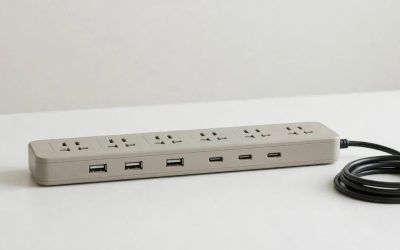
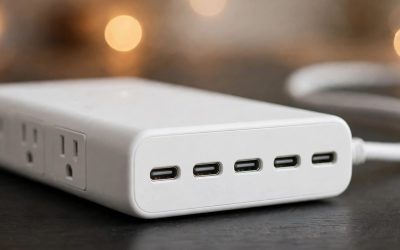
The Anker Nano is the only pick here that answers the USB question properly. It has 6 AC outlets, 2 USB-C ports, and 2 USB-A ports in a 10-in-1 strip that clamps to the desk edge like a monitor arm. The USB section delivers 70W total, and a single USB-C port can deliver the full 70W on its own. The tradeoff is the surge rating: 1,500 joules with a front-face indicator LED — plenty for a desk, but the lowest protection number in this guide. The price is $69.99 list, with Amazon deals down to $57.99 in our November 2026 research.
Specs: 1,500 joules; 6 AC outlets; 2× USB-C + 2× USB-A, 70W total USB (single USB-C up to 70W); desk-clamp mount, fits 0.6–1.8 in edges; protection indicator LED; overload protection with reset button; $69.99 list.
Pros: The only pick that charges a laptop — 70W USB-C PD replaces a wall brick; the desk clamp kills cable clutter; 10 ports in a small footprint; GaN charging runs cool.
Cons: 1,500 joules is the lowest protection rating here; no published joule rating on some listings; the clamp only fits desks up to 1.8 inches thick; at $58–$70 it is the priciest strip in this guide.
Who it is best for: A laptop-first desk where USB-C charging matters more than maximum joules — and where the strip itself is part of the cable management.
Check price on Amazon — Anker Nano Power Strip 70W
4. Belkin 12-Outlet Surge Protector with USB (BV112050-06) — Best Value
Best for: A full desk that needs 12 outlets and USB charging for the least money.
The Belkin is the value play in this guide: 12 outlets, 2 USB-A ports, a 6-foot cord, and a joule rating Belkin lists at 3,940 — nearly the P12U2’s 4,320 — for $37.99–$40.95 in our catalog reads. The catch is the number itself: Belkin’s own Amazon listing said 3,780 joules in the title and 3,940 in the bullet points on the same page in November 2026, and the clamping voltage is 400V line-to-neutral but 500V line-to-ground — weaker on the ground leg than the APC or Tripp Lite strips.
Specs: 3,940 joules (listing title says 3,780 — read the spec table); 12 outlets; 2× USB-A; 6 ft cord; right-angle flat plug; VPR 400V L-N / 500V L-G; lifetime warranty.
Pros: The cheapest 12-outlet strip with USB here; nearly the P12U2’s joule rating for $10 less; 12 outlets with a flat plug; Belkin’s warranty and support network.
Cons: The joule rating disagrees with itself across the listing; 500V clamping on the ground leg is the weakest here; no fail-safe — a spent protector keeps passing power; USB-A only, no USB-C.
Who it is best for: A budget desk that needs a dozen outlets and phone charging, where the $10 saved over the P12U2 matters more than the fail-safe.
Check price on Amazon — Belkin 12-Outlet Surge Protector with USB
5. Anker Power Strip 2100J — Best Budget with USB-C
Best for: A small desk or a bedroom setup where $30 needs to buy real protection and a USB-C port.
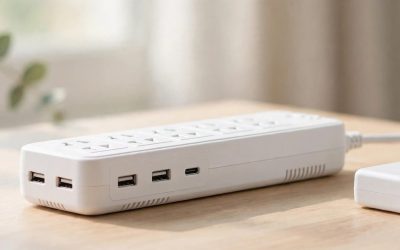
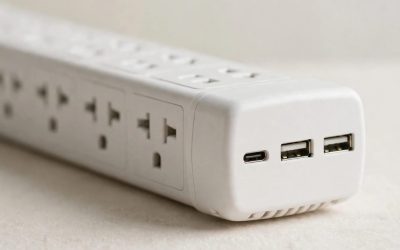
The Anker 2100J is the cheapest strip in this guide that still deserves the name surge protector. It has 8 AC outlets, 3 USB-A ports, and 1 USB-C port, with 2,100 joules of protection and a 5-foot cord. The price is the story: $29.99 list, with Amazon deals down to $24 in our November 2026 research — about half the price of the P11U2 for two-thirds of the joules.
Specs: 2,100 joules; 8 AC outlets; 3× USB-A + 1× USB-C; 5 ft cord; flat plug; overload protection; $29.99 list.
Pros: The cheapest real surge protector with USB-C here; 2,100 joules beats every sub-$30 strip; 12 total ports for a small desk; flat plug fits behind furniture.
Cons: 5-foot cord is the shortest here; USB-C will not charge a laptop; Anker does not publish the total USB wattage budget; shorter warranty story than APC or Belkin.
Who it is best for: A second desk, a bedroom, or a first surge protector — where $24–$30 needs to cover protection and phone charging at once.
Check price on Amazon — Anker Power Strip 2100J Surge Protector
What to Avoid
A power strip with no joule rating is not a surge protector. If the box names no joule rating and no UL 1449 listing, it is a splitter with a switch. Walk away from no-name strips that advertise “surge protection” with no number.
The Tripp Lite TLP1208TELTV is the best data-line strip here — and it has no USB. It is a genuinely good protector: 2,880 joules, 330V let-through line-to-ground, under-1-nanosecond response, and RJ11 plus 2.2 GHz coaxial protection for a modem and a cable box, with a $150,000 lifetime insurance policy. But it has zero USB ports, so it cannot be a pick in a guide about surge protectors with USB.
The Belkin BSV804 joule-rating confusion is a trap in other roundups. Some guides list the BSV804 as a 4,000-joule strip with a USB-C port. Belkin’s own spec sheet says 900 joules and two USB-A ports sharing 2.4A. The 4,000-joule figure belongs to a different Belkin strip.
Do not daisy-chain surge protectors, and do not plug one into a UPS. Daisy-chaining can defeat the clamping on both; plugging a surge protector into a UPS can confuse the UPS’s own circuitry and void both warranties. One strip per wall outlet, and the UPS gets its own outlet.
A surge protector does not fix bad wiring, brownouts, or lightning. It does nothing for a sagging voltage — that is a UPS or a voltage regulator’s job — and nothing stops a direct lightning strike. If your outlets have no ground, or the protection light never comes on, the strip cannot protect anything: fix the wiring first.
FAQ
How many joules do I actually need?
For a PC and a monitor, 1,000+ joules is the floor. For a full desk — PC, two monitors, router, speakers — 2,000–3,000 is the honest range. For a home theater with a TV and a console, 3,000–4,000+.
Will the USB ports on a surge protector charge my laptop?
Only if the strip has USB-C Power Delivery at 45W or more. The APC and Belkin strips here share 2.4A across their USB-A ports — about 12W total — which charges a phone and a controller, not a laptop.
Is a surge protector the same as a UPS?
No. A surge protector absorbs voltage spikes and does nothing when the power goes out. A UPS has a battery that keeps your PC running for a few minutes so you can save and shut down.
How do I know when my surge protector is dead?
Check the protection indicator LED — if it is off, the protection is gone even though the outlets still pass power. Replace any surge protector every 3 to 5 years, sooner after a known surge.
Can I plug a surge protector into another surge protector?
No. Daisy-chaining can defeat the clamping on both strips and is a fire risk the manufacturers warn against in every manual. Use one strip per wall outlet; if you need more outlets, buy a bigger strip.
Verdict
Buy the APC P11U2 for the safe default — 2,880 joules, 11 outlets, USB charging, and a lifetime warranty for $32–$45. Buy the APC P12U2 if your gear is worth protecting properly — 4,320 joules and the only fail-safe here for about $10 more. Buy the Anker Nano if your laptop charges from the strip — 70W USB-C PD is the only real laptop charging in this guide, at $58–$70. Buy the Belkin 12-outlet if the budget decides — 12 outlets and USB for $30–$41. Buy the Anker 2100J if $30 is the whole budget — 2,100 joules and a USB-C port for $24–$30.
As an Amazon Associate, we earn from qualifying purchases.
Suggested Internal Links
- Best UPS for a Gaming PC Under $200 — battery backup and a graceful shutdown, not just spike protection.
- Best UPS for a Gaming PC Under $150 — the cheaper battery-backup answer for a mid-range rig.
- Best Wi-Fi 7 Router Under $200 — the router deserves the same protection as the PC.
More from Amazon
Programs that pair well with the guide above. Offers and eligibility are set by Amazon and may change.
Free shipping on eligible items, Prime Video and more. Eligible new members can start with a free trial.
Start a Prime free trialAd-free music streaming. Eligible new subscribers can start with a free trial.
Try Music Unlimited freeA Prime membership for ages 18-24 with a trial period. Eligibility is set by Amazon.
See Prime for Young AdultsAudiobooks and podcasts to listen to on the go. Eligible new members can start with a free trial.
Try Audible freeAs an Amazon Associate we earn from qualifying purchases.