Key takeaways
- Best Wi-Fi 7 Router Under $300 — /best-wifi-7-router-under-300/ (verify slug on gizmopc.com before publishing)
- Best Mesh Wi-Fi System Under $300 — /best-mesh-wifi-system-under-300/ (verify slug on gizmopc.com before publishing)
- Best 2.5GbE Network Switch Under $200 — /best-2-5gbe-network-switch-under-200/ (verify slug on gizmopc.com before publishing)
A gaming PC is the worst kind of computer to lose to a power cut: it draws hundreds of watts under load, and an abrupt shutdown can corrupt a game install or an unsaved project. A UPS gives you a few minutes to save your work and shut down properly.
Under $200, you can buy a genuinely good UPS — if you choose on the right numbers: the watt rating, the output waveform, and the runtime at your actual load. The five units below were sold on Amazon US in November 2026 and fit the under-$200 budget. Prices change, so treat any price as a snapshot and check the current price before you buy. We have not bench-tested these units.
Top pick: the CyberPower CP1000PFCLCD is the best UPS for a gaming PC under $200 for most buyers. It is the cheapest way to get pure sine wave output at a 600W capacity that covers a mid-range rig and a monitor.
Quick Picks
| Product | Best for | Key specs | Price note |
|---|---|---|---|
| CyberPower CP1000PFCLCD | Best overall | 1000VA / 600W, pure sine wave, 10 outlets, LCD | Check price; catalog showed $179.95–$179.99 |
| APC Back-UPS Pro BR1000MS | Best APC pick | 1000VA / 600W, pure sine wave, 10 outlets, USB-A + USB-C | Check price; catalog showed $195.99 |
| APC BX1500M | Best capacity | 1500VA / 900W, simulated sine wave, 10 outlets, AVR, LCD | Check price; catalog showed $189.99 |
| Amazon Basics 1500VA UPS | Best value big capacity | 1500VA / 900W, simulated sine wave, 10 outlets, AVR | Check price; roundups placed it around $165–$180 |
| CyberPower CP850PFCLCD | Best compact sine wave | 850VA / 510W, pure sine wave, 10 outlets, LCD | Check price; catalog showed $169.95 |
How to Choose a UPS for a Gaming PC Under $200
Size by watts, not by VA: the watt rating — often about 60 percent of the VA figure — is the real ceiling. Add your PC’s draw under gaming load to your monitor’s, then add 20 to 25 percent of headroom. A mid-range rig with a monitor usually lands between 300 and 450 watts, so a 600W UPS covers it.
Pure sine wave vs. simulated sine wave is the big decision. Most modern gaming power supplies use active PFC, and a pure sine wave UPS produces the smooth AC power they expect. A simulated sine wave UPS produces a stepped approximation that can make an active PFC supply buzz, run hot, or shut down during an outage.
Runtime is measured in minutes, not hours. At full load, most units here give you roughly 2 to 4 minutes; at half load, roughly 10 to 12 minutes — enough to save a game and shut down, not to keep gaming. Compare runtime at the same load: a “42 minutes” claim usually means a tiny 100W load.
Count the battery-backed outlets, not the total. Every unit here has 10 outlets, but only some run on battery; the rest are surge-only and go dead in an outage. Plug only your PC, monitor, and router into battery-backed outlets; printers, speakers, and chargers go on surge-only outlets.
USB software and battery replacement decide the long-term value. A USB connection lets free APC or CyberPower software shut your PC down automatically when the battery runs low. These sealed lead-acid batteries last 3 to 5 years, so a model with a user-replaceable battery costs far less over its life than one you have to throw away.
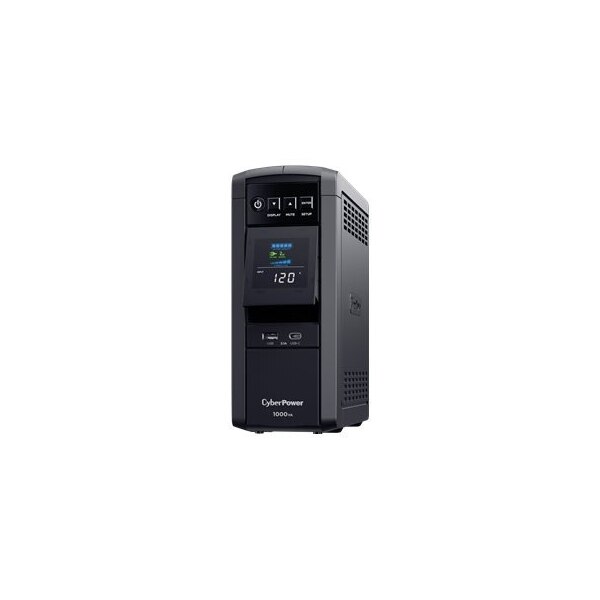
1. CyberPower CP1000PFCLCD — Best Overall
Best for: Most gaming PCs — a mid-range rig and a monitor that need pure sine wave protection without paying for 1500VA.
The CP1000PFCLCD is the sweet spot of this category: a 1000VA / 600W line-interactive UPS with pure sine wave output, safe for almost any modern gaming PC’s active PFC supply. It has AVR, an LCD, and 10 outlets — five battery-backed, five surge-only. Our catalog search on 17 November 2026 showed it at $179.95 to $179.99.
Specs: 1000VA / 600W; pure sine wave; AVR; 10 outlets (5 battery + surge, 5 surge-only); LCD; USB software; 3-year warranty incl. battery; $350,000 guarantee.
Pros: Cheapest pure sine wave here; 600W covers most mid-range rigs; AVR; clear LCD.
Cons: 600W is not enough for a high-end rig; runtime at full load is a few minutes.
Who it is best for: Gamers with a mid-range PC — a mainstream GPU and one monitor.
Check price on Amazon — CyberPower CP1000PFCLCD
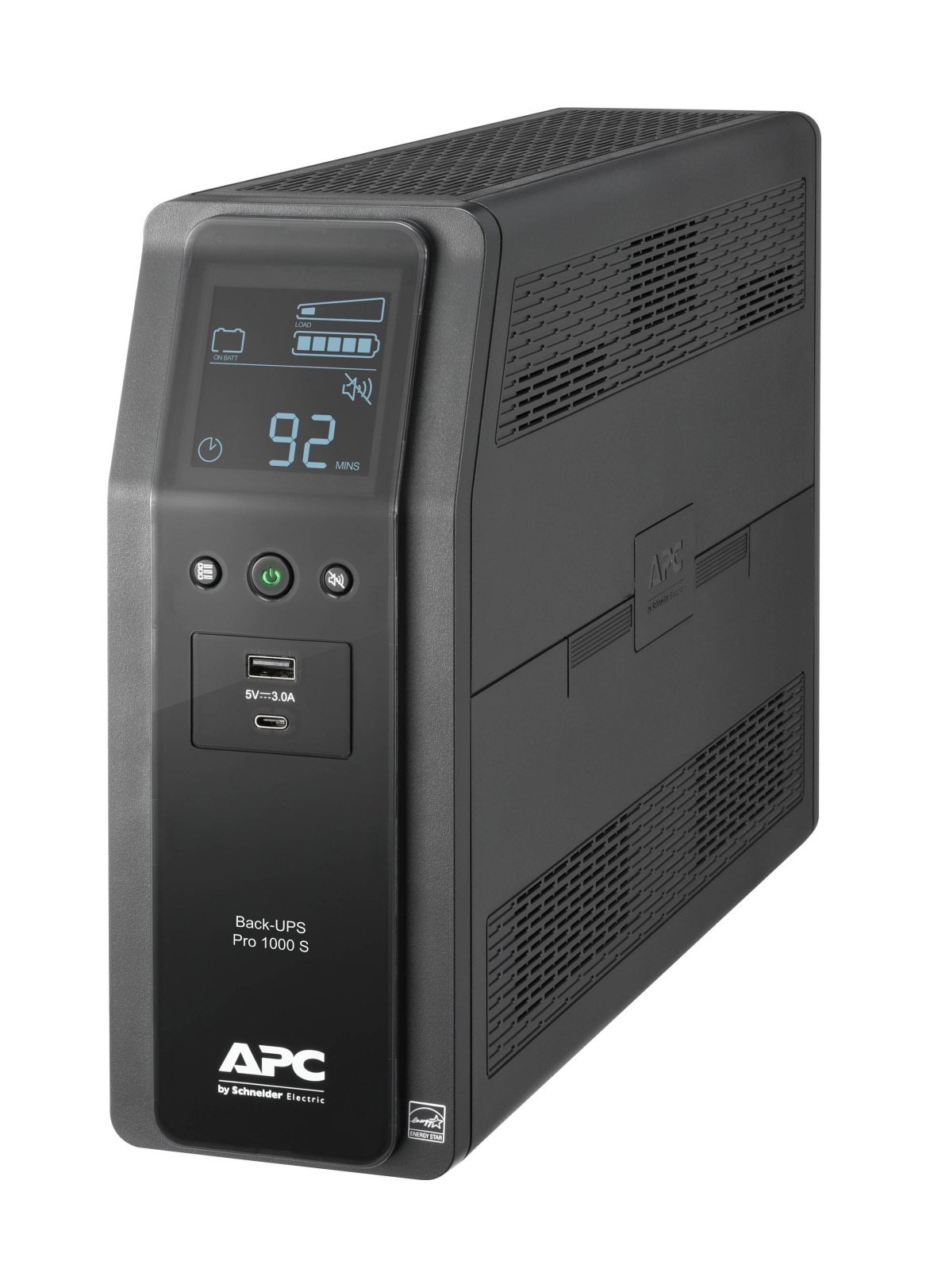
2. APC Back-UPS Pro BR1000MS — Best APC Pick
Best for: A single desktop setup where you want APC’s build quality, a replaceable battery, and phone charging from the UPS itself.
The BR1000MS matches the CyberPower on capacity and waveform — 1000VA / 600W of pure sine wave output — and adds conveniences: 10 outlets, six battery-backed and four surge-only, plus USB-A and USB-C charging ports and data-line surge protection for Ethernet and coaxial connections. APC lists about 3.7 minutes of runtime at full load and 12.2 minutes at half load, and the battery is a user-replaceable cartridge (APCRBC160). Our catalog search on 17 November 2026 showed it at $195.99 — check the current price, as it drifts above $200 at some sellers.
Specs: 1000VA / 600W; pure sine wave; AVR; 10 outlets (6 battery + surge, 4 surge-only); 1,080 joules; USB-A and USB-C charging; LCD; replaceable battery (APCRBC160).
Pros: Pure sine wave from APC; six battery-backed outlets; USB charging; Ethernet and coax surge protection; replaceable battery.
Cons: Most expensive pick here; same 600W ceiling; 16-hour recharge is slow.
Who it is best for: Buyers who trust APC and run a single desktop with one or two monitors.
Check price on Amazon — APC Back-UPS Pro BR1000MS
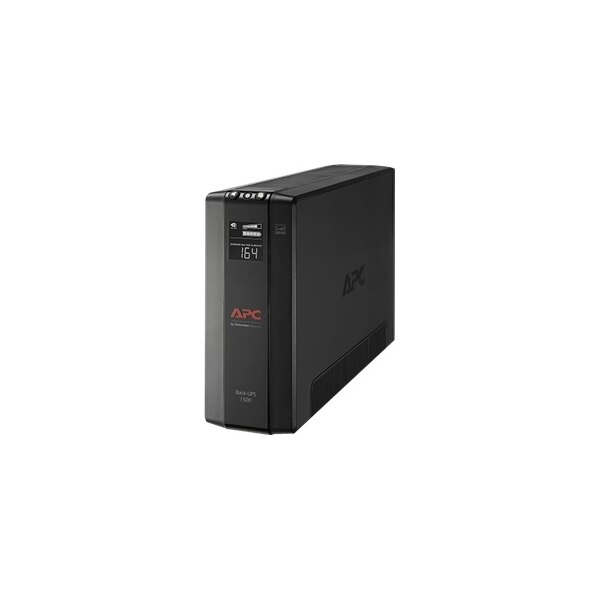
3. APC BX1500M — Best Capacity
Best for: High-draw gaming rigs that need 900W of headroom more than they need a pure sine wave.
The BX1500M is the capacity play: a 1500VA / 900W line-interactive UPS with AVR and an LCD, and the cheapest way to 900W in our catalog search at $189.99. It has 10 outlets, a user-replaceable battery, and 789 joules of surge protection.
The trade-off is the waveform: simulated sine wave output. If your power supply uses active PFC, there is a real chance of buzzing or an unexpected shutdown on battery power — check compatibility before buying; if unsure, the pure sine wave picks above are safer.
Specs: 1500VA / 900W; simulated sine wave; AVR; 10 outlets; LCD; 789 joules; replaceable battery; USB connection.
Pros: 900W — the highest wattage per dollar here; under $200; AVR and LCD included; replaceable battery.
Cons: Simulated sine wave can conflict with active PFC supplies; no USB charging ports; lower surge rating than the BR1000MS.
Who it is best for: High-end rigs drawing 500W or more, where the owner has checked compatibility.
Check price on Amazon — APC BX1500M
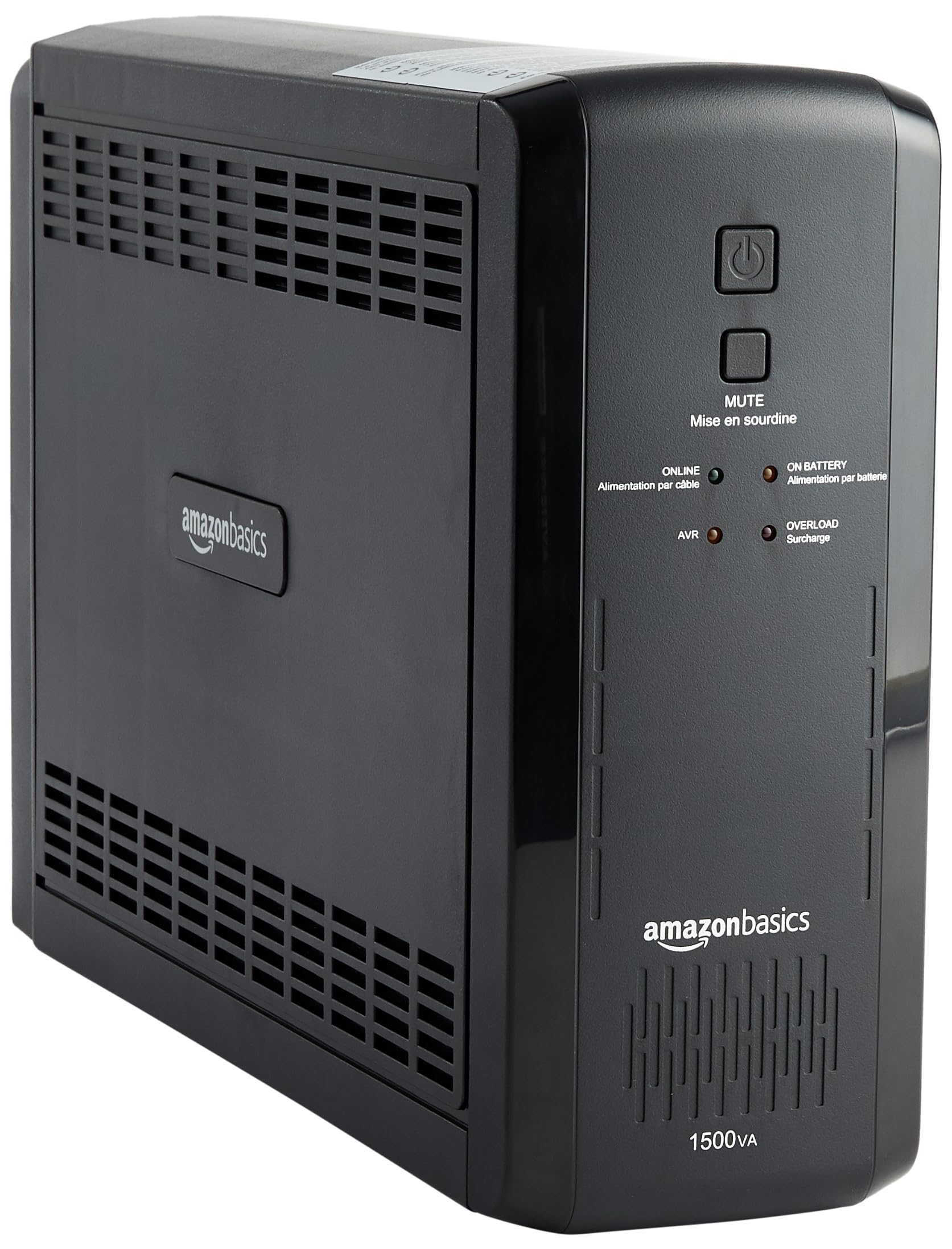
4. Amazon Basics 1500VA UPS — Best Value Big Capacity
Best for: Buyers who want 1500VA / 900W for the lowest price and accept a shorter warranty and a simulated sine wave.
The Amazon Basics 1500VA UPS is the budget way into the 900W class: a line-interactive unit with AVR, 10 outlets split five battery-backed and five surge-only, and a 6-foot power cord. Published runtime is about 10 minutes at half load (450W) and 1.5 minutes at full load (900W). Roundups in November 2026 placed it around $165 to $180; check the current price, as it moves frequently.
The compromises are honest ones: simulated sine wave output, so the same active PFC caution applies as with the BX1500M; a 1-year warranty, shorter than the 3-year coverage elsewhere; and no USB charging ports. In return you get 900W for less than any brand-name equivalent — the unit is widely reported to be built on a CyberPower chassis.
Specs: 1500VA / 900W; simulated sine wave; AVR; 10 outlets (5 battery + surge, 5 surge-only); ~10 min at half load, 1.5 min at full load; 6-foot cord; 1-year warranty; USB connection.
Pros: Cheapest route to 900W here; sensible outlet split; AVR; simple setup.
Cons: Simulated sine wave is not ideal for active PFC supplies; 1-year warranty is short; no USB charging ports; short runtime at full load.
Who it is best for: Budget buyers who have confirmed their power supply tolerates a simulated sine wave.
Check price on Amazon — Amazon Basics 1500VA UPS
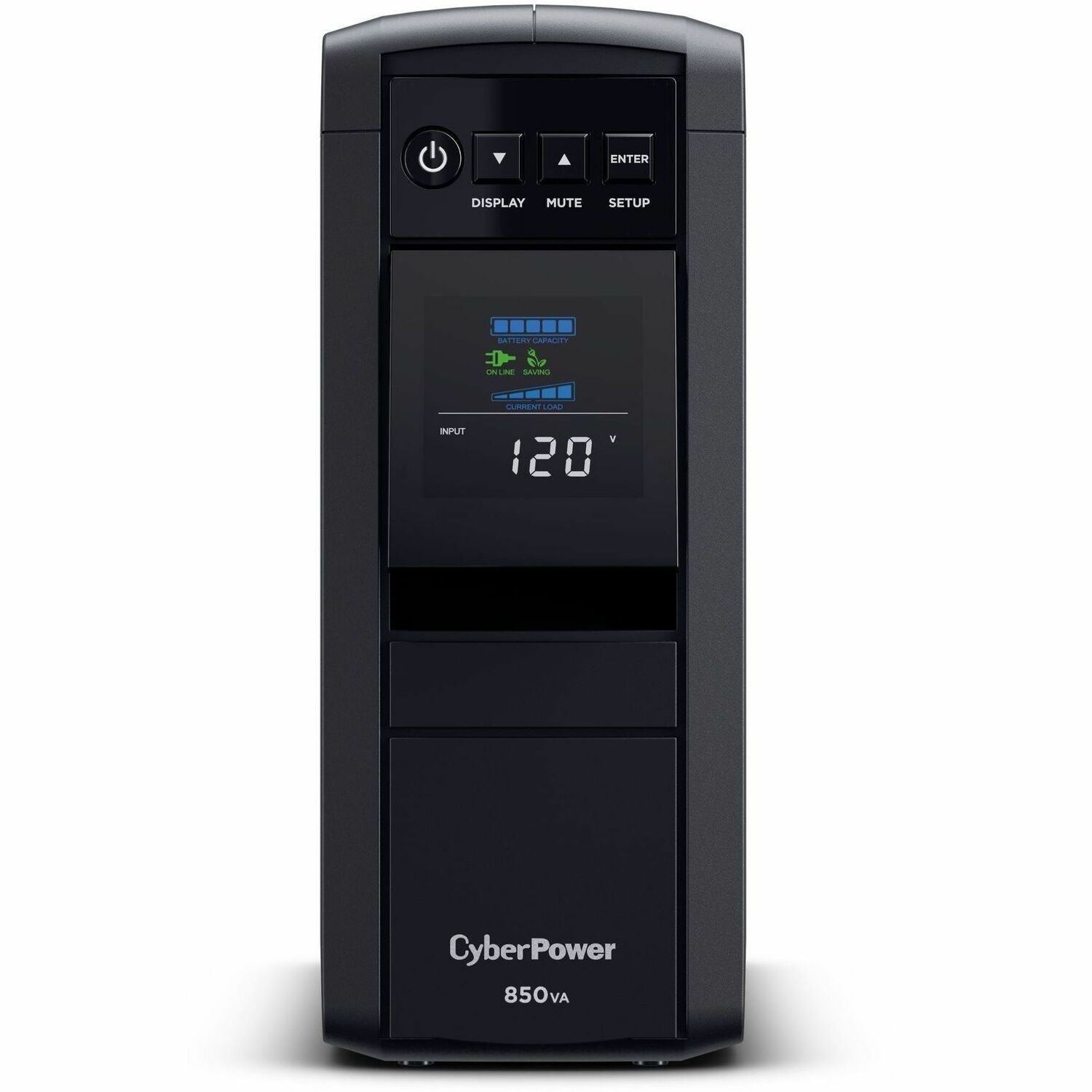
5. CyberPower CP850PFCLCD — Best Compact Sine Wave
Best for: Smaller gaming rigs, a mid-range PC with one monitor, or a desk where a full-size tower UPS will not fit.
The CP850PFCLCD is the smaller sibling of our top pick: 850VA / 510W of pure sine wave output in a compact mini-tower, with the same AVR, tilting LCD, and 10-outlet layout. CyberPower lists about 11 minutes at half load and 2 minutes at full load, with an 8-hour recharge and 4 ms transfer. Our catalog search on 17 November 2026 showed it at $169.95, the cheapest pure sine wave UPS in this guide.
The 510W ceiling is the whole story. It is plenty for a modest gaming PC — an entry-level or mainstream GPU, a single monitor, and a router. It is not enough for a high-end rig, so add up your load first; if you are near 500W under gaming load, step up to a 600W pick. Surge ratings vary by revision — current listings show 1,150 joules, older ones 1,030 — so confirm it on the exact listing.
Specs: 850VA / 510W; pure sine wave; AVR; 10 outlets (5 battery + surge, 5 surge-only); ~11 min at half load, 2 min at full load; 4 ms transfer; 8-hour recharge; 3-year warranty incl. battery; $250,000 guarantee.
Pros: Cheapest pure sine wave option here; compact mini-tower; same LCD, AVR, and warranty as its bigger sibling.
Cons: 510W ceiling rules out high-end graphics cards; short runtime at full load; surge rating varies by revision.
Who it is best for: Entry-level and mainstream gaming PCs, or a second desk where a smaller UPS fits.
Check price on Amazon — CyberPower CP850PFCLCD
What to Avoid
Do not buy on VA alone. Check the watt figure, add up your PC and monitor under load, and leave 20 to 25 percent of headroom.
Do not plug a laser printer, a space heater, or anything with a heating element into a UPS. Printers belong on a surge-only outlet or a separate strip, never on battery backup.
Do not daisy-chain power protection. Do not plug the UPS into a surge strip, or a surge strip into the UPS — plug the UPS directly into the wall.
Do not assume a simulated sine wave UPS is fine for every gaming PC. The most common regret here is a rig that shuts off during the first real outage because its active PFC supply rejected the stepped waveform. Confirm compatibility first — or spend the extra $10 to $20 for pure sine wave.
Do not ignore the battery. Test the UPS every few months by unplugging it from the wall and confirming your PC stays up. Replace the battery when runtime drops, usually after 3 to 5 years, and recycle the old one.
FAQ
What size UPS do I need for a gaming PC?
Add your PC’s draw under gaming load to your monitor’s, then add 20 to 25 percent of headroom. A mid-range rig with one monitor usually lands between 300 and 450 watts, which a 600W UPS handles comfortably. A high-end rig can exceed 600 watts, so look at the 900W class instead.
Is a pure sine wave UPS necessary for a gaming PC?
Strongly recommended, not strictly mandatory. Most modern gaming power supplies use active PFC, and pure sine wave output is what those supplies are designed to accept. A simulated sine wave UPS can cause buzzing, excess heat, or an unexpected shutdown on battery power. If your budget allows, buy pure sine wave — the three pure sine wave picks below all provide it under $200.
How long will a UPS under $200 run my gaming PC?
Minutes, not hours. At full load, expect roughly 2 to 4 minutes; at half load, roughly 10 to 12 minutes, depending on the model and battery age. That is enough time to save your game and shut down gracefully.
Can I use a 1500VA UPS for a high-end gaming PC?
Yes, if the watt rating covers your load. A 1500VA unit is usually rated for 900W, which suits most high-end single-GPU rigs with a monitor. Check the watt rating, not just the VA figure, and confirm the waveform: the BX1500M and the Amazon Basics 1500VA are 900W units with simulated sine wave output, while well-known 1500VA pure sine wave models, such as the CyberPower CP1500PFCLCD at about $240, sit above this $200 budget.
Do I need software with my UPS?
Not for basic protection, but worth installing. The free software from APC and CyberPower monitors load and battery health and can shut your PC down automatically when the battery runs low — which protects you during an outage when you are away from the keyboard.
Verdict
The best UPS for a gaming PC under $200 is the CyberPower CP1000PFCLCD. It is the cheapest pure sine wave UPS in this guide at a catalog-verified $179.95 to $179.99, its 600W capacity covers the mid-range rigs most people own, and its AVR, LCD, and 3-year warranty — including the battery — remove the usual compromises.
If your rig draws more than 600W, the decision changes. The APC BX1500M gives you 900W for $189.99, and the Amazon Basics 1500VA gives you the same 900W for even less — but both use a simulated sine wave, so confirm compatibility first. The APC BR1000MS is the premium 600W alternative, and the CyberPower CP850PFCLCD is the right call for a smaller rig where 510W is enough.
Whichever you choose, size by watts, favor pure sine wave, and remember what the UPS is for: a few calm minutes to save your work and shut down, not a second power grid.
As an Amazon Associate, we earn from qualifying purchases.
Suggested Internal Links
- Best Wi-Fi 7 Router Under $300 — /best-wifi-7-router-under-300/ (verify slug on gizmopc.com before publishing)
- Best Mesh Wi-Fi System Under $300 — /best-mesh-wifi-system-under-300/ (verify slug on gizmopc.com before publishing)
- Best 2.5GbE Network Switch Under $200 — /best-2-5gbe-network-switch-under-200/ (verify slug on gizmopc.com before publishing)
More from Amazon
Programs that pair well with the guide above. Offers and eligibility are set by Amazon and may change.
Free shipping on eligible items, Prime Video and more. Eligible new members can start with a free trial.
Start a Prime free trialAd-free music streaming. Eligible new subscribers can start with a free trial.
Try Music Unlimited freeA Prime membership for ages 18-24 with a trial period. Eligibility is set by Amazon.
See Prime for Young AdultsAudiobooks and podcasts to listen to on the go. Eligible new members can start with a free trial.
Try Audible freeAs an Amazon Associate we earn from qualifying purchases.