
Key takeaways
- Strengths: low entry cost, straightforward app, easy to add another satellite.
- Limits: dual-band backhaul caps speed at satellites; fewer Ethernet ports than Velop; some advanced features and security tools sit behind Netgear subscriptions.
A Netgear Nighthawk mesh WiFi 6 system (the MK62 and MK63 kits) is a solid budget choice for homes up to about 3,000–4,500 square feet with internet plans under roughly 500 Mbps, but it is dual-band, so if you need full gigabit speeds across several nodes, a tri-band system such as the eero Pro 6 or Linksys Velop AX4200 — or a wired setup with Ubiquiti UniFi — is the better buy. The deciding factor is not the AX rating on the box; it is how the units talk to each other.
Our top picks


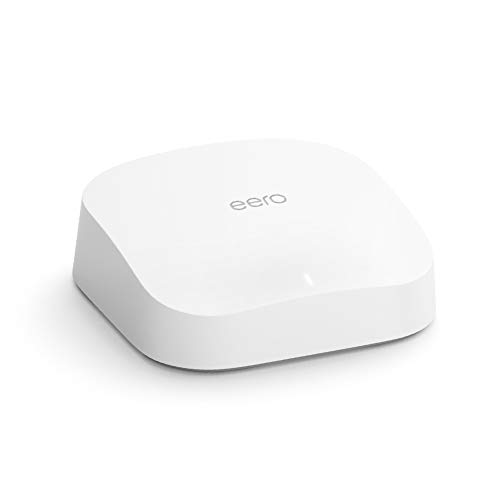

As an Amazon Associate we earn from qualifying purchases at no extra cost to you. Ratings are shown as listed on Amazon.
Dual-band vs tri-band: the one spec that matters most
Every mesh node has to carry two kinds of traffic: your devices, and the link back to the main router (the backhaul). On a dual-band system like Nighthawk mesh, the 5 GHz radio does both jobs, so throughput through a wireless satellite drops substantially, often by around half per hop. A tri-band system adds a second 5 GHz radio, and in practice that radio usually carries backhaul, leaving the other 5 GHz band free for your devices.
If you can run Ethernet between nodes (wired backhaul), this difference mostly disappears, and even a dual-band kit can deliver close to full internet speed at every node.
Spec comparison
| System | Wi-Fi class | Bands | Maker coverage claim | Notable features | Typical price |
|---|---|---|---|---|---|
| Netgear Nighthawk MK62 (router + 1 satellite) | AX1800 | Dual-band | Up to 3,000 sq ft | Simple Nighthawk app setup; Netgear Armor security subscription optional | $130–$230 |
| Netgear Nighthawk MK63 (router + 2 satellites) | AX1800 | Dual-band | Up to 4,500 sq ft | Same hardware with a third node | $180–$300 |
| eero Pro 6 (3-pack) | AX4200 | Tri-band | Up to 2,000 sq ft per unit, about 6,000 sq ft per 3-pack | 2 gigabit Ethernet ports per unit; built-in Zigbee smart home hub; supports Thread | $250–$500 |
| Linksys Velop AX4200 (MX4200, 3-pack) | AX4200 | Tri-band | Up to 2,700 sq ft per unit, about 8,100 sq ft per 3-pack | Four gigabit Ethernet ports and a USB port per node | $300–$550 |
| Ubiquiti UniFi (Express or Dream Router plus U6 access points) | Wi-Fi 6 | Dual-band per AP; designed for wired backhaul | Depends on number of access points | Pro-grade controller, VLANs, detailed stats; wireless meshing supported | $150–$600 depending on parts |
Coverage numbers are manufacturer estimates under good conditions. Brick, plaster with metal lath, concrete floors and large appliances shrink real coverage, often by a third or more.
Netgear Nighthawk mesh WiFi 6: who it fits
Nighthawk mesh is Netgear’s lower-cost mesh line, separate from its Orbi range. The appeal is price and simplicity: the app walks you through setup in minutes, and for a two- or three-bedroom home on a 200–500 Mbps plan it delivers steady coverage where a single router leaves dead zones.
- Strengths: low entry cost, straightforward app, easy to add another satellite.
- Limits: dual-band backhaul caps speed at satellites; fewer Ethernet ports than Velop; some advanced features and security tools sit behind Netgear subscriptions.
eero Pro 6: the easy tri-band choice
The eero Pro 6 mesh WiFi system has been around since 2020 and has since been followed by the Pro 6E and Wi-Fi 7 models, which means Pro 6 units are often available at a lower price than at launch. It remains a capable tri-band system for gigabit plans in average homes. The built-in Zigbee hub is useful if you run compatible smart home devices, and the app is one of the simplest available. The trade-offs are only two Ethernet ports per unit and the fact that some features, such as advanced content filtering and ad blocking, require the optional eero Plus subscription.
Linksys Velop AX4200: best for wired devices
The Linksys Velop AX4200 WiFi 6 mesh system stands out for its tall units with four Ethernet ports each, which is handy if you have a TV, console and desktop near each node. Its per-unit coverage claim is the highest in this group. Units are physically larger than eero or Nighthawk satellites, so plan a spot on a shelf rather than tucked behind a TV.
Ubiquiti WiFi 6 mesh: best for people who like to tinker
Ubiquiti WiFi 6 mesh setups are built from UniFi parts: a gateway such as the UniFi Express or UniFi Dream Router, plus U6-series access points, including the weather-resistant U6 Mesh. UniFi supports wireless meshing, but it shines when access points are wired, ideally powered over Ethernet from a PoE switch. You get VLANs for separating smart home devices, detailed traffic statistics, and no subscription fees. The cost is a steeper learning curve and more planning.
Decision matrix
| Your home and plan | Best fit | Why |
|---|---|---|
| Apartment or small house, plan under 300 Mbps | Nighthawk MK62 | Dual-band is enough; lowest cost |
| 2,500–4,000 sq ft, plan 300–500 Mbps, no Ethernet runs | Nighthawk MK63 or eero Pro 6 | MK63 if budget leads; eero Pro 6 for more headroom |
| Gigabit plan, no Ethernet between rooms | eero Pro 6 or Velop AX4200 | Tri-band backhaul keeps speeds up at satellites |
| Lots of wired devices at each node | Velop AX4200 | Four Ethernet ports per unit |
| Zigbee smart home without a separate hub | eero Pro 6 | Built-in Zigbee hub |
| Ethernet already in walls, want control | Ubiquiti UniFi | Wired backhaul, VLANs, no subscriptions |
| Plan above 1 Gbps or many Wi-Fi 6E/7 devices | Consider a Wi-Fi 6E or Wi-Fi 7 mesh instead | Wi-Fi 6 systems top out near gigabit in real use |
Placement and setup tips for any Wi-Fi 6 mesh
- Place satellites halfway, not at the dead zone: a satellite needs a strong signal from the router to rebroadcast. Put it roughly midway between the router and the weak area, usually 30–50 feet away with no more than one or two walls between.
- Use wired backhaul wherever you can: even one Ethernet run to the farthest node lifts speed for everything downstream.
- Put the main unit in bridge mode or the ISP gateway in bridge mode: running two routers (double NAT) can cause issues with gaming consoles and some video-calling apps.
- Keep nodes off the floor and out of cabinets: a shelf at desk height or above usually gives better coverage.
- Turn on automatic firmware updates: all four brands push security and stability fixes through their apps.
Is Wi-Fi 6 mesh still worth buying in 2026?
For most homes on plans up to 1 Gbps, yes. Phones, laptops and TVs sold in the last few years all support Wi-Fi 6, and Wi-Fi 6 mesh kits now cost far less than Wi-Fi 7 systems. Spend more only if you have multi-gig internet, a large number of Wi-Fi 6E or Wi-Fi 7 devices, or want 6 GHz for a crowded apartment building.
