Our Top Picks
The honest headline: no USB Wi-Fi adapter is worth $150 to $200 on its own. The fastest Wi-Fi 7 USB adapter here costs $69.99 to $84.99, and the most expensive one costs $94.99 to $99.99 — both already fit the $150 budget from our last guide. At $200, the question flips. It is not which adapter to buy for $200. It is what $200 buys instead: two flagship Wi-Fi 7 adapters, one for the desktop and one for the laptop, for $164.98 to $184.98 — or the whole Wi-Fi 7 upgrade, a TP-Link Archer BE230 router at $79.98 to $89.99 plus a NETGEAR A9000 at $69.99 to $84.99, for $149.97 to $174.98.
The second honest note: $200 buys the adapter, not the network. No adapter outruns the router it connects to or the internet plan behind it — a $200 adapter on a Wi-Fi 5 router is wasted money. What the extra $50 over $150 does buy is a second machine’s upgrade, a router to match the adapter, or — for a desktop with a free slot — a PCIe card that does Wi-Fi 7 properly for $55.99 to $87.99.
As an Amazon Associate, we earn from qualifying purchases.
Our top picks

Best for: Windows 11 desktop owners with a Wi-Fi 7 router who want the fastest USB upgrade
Check price on AmazonBest for: Desktop owners whose router sits two rooms away
Check price on Amazon
Best for: Laptop owners who need both USB-A and USB-C
Check price on Amazon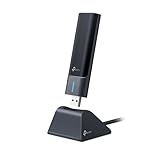
Best for: Desktop owners with a Wi-Fi 6E or 7 router who want 6 GHz without the Wi-Fi 7 premium
Check price on AmazonQuick Picks
| Adapter | Price (Nov 2026) | Best For |
|---|---|---|
| NETGEAR Nighthawk A9000 | $69.99–$84.99 | Best overall / Best Wi-Fi 7 |
| TP-Link Archer TBE400UH | $69.99–$81 | Best Wi-Fi 7 for range |
| ASUS ROG USB-BE92 | $94.99–$99.99 | Best Wi-Fi 7 for laptops |
| TP-Link Archer TXE70UH | $42–$69.99 | Best 6 GHz value |
| BrosTrend AX9L | $31.99–$44.47 | Best for Linux |
How to Choose a USB Wi-Fi 6 Adapter
USB 2.0 vs USB 3.0 is the first filter, and it is non-negotiable. USB 2.0 tops out at 480 Mbps, so a USB 2.0 adapter physically cannot carry AX1800 speeds. Every pick here is USB 3.0 (5 Gbps) — and that 5 Gbps ceiling is also why the Wi-Fi 7 picks’ advertised 6.5 Gbps is impossible.
The headline number is a sum, not a speed. BE6500 means 688 Mbps on 2.4 GHz plus 2,882 Mbps on 5 GHz plus 2,882 Mbps on 6 GHz, and your PC only talks to the router on one band at a time. Judge by per-band speed and 160 MHz support — an AX3000 adapter reaches 2,402 Mbps only if both ends support it.
Antenna design and the cradle decide range — but range is mostly a router question. A nano adapter with internal antennas will not match a desktop adapter with two external high-gain antennas at the same AX class, and a cradle with a cable puts the adapter on top of the desk instead of behind a metal PC case. The high-gain antennas on the TP-Link picks claw back signal through walls, and Dong Knows Tech found the A9000’s flip-up external antenna gives it a small real-world edge over the cradle-only ROG USB-BE92 at range. But no adapter fixes a weak router: if the signal is bad at the far room, the fix is a better router or a mesh node, not a more expensive adapter.
The chipset decides driver support, and the box rarely names it. On Linux, only adapters whose driver already ships inside the kernel are plug-and-play — the MediaTek MT7921AU family is the safe bet, with in-kernel support from kernel 5.18 onward. Every Wi-Fi 7 USB adapter in this guide is Windows-only in practice.
USB vs PCIe is the real $200 question for a desktop. A USB adapter is a stopgap for a machine you cannot open. A PCIe card is faster, cooler, and more stable — and at $200 it is the better Wi-Fi 7 answer, because it runs the Intel BE200 chipset with 320 MHz channels on 6 GHz and real multi-link operation, where USB stops at 160 MHz. Independent testing puts BE200-based PCIe cards at 1,800 to 2,200 Mbps real-world on 6 GHz. The ASUS PCE-BE92BT is $79.99 brand-direct, the TP-Link Archer TBE400E is $55.99, and the Intel BE200 M.2 card itself is $25 to $35. If your desktop has a free slot, the PCIe card beats every USB adapter here for less money.
1. NETGEAR Nighthawk A9000 — Best Overall
Specs: BE6500 Wi-Fi 7 tri-band (688 Mbps on 2.4 GHz + 2,882 Mbps on 5 GHz + 2,882 Mbps on 6 GHz); USB 3.0; flip-up external antenna plus USB 3.0 cradle; driver on an included USB thumb drive; WPA3; Windows 11 only — not compatible with Windows 10.
Pros: Still the cheapest real Wi-Fi 7 USB adapter, and the fastest one tested — Dong Knows Tech measured sustained real-world rates over 1.7 Gbps on 5 GHz or 6 GHz, roughly double the A8000’s ~850 Mbps best, and rated it 9 out of 10 for performance. It reads $69.99 at the Netgear store in one tracker (verified November 18, 2026) and $84.99 on Netgear’s own deals page, against an $89.99 list.
Cons: Windows 11 only, full stop — Netgear says it is not compatible with Windows 10 or older. No USB-C adapter is included, so laptop owners with only USB-C ports need their own. The 6.5 Gbps box claim is impossible twice over: USB 3.0 caps at 5 Gbps, and the radio caps at 2,882 Mbps per band.
Best for: Windows 11 desktop owners with a Wi-Fi 7 router who want the fastest USB upgrade.
2. TP-Link Archer TBE400UH — Best Wi-Fi 7 for Range
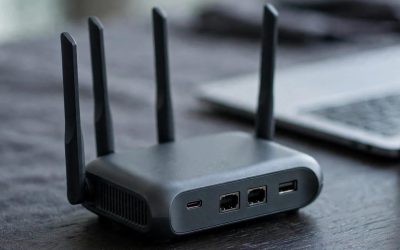
Specs: BE6500 Wi-Fi 7 tri-band (688 Mbps on 2.4 GHz + 2,882 Mbps on 5 GHz + 2,882 Mbps on 6 GHz); USB 3.0; 2× high-gain dual-band antennas; USB 3.0 cradle; OFDMA, MU-MIMO, MLO, WPA3; Windows 10 (22H2 or newer) and Windows 11.
Pros: The new face in this family — TP-Link’s own Wi-Fi 7 USB adapter, and the first one here with two high-gain antennas on a cradle. It is the same BE6500 radio class as the A9000 and the ROG USB-BE92, with the high-gain antenna setup that has always been TP-Link’s advantage. It reads $69.99 in one October Amazon deal check (PopSci, October 20, 2026) against a $77 to $81 catalog range — the same money as the A9000, with better antennas and a three-year warranty.
Cons: No independent test published yet, so the range advantage is a prediction from the antenna design, not a measurement — the A9000 is still the only pick here with a published real-world test over 1.7 Gbps. Windows only in practice, like every Wi-Fi 7 USB adapter.
Best for: Desktop owners whose router sits two rooms away.
3. ASUS ROG USB-BE92 — Best Wi-Fi 7 for Laptops
Specs: BE6500 Wi-Fi 7 tri-band (688 Mbps on 2.4 GHz + 2,882 Mbps on 5 GHz + 2,882 Mbps on 6 GHz); USB 3.0; USB-C cradle included, adapter also plugs in directly over USB-A; built-in software driver; 4096-QAM, MLO, 160 MHz on 6 GHz; WPA3; Windows 10/11 listed, full Wi-Fi 7 features need Windows 11 24H2 or later.
Pros: The most flexible Wi-Fi 7 adapter here — the only one with a USB-C cradle, so it works with a laptop’s USB-C port and a desktop’s USB-A port with no extra dongle, and the driver lives on the adapter itself for true plug-and-play. Dong Knows Tech found its real-world rates within the margin of error of the A9000’s. It reads $94.99 in the catalog and $99.99 at ASUS and Best Buy, where it holds 4.6 stars across 95 reviews — down from a $199 launch price.
Cons: About $15 to $30 more than the A9000 for the same silicon and the same speeds, and slightly slower at range because it has no external antenna. One low read of $62.98 on Amazon could not be verified as a buyable US listing, so the honest budget is $94.99 to $99.99.
Best for: Laptop owners who need both USB-A and USB-C.
4. TP-Link Archer TXE70UH — Best 6 GHz Value
Specs: AXE5400 Wi-Fi 6E tri-band (574 Mbps on 2.4 GHz + 2,402 Mbps on 5 GHz + 2,402 Mbps on 6 GHz); USB 3.0; 2× high-gain tri-band antennas; USB 3.0 cradle with extension cable; OFDMA, MU-MIMO, HE160, WPA3; Windows 10/11 only.
Pros: Still the cheapest way to get real 6 GHz access with antennas that help at distance — and it got cheaper since the under-$100 guide, with a new $42 authorized-retailer read against the $55 to $69.99 range. The 160 MHz channels on both 5 GHz and 6 GHz make it the only pick here under $70 that can link at 2,402 Mbps.
Cons: It is Wi-Fi 6E, not Wi-Fi 7 — no 4096-QAM, no MLO — so on a Wi-Fi 7 router the A9000 is faster for $15 to $30 more.
Best for: Desktop owners with a Wi-Fi 6E or 7 router who want 6 GHz without the Wi-Fi 7 premium.
5. BrosTrend AX9L — Best for Linux
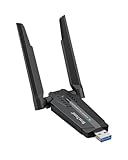
Specs: AXE3000 Wi-Fi 6E tri-band (574 Mbps on 2.4 GHz + 1,201 Mbps on 5 GHz + 1,201 Mbps on 6 GHz); USB 3.0; MediaTek MT7921AU chipset; dual antennas; WPA3; Linux kernel 5.18+ plug-and-play; Windows 10/11.
Pros: Still the cheapest genuine Wi-Fi 6E adapter with a documented Linux story — and the only pick here a Linux user should buy. The stock MediaTek MT7921AU chipset runs on the in-kernel mt7921u driver, verified plug-and-play on Ubuntu, Mint, Fedora, and Raspberry Pi OS.
Cons: The price moved since the under-$100 guide: the $31.99 read now sits beside a $44.47 drop-shipper read, so the honest budget is $31.99 to $44.47. No cradle, and the 6 GHz band is 80 MHz only, so 1,201 Mbps is the ceiling there.
Best for: Linux users who want 6 GHz without paying the Netgear premium — and every other machine they own.
What to Avoid
The NETGEAR Nighthawk A8500 is the name trap of this guide — and it just got worse. One digit from the A9000, it read $69.99 on the Netgear store in our $150 guide — but the catalog now reads $89.99, more than the A9000’s $84.99, and its 5 GHz band is still 1,441 Mbps, half the A9000’s 2,882 Mbps. On 5 GHz it is the slower adapter, and now it costs more. Buy the A9000.
The TP-Link Archer TXE50UH costs more for less. At $89.99 in the catalog it is the same cradle design as the TXE70UH with an AXE3000 radio instead of AXE5400 — 1,201 Mbps on 5 GHz instead of 2,402 Mbps — for $20 to $48 more.
The ASUS USB-BE92 Nano is not the ROG USB-BE92. The Nano is a different adapter — internal antennas, no cradle — with a $64.98 brand-direct read against catalog reads up to $185.99, nearly twice the ROG USB-BE92 at the top of that range for a worse adapter.
The TP-Link Archer T3U Plus is still the trap of this category. It is the best-selling USB adapter in its price range at $16.95 to $22.99, and it is Wi-Fi 5, not Wi-Fi 6: AC1300 means 867 Mbps on 5 GHz with no OFDMA and no 160 MHz.
The ASUS USB-AX56 is still the worst value in this family. At $79 to $89.99, it costs more than the AX3000 TX50UH while offering only AX1800 speeds — 1,201 Mbps on 5 GHz against the TP-Link’s 2,402 Mbps. Its only case is a magnetic cradle and a Broadcom radio that community reports say pairs well with Broadcom-based ASUS routers.
The D-Link AE65U is new and untested. D-Link’s first Wi-Fi 7 USB adapter reads $69.99 at an authorized retailer — the same money as the A9000 — but no independent test exists yet.
Frequently Asked Questions
Do I need Wi-Fi 7 if my router is Wi-Fi 6?
No. A Wi-Fi 7 adapter on a Wi-Fi 6 router runs as a Wi-Fi 6 adapter, and you paid for a 6 GHz band and a 4096-QAM radio you cannot use. Buy the TXE70UH or the TX20U Plus instead — or spend the $200 on the router first: the TP-Link Archer BE230 at $79.98 to $89.99 plus an A9000 at $69.99 to $84.99 is the whole Wi-Fi 7 upgrade for $149.97 to $174.98.
Which of these work on Linux?
Only the BrosTrend AX9L, on MediaTek’s MT7921AU with an in-kernel driver. Every Wi-Fi 7 USB adapter in this guide is Windows-only in practice.
Is one $200 adapter better than two cheap ones?
For two machines, no — and at $200 the math is even clearer than at $150. Two flagship Wi-Fi 7 adapters, an A9000 and a ROG USB-BE92, cost $164.98 to $184.98. Two A9000s cost $139.98 to $169.98. Four AX9Ls cost $127.96 to $177.88. One $200 adapter only wins when a single machine needs something no cheaper adapter has.
Is a USB adapter or a PCIe card better for a desktop?
A PCIe card, if you have a free slot — faster, cooler, and more stable, and at $200 it is the better Wi-Fi 7 answer outright. The ASUS PCE-BE92BT is $79.99 brand-direct and the TP-Link Archer TBE400E is $55.99, both on the Intel BE200 chipset with 320 MHz channels on 6 GHz and real multi-link operation — independent testing puts BE200-based PCIe cards at 1,800 to 2,200 Mbps real-world on 6 GHz.
Verdict
The best USB Wi-Fi 6 adapter under $200 is still the NETGEAR Nighthawk A9000 at $69.99 to $84.99. It is the cheapest real Wi-Fi 7 USB adapter, the fastest one independently researched at over 1.7 Gbps real-world, and it has the best range setup in this guide with its flip-up antenna and cradle. But the verdict that matters at $200 is not the pick — it is the purchase: do not spend $200 on one adapter. Buy the A9000 for the desktop and the ROG USB-BE92 for the laptop at $164.98 to $184.98, or buy the Archer BE230 router and the A9000 together at $149.97 to $174.98 and upgrade the whole network instead of one machine. If you run Linux, the BrosTrend AX9L at $31.99 to $44.47 is still the only pick. And if your desktop has a free slot, buy the PCIe card instead: the Intel BE200 at $25 to $35, or the ASUS PCE-BE92BT at $79.99, is Wi-Fi 7 done properly for less than this guide’s budget.
Suggested Internal Links
- Best Wi-Fi 7 Router Under $200 — the router your new adapter actually connects to.
- Best Wi-Fi 6 Router Under $100 — if your router is older than your adapter, upgrade this first.
- Best Mesh Wi-Fi 6 System Under $300 — when one router cannot cover the house, no adapter fixes that.
More from Amazon
Programs that pair well with the guide above. Offers and eligibility are set by Amazon and may change.
Free shipping on eligible items, Prime Video and more. Eligible new members can start with a free trial.
Start a Prime free trialAd-free music streaming. Eligible new subscribers can start with a free trial.
Try Music Unlimited freeA Prime membership for ages 18-24 with a trial period. Eligibility is set by Amazon.
See Prime for Young AdultsAudiobooks and podcasts to listen to on the go. Eligible new members can start with a free trial.
Try Audible freeAs an Amazon Associate we earn from qualifying purchases.