Key takeaways
- Fifty inches is the size most people reach for when a spare room, a bedroom.
Fifty inches is the size most people reach for when a spare room, a bedroom, or a mid-size living room needs a screen that feels generous without swallowing the wall. Pair that with a ceiling of under 500 dollars and the question changes from “which TV is best” to “which compromise is smartest.” At this budget you will not get a flagship backlight or the highest refresh rate, but you can get 4K resolution, a competent smart platform, and in some cases a quantum-dot panel. The skill is knowing what to value and what to ignore.
This guide is for first-apartment setups, dorm and bedroom upgrades, and anyone replacing an older 1080p set with a 4K model. Shoppers in 2026 also benefit from the fact that 4K is now the baseline even at the entry tier. The seven picks cover Fire TV, Roku TV, and Xumo platforms, plus one large-brand LED-LCD set. Each is judged only from the specs in its product title, so a claim such as “HDR10+” or “Dolby Audio” is reported as a listed feature rather than a verdict on picture quality. Price tiers are described in general terms, since street prices move.
Quick Picks
Our top picks



As an Amazon Associate we earn from qualifying purchases at no extra cost to you.
| Product | Best for | Key spec taken from the title |
|---|---|---|
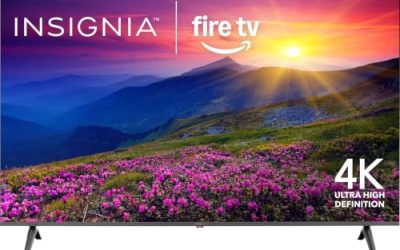
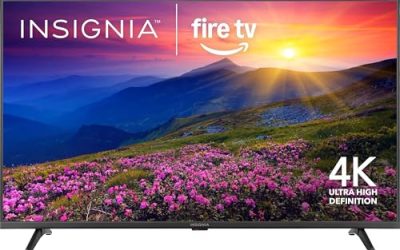
| Ember 50-inch 4-Series Fire TV | Alexa households on a tight budget | 4K Ultra HD, HDR10+, Dolby Audio, Alexa remote |
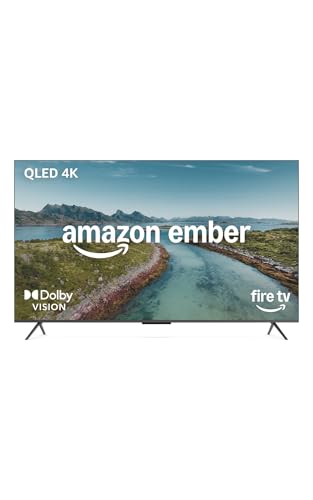
| Ember 50-inch QLED Series Fire TV | Better color within the cap | QLED, Dolby Vision, HDR10+, quad-core processor |
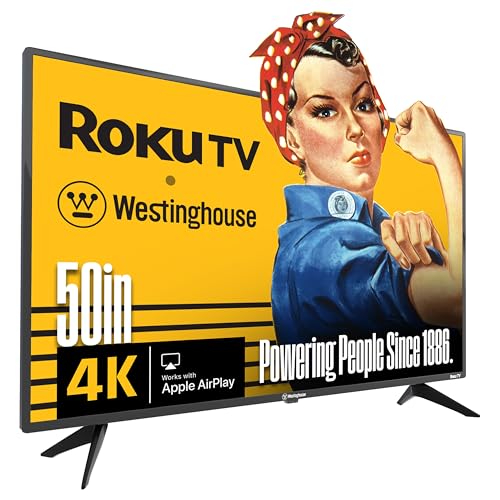
| Westinghouse 50-inch Roku TV | Apple and Roku users | 4K UHD, AirPlay 2, Dolby Digital+ |
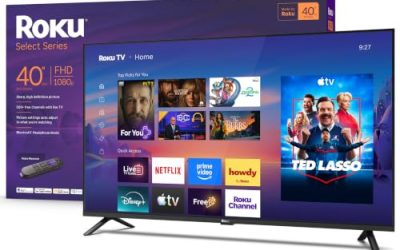
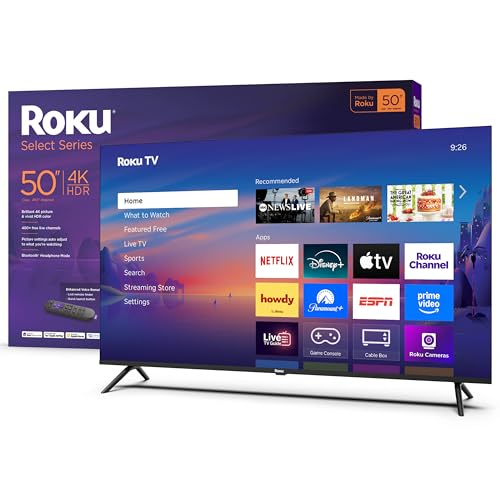
| Roku Select Series 50-inch | Easy Roku experience | 4K HDR, enhanced voice remote, LED |
| Sharp 50-inch AQUOS QLED Xumo | QLED shoppers who want a bundle | 4K QLED with HDMI cable and warranty |
| HORION 50-inch Roku TV | Low-cost voice control | 4K UHD, direct LED, Alexa and Google voice |
| LG 50UR640S9UD | Brand-name LED-LCD set | 4K UHDTV, TAA compliant |
How to Choose
Decide whether QLED is worth chasing at this price
Two of the seven sets list QLED panels, which add a quantum-dot layer for stronger color and brightness. Standard LED sets cost less and still deliver a clean 4K picture, especially for streaming shows and sports in a moderately lit room. If your room has big windows or you watch a lot of HDR content, a QLED panel is a meaningful upgrade. If the TV lives in a dim bedroom and mostly plays comfort shows, saving on a standard LED model is perfectly reasonable.
Check HDR formats and refresh rate
At this tier, 60Hz is the norm, and that is fine for television and streaming. The HDR format matters more than the headline: Dolby Vision and HDR10+ both add scene-level detail on supported content, while plain HDR10 is the baseline. Titles that list “HDR” without a format are usually baseline only. Do not pay extra for processor buzzwords unless the title names the chip class, since budget sets rarely have enough brightness to show off the most demanding HDR scenes.
Pick a platform you can live with
Think about who will hold the remote most often. A teenager comfortable with settings menus will enjoy any of these systems, while a grandparent or a houseguest benefits from the plainest home screen possible. Voice search is the other deciding factor: typing a show title with arrow keys is slow, so a remote with a microphone button earns its place in a bedroom where nobody wants to fumble in the dark.
Fire TV leans on Alexa and Prime-style recommendations. Roku TV uses a clean grid of apps and a simple remote. Xumo pairs with free ad-supported channels. Confirm that your core apps are available and that the remote suits your habits. Budget sets often cut corners on the processor, which makes menus slower, so an option with a stated quad-core processor or enhanced remote is a real advantage over one that lists only the brand.
Read the fine print on bundles and conditions
Some listings add an HDMI cable, a warranty plan, or a protection plan to a standard TV, and a few sets are renewed units. A bundle is not a better TV; it is the same TV plus extras whose value depends on what you already own. Likewise, “TAA compliant” matters to government and institutional buyers rather than to home viewers. Count the HDMI ports in the title or spec sheet, because three ports cover a console, a soundbar, and a streaming stick.
A practical way to use the list is to sort by platform first, then by panel type. If you already own Alexa speakers, the two Ember models are the natural pair. If a household member struggles with menus, the Roku-based sets keep things plain. If color matters more than anything else, only the QLED entries deserve a close look, and if you just want a respected nameplate, the LG fills that slot. Everything else is a matter of ports, remote style, and whether an included cable or warranty plan is worth having.
The 7 Best Options
Ember 50-Inch 4-Series Fire TV
This 4K Ultra HD smart TV comes with an Alexa remote, HDR10+, Dolby Audio, a fast processor, and an Ambient Experience mode. It suits people who already use Alexa for lights, music, and timers and who want a simple, low-cost 50-inch screen.
- Strength: Alexa remote and Fire TV interface are easy to use.
- Strength: HDR10+ and Dolby Audio are listed at the entry tier.
- Trade-off: standard LED panel, so color and contrast sit below the QLED models.
Skip it if you prefer the Roku interface or want a quantum-dot panel.
Ember 50-Inch QLED Series Fire TV
The QLED version adds a quantum-dot panel, Dolby Vision, HDR10+, Dolby Audio, and a quad-core processor to the Fire TV experience. It is for shoppers who want the best color the platform offers while staying near the under 500 dollars ceiling.
- Strength: QLED panel with Dolby Vision and HDR10+ support.
- Strength: quad-core processor named in the title for smoother menus.
- Trade-off: it sits at the top of the price range here, so check that it fits under the cap.
Skip it if you simply need a basic set for a spare room.
Westinghouse 50-Inch Roku TV
The Westinghouse lists 4K UHD, Dolby Digital+, casting from the Roku app, and Apple AirPlay 2 with Alexa compatibility. It fits mixed households with iPhones and the Roku interface.
- Strength: AirPlay 2 support for Apple users.
- Strength: Roku platform with Alexa compatibility.
- Trade-off: the title lists no premium HDR format.
Skip it if you want Dolby Vision or a QLED panel.
Roku Select Series 50-Inch Smart TV
The Select Series pairs 4K HDR with an enhanced voice remote and Roku’s familiar interface on a flat LED panel. It is a good fit for those who want a name-brand Roku set and plan to use it for live local news, sports, and streaming.
- Strength: enhanced voice remote and simple menus.
- Strength: Wi-Fi streaming with a clean home screen.
- Trade-off: the title does not name Dolby Vision or HDR10+.
Skip it if you want a premium HDR format named in the specs.
Sharp 50-Inch AQUOS QLED Xumo TV Bundle
This bundle lists a 4K QLED panel on the Xumo platform, with an HDMI cable and a CPS warranty. It suits buyers who want a quantum-dot display and appreciate an included cable and coverage plan.
- Strength: QLED panel at the budget tier.
- Strength: bundle includes an HDMI cable and warranty.
- Trade-off: Xumo has a smaller ecosystem than Roku or Fire TV.
Skip it if your favorite apps are not available on Xumo or you do not need a bundle.
HORION 50-Inch 4K Smart Roku TV
The HORION lists a Direct LED panel with 5000:1 contrast, one-click Netflix and YouTube buttons, and voice control through Alexa and Google, plus Dolby Audio. It is aimed at buyers who want to spend as little as possible and still get a 4K Roku set.
- Strength: Alexa and Google voice control, plus app shortcut buttons.
- Strength: Roku platform at a low price tier.
- Trade-off: a lesser-known brand, so support and parts may be less widely available.
Skip it if brand reputation and long-term support matter to you.
LG 50UR640S9UD
This LG is a 50-inch smart LED-LCD with 4K UHD resolution and TAA compliance. It is a plain, brand-name option for people who value a known manufacturer over a long feature list.
- Strength: established brand with 4K resolution.
- Strength: TAA compliance suits institutional purchases.
- Trade-off: the title offers little detail on HDR, audio, or smart platform features.
Skip it if you want specific HDR or voice-assistant features spelled out.
Which One Fits Your Situation
You want the best picture under the cap
Choose the Ember QLED Series. A quantum-dot panel with Dolby Vision and HDR10+ is the strongest feature set in the group, provided it comes in under 500 dollars.
You live in the Apple world
The Westinghouse Roku TV lists AirPlay 2, so photos and videos from an iPhone reach the screen with no extra hardware.
You need a simple screen for a spare room
The Ember 4-Series or the Roku Select Series both work. Pick the Ember for Alexa routines, or the Roku for a cleaner interface.
You are furnishing a rental on a strict budget
The HORION and Sharp sets lean on low cost. The HORION keeps spending down with a Roku interface and Alexa plus Google voice control, while the Sharp AQUOS QLED bundle adds an HDMI cable and a warranty plan, which makes sense if you are starting from scratch and want a quantum-dot panel.
Common Mistakes
- Paying for QLED in a dark room where a standard LED would look nearly the same.
- Assuming “HDR” in a title means Dolby Vision or HDR10+.
- Choosing a bundle because of the add-ons without checking the TV’s own specs.
- Skipping the HDMI port count and then running out of ports for a console and soundbar.
- Expecting built-in speakers to deliver full sound at this tier, then forgetting to budget for a soundbar.
Specs and Terms Explained
VA versus IPS panels
Budget televisions mostly use one of two LCD panel types. VA panels give deeper blacks and better contrast, which suits movies in a dim room, but colors shift when you watch from the side. IPS panels hold their colors from wide angles and suit a wide sofa or a bedroom where people sit off-center, though blacks look more gray. The spec sheet may not state the type, so check the maker’s product page or owner reports before you commit.
Local dimming at this size
Dimming zones let the backlight darken parts of the picture. On a lower-cost set the feature is often limited or labeled vaguely, and some “local dimming” claims describe only a handful of zones. Do not expect Mini LED behavior; a set that offers any real dimming is already ahead of the pack.
Input lag and Game mode
Input lag is the delay between pressing a button and seeing the result. Most televisions have a Game mode that bypasses extra image processing and cuts the delay, which matters for action titles even on a 60Hz panel. Find the mode in the picture settings and switch it on for the console.
ARC and the single good port
Low-cost sets often have three HDMI ports, with only one marked ARC for sending sound to a soundbar. If you plan to use a soundbar and a console, work out which device takes that port before wiring the wall.
Setup and Care Tips
- When prompted, pick Home mode rather than Store or Demo mode; the demo preset runs the picture at an unnatural brightness and can disable some settings.
- Choose Movie, Cinema, or Filmmaker picture mode, then adjust the backlight to the room rather than leaving it at maximum.
- Disable motion smoothing for films, and leave sharpness near the middle; extreme sharpening adds a halo around edges.
- Label the HDMI inputs in the settings so the console and the streaming box appear by name.
- Install any available software update after connecting to Wi-Fi, as these often fix remote and app bugs.
- Use a dry microfiber cloth on the screen; paper towels and household sprays can scratch or smear the coating.
Who Should Skip These
If your seating is more than a few feet off the center line, think twice about a VA-panel model, since faded color from the side is the usual complaint. A buyer who watches mostly in a very bright room may want a brighter panel than any entry-level model supplies. And a person who wants a TV to double as a monitor for a computer should look for a set that clearly lists chroma 4:4:4 support, because many budget televisions blur small text.
Related guides
- Helping Hands Soldering Station With Magnifier
- Is 8000Hz Polling Rate Worth It For 144Hz Monitor
- Bench Power Supply For Electronics Hobbyists
Frequently Asked Questions
Is 50 inches the right size for a bedroom?
For a viewing distance of about 6 to 8 feet, 50 inches is comfortable and sharp at 4K. In a very small room, a 43-inch set might be easier to place.
Do I need 120Hz at this price?
Not for television and streaming. A 60Hz panel is the norm in this range, and high refresh rates mainly matter to console gamers, who generally need to spend more.
Which platform has the most apps?
Roku and Fire TV both carry nearly every major streaming service. Xumo is more limited, so confirm that your essential apps are available before choosing it.
Is a renewed TV a good idea?
Renewed sets lower the cost but come with variable condition and shorter coverage. If you buy one, check the return window and the warranty terms, and confirm the remote and stand are included.