Key takeaways
- "Best TVs" is one of the broadest searches in consumer electronics, and that breadth is the real problem.
“Best TVs” is one of the broadest searches in consumer electronics, and that breadth is the real problem. The set that suits a studio apartment is a poor match for a family room, and the one built for cinephiles is overkill for a guest bedroom. Instead of crowning one winner, it makes more sense to sort the field by what you are trying to solve: screen size, picture technology, smart platform, and budget tier.
This roundup is written for shoppers who want a straightforward answer without reading forty spec sheets. It covers six product lines that span the practical range for 2026, from entry-level Full HD sets to a Mini LED model from Samsung and a QLED 4K family from Roku. Each is judged only on what its listing states, so you can match the features to your room and move on with confidence. Remember that size classes are shared across brands, so a 55-inch Roku and a 55-inch Samsung will occupy nearly the same footprint on the wall.
Quick Picks
Our top picks


As an Amazon Associate we earn from qualifying purchases at no extra cost to you.
| Product | Best for | Key spec from the title |
|---|---|---|
| Samsung M70H Mini LED | Best picture technology in this group | Mini LED, 4K, Mini LED Processor 4K |
| Roku Select Series QLED 4K | All-round living room set | 4K (2160p) QLED, Bluetooth headphone mode |
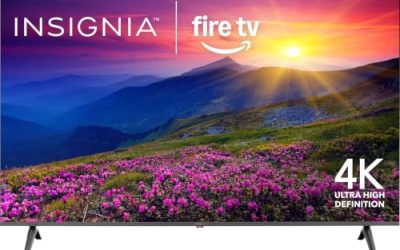
| Insignia F50 Fire TV | Low-cost 4K with Alexa | 43-inch LED 4K UHD, Alexa voice remote |
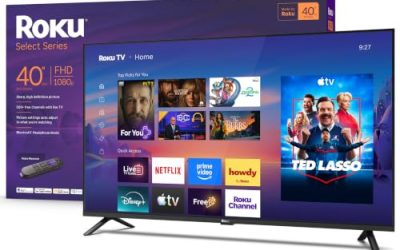
| Roku Select Series Full HD | Kitchens, dorms, and spare rooms | 1080p Full HD, 32 and 40 inch options |
| Insignia F40 Fire TV | Simple small-room streaming | 40-inch 1080P Direct LED, Fire TV |
| Insignia FE Fire TV | Lowest-effort bedroom upgrade | 40-inch LED Full HD, Alexa voice remote |
How to Choose
Start with size, then resolution
A common rule is to sit about one and a half times the screen diagonal away for 4K, and roughly two to three times for 1080p. That puts a 43-inch 4K set comfortably at five to six feet, a 55-inch around seven to eight, and a 65-inch around nine or ten. If your seating is farther than that, go bigger before you pay for extra picture technology.
Understand what the panel labels mean
Plain LED is the baseline. QLED adds a quantum-dot layer for richer color and usually higher brightness, and Mini LED uses many tiny backlight zones for better contrast control. These are not interchangeable with OLED, which lights each pixel individually. In the middle of the market, QLED is the best value upgrade; Mini LED is the step up when you watch in a dim room and care about dark scenes.
Pick the software you will actually enjoy
Smart platforms differ more in day-to-day feel than in feature lists. Roku emphasizes a simple tile-based home screen, Fire TV leans on Alexa voice commands and live-TV integration, and Samsung uses its own system with Vision AI features. Confirm your streaming services and any game apps are supported, and ignore long lists of free channels because every platform offers them.
Know where cheap TVs cut corners
Budget sets usually trim brightness, local dimming, speaker power, and processing, and some have only a few HDMI ports. If your room has strong daytime light, prioritize brightness over resolution. If you game, look for a stated gaming feature or high refresh rate rather than assuming a 4K label covers it. Plan a soundbar for movies on any entry-level set, and leave room in the budget for a wall mount or stand if the TV does not include what your furniture needs.
The 6 Best Options
Samsung M70H Mini LED
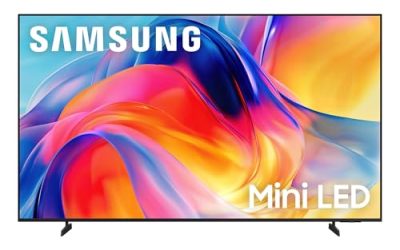
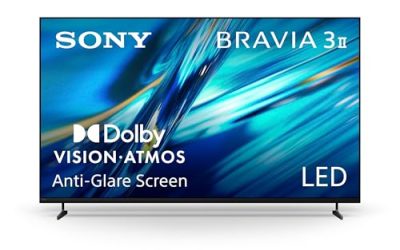
The M70H is listed as a Mini LED 4K Smart TV with a Mini LED Processor 4K, Pure Spectrum Color, and Samsung Vision AI Companion. It comes in 43 and 65 inch sizes, so it works for both a compact room and a main living space. This is the model for buyers who want the most advanced backlight technology in the group and are willing to move up to a premium tier for it. The Vision AI Companion and Pure Spectrum Color mentions also suggest a set aimed at people who value a polished, modern smart-TV experience, so it suits households that plan to keep one TV for many years.
- Strength: Mini LED backlighting with a dedicated 4K processor.
- Strength: two size options, plus a modern smart platform with AI features.
- Trade-off: it costs noticeably more than the budget Fire TV and Roku sets.
Skip it if the TV is for a secondary room where picture quality is not a priority.
Roku Select Series QLED 4K
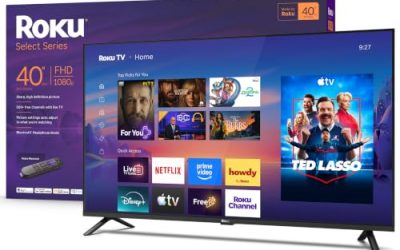
Roku lists this family at 50, 55, and 65 inches with a 4K (2160p) QLED panel, a voice remote, Wi-Fi, and Bluetooth headphone mode. It is the sensible all-rounder for most households: big enough for a main room, with a color-boosting QLED layer and an interface that is easy for every family member to learn. The three size options let you scale the same feature set from a bedroom wall to a large family room, which simplifies shopping if you want matching TVs in different spaces.
- Strength: QLED 4K at a mid-range tier with three size choices.
- Strength: Bluetooth headphone mode for quiet late-night viewing.
- Trade-off: the title lists no gaming-specific features or high refresh rates.
Skip it if you want a Mini LED or OLED-class contrast or plan to build a gaming-first setup.
Insignia F50 Fire TV
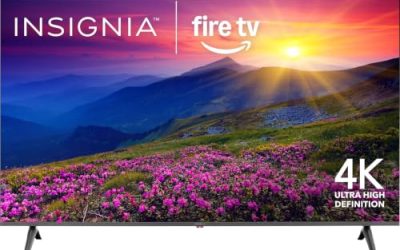
The F50 is a 43-inch LED 4K UHD Smart Fire TV with an Alexa voice remote, and the title notes you can stream live TV without cable. It is aimed at shoppers who want 4K resolution on a small budget and already use Alexa devices at home. For a bedroom, a den, or a first apartment, it covers the essentials without frills. The Alexa remote means you can search by voice instead of typing titles with an on-screen keyboard, which older relatives and kids tend to prefer.
- Strength: 4K resolution at an entry-level tier.
- Strength: voice search through the Alexa remote.
- Trade-off: no advanced panel technology is listed, so expect a basic LED image.
Skip it if you need a screen larger than 43 inches or have a bright room.
Roku Select Series Full HD
This line is offered in 32 and 40 inch sizes with 1080p Full HD resolution, the Roku voice remote, Wi-Fi, and Bluetooth headphone mode. Small rooms are where it makes the most sense, such as a kitchen counter, a dorm, or a camper where a large screen would not fit anyway. The Bluetooth headphone mode is a quiet advantage for shared spaces, and the Roku interface keeps setup short for anyone who just wants to plug in and watch.
- Strength: easy, uncluttered interface with minimal setup.
- Strength: compact sizes suit tight spaces.
- Trade-off: Full HD only, so it looks soft up close compared with 4K sets.
Skip it if the TV will be your main screen in a living room.
Insignia F40 Fire TV
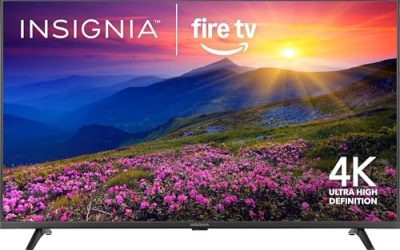
A 40-inch 1080P Full HD Direct LED Smart Fire TV with an Alexa voice remote and access to free and live TV. It is a straightforward upgrade for a bedroom or guest room where the goal is a reliable smart screen rather than a showcase. Because it shares the Fire TV platform with the F50, you can mix and match sets around the house and keep one familiar interface and remote style throughout.
- Strength: budget-friendly with Fire TV and Alexa built in.
- Strength: Direct LED backlighting stated in the title.
- Trade-off: limited to 1080p, with no HDR format listed.
Skip it if you want 4K or plan to sit close to the screen.
Insignia FE Fire TV
The FE series, listed with the model number NS40-FEFL26, is a 40-inch LED Full HD Smart Fire TV with an Alexa voice remote. It overlaps closely with the F40 and is another low-cost route into the Fire TV ecosystem. Shoppers can compare it with the F40 and choose whichever is easier to find. For a rental or a secondary room, that kind of interchangeability is practical: the platform, voice remote, and screen size are what matter, not the exact series name.
- Strength: simple Full HD set with Alexa voice control.
- Strength: compact 40-inch size fits most bedroom furniture.
- Trade-off: few listed features beyond the basics, so it offers little to differentiate it.
Skip it if you want any premium picture feature or a larger screen.
Which One Fits Your Situation
You are buying the main TV for a family room
The Roku Select Series QLED 4K in 55 or 65 inches balances size, color, and ease of use at a mid-range tier. If you can stretch the budget, the Samsung M70H 65-inch adds Mini LED technology.
You want a great picture for movie nights
Go for the Samsung M70H. Mini LED and a 4K processor target contrast and color, which are the qualities that matter most when the lights are low.
You are furnishing a bedroom or dorm
The Insignia F50 gives you 4K at 43 inches, while the Insignia F40 or Roku Full HD 40-inch is enough if the screen is only a few feet away and money is tight.
You live in an Alexa-first home
Choose any of the Insignia Fire TV models, starting with the F50 for 4K. The Alexa voice remote is the common thread across all three.
Common Mistakes
- Shopping by size alone and ignoring how far the couch sits from the screen.
- Paying for 4K on a small TV viewed from across a room.
- Treating QLED, Mini LED, and OLED as the same thing because the names sound similar.
- Choosing a platform without checking that the apps you use are supported.
- Expecting built-in speakers on budget TVs to deliver cinematic sound.
Specs and Terms Explained
Refresh rate
This number tells you how many times per second the image redraws. A 60 Hz panel is enough for broadcast shows, streaming, and most casual games. A higher figure matters mainly to console and PC players who want smoother motion, and only if the source content supports it.
HDR formats
HDR10 is the baseline, Dolby Vision adds scene-by-scene instructions, and HLG is used by some broadcasts. A format badge says what the set can read, not how bright it can get. Check that your streaming service and device use a format the set accepts.
HDMI ports and eARC
Count the ports you will use: a console, a streaming stick, a cable box, and a soundbar. The port labeled eARC carries high-quality audio back to a soundbar over a single cable. Running out of inputs is a common regret.
Input lag and game mode
Input lag is the delay between pressing a button and seeing the result. Most sets include a game mode that reduces processing. Turn it on for consoles and off for movies.
Setup and Care Tips
- Switch from the store-style vivid mode to a movie or cinema mode for a more natural picture.
- Turn off motion smoothing if films look like a soap opera.
- Install firmware updates, which can fix app bugs and add features.
- Review privacy and viewing-data settings during setup rather than accepting defaults.
- Keep the vents clear and avoid placing the set in a closed cabinet.
- Clean the screen with a dry microfiber cloth, and use a barely damp one only if needed.
Questions to Ask Before You Buy
- How far will you sit from the screen, and does the size you picked fit that distance?
- Which devices will you plug in, and does the set have enough ports?
- Is the room bright, which would favor a brighter panel over a cheaper one?
- Do you want voice control, and with which assistant?
- Will the set sit on a stand or a wall, and does it come with the hardware for that choice?
- Is the sound good enough for the room, or should a soundbar be part of the budget?
Who Should Skip These
Serious home-theater fans who want perfect black levels and top-tier brightness should look beyond the budget end of this list. Anyone planning a very large screen should also check whether the available size fits the budget tier, since picture quality at the biggest sizes depends on the panel. And if you dislike ad-supported home screens, review how the platform presents content before you commit.
Related guides
- Helping Hands Soldering Station With Magnifier
- Is 8000Hz Polling Rate Worth It For 144Hz Monitor
- Bench Power Supply For Electronics Hobbyists
Frequently Asked Questions
What size TV should I buy?
Measure the distance from your seat to the screen and match it to the sizes above: 43 inches for roughly five to six feet, 55 for seven to eight, and 65 for nine to ten. When in doubt, go slightly larger, since most buyers regret going too small. Remember to check that the TV fits your stand or wall space before ordering.
Is QLED better than LED?
QLED adds a quantum-dot layer that usually delivers richer color and brighter highlights than plain LED. It is a worthwhile upgrade at the mid-range tier, though the gap narrows in very dark rooms.
Do I need a Mini LED TV?
Not for casual viewing. Mini LED shines in dim rooms where contrast and dark detail matter, such as a dedicated movie space. For bright rooms, a QLED set is often enough.
Which platform is best for streaming?
The best one is whichever matches your accounts and habits. Roku is simple and neutral, Fire TV works well with Alexa, and Samsung bundles AI features. All three carry the major streaming services, so the decision comes down to remote layout, voice features, and how the home screen feels to use every day.