Key takeaways
- Picking a gaming TV is a different exercise from picking a TV for evening news. The screen has to keep up with a console that can output 4K at 120.
Picking a gaming TV is a different exercise from picking a TV for evening news. The screen has to keep up with a console that can output 4K at 120 frames per second, it has to handle variable refresh rate so the picture does not tear when the frame rate dips, and it should sit comfortably on a stand across from a couch rather than on a desk. If your plan is a PlayStation or Xbox in the living room, with the occasional PC hookup for racing or strategy games, those are the boxes to tick before you worry about anything else on the spec sheet.
This shortlist is for players who want a real television and not a monitor: someone replacing an aging 1080p set, a family sharing one screen between movie night and Saturday co-op, or a buyer deciding whether paying for OLED is worth it over a bright QLED. The five sets below cover a wide spread, from a plain Fire TV to a 65-inch OLED, and every judgment rests on what the listing titles state. Two monitor-class listings surfaced in the same search and were left out on purpose, since a 22-inch or 32-inch desk panel answers a different question than a gaming TV in 2026.
Quick Picks
Our top picks
 TCL 55 Inch T7 Series 4K 120Hz
- 4K UltraHD Resolution: Experience incredible detail with 4X…
- QLED (Quantum Dot Technology): Rich, vibrant colors covering…
- 120Hz Panel Refresh Rate: Watch action-packed movies, fast-paced…


As an Amazon Associate we earn from qualifying purchases at no extra cost to you.
| Product | Best for | Key spec from the title |
|---|---|---|
| TCL 55 Inch T7 | High refresh on a sensible budget | 4K QLED, 120Hz, VRR, Game Accelerator 240 |
| Samsung 65-Inch M70H | Big-screen Mini LED contrast | Mini LED, 4K, Mini LED Processor 4K |
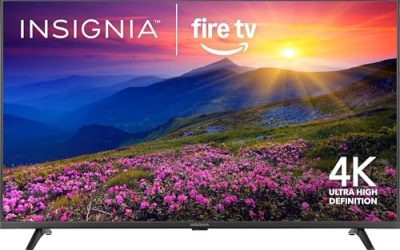
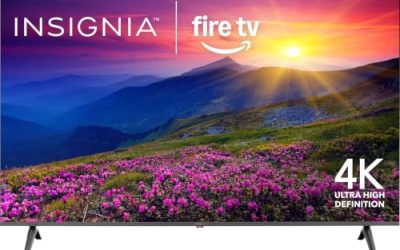
| Insignia 55-Inch F50 | Casual play on a tight budget | LED 4K UHD, Fire TV with Alexa remote |
| Samsung 65-Inch S90H | Premium dark-room gaming | OLED, 4K, OLED HDR+, NQ4 AI Gen3 |
| Hisense 43-Inch E6 | Small rooms and bedrooms | Hi-QLED 4K, Dolby Vision, Motion Rate 120 |
How to Choose
Refresh rate and variable refresh rate
A 60Hz panel caps you at 60 frames per second no matter what the console can send. For current consoles, look for a native 120Hz panel at 4K, which the TCL titles state outright, and for VRR support so the screen follows the frame rate instead of fighting it. Be wary of “motion rate” figures: they describe processing, not the native panel speed, so treat a Motion Rate 120 label as a smoothness feature rather than proof of a 120Hz input. If a listing never names a refresh rate, assume 60Hz until the spec sheet says otherwise.
Panel type and room lighting
OLED gives per-pixel black levels and is the natural pick for a dark basement or a bedroom. Mini LED and QLED sets get brighter, which matters in a living room with daytime windows. If the room is lit all day, a bright QLED or Mini LED will usually serve you better than an OLED with a glossy finish, though the S90H listing mentions a glare-free design for exactly that concern. Pick the panel for the room you actually have, not the showroom you remember. A quick test is to ask when you play: if the answer is mostly after dark, favor contrast; if it is mostly weekend afternoons, favor brightness.
Ports and HDR formats
Titles rarely list port details, so confirm on the spec sheet that at least one HDMI input supports 4K at 120Hz, ideally with eARC for a soundbar. If you own two consoles plus a soundbar, count the fast ports before you buy, because budget sets often carry a single full-speed input. For HDR, Dolby Vision and HDR10+ both appear in the TCL and Hisense titles, and Dolby Atmos support helps if you plan to use the TV speakers for game audio.
Size and viewing distance
At about 8 feet from the screen, 55 inches is a comfortable minimum for 4K and 65 inches feels immersive without forcing you to turn your head. Under 6 feet, a 43-inch set is plenty. Ignore marketing terms like “AI companion” when comparing; they describe menus and upscaling, not input lag. Budget models cut corners on peak brightness and the number of full-speed HDMI ports, so verify both rather than trusting the resolution label alone. Also confirm that the set has a dedicated game mode that switches off heavy picture processing, since that setting is what keeps button presses feeling immediate.
The 5 Best Options
TCL 55 Inch T7
The T7 is the most gaming-forward set here on paper. The title lists a 4K QLED panel, 120Hz, VRR and a Game Accelerator 240 mode, which is a lot of console-oriented features for a mid-range tier. It also runs Google TV and supports Dolby Vision, Dolby Atmos and HDR10+, so movie nights are covered too. A 65-inch sibling is listed at 144Hz with Game Accelerator 288, so buyers with a bigger wall can step up within the same family.
- Strength: 120Hz with VRR is stated in the title, the combination serious console players need.
- Strength: Dolby Vision, HDR10+ and Atmos cover the main movie and sound formats.
- Trade-off: it is a QLED rather than OLED, so black levels will not match the Samsung S90H.
Skip it if your room is fully dark and you want the deepest blacks, or if you need a screen below 50 inches.
Samsung 65-Inch M70H
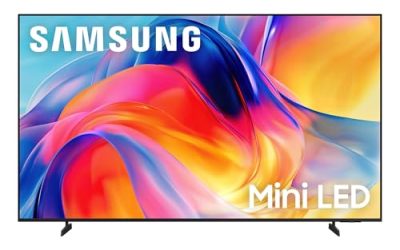
This 65-inch Mini LED set targets buyers who want contrast and brightness from a large panel without moving to OLED pricing. The title cites a Mini LED Processor 4K, Pure Spectrum Color and the Vision AI Companion interface. It is a good fit for a shared living room where sports, streaming and games all get used, and a 43-inch version exists for smaller spaces.
- Strength: Mini LED backlighting is aimed at bright rooms and strong highlights.
- Strength: 65 inches gives real immersion from a standard couch distance.
- Trade-off: the visible title text does not list a refresh rate or VRR, so confirm both before buying for a console.
Skip it if high-frame-rate play is the main reason for the purchase and you want it spelled out in the listing.
Insignia 55-Inch F50
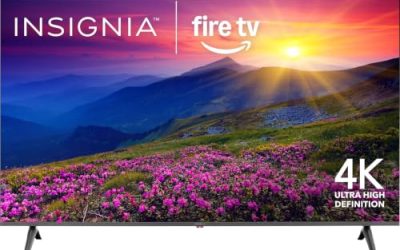
The F50 is the plain, affordable option: an LED 4K UHD panel running Fire TV with an Alexa voice remote. Nothing in the title promises gaming features, so think of it as a competent screen for turn-based games, platformers and family titles at 60 frames per second, plus streaming for everyone else in the house. It makes sense as a second TV or a first 4K upgrade for a younger player.
- Strength: 4K resolution at 55 inches is enough for sharp console visuals.
- Strength: Fire TV with Alexa makes the app and voice side simple for non-gamers in the house.
- Trade-off: no refresh rate, VRR or HDR format is listed, so competitive players will outgrow it fast.
Skip it if you play fast shooters or racing games and want smooth motion.
Samsung 65-Inch S90H
The S90H is the premium pick. It is an OLED 4K set with OLED HDR+, the NQ4 AI Gen3 processor and a glare-free screen treatment named in the title, alongside Real Black and Real Color labeling. For a dedicated gaming corner where lights go off and cinematic single-player adventures are the draw, OLED black levels are the headline benefit, and the glare-free finish keeps a nearby lamp from ruining the effect.
- Strength: OLED panels turn off individual pixels, which suits dark scenes in story-driven games.
- Strength: the glare-free treatment helps if a lamp or window sits near the screen.
- Trade-off: it sits in the premium price tier, and the visible title does not state the refresh rate.
Skip it if the budget is mid-range or the room is bright all day.
Hisense 43-Inch E6
The 43E6QF is a compact Hi-QLED 4K Fire TV with Dolby Vision, Dolby Atmos, an AI light sensor and Motion Rate 120. It suits a bedroom, dorm or kid’s room where a 65-inch panel would overwhelm the space, and the Alexa remote keeps navigation simple. At this size it also works as a living-room-adjacent screen for a console tucked on a bookshelf or a desk-side setup.
- Strength: 4K Hi-QLED in a small footprint, with Dolby Vision support.
- Strength: the light sensor adjusts picture brightness to the room.
- Trade-off: Motion Rate 120 is a processing figure, so do not assume it equals a native 120Hz input.
Skip it if you sit more than 8 feet back or want a large, cinematic picture.
Which One Fits Your Situation
You play on a console and want the safest bet
The TCL T7 is the one whose title spells out 120Hz, VRR and a dedicated game mode. That makes it the easiest listing to verify against what a current console needs, and it sits below the premium tier.
You play in the dark and care most about picture quality
The Samsung S90H is the match. OLED blacks and the glare-free treatment suit a dedicated room where story games and films share the screen, as long as the budget stretches to the premium tier.
The TV also has to serve the whole family
The Samsung M70H balances size and brightness for mixed use, while the Insignia F50 covers casual play and streaming for less money. Choose the Samsung if movies and sports matter as much as games, and choose the Insignia if the console is only an occasional guest.
Space is tight
The Hisense 43-inch E6 fits shelves and small rooms without giving up 4K or Dolby Vision, which makes it the natural choice for a bedroom or dorm.
Common Mistakes
- Trusting “motion rate” numbers as if they were native refresh rates; they describe processing, not the panel.
- Assuming every HDMI port on a budget TV handles 4K at 120Hz, when usually only one or two do.
- Buying a 65-inch OLED for a room with large sunlit windows and no curtains.
- Skipping the viewing-distance check and ending up with a set too small or too large for the couch.
- Paying for AI-branded features that do nothing for input lag or motion handling.
Gaming TV Terms Explained
ALLM and Game Mode
Auto Low Latency Mode lets a console or PC tell the TV to switch itself into its fastest picture mode when a game starts, then switch back when you open a streaming app. If a set lacks it, you must dig into the picture menu by hand, and many people forget. Look for ALLM on the HDMI input you plan to use, not just somewhere in the spec sheet.
Input Lag
This is the delay between pressing a button and seeing the result. The figure that matters is the one measured in game mode at your console’s output resolution, since processing-heavy modes can add noticeable delay. Manufacturers rarely print it, so independent measurements are the usual source; a lower figure is always better, and a result under roughly twenty milliseconds at 60Hz is commonly regarded as comfortable for fast games.
HDMI 2.1 Is Per Port, Not Per TV
Many sets carry the label “HDMI 2.1” on only some of their inputs. Full 4K at 120Hz needs the higher-bandwidth connection, which the standard rates at 48Gbps, and the older 2.0 ports top out far lower. Count how many ports are fully capable if you own both a console and a soundbar that uses eARC, because the soundbar may occupy the best port.
Setup and Care Tips
- Plug the console into the port marked for high-frame-rate use, then confirm 120Hz is enabled in the console’s video settings, not only on the TV.
- Turn off motion smoothing and noise reduction while gaming; both add delay and create a soap-opera look.
- Create a separate picture preset for HDR games so the brightness you set for daytime sport does not wash out night scenes.
- Leave several inches of clearance behind the cabinet so the panel can shed heat, and dust the vents with a dry microfiber cloth.
- If your TV uses an emissive panel such as OLED, vary the content and avoid leaving a static score bar or HUD on screen for hours.
Who Should Skip a Dedicated Gaming TV
Someone who plays a few casual games a month, mostly on a handheld or phone, will not use 120Hz at all, and a standard 4K set with game mode will do. A buyer who sits at a desk within arm’s length of the screen is better served by a monitor than by the 55- or 65-inch sizes in this list, because large panels look soft and tiring at close range. And if the set is destined for a bright, sunlit room, chasing the deepest black levels is a poor trade; brightness handling will matter more than contrast.
Related guides
- Helping Hands Soldering Station With Magnifier
- Is 8000Hz Polling Rate Worth It For 144Hz Monitor
- Bench Power Supply For Electronics Hobbyists
Frequently Asked Questions
Do I need 120Hz for a gaming TV?
If you own a current console and play games that offer a 120 frames-per-second mode, yes. If you mostly play slower titles at 60 frames per second, a 60Hz panel is fine and you can spend the difference on panel quality or size.
Is OLED better than QLED for gaming?
OLED offers deeper blacks and fast pixel response, while QLED and Mini LED sets get brighter. The better choice depends on whether your room is dark or bright, and on how much you want to spend.
Can I use a TV as a PC monitor?
Yes, but sit farther back and check that the set accepts 4K at the refresh rate your graphics card outputs. Smaller sizes like 43 inches work better at desk distance than a 65-inch panel.
Does a Fire TV or Google TV interface affect gaming?
Not directly. The interface handles apps and voice control, while gaming performance comes from the panel, the HDMI ports and the game mode setting. Pick the platform you prefer for streaming and judge performance separately.