
Our Top Picks
The best USB-C hub with 4K 60Hz HDMI is the one whose video path matches your laptop’s USB-C port, because the hub cannot give you 60Hz if the port behind it cannot send it. Among the nine listings below, the Anker 8-in-1 looks like the most complete all-rounder on paper, while the UGREEN Revodok Pro 6-in-1 and the BENFEI 7-in-1 are the lower-priced options with the same headline 4K 60Hz claim.
That headline is a seller claim, and all nine titles make it. What separates one listing from another is the rest of the title: how many data ports are labeled 10Gbps, whether Ethernet or a card reader is included, how much power passes through, and how short the attached cable is. This guide reads those details closely, flags the confusing ones, and gives you a short check to run on your own laptop before you click buy. Nobody on the team used or measured these units; everything here comes from published specifications, manufacturer documentation and buyer reviews, and from general knowledge of how USB-C video works.
Top picks at a glance

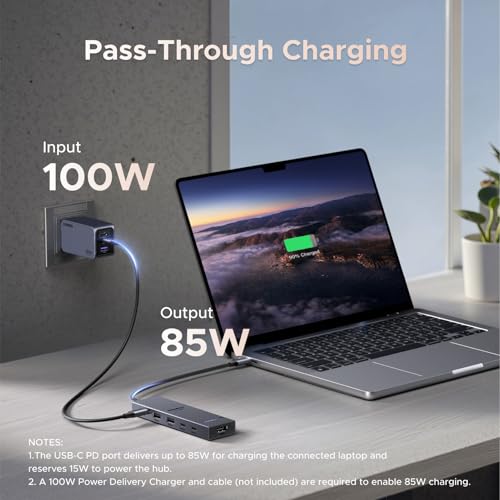
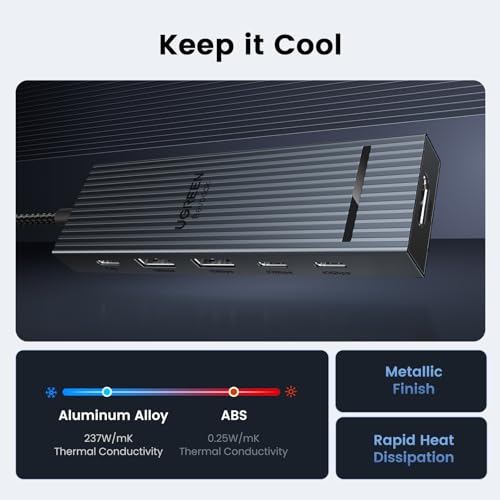
UGREEN Revodok Pro USB-C Hub 6 in 1 10Gbps 4K 60Hz HDMI | 100W PD charging, compatible with MacBook Neo/Pro/Air, iPad Pro, Thinkpad Rog Ally and More





As an Amazon Associate we earn from qualifying purchases. Product prices and availability are accurate as of the date/time indicated.

ACASIS USB C Hub 10Gbps, USB C to 4K 60Hz HDMI Adapter for Laptop/MacBook | 6-in-1 USBC Multiport Adapter with 100W Power Delivery, HDMI to USB C Adapter for Dell, Lenovo, Surface, iPad


As an Amazon Associate we earn from qualifying purchases. Product prices and availability are accurate as of the date/time indicated.

Acer 6-in-1 USB C Hub 10Gbps, USB C to HDMI Adapter 4K@60Hz | 2*USB-C 3.2, 1*USB A 3.2, 1*USB 2.0 Data, 100W PD Port, Type C Multiport Splitter for Laptop/ MacBook Neo/Air/Pro, iPad Pro


As an Amazon Associate we earn from qualifying purchases. Product prices and availability are accurate as of the date/time indicated.

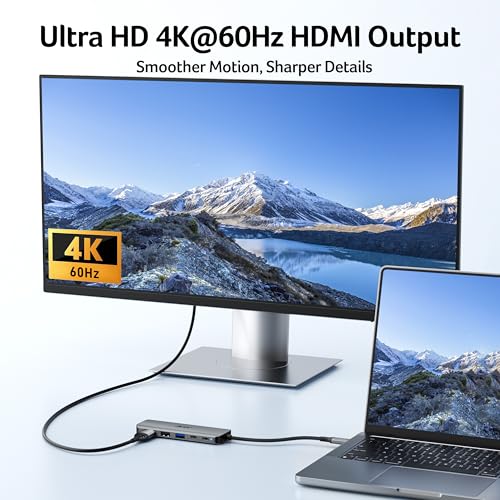
Acer USB C Hub, 5-in-1 USBC to HDMI Adapter with 4K@60Hz for Laptop/Mac | USBC Splitter Docking Station with HDMI 2.0, 100W PD, USB-C, USB-A 3.0 & USB-A 2.0 Data Ports for iPad Pro, iPhone 17 Pro Max



As an Amazon Associate we earn from qualifying purchases. Product prices and availability are accurate as of the date/time indicated.

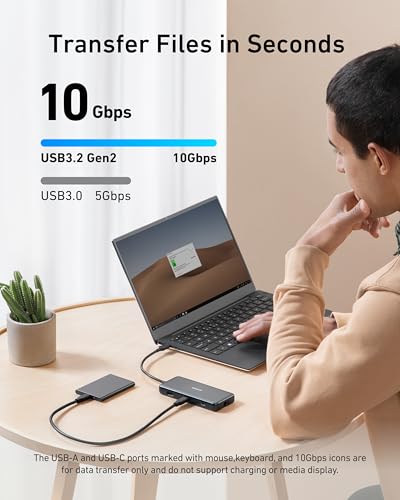
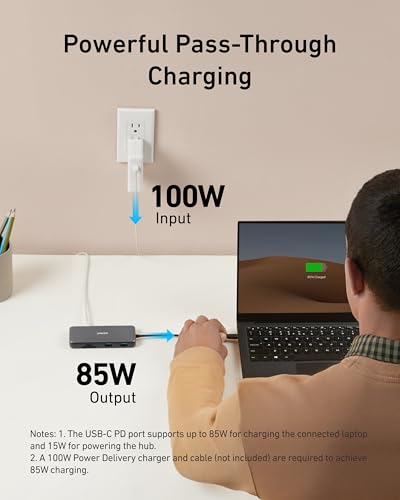
Anker USB-C Hub, 8-in-1 Multiport Ethernet Adapter with 4K@60Hz HDMI Port | 85W Max PD, 10Gbps USB-C & 2 USB-A Data Ports, microSD/SD Card Reader, for USB C Laptops, MacBook Pro, XPS, iPad and More





As an Amazon Associate we earn from qualifying purchases. Product prices and availability are accurate as of the date/time indicated.

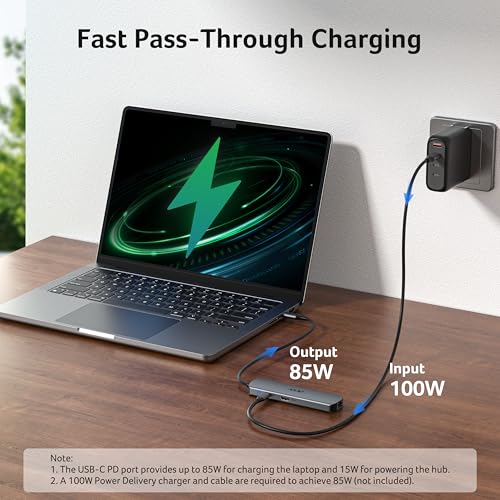
acer 6 in 1 USBC Hub with Ethernet, 4K@60Hz USBC to HDMI Multiport Adapter | 2*USB-A 3.0 & 1*USB-C 3.0 Data Ports, 100W PD Port, USB C Dongle for MacBook Neo/Pro M5/Air, Acer, iPad, iPhone 18/17(0.65FT)




As an Amazon Associate we earn from qualifying purchases. Product prices and availability are accurate as of the date/time indicated.

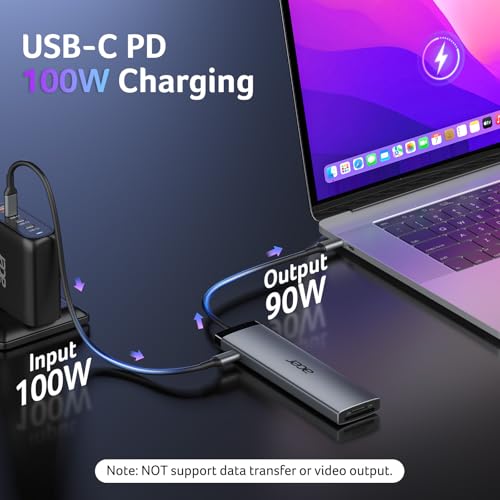
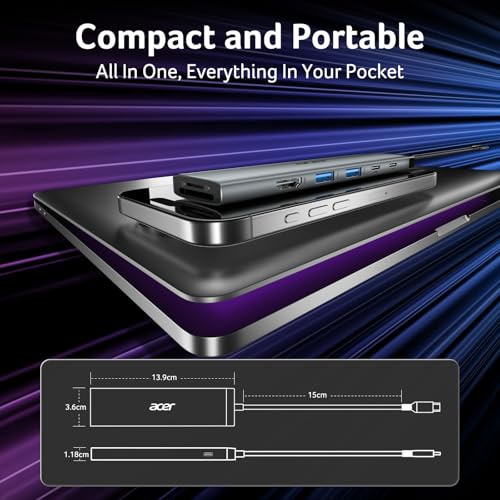
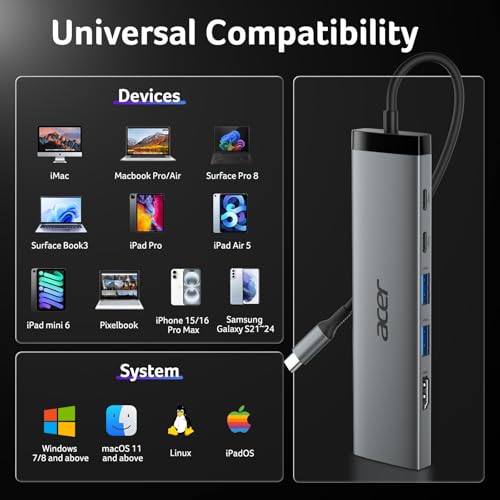
Acer 8 in 1 USB C Hub 10Gbps, USBC to HDMI Adapter 4K@60Hz for Laptop/Mac | Type C Multiport Splitter with 2×USB C 3.2 & 2×USB A 3.0 Data Transfer, 100W Max PD Port, SD/TF Card Reader, 0.65ft




As an Amazon Associate we earn from qualifying purchases. Product prices and availability are accurate as of the date/time indicated.

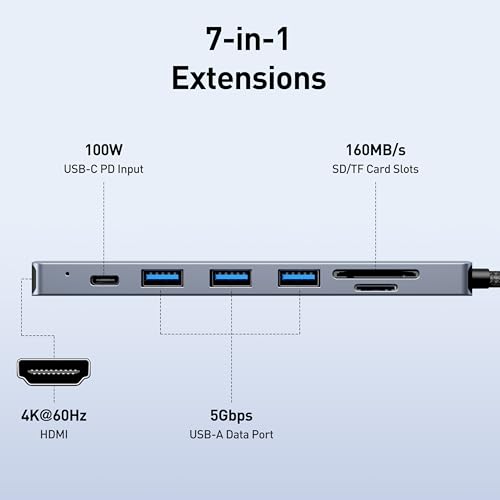
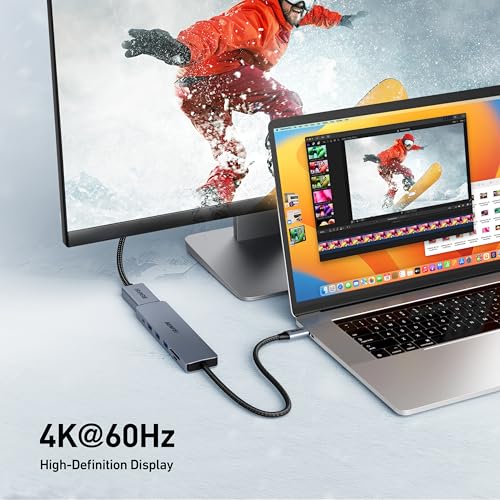
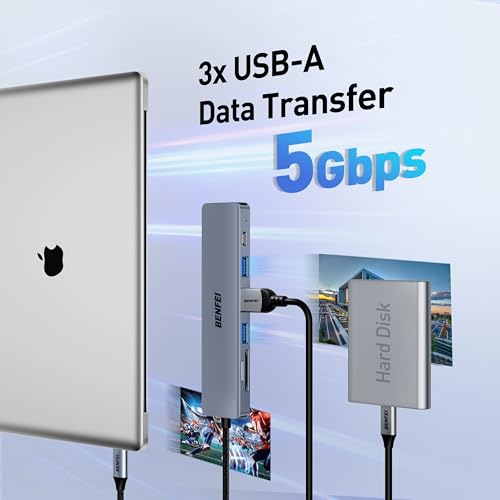
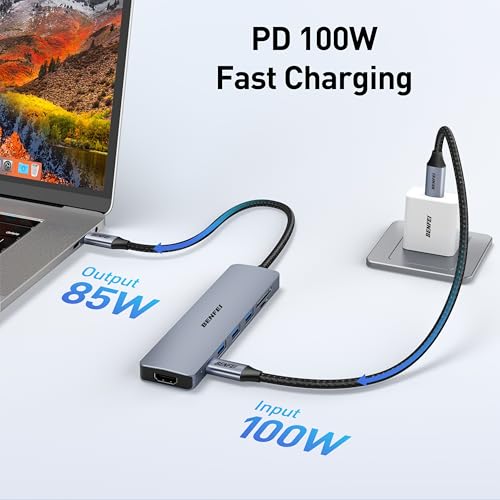
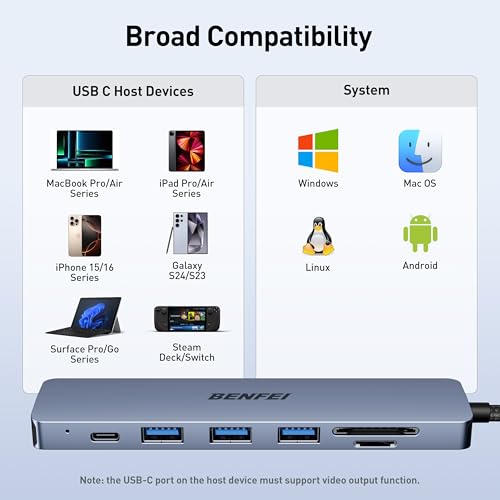
BENFEI USB C HUB 7-in-1 with HDMI(4K@60Hz,Certified), 100W Power Delivery, 3*USB 3.0, SD/TF Card Reader(160MB/s) Compatible with iPhone 15 Pro/Max, MacBook, iPad Pro, iMac, S23, XPS17

As an Amazon Associate we earn from qualifying purchases. Product prices and availability are accurate as of the date/time indicated.

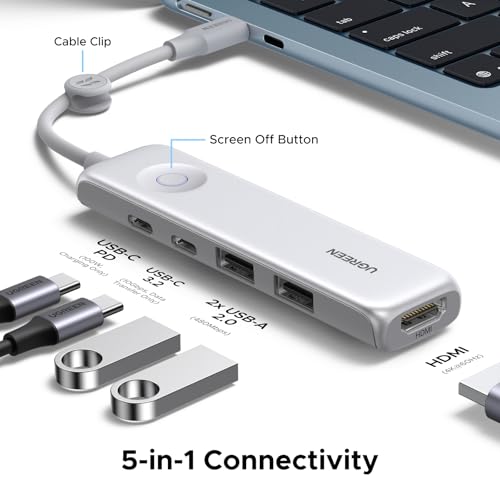
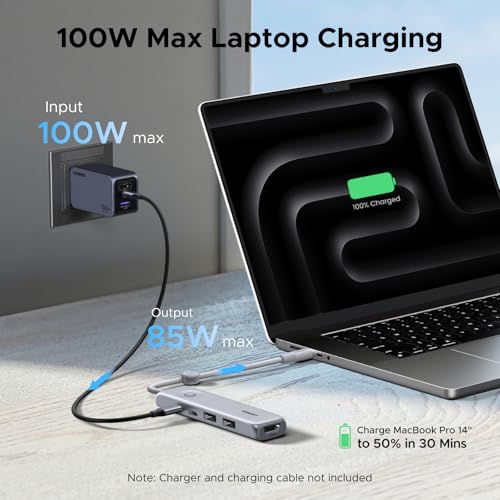
UGREEN USB C Hub 5-in-1 Revodok, Slim Portable USB-C Adapter | 100W PD Charging, 4K@60Hz HDMI, 10Gbps USB 3.2 Data Ports, Lock-Screen Button & Cable Clip for MacBook Air/Pro, iPad, Laptops




As an Amazon Associate we earn from qualifying purchases. Product prices and availability are accurate as of the date/time indicated.
| Listing | Key point from the title | Price tier | Best for |
|---|---|---|---|
| Anker 8-in-1 Ethernet hub | 4K@60Hz HDMI, 85W max PD, 10Gbps USB-C, 2 USB-A, SD and microSD, Ethernet | Premium | Desk setups that need wired network and cards |
| Acer 8-in-1 10Gbps hub | 2 USB-C 3.2, 2 USB-A 3.0, 100W max PD, SD/TF reader, 0.65 ft | Mid-range | Many peripherals, short cable |
| Acer 6-in-1 10Gbps hub | 2 USB-C 3.2, 1 USB-A 3.2, 1 USB 2.0, 100W PD | Mid-range | Fast drives plus a keyboard dongle |
| Acer 6-in-1 with Ethernet | 2 USB-A 3.0, 1 USB-C 3.0, Ethernet, 100W PD, 0.65 ft | Mid-range | Wired network on a thin laptop |
| Acer 5-in-1 hub | HDMI 2.0, 100W PD, USB-C, USB-A 3.0, USB-A 2.0 | Budget | Basic travel kit |
| UGREEN Revodok Pro 6-in-1 | 10Gbps, 4K 60Hz, 100W PD | Budget | Handheld PCs and laptops, low cost |
| UGREEN Revodok 5-in-1 slim | 10Gbps USB 3.2 ports, lock-screen button, cable clip | Budget | Slim carry-around hub |
| ACASIS 6-in-1 10Gbps hub | 4K 60Hz HDMI, 100W PD, 10Gbps | Budget | Windows ultrabook and iPad use |
| BENFEI 7-in-1 hub | HDMI 4K@60Hz “Certified”, 3 USB 3.0, SD/TF reader | Budget | Photo cards and legacy USB 3.0 gear |
Price tiers are relative inside this set. Prices change daily, so check the listing before you decide; a hub that looks like a bargain this week can sit one tier higher next week.
How USB-C carries a 4K 60Hz picture
A USB-C hub does not create video. Your laptop’s USB-C port sends a DisplayPort signal in what the standard calls DisplayPort Alternate Mode, and a chip inside the hub converts it to HDMI. Two things must both be true for 4K at 60Hz: the laptop port must output DisplayPort over USB-C at a high enough link rate, and the hub’s HDMI side must be HDMI 2.0 class rather than HDMI 1.4. Titles that mention “HDMI 2.0” (the Acer 5-in-1 does) are more explicit; the others rely on the “4K@60Hz” wording alone.
The wrinkle is lanes. A USB-C connector has four high-speed lane pairs. A hub can give all four to DisplayPort, which is plenty for 4K 60Hz but leaves only USB 2.0 for the data ports, or it can give two lanes to video and keep two for USB 3.x. With two lanes the picture only fits if both laptop and hub run the faster HBR3 link rate, which comes with DisplayPort 1.4. Many 10Gbps hubs, including the ones in this set whose titles say 10Gbps, appear to rely on that arrangement, but the titles do not say which. The maker’s spec page or a compatibility note in the listing is the place to confirm it.
| Concept | What to look for | Why it matters |
|---|---|---|
| DisplayPort Alt Mode on the laptop port | Laptop spec sheet says the USB-C port supports video output or DisplayPort | No Alt Mode, no picture, whatever hub you buy |
| HBR2 vs HBR3 link rate | DisplayPort 1.2 (HBR2) or 1.4 (HBR3) listed for the port | Two lanes of HBR2 are generally too little for 4K 60Hz; HBR3 fits |
| HDMI version in the hub | HDMI 2.0 stated, or “4K@60Hz” in the title | HDMI 1.4 caps 4K at 30Hz |
| USB data speed while video runs | Port labels such as USB 3.2 or 10Gbps | Some designs drop data ports to USB 2.0 when video uses four lanes |
| Power Delivery pass-through | Hub PD wattage vs your charger and laptop | The hub keeps a small share; usable power is lower than the headline |
The nine listings, one by one
The descriptions below stick to what each title states. Where the title is silent, the item is marked “check the listing”.
Anker 8-in-1 Multiport Ethernet Hub (4K@60Hz, 85W Max PD)
This is the only listing in the set that combines Ethernet, both SD and microSD slots, a 10Gbps USB-C data port, two USB-A data ports and 4K@60Hz HDMI in one body. The 85W maximum PD figure is the lowest in the set, which matters if you carry a 100W-class laptop charger: pass-through is capped by the hub, and a laptop with a big GPU may charge more slowly under load. For thin laptops that charge on 65W or less, 85W is plenty.
It suits a home or office desk where one cable should deliver network, display, storage and charging. The wired Ethernet is the practical advantage for video calls and large downloads. Before buying, check the listing for the USB-A port speeds, since the title only labels the USB-C port 10Gbps.
- Pros: broadest port mix in the set; both card slots; Ethernet; 4K@60Hz stated.
- Cons: highest price tier here; 85W cap is below the 100W listings; USB-A speed not given in the title.
Question to ask before buying: do I actually use Ethernet and card slots, or am I paying for ports I will leave empty?
Acer 8-in-1 USB-C Hub, 10Gbps, 4K@60Hz
The title lists two USB-C 3.2 ports, two USB-A 3.0 ports, a 100W max PD port, an SD/TF reader and a 0.65 ft attached cable. That is a lot of data connectivity without Ethernet. The USB-C 3.2 labels point to the faster pair of ports; the USB-A 3.0 labels point to 5Gbps class ports, which is fine for keyboards, receivers and older drives.
The 0.65 ft cable is a design choice worth thinking about. It keeps things tidy on a laptop edge, but on a desk with the laptop on a stand the hub may dangle or tug on the port. Cable length is also a plus for signal integrity, since a short cable has less to go wrong.
- Pros: four data ports plus card reader; 100W max PD; short cable.
- Cons: no Ethernet; a short cable limits placement; branding is Acer, so check the listing for who actually manufactures it.
Question to ask: does my laptop sit near enough to the hub for a 0.65 ft cable, or do I need a longer cable or an extension?
Acer 6-in-1 USB-C Hub, 10Gbps
This listing names a port mix of two USB-C 3.2, one USB-A 3.2 and one USB 2.0, plus 4K@60Hz HDMI and a 100W PD port. The USB 2.0 port is deliberately slow and suited to a mouse or keyboard dongle, leaving the faster ports for storage. It is a sensible layout for someone who wants one fast SSD, one phone or camera connection and a charger.
Because the title says nothing about Ethernet or card slots, you should not assume them. Compare it with the 8-in-1 above: the extra price buys a card reader and two more data ports, and the 6-in-1 is the leaner choice.
- Pros: two USB-C data ports at 3.2 level; a clearly labeled USB 2.0 port for low-speed gear; 100W PD.
- Cons: no card reader or Ethernet mentioned; near-duplicate of other Acer listings, so read the port list carefully.
Question to ask: which of the Acer variants has exactly the ports I need? The product names are similar enough to cause an accidental wrong-model purchase.
Acer 6-in-1 USB-C Hub With Ethernet
Despite the same “6 in 1” name as the previous listing, this one is a different product: it lists Ethernet, two USB-A 3.0 ports, one “USB-C 3.0” data port, 4K@60Hz HDMI and a 100W PD port. The title also carries a long compatibility list that runs into iPhone models, which is marketing wording; whether a phone outputs a 4K 60Hz picture through a hub depends on the phone and its USB-C video support, so check Apple’s or the phone maker’s specification pages.
“USB-C 3.0” is not a standard name, and it is a sign to read the listing for the actual data speed. USB-A 3.0 means 5Gbps class. If you need 10Gbps for an external SSD, this is not the listing to pick unless the product page confirms it.
- Pros: Ethernet included at mid-range pricing; 100W PD; compact 0.65 ft cable.
- Cons: ambiguous “USB-C 3.0” label; 5Gbps class USB-A ports; compatibility list is promotional.
Question to ask: do I need Ethernet more than I need 10Gbps data?
Acer 5-in-1 USB-C Hub, HDMI 2.0
This is the simplest hub of the Acer family and the only one whose title says HDMI 2.0 directly, which is the right spec for 4K at 60Hz. The ports are USB-C, USB-A 3.0 and USB-A 2.0, plus HDMI and 100W PD. There is no card reader and no Ethernet, which keeps it in the budget tier.
It is a good fit for a travel bag: one display connection, one charging connection and two small peripherals. Treat the iPhone compatibility mention in the title as optional marketing. Another detail worth a look is whether the USB-C data port is data-only or is the PD input; the title lists “USB-C” and “100W PD” separately, so check the listing.
- Pros: explicit HDMI 2.0; low price tier; simple port layout.
- Cons: no card slots or Ethernet; one USB-A port is only USB 2.0 speed; no 10Gbps wording in the title.
Question to ask: will five ports be enough in six months, or will I end up stacking a second hub?
UGREEN Revodok Pro 6-in-1, 10Gbps, 4K 60Hz
The title packs in 10Gbps, 4K 60Hz HDMI and 100W PD charging, then lists compatible devices including MacBook models, iPad Pro, ThinkPad and the Rog Ally. The mention of a handheld gaming PC is useful context: handhelds have a single USB-C port, so a hub that passes charge and video at once is exactly what they need on a desk.
The title leaves the port breakdown out, which is the main reason to open the listing and read the bullet points. You need to know how many USB-A and USB-C ports are included and what the sixth function is (card reader, Ethernet or a second USB port). The “Pro” naming suggests a step up within UGREEN’s own range, but the title offers no detail on what changed.
- Pros: low price tier; 10Gbps and 4K 60Hz both stated; includes handheld PC in the compatibility list.
- Cons: port breakdown not in the title; compatibility list is long and generic.
Question to ask: does my handheld or laptop support video over its USB-C port? A hub cannot answer that for you.
UGREEN Revodok 5-in-1 Slim, 100W PD, 4K@60Hz
The title highlights a slim body, 100W PD charging, 4K@60Hz HDMI and 10Gbps USB 3.2 data ports, plus a lock-screen button and a cable clip. The lock-screen button is an unusual feature; it presumably sends a keyboard shortcut to lock the computer, but how it behaves on Windows, macOS and ChromeOS is something to confirm in the product page.
This is a travel-friendly hub for someone with a single monitor at a coffee shop or office desk. The cable clip is a small convenience when carrying the hub in a bag. With five functions in total, expect a lean port list.
- Pros: slim; 10Gbps USB 3.2 stated for data ports; cable clip.
- Cons: only five functions; lock-screen button usefulness depends on your operating system; budget-tier build quality is unknown.
Question to ask: do I need the lock-screen button, or would I rather have the extra port in the 6-in-1?
ACASIS USB-C Hub 6-in-1, 10Gbps, 4K 60Hz
The ACASIS listing states 10Gbps, 4K 60Hz HDMI, 100W Power Delivery and compatibility with Dell, Lenovo, Surface and iPad. It sits in the lowest price tier of the group. As with the UGREEN Pro, the exact port count is not in the title, so read the bullet list.
ACASIS is a smaller brand, so buyer reviews and warranty terms deserve more attention here than with the better-known names. Look for reports of the hub running warm, losing the HDMI signal or dropping the USB ports when charging, which are the typical complaints for low-cost hubs of this kind.
- Pros: lowest price tier; the specs you most need (10Gbps, 4K 60Hz, 100W PD) are in the title.
- Cons: sparse title detail; smaller brand, so check warranty and return terms.
Question to ask: if this hub fails in four months, how easy is the return or replacement?
BENFEI USB-C Hub 7-in-1, HDMI 4K@60Hz
BENFEI lists 4K@60Hz HDMI marked “Certified”, 100W Power Delivery, three USB 3.0 ports and an SD/TF card reader quoted at 160MB/s. The “Certified” wording is vague: the title does not say which certification, so check the listing for a named standard before taking it as proof of anything. The USB 3.0 labels point to 5Gbps class ports rather than 10Gbps.
The three USB-A ports plus the card reader make it practical for photographers and anyone with older flash drives and receivers. The 160MB/s card speed is a ceiling for the reader, and real transfers depend on the card, so treat it as a best case.
- Pros: three USB 3.0 ports; card reader; low price tier.
- Cons: vague “Certified” claim; no 10Gbps wording; title lists a phone and tablet compatibility mix that is only partly relevant to video output.
Question to ask: what exactly does “Certified” refer to, and where is that stated?
Which hub for which user
| If you are… | Look at | Why |
|---|---|---|
| Working from a desk with Ethernet and cards | Anker 8-in-1 | Most complete port mix; mind the 85W cap |
| Using external SSDs daily | Acer 8-in-1 or Acer 6-in-1 10Gbps, UGREEN Revodok Pro | 10Gbps data wording is in the title |
| Carrying a handheld gaming PC | UGREEN Revodok Pro | Handheld listed as compatible; one cable to a monitor |
| Travelling light | UGREEN 5-in-1 slim, Acer 5-in-1 | Fewer ports, smaller body |
| Offloading camera cards | BENFEI 7-in-1, Anker 8-in-1, Acer 8-in-1 | Card reader listed |
| Spending the least | ACASIS, BENFEI | Lowest price tier with 4K 60Hz claims |
How we picked these
We read each listing title for the details that decide whether a hub fits a 4K 60Hz setup: video claim, HDMI version, data port labels, power pass-through and cable length. Everything in the list is a seller-published claim. Four of the nine listings are Acer variants with similar names, and several titles pack in device compatibility lists that are marketing rather than guarantees. Anker, UGREEN, Acer, ACASIS and BENFEI are different brands with different support histories, so read warranty terms on the listing page for the one you choose.
Worked example: will my laptop show 4K at 60Hz?
Take these assumptions: a 3840 x 2160 monitor at 60Hz, 8-bit colour, and a standard reduced-blanking timing. The picture needs roughly 12.5 Gbit/s of DisplayPort bandwidth. DisplayPort 1.2 (HBR2) carries about 4.3 Gbit/s of usable data per lane, so four lanes give roughly 17.3 Gbit/s, which is enough, but two lanes give about 8.6 Gbit/s, which is not. DisplayPort 1.4 (HBR3) carries about 6.5 Gbit/s per lane, so two lanes give about 13 Gbit/s, which just fits. These are rounded estimates, not measurements.
| Laptop port | Hub video mode | Expected result | Data ports meanwhile |
|---|---|---|---|
| DisplayPort 1.2, four lanes to video | All four lanes to DisplayPort | 4K 60Hz likely | USB 2.0 speed only |
| DisplayPort 1.2, two lanes to video | Two lanes video, two lanes USB 3 | 4K 30Hz likely, or lower resolution at 60Hz | USB 3 available |
| DisplayPort 1.4, two lanes to video | Two lanes video, two lanes USB 3 | 4K 60Hz likely | USB 3 available |
| No DisplayPort Alt Mode | Any | No video output | Data and charging only |
To apply this to your own machine: find the laptop’s technical specification page, look for the words DisplayPort, Alt Mode, Thunderbolt or “video output” next to the USB-C port, and note the DisplayPort version if it is listed. If the maker only says “USB-C” with no video note, ask support or search the model’s user guide before ordering a hub.
A second example covers power. Suppose your laptop ships with a 65W charger and you plug that charger into a hub rated for 100W max PD. The laptop will normally see a bit under 65W, because the hub keeps a small share for itself. If the same laptop draws more than that under a gaming or editing load, the battery can still drain slowly even while plugged in. If you use a 100W laptop charger instead, the 85W cap on the Anker listing would be the limiting factor rather than the charger.
Buying checklist
- Confirm the laptop’s USB-C port supports DisplayPort Alt Mode, and find its DisplayPort version if listed.
- Confirm the monitor has an HDMI 2.0 input and enable the matching HDMI mode in its menu, since some monitors default to a compatibility mode.
- Use an HDMI cable that is rated for 4K 60Hz. A cable from an old console can be the weak link.
- Read the port list in the bullet points, not just the title.
- Compare the PD wattage with your charger and laptop. Add a margin for the hub’s own use.
- Note the attached cable length; 0.65 ft is short.
- Check the return window. A hub that does not work with your laptop is a compatibility problem, not a defect, but a good return policy covers it.
Common mistakes and fixes
| Mistake | What happens | Fix |
|---|---|---|
| Assuming every USB-C port carries video | Hub charges and moves data but the monitor stays blank | Check the laptop spec for DisplayPort or Thunderbolt on that port |
| Trusting the phrase “4K” without “60Hz” | Picture limited to 30Hz, with choppy cursor movement | Look for 4K@60Hz and HDMI 2.0 wording, then confirm in display settings |
| Plugging an SSD into a USB 2.0 or 5Gbps port | Slow copies | Use the port labeled 10Gbps or USB 3.2 |
| Skipping a charger when using a power-hungry laptop | Battery drains under load | Use a charger that matches the laptop’s rating and allow for hub overhead |
| Ignoring near-duplicate listings | Wrong port mix arrives | Compare the full port list of each Acer variant side by side |
If you will connect more than one external display or want a docking setup with permanent cabling, a dock is a better category than a hub. Our guide to USB-C docking stations for dual monitors covers that case, and the wider USB-C hub overview compares hubs without the 4K 60Hz requirement. If you plan to run a monitor and charge from a desk power strip, see how desk power strips with USB-C handle laptop charging.
Verdict by use case
For the most ports, the Anker 8-in-1 is the safest-looking choice, as long as 85W is enough for your charger. For fast storage and a short cable, the Acer 8-in-1 is the most complete of the Acer family. For handhelds, the UGREEN Revodok Pro is the one that mentions them in its title. For a slim travel hub, the UGREEN 5-in-1 or the Acer 5-in-1 is the sensible pick. For the smallest outlay, ACASIS and BENFEI are the budget-tier options, with the usual caveat to read warranty and return terms.
None of these will fix a laptop port that cannot output video. Check that first, and then pick by ports and power.
Frequently asked questions
Why does my USB-C hub only show 4K at 30Hz?
The usual causes are an older HDMI 1.4 path inside the hub, a laptop USB-C port that only supports DisplayPort 1.1 or has no video output at all, a cheap or long HDMI cable, or a display set to the wrong HDMI mode. Check that the laptop port supports DisplayPort Alt Mode, use an HDMI 2.0 cable, enable the monitor’s HDMI 2.0 or Enhanced setting, and then pick 60Hz in the operating system display settings.
Do I need a Thunderbolt port for a 4K 60Hz hub?
No. A plain USB-C port that supports DisplayPort Alt Mode is enough for a single 4K 60Hz display on most hubs. Thunderbolt ports usually also carry DisplayPort, so they work, but the hubs in this guide are described as USB-C hubs, not Thunderbolt docks. The laptop maker’s spec page tells you whether a given port carries video; the USB-C shape alone does not.
Will a hub with 100W PD charge my laptop at 100W?
Not necessarily. The 100W figure is the most the hub can pass through from your charger, and the hub itself uses a little of it. Your laptop charges at whatever the charger, the hub and the laptop negotiate. A 65W laptop on a 65W charger is fine; a 100W laptop on a 65W charger will charge slowly or not at all under load, whatever the hub says.
Can I run two 4K monitors from one of these hubs?
The listings here describe a single HDMI output. Two external 4K displays normally needs a dock with two video outputs and a laptop that supports it, such as a Thunderbolt or DisplayPort MST arrangement. Some laptops, including certain Apple-silicon models, limit the number of external displays, so read the laptop maker’s display specification before buying anything.
Does a hub slow down my external SSD?
It can. Hubs share their upstream link between ports, so a 10Gbps data port is a ceiling, not a promise, and heavy use of the card reader and SSD at the same time splits that bandwidth. Plug the SSD into a 10Gbps port, check that the port is labeled USB 3.2 or 10Gbps in the listing, and do not expect full SSD speed from a port labeled USB 3.0 or 5Gbps.
Is a hub safe to leave plugged in all day?
Hubs that pass 100W do warm up, and a slim aluminum body is designed to shed that heat, but follow the manufacturer’s instructions and keep the hub out of enclosed spaces and away from bedding or paper. If a hub becomes too hot to touch, disconnect it and contact the seller. Buyer reviews often mention heat on compact hubs, so scan them for the model you choose.




