Our Top Picks
An outdoor access point is the one piece of networking gear that has to survive weather, not just sit in it. It hangs on a wall or a pole, takes rain, heat, and frost, and it is powered over the same Ethernet cable that carries its data. Unlike a mesh node or extender, which repeats a signal and loses about half its speed, it is wired to your router.
The good news is that $100 buys a real outdoor access point in November 2026, including a Wi-Fi 6 one. Prices below are a November 2026 snapshot from Amazon US and authorized retailers — check the current price before buying, because these units swing $10 to $30 between sellers.
Our top picks
Best for: A patio, pool deck, or backyard where you want Wi-Fi 6, Omada management, and no extra power purchase, for $80 to $100
Check price on AmazonBest for: A garden, workshop, or barn where $70 is the whole budget
Check price on Amazon
Best for: Anyone already running UniFi, or a property where a directional antenna beats a stronger radio
Check price on Amazon
Best for: A farm, large yard, or RV setup where range matters more than a brand name, and where $65 to $75 is the ceiling
Check price on Amazon
Best for: A gate, garden shed, or greenhouse where the only clients are cameras, plugs, and sensors
Check price on AmazonQuick Picks
| Pick | Model | Price | Best for |
|---|---|---|---|
| Our Top Pick | TP-Link EAP603-Outdoor | $79.99–$99.99 | Wi-Fi 6 outdoors on a budget |
| Runner-up | TP-Link EAP225-Outdoor | $69.99–$79.99 | Cheapest dual-band yard coverage |
| UniFi pick | Ubiquiti UAP-AC-M | $97.99–$103.99 | UniFi networks and antenna swaps |
| Budget antennas | WAVLINK AC1200 Outdoor | $64.99–$74.99 | Long range on four big antennas |
| Cheapest of all | TP-Link EAP110-Outdoor V3 | $39.99–$55 | Cameras, plugs, and sensors only |
How to Choose an Outdoor Wi-Fi Access Point
Start with the weather rating, and read it exactly. IP65 means dust-tight and protected against water jets. IP66 adds protection against powerful jets, and IP67 means it can survive brief immersion. For a wall under an eave, IP65 is enough; for a pole in an open yard, pay for IP66 or IP67. The rating belongs to that exact model — do not assume an indoor access point in a plastic box is equivalent. Condensation alone will kill it.
Power is the hidden cost. Every access point here is powered over Ethernet, but not the same way. 802.3af is the standard 15.4-watt PoE your switch probably already speaks. 802.3at (PoE+) delivers up to 30 watts and is what newer Wi-Fi 6 models want. Passive PoE is different again: a fixed-voltage injector, usually 24 or 48 volts, that does not negotiate. It is cheap and often included in the box — but it only works with the model it was made for, and it is not waterproof, so it lives indoors. Budget $20 to $40 for a PoE switch if you do not own one.
The controller decides the ecosystem. TP-Link’s Omada and Ubiquiti’s UniFi are both free software controllers you run on a PC, a Mac, a Linux box, or in the cloud. They are not required for a single access point — every model here can be set up standalone — but they make roaming, multiple SSIDs, and guest networks work properly when you add a second unit. If you already run one, buy from that family.
Dual-band matters. 2.4 GHz is for range, 5 GHz is for speed, and a 2.4 GHz-only model will feel slow on a phone. Also check the Ethernet port — a 10/100 port caps your backhaul at 100 Mbps — and remember an access point is not a router.
1. TP-Link EAP603-Outdoor — Our Top Pick
Specs: Wi-Fi 6 (802.11ax) AX1800 — 574 Mbps on 2.4 GHz, 1,201 Mbps on 5 GHz; IP65 (IP66 wall-mounted); 802.3at PoE+ or 48 V passive PoE, injector included; 2 detachable dual-band omni antennas; 1 Gigabit Ethernet port; 6 kV lightning protection; -30 to 70 °C; Omada SDN, mesh, WPA3.
Pros: The only Wi-Fi 6 outdoor access point that fits $100 at a real street price. OFDMA and MU-MIMO keep a busy patio usable when several phones, a speaker, and a camera are all connected. The injector is in the box, so a first install needs no PoE switch.
Cons: The price is a range, not a number: $79.99 at one authorized retailer, $89.99 on Amazon, and $99.99 at another, so it fits by $0.01 at the highest read — check the seller at checkout. AX1800 means 80 MHz channels only, so the 5 GHz ceiling is 1,201 Mbps.
Best for: A patio, pool deck, or backyard where you want Wi-Fi 6, Omada management, and no extra power purchase, for $80 to $100.
2. TP-Link EAP225-Outdoor — The Cheapest Dual-Band Pick
Specs: Wi-Fi 5 (802.11ac) AC1200 — 300 Mbps on 2.4 GHz, 867 Mbps on 5 GHz; IP65; 802.3af PoE or 24 V passive PoE, injector included; 2 detachable antennas (3 dBi 2.4 GHz, 4 dBi 5 GHz); 1 Gigabit Ethernet port; up to 16 SSIDs; -30 to 70 °C; Omada SDN, mesh.
Pros: The cheapest way to get a proper dual-band outdoor access point from a major brand: $69.99 to $79.99 at authorized retailers, about $10 less than the EAP603-Outdoor. The injector is included, so it works out of the box with any router. Sixteen SSIDs is unusual at this price and useful for a small business that wants separate guest and IoT networks.
Cons: It is Wi-Fi 5 — no OFDMA, no WPA3-era efficiency, a 5 GHz ceiling of 867 Mbps — and the newest firmware found is a March 2024 build, more than two years old. Range figures are line-of-sight claims; through a hedge, a fence, and a garden wall you will see a fraction of them.
Best for: A garden, workshop, or barn where $70 is the whole budget.
3. Ubiquiti UAP-AC-M — The UniFi Pick (Watch the Seller)
Specs: Wi-Fi 5 (802.11ac) AC1300 — 300 Mbps on 2.4 GHz, 867 Mbps on 5 GHz; weather-resistant enclosure; 802.3af Alternative A or 24 V passive PoE; 2 RP-SMA dual-band omni antennas included, swappable for high-gain antennas; 1 Gigabit Ethernet port; 200+ clients; -30 to 70 °C; free UniFi Controller or mobile app.
Pros: The only pick here whose antennas are genuinely modular: the RP-SMA connectors take Ubiquiti’s own high-gain omni or directional antennas, so one unit can cover a yard in one direction or a field in another. It is the natural buy if you already run UniFi.
Cons: The price is the trap. Authorized retailers read $97.99 to $103.99, but the Amazon US listing reads $229.99 to $239.25 as of November 17, 2026, from a third-party seller — more than double. Ubiquiti’s datasheet also says the power supply is not included, so add about $20 for a PoE switch or injector.
Best for: Anyone already running UniFi, or a property where a directional antenna beats a stronger radio.
4. WAVLINK AC1200 Outdoor — The Antenna Pick
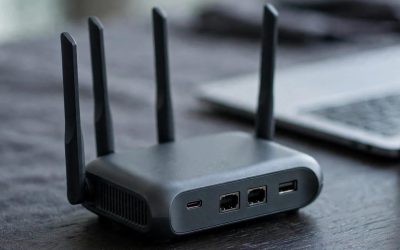
Specs: Wi-Fi 5 (802.11ac) AC1200 — 300 Mbps on 2.4 GHz, 867 Mbps on 5 GHz; IP65; 4 detachable 7 dBi omni antennas; passive PoE (active/passive support); 1 Gigabit Ethernet port; 6 kV lightning and 15 kV static protection; AP, repeater, router, and bridge modes.
Pros: Four 7 dBi antennas is the most antenna in this guide: WAVLINK quotes 200 to 300 metres of radius coverage, the longest here. At $64.99 to $74.99 it is the cheapest dual-band outdoor access point that fits, undercutting the EAP225-Outdoor by $5.
Cons: WAVLINK is a budget brand, and it shows in firmware support and documentation — no Omada or UniFi equivalent, no free controller software, no deep community knowledge base. Prices vary wildly by listing, so check the model number (WL-WN572HP3) and the seller before paying.
Best for: A farm, large yard, or RV setup where range matters more than a brand name, and where $65 to $75 is the ceiling.
5. TP-Link EAP110-Outdoor V3 — The Cheapest Real Outdoor AP
Specs: Wi-Fi 4 (802.11n) N300 — 300 Mbps on 2.4 GHz only; IP65; 24 V passive PoE, injector included; 2 external 5 dBi omni antennas; 1 10/100 Ethernet port; 6 kV lightning protection; coverage up to 200 metres; -30 to 70 °C; Omada SDN.
Pros: Under $40 at its cheapest — $39.99 at one authorized retailer, $55 at another — it is the cheapest real outdoor access point in this guide by a wide margin, and it is still a proper weatherproof unit with an IP65 rating and 6 kV lightning protection. The injector is included, so there is no hidden power cost.
Cons: Single-band 2.4 GHz only — no 5 GHz at all — so phones and laptops will feel slow, and it cannot handle 4K streaming or large file transfers. The Ethernet port is 10/100, not gigabit, which caps the wired backhaul at 100 Mbps. And it is Wi-Fi 4, a standard from 2009 — fine for sensors, but not a radio to build a network around.
Best for: A gate, garden shed, or greenhouse where the only clients are cameras, plugs, and sensors.
What $100 Does Not Cover: Cable, Mount, and Power
The access point is the cheapest part of a first outdoor install. The cable is not. You need an Ethernet run from your router or switch to wherever the unit hangs, and it should be outdoor-rated cable — UV-resistant, preferably gel-filled. A 100-foot outdoor Cat6 run costs roughly $25 to $35, and none of the five picks includes one.
Power is the second hidden cost. Three of the five picks include a passive PoE injector, which is why they are so cheap. But that injector is not waterproof — it lives indoors. Plan the cable run so the injector sits inside the house and the access point sits outside. If your access point does not include an injector — the UAP-AC-M does not — add about $20 for a PoE switch.
All in, a real first install of the top pick costs about $105 to $135, not $80 — the access point is only the radio. That is still cheap for what it does.
What to Avoid
Indoor access points used outdoors. The NETGEAR WAX214 is a Wi-Fi 6 indoor access point that sells for $70 to $90, and some buyers put it outside with extra weatherproofing. It has no weather rating at all, and condensation will kill it. The same applies to TP-Link’s own EAP653, an indoor AX3000 unit at $79.99 — do not confuse it with the EAP603-Outdoor. The model numbers differ by one digit and the prices are nearly identical.
Point-to-point bridges sold as access points. The Ubiquiti LiteBeam AC Gen 2 ($81.79) and the KuWFi 2-pack bridge ($93.99) are directional CPE units built to link two buildings, not to serve phones and laptops. If the listing talks about kilometres and dBi gain but never mentions serving clients, it is a bridge.
Junk listings. One catalog entry reads $2.80 for an EAP225-Outdoor — a marketplace listing with no real stock behind it. Another reads $67.99 for a generic-brand “Omada AC1200 Outdoor” that borrows TP-Link’s product name but is not a TP-Link. And the UAP-AC-M’s $229.99 Amazon read is a third-party seller charging more than double the authorized-retailer price. Check the seller and the exact model number before paying.
Still Doesn’t Fit
Grandstream GWN7605, $119.99. Wi-Fi 5, IP66, 802.3af PoE — the closest miss in this guide, $19.99 over budget.
TP-Link EAP610-Outdoor, $128.90 to $189. The older Wi-Fi 6 outdoor model (AX1800, IP67, 802.3at PoE+) — more money than the EAP603-Outdoor for the same radio, and most listings omit the injector.
TP-Link EAP650-Outdoor, $134.99. Wi-Fi 6 AX3000, genuine IP67, injector in the box — the best outdoor unit for most properties, but $34.99 over budget. Its 160 MHz channels are the real step up from the EAP603-Outdoor.
EnGenius ENS620EXT, $195 to $225. A 2016-era Wave 2 AC1300 outdoor AP (IP55, four 5 dBi antennas, 24 V injector in the box) — outclassed by the $79.99 EAP603-Outdoor in every way that matters.
Ubiquiti U6 Mesh, $197 to $225.85. Wi-Fi 6, indoor/outdoor, and the proper successor to the UAP-AC-M — roughly double the budget, and the PoE+ switch or injector is not in the box.
TP-Link Deco X50-Outdoor, $110 to $195. A Wi-Fi 6 mesh node with an IP65 rating, but it is not a standalone access point: it only works inside a Deco mesh system. If you already run Deco, it is worth a look; if you do not, it is the wrong product.
FAQ
Do I need a PoE switch, or is the included injector enough?
For one access point, the included injector is enough — it sits indoors and sends power and data down the same Ethernet cable. A PoE switch only pays off with a second access point or a PoE camera. The UAP-AC-M is the exception: it ships without any power supply, so you need a switch or injector from day one.
Can I just put an indoor access point in a waterproof box?
You can, and it will probably work for a while, but it is not equivalent to a purpose-built outdoor unit. Indoor access points are not rated for the temperature swings, and condensation inside a sealed box is the usual killer — the box keeps rain out and traps moisture in. Outdoor units also carry lightning protection that indoor units do not have.
What is the difference between an outdoor access point and an outdoor mesh node or extender?
An access point is wired back to your router over Ethernet, so it delivers the full speed of that cable. A mesh node or extender repeats a wireless signal, which costs about half the speed on every hop. If you can run a cable, an access point wins.
How far will an outdoor access point actually reach?
The makers quote 200 to 300 metres, but those are line-of-sight figures across open ground. Through a hedge, a fence, and a garden wall you will see a fraction of that. In practice, expect reliable phone-grade coverage out to 30 to 50 metres from a wall-mounted unit, and camera-grade 2.4 GHz coverage farther.
Verdict
The TP-Link EAP603-Outdoor at $79.99 is the best outdoor Wi-Fi access point under $100 because it is the cheapest current Wi-Fi 6 radio in a genuinely weatherproof enclosure, with the injector in the box and no controller purchase required. It fits by $20 at its cheapest read and by $0.01 at its highest, so check the seller at checkout — and budget $25 to $35 more for outdoor cable.
If $70 is the ceiling, the EAP225-Outdoor gives up Wi-Fi 6 and keeps the rest. If you already run UniFi, the UAP-AC-M at $97.99 from an authorized retailer is the right buy — never pay the $229.99 Amazon read. And if the only clients are cameras and sensors, the $39.99 EAP110-Outdoor is all the outdoor Wi-Fi anyone needs.
Suggested Internal Links
As an Amazon Associate, we earn from qualifying purchases.
More from Amazon
Programs that pair well with the guide above. Offers and eligibility are set by Amazon and may change.
Free shipping on eligible items, Prime Video and more. Eligible new members can start with a free trial.
Start a Prime free trialAd-free music streaming. Eligible new subscribers can start with a free trial.
Try Music Unlimited freeA Prime membership for ages 18-24 with a trial period. Eligibility is set by Amazon.
See Prime for Young AdultsAudiobooks and podcasts to listen to on the go. Eligible new members can start with a free trial.
Try Audible freeAs an Amazon Associate we earn from qualifying purchases.