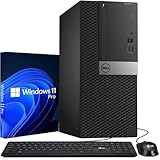
The best 16GB RAM desktop computers in 2026 are the Dell Tower with a Core Ultra 5, the Mac mini with its 16GB unified memory base, and the HP Pro Tower 290 G9 for budget office work. Sixteen gigabytes is enough for Windows 11, dozens of browser tabs, Office apps and video calls at once; it only becomes limiting for large photo libraries, virtual machines or 4K video editing. Here is how the main options compare and how to avoid a poorly specified 16GB machine.
Our top picks


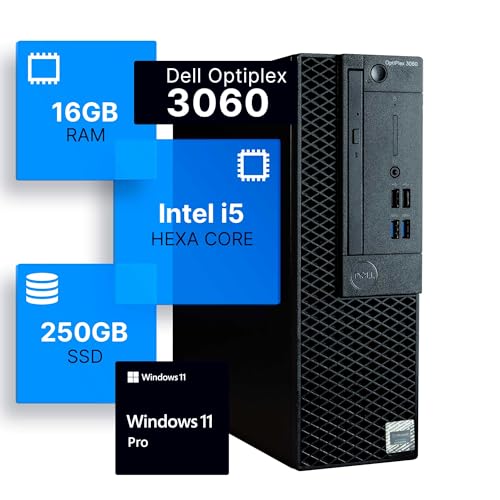
 Qehi All-in-One Desktop Computer 24" AIO Core
- 24‑Inch FHD Frameless Anti‑Glare Tiltable Display for Daily…
- 16GB RAM + 256GB SSD for Smooth Daily…
- Sleek Compact Integrated Build for Tidy Desk Layout…
As an Amazon Associate we earn from qualifying purchases at no extra cost to you.
Quick Comparison of 16GB Desktops
| Pick | Best for | Memory | Upgradeable RAM? | Price range |
|---|---|---|---|---|
| Dell Tower (Core Ultra 5 225) | Everyday home and office | 16GB DDR5-5600 | Yes, 2 slots, 64GB max | Mid |
| Apple Mac mini (M4) | Quiet small-desk setup | 16GB unified | No, fixed at purchase | Mid |
| HP Pro Tower 290 G9 | Budget office use | 16GB DDR4 (configuration dependent) | Yes | Budget to mid |
| Lenovo ThinkCentre neo 50t Gen 5 | Small business fleets | Up to 64GB DDR5 | Yes | Mid |
| HP OmniStudio X 31.5 | Big-screen all-in-one | 16GB LPDDR5X (Core Ultra 7 config) | No | Premium |
Best Overall: Dell Tower (ECT1250)
Dell’s spec sheet and retailer listings show configurations with the Core Ultra 5 225 and 16GB of DDR5-5600 plus a 1TB NVMe SSD. It has two DIMM slots, so you can grow to 32GB or 64GB later, along with gigabit Ethernet, Wi-Fi, HDMI 2.1 and DisplayPort 1.4. The case is 12.76 inches tall, which fits under most desks.
Trade-off: Intel integrated graphics only, and a 180W power supply, so skip it for gaming.
Best Compact: Apple Mac mini
The M4 Mac mini starts at 16GB of unified memory, shared between the CPU and GPU. Apple’s memory design means 16GB goes further than on a typical Windows PC for everyday work, though heavy creative projects may still want 24GB. Ports include three Thunderbolt 4 on the back, HDMI and Ethernet.
Trade-off: memory cannot be upgraded afterward, and you need a monitor and keyboard. Apple may sell a newer chip generation now, so check the current lineup.
Best Budget Office: HP Pro Tower 290 G9
This business tower is just under 12 inches long and about 10.5 pounds, with TPM 2.0 and an 80 Plus Gold power supply. Common configurations pair a 12th or 13th generation Intel Core i5 with 16GB of RAM and a 1TB SSD, and two-monitor 4K output is supported on many variants. It is older silicon, but office work does not need more.
Trade-off: older platform, so verify the RAM type and CPU generation in the listing.
Best for Fleets: Lenovo ThinkCentre neo 50t Gen 5
Lenovo lists up to a 14th Gen Intel Core i7, up to 64GB of DDR5 and up to 1TB of storage. Third-party sellers offer many custom builds, so confirm the exact CPU and RAM in the product title. Tool-less access and standard parts make repairs easy.
Trade-off: resale configurations vary, and some listings use previous-generation parts.
Best Large All-in-One: HP OmniStudio X 31.5
With a 31.5-inch 4K IPS display and a Core Ultra 7 256V configuration at 16GB, this is a full desk replacement. Memory is on-package, so 16GB is what you keep.
Trade-off: no RAM upgrade path and a premium price for the screen.
Is 16GB Enough? A Practical Memory Budget
| Workload | Typical RAM use | 16GB verdict |
|---|---|---|
| Windows 11 idle | 3-4 GB | Plenty |
| Chrome with 30 tabs | 4-8 GB | Fine |
| Office, Teams or Zoom call | 2-4 GB | Fine |
| Photoshop with large files | 6-12 GB | Tight with other apps |
| 1080p video editing | 8-12 GB | Workable |
| Virtual machines | 4-8 GB per VM | Choose 32GB |
These figures are typical ranges, not measurements from any one machine. If your workload sits in the last three rows, buy a model with a free DIMM slot and add memory later.
How to Choose a 16GB Desktop
Check the configuration of the memory
Two 8GB sticks run in dual channel and are faster than one 16GB stick on many Intel and AMD platforms. A single 16GB module leaves a slot free for later expansion, which can matter more than a small speed difference. Look for DDR5 on new systems; DDR4 is acceptable at the budget end.
Match the SSD
Pair 16GB with at least a 512GB NVMe SSD. Windows plus apps often use 120-200GB before any files.
Check the CPU generation
Avoid chips older than Intel 12th generation or AMD Ryzen 5000 unless the price is clearly low. Recent Core Ultra and Ryzen chips run cooler and last longer.
Look for an open slot
If a listing says 16GB but gives no slot count, look at the manufacturer page. Models with two DIMM slots, like Dell’s tower, can reach 32GB or 64GB.
Worked Example: Cost of Upgrading Later
Suppose you buy a tower with one 16GB stick and a free slot. Adding a second 16GB DDR5 module later takes about five minutes with a screwdriver: power down, unplug, open the side panel, press the module into the empty slot until both clips snap, close the case. That route typically costs a small fraction of the price difference between a 16GB and a 32GB system at checkout, and you only pay if you need it. On a Mac mini or all-in-one with on-package memory, the same upgrade is impossible, so the choice at checkout is final. If you are unsure, buy the next memory tier up on those machines.
Ownership Realities
RAM rarely fails, but the things around it do. Dust builds up on tower fans within a year or two in carpeted rooms, so blow out the intake with compressed air every six months. SSDs wear with writes; a 1TB drive in office use lasts many years. Keep Windows and BIOS updates current, since manufacturers ship fixes for memory stability. If a desktop shows random crashes after adding memory, reseat the modules and enable the memory profile in BIOS only if the kit supports it; mixing different kits is the most common cause of instability. Finally, keep 15-20% of the SSD free so Windows has working room, which matters as much as the RAM figure on the box.
Warranty terms also differ: business towers like the Dell Tower and HP Pro Tower often include on-site service options, which is worth having if the PC runs a small business.
Frequently Asked Questions
Is 16GB of RAM enough for a desktop in 2026?
Yes for browsing, Office, streaming and light photo editing. Move to 32GB for virtual machines, large video projects or many heavy apps open together.
Is 16GB of RAM enough for gaming?
For most current games, yes. Some large titles use 12GB or more with background apps, so 32GB gives headroom on a gaming build.
Can I add RAM to a desktop later?
On most Windows towers, yes, if there is a free DIMM slot and you match the memory type. Mac mini and all-in-one models with on-package memory cannot be upgraded.
Does a Mac with 16GB equal a PC with 16GB?
Not exactly. Apple’s unified memory is shared and fast, so everyday tasks feel smoother, but a 16GB Mac still runs out under very heavy workloads.
DDR4 or DDR5 for a new desktop?
DDR5 is the better long-term choice since new platforms use it. DDR4 is fine only if the system price reflects it.
More from Amazon
Programs that pair well with the guide above. Offers and eligibility are set by Amazon and may change.
Free shipping on eligible items, Prime Video and more. Eligible new members can start with a free trial.
Start a Prime free trialAd-free music streaming. Eligible new subscribers can start with a free trial.
Try Music Unlimited freeA Prime membership for ages 18-24 with a trial period. Eligibility is set by Amazon.
See Prime for Young AdultsAudiobooks and podcasts to listen to on the go. Eligible new members can start with a free trial.
Try Audible freeAs an Amazon Associate we earn from qualifying purchases.