Key takeaways
- The phrase "best smart TV to purchase" is really three questions folded into one: how big, which operating system.
The phrase “best smart TV to purchase” is really three questions folded into one: how big, which operating system, and how much picture technology you will actually notice from your seat. A 24-inch Fire TV for a kitchen counter and a 65-inch Mini LED for a family room are both smart TVs, but they solve different problems, so the best purchase is the one matched to the room. Start with where the TV will sit and how far away you will be, and only then compare panel tiers and brand ecosystems.
This guide is for shoppers replacing an old set or furnishing a new room who want built-in streaming without extra boxes. It spans compact HD sets for bedrooms, mid-size 4K sets for living rooms, and one larger Mini LED screen for people who want a showpiece. Looking at 2026 releases, the platform matters nearly as much as the panel: Roku, Fire TV and Samsung’s Tizen each have different menus, voice assistants and app support. All remarks are based on facts in the product titles, and unstated specs are noted as unknowns.
Quick Picks
Our top picks


As an Amazon Associate we earn from qualifying purchases at no extra cost to you.
| Product | Best for | Key spec from the title |
|---|---|---|
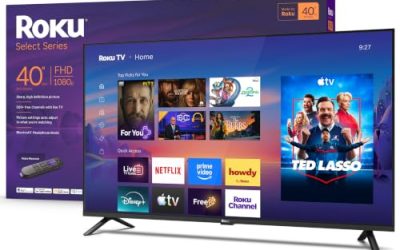
| Roku 43-Inch Select Series | Simple, all-purpose living room TV | 4K HDR, voice remote, Bluetooth headphone mode |
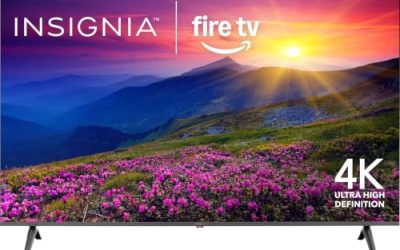
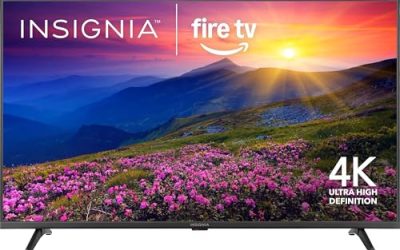
| Insignia 55-inch F50 Fire TV | Alexa households wanting a bigger 4K screen | LED 4K UHD, Alexa voice remote, live TV |
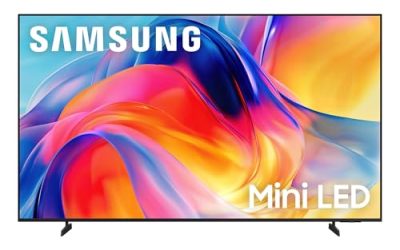
| Samsung 65-Inch M70H Mini LED | Large-room movie nights | Mini LED, 4K, Vision AI Companion, Pure Spectrum Color |
| Hisense 32-Inch QD4SR Roku TV | Small rooms that want better color | Hi-QLED HD, Dolby Audio, Full Array LED |
| Samsung 32-Inch H5000F | Bedrooms and offices | HD, HDR, Object Tracking Sound Lite, Knox |
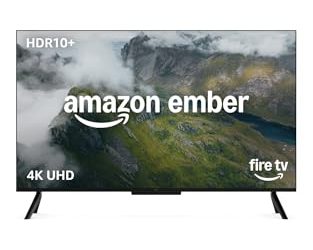
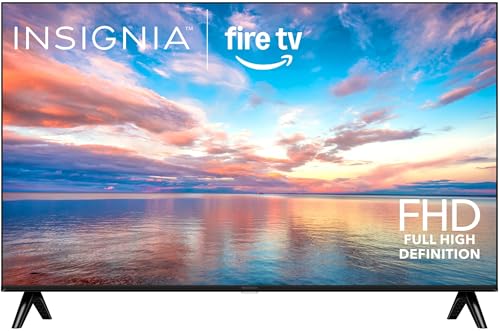
| Insignia 24-inch F20 Fire TV | Kitchens, RVs and dorm desks | HD Smart Fire TV, Alexa voice remote, free and live TV |
How to Choose
Size and resolution by seating distance
As a rule of thumb, sit about one and a half times the screen diagonal away for 4K and up to two to two and a half times for HD. A 32-inch HD set is fine from a few feet away in a bedroom, but at 55 inches or larger, 4K resolution is the sensible floor. Under 40 inches, 4K adds little because your eye cannot resolve the extra pixels at normal distance, so do not pay a premium for it on small screens. On the other side, a 65-inch set viewed from a normal sofa makes lower resolution obvious, and text or fine detail looks soft. If you are torn between sizes, bigger is usually the safer direction as long as the wall space and the stand can support it.
Operating system and voice assistant
Roku offers a plain, app-grid menu and a wide channel list. Fire TV centers on a content-discovery home screen and Alexa voice commands. Samsung’s Tizen has its own free channels and works with SmartThings and Bixby. Pick the platform you already know, since switching costs time. If you rely on a smart speaker, check that the TV supports it with a voice remote or built-in microphone.
Panel type and brightness
Standard LED sets are the baseline. QLED adds quantum dot color, Full Array LED adds zones that dim independently, and Mini LED shrinks the lights for finer control. In a bright room, brightness and anti-glare matter most; in a dark room, contrast and black level matter more. Titles rarely list peak brightness, so use panel type as a rough guide. Also think about glare: a glossy screen opposite a window will pick up reflections no matter how bright it is, so placement can matter more than a spec on the box.
Ports, audio and what to ignore
Count the HDMI ports you need, including one for a soundbar, and look for headphone features if someone in the house watches at night. Built-in speakers on thin sets are modest, so audio add-ons such as Dolby Audio only help so much. Ignore marketing terms that sound technical but are not measurable, and focus on the platform, panel tier and size. Check that the remote includes the shortcuts you use, and make sure the TV has the Wi-Fi standard your router supports, since a weak connection will stall streaming on any platform.
The 6 Best Options
Roku 43-Inch Select Series
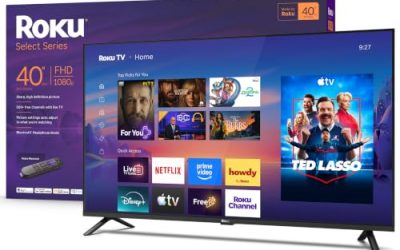
A 4K HDR Roku TV with a voice remote, Wi-Fi and a Bluetooth headphone mode. The 43-inch size fits bedrooms, small living rooms and apartments, and the Roku interface is among the easiest to learn. It is a sensible choice for a household that wants the simplest possible setup. Mid-size 4K sets like this one are what most people end up buying, because they fit a typical media console and still show detail in sports and streaming shows. The headphone mode is a quiet bonus for anyone who shares a room with a sleeping partner.
- Strength: 4K HDR at a size that suits small to mid-size rooms.
- Strength: Bluetooth headphone mode supports late-night viewing.
- Trade-off: The visible title does not mention an advanced backlight such as Mini LED.
Skip it if you want a large screen for a big room, or if you are after the deeper contrast of a Mini LED or full array panel.
Insignia 55-inch F50 Fire TV
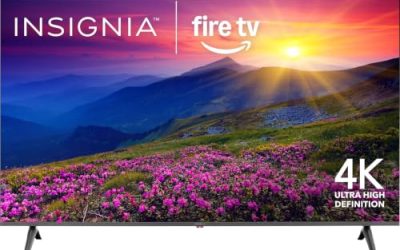
The F50 is an LED 4K UHD smart TV with Fire TV built in, an Alexa voice remote and live TV without cable. At 55 inches it fits a standard living room, and it is aimed at households already using Alexa devices. The live TV wording indicates that antenna and free channel options are built into the interface, which helps anyone who has dropped a cable subscription. A larger 55-inch size also makes the 4K resolution easy to notice from a normal couch distance.
- Strength: 4K UHD at a mainstream living-room size.
- Strength: Alexa voice remote simplifies search and smart-home control.
- Trade-off: Standard LED backlighting, so contrast is modest.
Skip it if you want premium picture technology like Mini LED or QLED, or if you prefer an interface other than Fire TV.
Samsung 65-Inch M70H Mini LED
The largest set in the group, with Mini LED, 4K, a Mini LED processor, Pure Spectrum Color and the Vision AI Companion. At 65 inches it is built for a family room or media space where the picture is the main event. Because it uses a Mini LED processor and branded color processing, it is the set to look at when you plan to watch films in a dim room and want deep blacks next to bright highlights. Measure your space first, since a 65-inch diagonal is wider than many people expect.
- Strength: Mini LED backlight offers finer contrast control.
- Strength: Large 65-inch screen suits wide seating arrangements.
- Trade-off: It needs more wall or cabinet space than the other picks.
Skip it if your room is small or your budget is tight.
Hisense 32-Inch QD4SR Roku TV
A compact Roku TV with Hi-QLED color, Dolby Audio, Alexa compatibility and Full Array LED backlighting at HD resolution. Color technology on a small screen is uncommon, so it suits a kitchen or office where the picture matters. The full array backlight is a design that places LEDs behind the entire panel, which allows local dimming and tends to look better than edge lighting. Combined with a Roku interface, it makes a tidy compact set for someone who wants more than a bargain-bin small screen.
- Strength: Hi-QLED color and Full Array LED are rare on 32-inch sets.
- Strength: Dolby Audio and Alexa compatibility are named.
- Trade-off: HD resolution, not 4K.
Skip it if you want 4K or a larger screen. A bedroom TV that sits a few feet from the bed rarely needs more, but a bigger room will expose the limits of HD.
Samsung 32-Inch H5000F
An HD Samsung Smart TV with HDR, Object Tracking Sound Lite, Knox security and the One UI Tizen platform. It is a straightforward bedroom or office TV from a known brand. Knox is Samsung’s security layer, and Tizen has its own library of free channels, so it works out of the box for people who just want to turn it on and watch. It is a reasonable choice for a guest room or a child’s room.
- Strength: Samsung’s Tizen platform and Knox security.
- Strength: Object Tracking Sound Lite adds audio positioning.
- Trade-off: HD resolution only.
Skip it if you want 4K or a bigger display.
Insignia 24-inch F20 Fire TV
The smallest option, an HD Smart Fire TV with an Alexa voice remote and free and live TV. It suits spaces where a larger set will not fit, such as a kitchen counter or a camper. It is more of a convenience screen than a main TV, perfect for watching a cooking show while you prep or catching the news while you get ready in the morning.
- Strength: Compact size fits tight spaces.
- Strength: Alexa voice remote and live TV in a small footprint.
- Trade-off: At 24 inches it is not suited to group viewing.
Skip it if you want a primary living room screen, since 24 inches is simply too small for a group.
Which One Fits Your Situation
A main living room with 4K streaming
The Insignia 55-inch F50 or the Roku 43-inch Select Series cover mainstream 4K, with Fire TV and Roku as the platform choice.
A dedicated movie night room
Go with the Samsung 65-inch M70H, which brings Mini LED and a large screen.
A bedroom or home office
The Samsung 32-inch H5000F or the Hisense 32-inch QD4SR work well, with Hisense offering better color and Samsung a familiar platform.
A kitchen, RV or dorm
The Insignia 24-inch F20 is the compact pick.
Common Mistakes
- Choosing a TV by size alone without considering the room and viewing distance.
- Paying for 4K on a screen under 40 inches where the difference is hard to see.
- Ignoring the platform and then disliking the menu and voice assistant.
- Forgetting to count HDMI ports for a console, a streaming stick and a soundbar.
- Assuming built-in speakers are enough for a large room.
Specs and Terms Explained
HDR and brightness
HDR formats such as HDR10 add contrast and color, but a dim panel cannot deliver the effect. Higher peak brightness helps most in a sunny room. Mini LED models like the Samsung 65-Inch M70H Mini LED aim at that strength, while basic panels on small TVs treat HDR as a supported format rather than a visible upgrade.
Native refresh rate
Most TVs at this tier use a 60Hz panel. Marketing terms like motion rate can suggest a higher number, so look for the native figure if you plan to play games.
Upscaling
Upscaling stretches lower-resolution video to fit the screen. On a small display, such as the 24-inch Insignia, it matters little. On a big 4K screen, the quality of the processor shows up in how clean older shows look.
ARC and eARC
These HDMI features send audio from the TV to a soundbar over a single cable. Look for an HDMI port labeled ARC or eARC if you want better sound without extra wires.
Input lag and Game Mode
Input lag is the delay between pressing a button and seeing the result. Most smart TVs offer a Game Mode that switches off heavy processing to lower it. Look for the mode by name in the specifications if you play action games on a console.
Sizing and Compatibility Checklist
- Measure the wall or stand space, and remember the TV is wider than its diagonal number suggests.
- Check the weight and mount pattern before choosing a wall bracket.
- Count the HDMI ports you need for a console, streaming stick and soundbar.
- Confirm Wi-Fi strength in the room, or use a wired connection for steadier streaming.
Setup and Privacy Tips
- During setup, review the privacy and data-sharing prompts and decline anything you do not want; smart TVs commonly offer viewing-data options.
- Turn off motion smoothing if movies look overly smooth.
- Install updates, because these fix bugs and sometimes add features.
- Use an ethernet cable in rooms with weak Wi-Fi.
Who Should Skip These
Skip a small screen like the Insignia 24-inch F20 Fire TV if you plan to watch movies from a couch, because it is meant for a kitchen counter or desk. Skip the Hisense 32-Inch QD4SR Roku TV and the Samsung 32-Inch H5000F if you want a main living room set, since a bigger screen suits that job better. And skip the Samsung 65-Inch M70H Mini LED if your wall or stand cannot hold a large, heavy panel.
Related guides
- Helping Hands Soldering Station With Magnifier
- Is 8000Hz Polling Rate Worth It For 144Hz Monitor
- Bench Power Supply For Electronics Hobbyists
Frequently Asked Questions
Which smart TV platform is easiest?
Roku is widely seen as the simplest, with a plain menu. Fire TV and Tizen add more features and content suggestions, so pick the one that matches the devices and voice assistant you already use at home.
Is Mini LED worth it?
For large screens in bright or mixed lighting, yes. On small screens, the gain is harder to see, so the premium makes the most sense at 55 inches and above.
Do I need a streaming stick with a smart TV?
Not usually, and skipping the stick saves a remote and a power outlet. Each platform here has apps built in, though an external device can help if your TV’s apps feel dated.
What size TV should I buy?
Match the size to your seating distance: 32 inches or less for close viewing, 43 to 55 inches for most living rooms, and 65 inches for larger spaces. Measure the wall or stand before ordering, and leave a little room around the edges for ventilation and cables.