Key takeaways
- Sixty-five inches has become the default living-room size, and that makes the search for the best 65 in TV more crowded than any other size class.
Sixty-five inches has become the default living-room size, and that makes the search for the best 65 in TV more crowded than any other size class. The same screen diagonal is sold as a basic LED set, a QLED panel, a Mini LED model and a full OLED, with price tiers that stretch across a wide range. The decision is rarely about size; it is about which technology and which smart platform you are actually paying for, and whether the premium panel types are worth it in your room.
This guide is for people replacing a ten-year-old television, moving from a 55-inch set to something that fills the wall, or shopping for a family room used for sports, streaming and games. The seven models below cover Fire TV, Roku, Google TV and Samsung platforms, with panels from Crystal UHD to OLED. Each is judged only from its listing title, so treat the notes as a starting point for the spec sheet. The shortlist reflects the 2026 lineup as shown in the listings.
Quick Picks
Our top picks






As an Amazon Associate we earn from qualifying purchases at no extra cost to you.
| Product | Best for | Key spec from the title |
|---|---|---|
| Insignia 65″ F50 Fire TV | Lowest-commitment living-room upgrade | LED 4K UHD, Alexa voice remote |
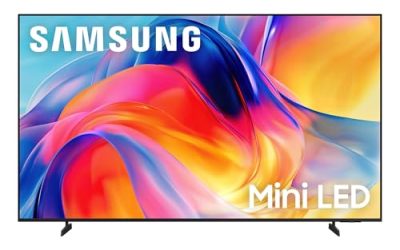
| Samsung 65″ M70H Mini LED | Bright rooms and Samsung features | Mini LED, 4K, Pure Spectrum Color |
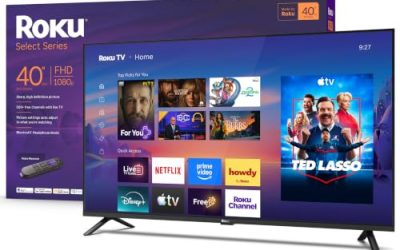
| Roku 65″ Select Series QLED | Roku households wanting richer color | 4K QLED, Bluetooth headphone mode |
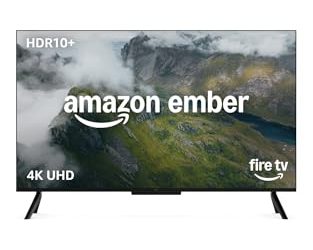
| Toshiba 65″ M450 Fire TV | QLED color with Fire TV simplicity | QLED 4K UHD, Alexa voice remote |
| TCL 65″ T7 Google TV | Sports and gaming at a mid-range tier | 144Hz QLED, Dolby Vision, VRR |
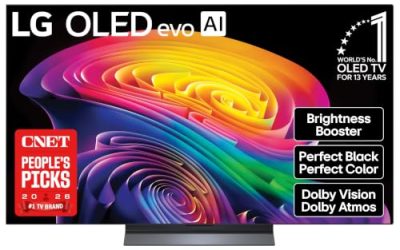
| Samsung 65″ S90H OLED | Dark-room movie watching | OLED 4K, Glare Free, Real Black |
| Samsung 65″ U8000H Crystal UHD | Standard 4K from a major brand | Crystal UHD, 4K processor, Motion Xcelerator |
How to Choose
Match the panel type to the room’s light
Panel technology is the main price driver here. Crystal UHD and plain LED sets are the baseline and do well in moderate light. QLED adds a quantum dot layer for more saturated color. Mini LED uses smaller backlight zones for stronger brightness and contrast, which helps in sunny rooms. OLED lights each pixel individually, which produces deep black levels that shine in a dark room but can feel less punchy in a bright one. The question is whether you watch mostly at night in a darkened room or during the day with windows open; the answer points toward OLED or Mini LED respectively.
Refresh rate and gaming features
The TCL T7 lists 144Hz, VRR and Game Accelerator 288, which signals a set built with console and PC players in mind. If you game at 120 frames per second, the TV must support a 120Hz-class refresh and variable refresh rate; otherwise the extra horsepower in your console is wasted. For casual players, a standard 60Hz panel is sufficient. Also check HDMI ports: a 4K console, a soundbar and a streaming stick can easily use three inputs.
HDR and sound formats
The listings mention Dolby Vision, HDR10+, Dolby Atmos and OLED HDR+. These formats govern how brightly highlights and shadows are handled, and each streaming service supports a different mix. A TV that supports both Dolby Vision and HDR10+ covers more content. Built-in speakers on any slim 65-inch set are modest, so plan on a soundbar if movies or music matter, and verify the set has an eARC-capable HDMI port if you want the best audio pass-through.
Choose the smart platform you will not fight
Fire TV, Roku, Google TV and Samsung’s Vision AI each have a different home screen and voice assistant. Pick the one that matches your existing voice speaker and streaming accounts. A mismatch is annoying but not fatal, because an external streaming stick can replace any built-in platform. Also confirm the stand footprint: a 65-inch set can be wider than many media consoles, and feet at the outer corners need furniture that spans the width of the screen.
It also helps to ignore a few things. Marketing names for picture modes, motion smoothing and AI upscaling are hard to compare from a listing, and most of them can be turned off or tuned after setup. The labels that deserve attention are the ones you can verify: panel type, refresh rate, HDR formats, HDMI inputs and the smart platform. Where budget models cut corners is usually the processor and the number of full-speed HDMI ports, so count your devices, then count the ports, before you settle on a set that looks great in a store display.
The 7 Best Options
Insignia 65″ F50 Series Fire TV
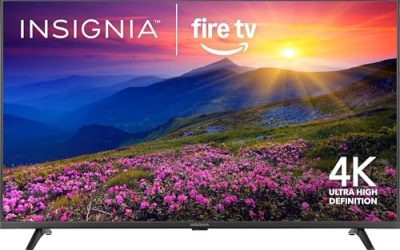
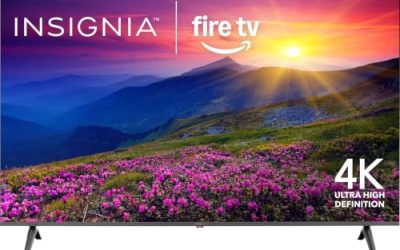
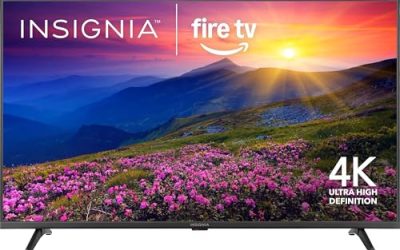
The F50 is a no-frills LED 4K UHD set with Fire TV and a voice remote with Alexa, and the listing highlights streaming live TV without cable. It fits households replacing an old set on a tight budget, or a secondary room where picture technology matters less than size.
- Strength: Fire TV with an Alexa remote makes search and app launching simple.
- Strength: 4K UHD at 65 inches is a big upgrade from older 1080p sets.
- Trade-off: the plain LED panel will not match QLED, Mini LED or OLED sets on color and contrast.
Skip it if you care about gaming features or high-end picture quality.
Samsung 65″ Class M70H Mini LED
Aimed at buyers who want a visible step up from basic LED, the M70H lists Mini LED, 4K, Vision AI Companion, a Mini LED Processor and Pure Spectrum Color. It suits bright living rooms and shoppers who want Samsung’s smart features and a stronger backlight.
- Strength: Mini LED backlighting targets better brightness and contrast.
- Strength: a dedicated Mini LED Processor and Vision AI Companion are named in the title.
- Trade-off: it costs more than entry LED and QLED sets in the group.
Skip it if your budget leans toward a basic streaming TV.
Roku 65″ Select Series QLED
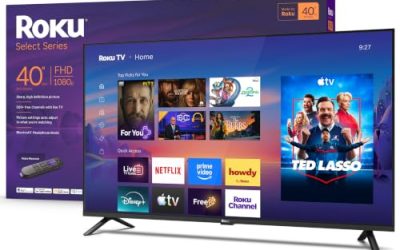
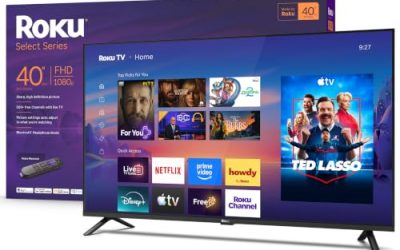
The Roku Select pairs a 65-inch 4K QLED panel with a voice remote, Wi-Fi and Bluetooth headphone mode. It is a fit for households that know the Roku interface and want more color than a basic LED set offers, and it works for late-night viewing with headphones.
- Strength: QLED adds a quantum dot color boost over standard LED.
- Strength: Bluetooth headphone mode supports private listening.
- Trade-off: the title does not mention Mini LED or high refresh features, so gamers may want more.
Skip it if you want a 144Hz gaming panel or an OLED black level.
Toshiba 65″ M450 Series QLED Fire TV
The Toshiba M450 delivers QLED 4K UHD on a Fire TV platform with an Alexa voice remote. It targets shoppers who want quantum dot color and Fire TV’s simple interface in one box, and who stream live TV without a cable subscription.
- Strength: QLED color with a streamlined Fire TV home screen.
- Strength: the Alexa remote supports voice search and smart home control.
- Trade-off: the title lists no gaming-oriented refresh specs, so it is less suited to competitive play.
Skip it if you plan to use the set mainly for console gaming at high frame rates.
TCL 65″ T7 Series 144Hz QLED Google TV
The T7 is the gamer and sports fan option, with a 4K 144Hz QLED panel, Google TV, Dolby Vision HDR and Atmos, HDR10+, Game Accelerator 288 and VRR. It fits a family room that handles football on Sunday and console play on Friday.
- Strength: 144Hz and VRR support smooth motion in games and sports.
- Strength: Dolby Vision, HDR10+ and Atmos cover the main premium formats.
- Trade-off: the title does not call out Mini LED, so brightness may not match higher backlight tiers.
Skip it if you prefer Fire TV or Roku and do not care about refresh-rate features.
Samsung 65″ Class S90H OLED
The S90H is built for people who watch movies in dim rooms. It lists OLED, 4K, Vision AI, a Glare Free screen, Real Black and Real Color, OLED HDR+ and an NQ4 AI Gen3 processor. It suits home theater setups and viewers who put contrast first.
- Strength: OLED delivers per-pixel black levels that LED panels cannot match.
- Strength: the Glare Free screen is named in the title, helpful in rooms with some ambient light.
- Trade-off: OLED sits in the highest price tier among these models.
Skip it if your budget is tight or the TV will run all day in a bright room.
Samsung 65″ Class U8000H Crystal UHD
The U8000H is a Crystal UHD set with Samsung Vision AI, a 4K processor, free content and Motion Xcelerator. It suits buyers who want a recognizable brand and a clean 4K picture without paying for QLED or Mini LED.
- Strength: Samsung’s smart platform and Vision AI come with the set.
- Strength: Motion Xcelerator is named for smoother motion handling.
- Trade-off: Crystal UHD is not a QLED, Mini LED or OLED panel, so color and contrast are more modest.
Skip it if you want a premium picture or a dedicated gaming refresh rate.
Which One Fits Your Situation
You want the biggest screen for the least money
Choose the Insignia F50 Fire TV. If you prefer Samsung’s platform at a modest tier, the U8000H Crystal UHD is the closest alternative.
You game and watch sports
The TCL T7 is the match, thanks to 144Hz, VRR and Game Accelerator 288. Its Google TV platform also handles most major streaming apps.
You watch movies in a dark room
The Samsung S90H OLED gives the deepest blacks. For a lower-cost step toward better contrast, the Samsung M70H Mini LED is the alternative.
You want color without leaving Fire TV or Roku
The Toshiba M450 gives QLED on Fire TV, and the Roku Select offers QLED on Roku. Pick based on which voice assistant and interface your household already uses.
Common Mistakes
- Paying for OLED and then placing the set in a room that is bright all day.
- Assuming every 65-inch model supports high refresh rates; only some list them.
- Forgetting the width of the stand, which can overhang a narrow console.
- Counting on built-in speakers for movies instead of planning for a soundbar.
- Choosing a smart platform without checking the apps and voice assistant you already use.
Sizing and Compatibility Checklist
- Work from the width, not the diagonal. A 65 inch screen is roughly 57 inches wide, so a console narrower than about 60 inches will probably not hold the stand feet comfortably. Check the stand footprint in the specification sheet.
- Match the seating distance. A comfortable range is about eight to ten feet for 4K at this size, closer if you like an immersive look and farther if you prefer to see the whole picture without turning your head.
- For wall mounting, confirm the VESA pattern and the weight rating of the bracket. A set this size needs studs, and a tilting or full-motion bracket sticks out farther than a flat one.
- Count HDMI ports and note which supports the newest standard. If a console and a soundbar both need premium ports, the set needs enough of them.
- Plan the delivery. A 65 inch carton usually needs two people and a clear path, and a tall hatchback may not carry it flat.
- Consider where the glare comes from. Windows opposite the screen cause more trouble than windows to the side.
Setup and Care Tips
Picture modes
Choose a Movie or Filmmaker mode for shows and a Game mode for consoles. Brightness can then be adjusted by room, and sports often look better in the Standard setting.
Looking after an OLED
The Samsung S90H OLED produces its own light pixel by pixel, which is why blacks look so deep. OLED panels can retain a faint image if the same bright, static element, such as a news ticker or a game HUD, is shown for hours on end. Vary what is on screen, use the built-in screen saver and pixel maintenance features, and avoid leaving a paused image up for long periods.
Ventilation and cleaning
Keep vents clear, and give the set a little breathing room behind it. Wipe with a dry microfiber cloth.
Sound
A slim 65 inch panel has little room for speakers. A soundbar connected through HDMI ARC is the simplest upgrade and keeps the remote working for volume.
Who Should Skip These
- People who watch mostly bright daytime news or sports with static scoreboards, who may want to avoid an OLED because of the static content and glare.
- Viewers in a small room with a sofa about six feet from the wall. A 65 inch screen will overwhelm the space.
- Gamers who plan to use a console at its fullest should skip the sets with the simplest specs and go for the one that lists a higher refresh rate.
- Anyone who values a lightweight set for easy moving; the 65 inch models are bulky.
Related guides
- Helping Hands Soldering Station With Magnifier
- Is 8000Hz Polling Rate Worth It For 144Hz Monitor
- Bench Power Supply For Electronics Hobbyists
Frequently Asked Questions
Is 65 inches too big for my room?
For a seating distance of roughly eight to ten feet, 65 inches is a comfortable fit. Closer than six feet, the picture can feel overwhelming.
QLED, Mini LED or OLED: which should I buy?
QLED improves color, Mini LED improves brightness and contrast, and OLED offers the best black levels. Pick OLED for dark rooms, Mini LED for bright rooms and QLED for a middle path.
Do I need 144Hz?
Only if you game on a console or PC that outputs high frame rates. For streaming and cable, 60Hz is sufficient.
Do I need a soundbar?
Most buyers will want one. Slim TVs leave little room for speakers, so a soundbar noticeably improves dialogue and bass.