Key takeaways
- Fifty inches is the quiet sweet spot of the TV aisle. It fits the stand that used to hold a 42-inch plasma.
Fifty inches is the quiet sweet spot of the TV aisle. It fits the stand that used to hold a 42-inch plasma, it looks properly large from a sofa 7 to 9 feet away, and it is the size where 4K resolution starts to pay off without demanding a whole wall. Shoppers who type “best rated 50 inch tv” are usually trying to avoid a dud: they want a set that people keep, not one that gets returned after a month of washed-out pictures and a laggy menu. That worry is reasonable, and the best defense is to compare what the manufacturer actually states.
Because scores and badges on store pages shift constantly, this guide leaves them aside and judges six 50-inch sets on what their titles state: panel type, smart platform, HDR formats and refresh rate. The group runs from a budget Fire TV to a Mini LED Neo QLED, so a first-time apartment renter and a buyer upgrading the family room both have a place to start. Listings at 40 and 55 inches turned up in the same results and were left out, and so was a renewed 50-inch unit, since the point here is new 50-inch sets for 2026 living rooms.
Quick Picks
Our top picks


As an Amazon Associate we earn from qualifying purchases at no extra cost to you.
| Product | Best for | Key spec from the title |
|---|---|---|
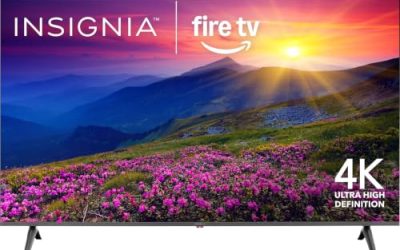
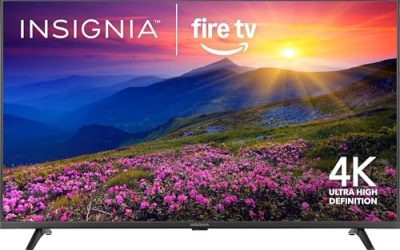
| Insignia 50-Inch F50 | Lowest-cost 4K | LED 4K UHD, Fire TV, Alexa Voice Remote |
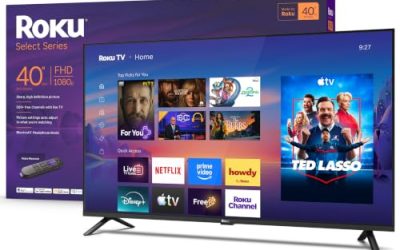
| Roku 50-Inch Select Series | Simple streaming with more color | 4K (2160p) QLED, Bluetooth Headphone Mode |
| Samsung 50-Inch M70H | Brighter picture in a lit room | Mini LED, 4K, Mini LED Processor 4K |
| Ember 50-Inch 4-Series | Fire TV households | 4K UHD, HDR10+, Dolby Audio |
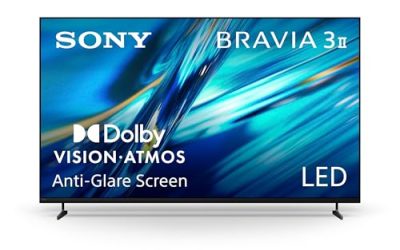
| Sony 50-Inch BRAVIA 3 II | Movie fans and motion clarity | 4K HDR, Dolby Vision/Atmos, 120Hz |
| Samsung 50-Inch QN90F | Top-tier picture at this size | Neo QLED 4K, Mini LED, Neo Quantum HDR+ |
How to Choose
Panel technology: LED, QLED, Mini LED
A standard LED panel is the budget baseline. QLED adds a quantum-dot layer for richer color, and Mini LED packs far more backlight zones for stronger contrast and brightness. At 50 inches the jump from basic LED to Mini LED is the biggest picture upgrade available short of OLED, but it also moves you from a budget tier to a premium one, so decide how much picture quality you will really notice from your own seat before paying for it.
HDR formats and refresh rate
Dolby Vision, HDR10+ and plain HDR10 are not interchangeable; check which ones the TV supports against what your streaming apps send. A 60Hz panel is fine for broadcast and most streaming. A listed 120Hz refresh rate, as in the Sony title, matters for sports, console gaming and smoother motion. Be skeptical of any set that advertises HDR but gives no format name, because that usually signals a basic implementation.
Smart platform and remote
Fire TV, Roku and Google TV each have distinct app libraries and voice assistants. If you already own Alexa speakers, Fire TV sets integrate neatly; Roku keeps menus plain and fast; Google TV leans on search and recommendations. Pick the platform you will actually live in, because the operating system affects daily use more than a small spec difference. A voice remote is standard now and should not count as a selling point on its own.
Where budget models cut corners
Entry sets usually have dimmer panels, fewer HDMI ports and only one input that handles higher refresh rates. Built-in speakers are thin, so budget for a soundbar if dialogue matters. A lower price also often means fewer HDR formats and a slower processor, which shows up as menu lag rather than an obvious picture flaw. Ignore contrast ratios quoted in the millions; they are not comparable between brands.
The 6 Best Options
Insignia 50-Inch F50
The F50 is a 50-inch LED 4K UHD smart TV running Fire TV with an Alexa voice remote. It is the straightforward choice for a spare room, a rental or a first apartment where the goal is a big, sharp screen at the lowest tier, with no confusing extras. Buyers who mostly watch streaming shows and local channels get the core experience here without paying for processing or backlight features they would barely notice. A 55-inch sibling exists in the same series if you want a little more size.
- Strength: 4K resolution and Fire TV apps cover everyday streaming.
- Strength: the voice remote makes searching easy for less technical family members.
- Trade-off: the title lists no HDR format or refresh rate, so expect basic picture performance.
Skip it if you watch a lot of HDR movies or play fast console games.
Roku 50-Inch Select Series
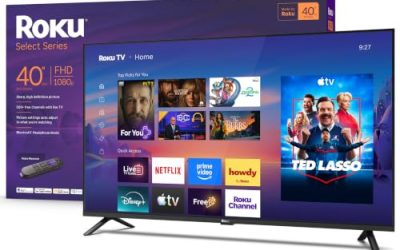
This Roku pairs a 4K QLED panel with the Roku interface, a voice remote, Wi-Fi and a Bluetooth headphone mode. The QLED label points to better color than a plain LED set, which is a useful step up for a modest increase in tier. It is a natural fit for people who mostly stream and want menus that never change on them. Households with several viewers also tend to appreciate a home screen that stays the same no matter who holds the remote.
- Strength: QLED color at a sensible tier, with 4K resolution stated.
- Strength: Bluetooth headphone mode suits late-night viewing without waking a household.
- Trade-off: the visible title text names no HDR format, so check the spec sheet before buying.
Skip it if you want Mini LED brightness or a Fire TV ecosystem.
Samsung 50-Inch M70H
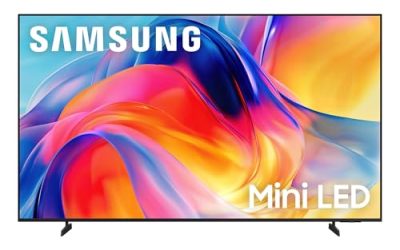
The M70H brings Mini LED backlighting to a 50-inch frame, along with a Mini LED Processor 4K, Pure Spectrum Color and the Vision AI Companion. It is aimed at buyers whose rooms get daylight and who want highlights to stay punchy rather than washed out. Compared with the plain LED sets, the processor and backlight are the reasons to pay more. A buyer comparing it with the Sony should weigh brightness against the stated 120Hz refresh rate.
- Strength: Mini LED backlighting is aimed at contrast and brightness.
- Strength: Samsung’s processor and color technology are named in the title.
- Trade-off: it costs more than the basic LED sets, and the refresh rate is not visible in the listing.
Skip it if the budget is tight and the room is dim.
Ember 50-Inch 4-Series
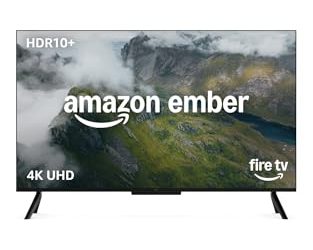
The 4-Series is a Fire TV set with 4K Ultra HD, an Alexa remote, HDR10+, Dolby Audio, a fast processor and an Ambient Experience mode that turns the screen into a display when idle. It suits households already using Alexa speakers and smart-home routines, and it adds more HDR detail than the cheapest sets in this group. For someone already invested in Alexa routines, the remote and the idle display make it feel like part of the house rather than a lone screen.
- Strength: HDR10+ and Dolby Audio are both stated in the title.
- Strength: the Ambient Experience gives the screen a use when no one is watching.
- Trade-off: no Dolby Vision is listed, so some premium streaming content will fall back to a simpler HDR format.
Skip it if you prefer Roku or Google TV menus.
Sony 50-Inch BRAVIA 3 II
Sony’s entry is a 4K HDR LED set with the XR Processor, Dolby Vision and Atmos, a Google TV interface with Gemini and a stated 120Hz refresh rate. It is the one to consider for sports, films and motion-heavy content, where the processor and refresh rate matter more than raw brightness. It lands in the mid-range to premium tier. Movie fans who care about color accuracy and smooth pans will find more to like here than in the plain LED sets, even though it is not a Mini LED design.
- Strength: 120Hz refresh rate and Dolby Vision are both in the title.
- Strength: XR Processor with AI technology is aimed at upscaling and motion handling.
- Trade-off: it is an LED panel, so contrast will trail the Mini LED Samsung sets.
Skip it if you want the lowest price or the brightest possible panel.
Samsung 50-Inch QN90F
The QN90F is a Neo QLED Mini LED set with Neo Quantum HDR+ and Object Tracking Sound Lite, placed in the premium tier. It is for buyers who want the strongest picture technology available at 50 inches, perhaps for a den or home office where one screen does everything. The Mini LED backlight is the main reason to pick it over the M70H, so it rewards buyers who sit close and notice fine contrast.
- Strength: Neo QLED with Mini LED and Neo Quantum HDR+ sit at the top of this group.
- Strength: Object Tracking Sound Lite adds a sound feature beyond plain stereo.
- Trade-off: premium pricing is hard to justify on a small bedroom TV.
Skip it if you only stream casual shows and prefer to keep spending low.
Which One Fits Your Situation
You want a big screen for the least money
Go with the Insignia F50. It delivers 4K and Fire TV apps without extras you may never use, which keeps the spend in the budget tier.
You want better color without a big jump in cost
The Roku Select Series adds QLED color and the Roku interface, which keeps navigation simple for everyone in the house.
You watch movies and sports in a bright room
The Sony BRAVIA 3 II offers 120Hz and Dolby Vision, while the Samsung M70H pushes brightness with Mini LED. Pick Sony for motion and format support, Samsung for light output.
You want the best picture at 50 inches
The Samsung QN90F is the premium option in this list, so it makes sense when picture quality is the priority and the budget allows it.
Common Mistakes
- Choosing by popularity badges instead of the HDR formats and refresh rate the TV supports.
- Assuming every 4K set has the same contrast, when panel type changes it dramatically.
- Ignoring the smart platform and then disliking the menus every day.
- Forgetting to budget for a soundbar when the built-in speakers are thin.
- Buying a renewed unit without checking warranty coverage and return terms.
Sizing and Compatibility Checklist
- Measure the stand surface, not the screen. A 50-inch diagonal is roughly 44 inches wide, but the feet on many sets sit near the outer edges, so the furniture must be at least as wide as the foot spacing listed in the manual.
- Check the mounting pattern. If the TV will go on a wall, compare the VESA hole spacing on the spec sheet with your bracket, and confirm the bracket’s load capacity exceeds the set’s weight.
- Count your HDMI sources. A streaming stick, a console, and a soundbar already fill three inputs, and several 50-inch models offer only three or four.
- Look for the ARC label. Only the HDMI port marked ARC or eARC will send sound to a soundbar through a single cable.
- Compare your seating distance with the size. At 4K, a distance of roughly five to eight feet suits a 50-inch screen; closer than that, pixel structure can show on a bright menu.
- Confirm Wi-Fi band support. A set that only joins the 2.4GHz band may stream more slowly in a crowded apartment than one that also supports 5GHz.
Specs and Terms Explained
Local Dimming
Local dimming lets zones of the backlight dim independently, which deepens black areas beside bright objects. A set marketed as “full array” has LEDs spread behind the whole panel; an edge-lit set has them along the border and usually cannot dim as precisely. More zones generally means less glow around subtitles, but the number alone does not guarantee quality.
Nits
A nit is a unit of brightness. Peak brightness figures only describe a small bright highlight, such as a sunlit window, while the sustained level across a whole bright scene is lower. For a room with large windows, look for sets whose maker highlights brightness handling and anti-glare treatment, not just a headline peak number.
Color Gamut and Quantum Dots
Gamut describes how many colors a screen can show. Quantum dot layers, the basis for the QLED label, widen it, which is why QLED models tend to look richer than basic LED panels in the same size class. They do not change contrast on their own.
Who Should Skip a 50-Inch Set
If your seat is more than ten feet from the wall, this size will look small and the next step up will feel better. If the TV is for a bedroom where you sit three or four feet away, a 50-inch screen can feel overwhelming. Buyers who mostly watch broadcast channels over an antenna should also remember that 4K detail only helps with sources that actually deliver it.
Related guides
- Helping Hands Soldering Station With Magnifier
- Is 8000Hz Polling Rate Worth It For 144Hz Monitor
- Bench Power Supply For Electronics Hobbyists
Frequently Asked Questions
Is 50 inches big enough for 4K?
Yes. At a normal couch distance of 7 to 9 feet, 4K detail is visible on a 50-inch screen, particularly with streaming and console content. Closer seating makes the benefit even clearer, and sitting nearer than 6 feet is where a basic 1080p set would start to look soft by comparison.
Do I need Mini LED?
Not unless your room is bright or you care about contrast. Mini LED improves highlights and dark areas, but a good QLED or LED set is enough for casual viewing and costs less.
Which smart platform is best?
It depends on your habits. Fire TV suits Alexa households, Roku favors simplicity, and Google TV is strong on search and recommendations. All of them cover the major streaming apps.
Do I need 120Hz?
Only for sports, high-frame-rate console games or smoother motion. Most streaming video works fine at 60Hz, so skip the premium if those uses do not apply to you.