
Key takeaways
- Pro: Cartridge-free supertank design cuts running costs dramatically
- Pro: Full ADF with fax, scanner, and copier in one footprint
- Con: Higher initial price than cartridge-based alternatives
Choosing among Epson printers is rarely about finding the best machine in the abstract. It is about matching a printer’s duty cycle, feature set, and ink economy to the specific pages you actually put through it each week. A home user who prints a few school worksheets and a color photo once a month has entirely different needs from a small office running five-person scan-and-print workflows with fax and ADF requirements.
What separates a good buy from a regrettable one in this lineup is feature-to-price alignment. EcoTank models trade higher upfront cost for drastically lower long-term ink expense, but only if you print enough to justify it. Cartridge-based Expression and Workforce Pro units reverse that logic. Over the course of this roundup, I compared published specifications, listed prices, and owner feedback to identify which machine makes sense for which type of buyer.
Our top picks




As an Amazon Associate we earn from qualifying purchases at no extra cost to you. Ratings are shown as listed on Amazon.
Quick Picks
| Product | Best for | Price |
|---|---|---|
| EcoTank ET-4800 | Home office with heavy mixed use | $199.99 |
| EcoTank ET-2903 | Low-volume home printing | n/a |
| Workforce Pro WF-3820 | Small business document output | n/a |
| Workforce Pro WF-3823 | Budget small office | $79.99 |
| EcoTank ET-2800 | Home users prioritizing ink savings | $199.99 |
| Expression Premium XP-7100 | Occasional color and photo printing | $149.99 |
| EcoTank ET-2988 (Renewed) | Value seekers wanting duplex | $169.99 |
| EcoTank ET-2980 | Home users wanting newer EcoTank features | $268.99 |
How We Picked
I narrowed this list using four criteria: cost-per-page economics (supertank versus traditional cartridge), feature set versus realistic workload, connectivity options that match your environment (Ethernet for offices, Wi-Fi for homes), and durability signals drawn from multi-year owner feedback. A printer that scores well on one axis but poorly on another is flagged honestly rather than hidden behind a generic recommendation.
The 8 Best Epson Printers in 2026
EcoTank ET-4800
This is the strongest all-in-one choice for a busy home office. The supertank system eliminates cartridges, and the built-in ADF handles multi-page scanning and faxing without hand-feeding. Ethernet connectivity keeps it stable on wired networks where Wi-Fi drops cause frustration. Owner feedback consistently praises the tank capacity lasting well beyond a year at moderate volumes.
- Pro: Cartridge-free supertank design cuts running costs dramatically
- Pro: Full ADF with fax, scanner, and copier in one footprint
- Con: Higher initial price than cartridge-based alternatives
Skip it if you print fewer than thirty pages a month; the upfront premium only pays off with volume.
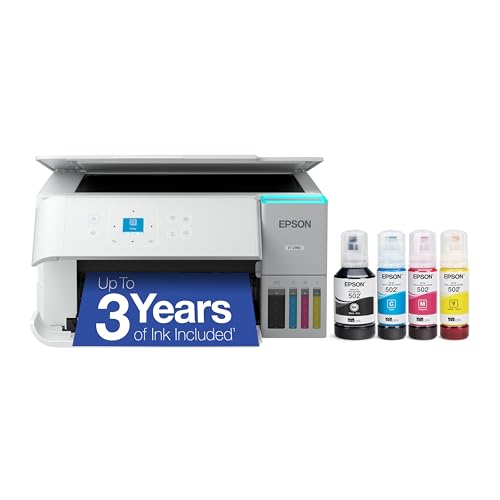
EcoTank ET-2903
The ET-2903 targets households that want supertank savings without the home-office feature tax. Its 11 PPM speed handles school packets and everyday documents fine, and the 1.44-inch color screen makes navigation straightforward for anyone who has struggled with tiny monochrome displays. The built-in scanner covers copy and scan needs. Refillable tanks ship with enough ink for up to three years of typical home printing.
- Pro: Includes roughly three years of ink in the box
- Pro: Compact footprint with an easy-to-read color display
- Con: No ADF or fax; flatbed scanning only
Skip it if you regularly batch-scan documents or need fax capability.
Workforce Pro WF-3820
The WF-3820 sits in Epson’s business-oriented Workforce Pro line and suits a small office that still relies on cartridge-based inkjet economics. It delivers faster first-page-out times than consumer models and includes a duplex unit for double-sided reports. Owners in accounting and legal practices report reliable performance over years of daily use, though cartridge replacement intervals are noticeably shorter than EcoTank equivalents.
- Pro: Automatic two-sided printing out of the box
- Pro: Business-grade duty cycle and paper handling
- Con: Ongoing cartridge costs erode the price advantage over time
Skip it if your print volume exceeds a few hundred pages monthly; the cartridge math stops working in your favor.
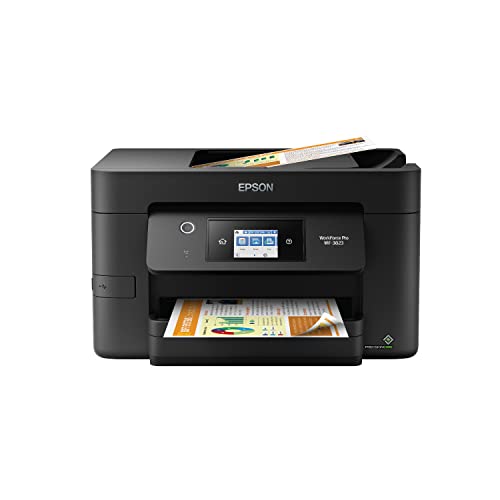
Workforce Pro WF-3823
At $79.99, the WF-3823 is the cheapest way to get Workforce Pro features into a small office. It mirrors the WF-3820’s connectivity and duplex capabilities at a fraction of typical street prices. For a startup that needs a capable color printer without committing to a supertank system yet, this is a pragmatic entry point. The low price also makes it reasonable for shared spaces where the machine will be replaced or relocated within a year or two.
- Pro: Remarkably low price for a business-class all-in-one
- Pro: Full duplex and wireless connectivity included
- Con: Cartridge costs will exceed the printer’s purchase price within months at moderate volume
Skip it if you plan to keep the printer beyond eighteen months; EcoTank ownership becomes cheaper well before that point.
EcoTank ET-2800
The ET-2800 is the original budget EcoTank, and at $199.99 it still earns its place for users who simply want supertank savings in a compact form. It lacks the ADF and screen improvements of newer models, but the core printing engine produces the same clean color output. For a dorm room or a second-floor office where you only print a handful of pages a week, its no-frills design means fewer things to configure and fewer things to break.
- Pro: Proven supertank system with extremely low cost per page
- Pro: Simple setup and minimal maintenance requirements
- Con: No ADF, no touchscreen, and slower speed than current-generation models
Skip it if you need multi-page scanning or want a modern display; the price gap to the ET-2903 has narrowed considerably.
Expression Premium XP-7100
The XP-7100 is Epson’s answer for households that print more photos than text. Its six-color ink system produces richer gradients than four-color competitors, and the front-loading paper tray accommodates specialty media without rearranging the rear feed. At $149.99, it undercuts most photo-oriented all-in-ones. CD/DVD printing and a built-in memory card slot add creative flexibility that EcoTank models omit by design.
- Pro: Six-color ink set delivers noticeably better photo output
- Pro: Front-loading tray and media slot simplify specialty jobs
- Con: Cartridge replacement costs rise steeply with any real volume
Skip it if you print mostly documents; the photo-optimized inks are overkill and will dry out before you use them.
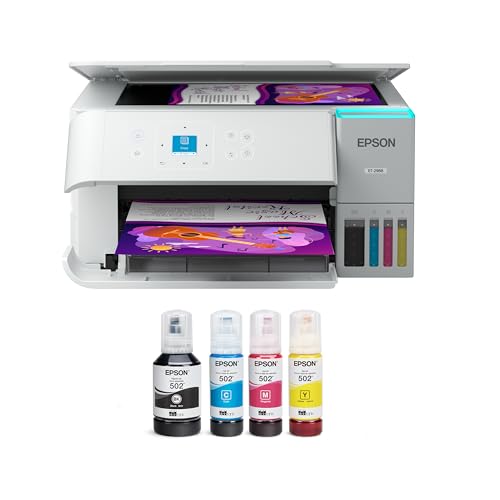
EcoTank ET-2988 (Renewed)
This renewed ET-2988 bundles 15 PPM speed, auto two-sided printing, and a 1.44-inch color screen at $169.99, undercutting the new ET-2980 by a comfortable margin. For buyers comfortable with a refurbished unit that still carries EcoTank’s refillable-tank promise, this is the best value in the supertank tier. The duplex unit alone saves reams of paper over a year, making it a practical upgrade over the ET-2800 without paying full retail.
- Pro: Auto duplex at a price that matches non-duplex competitors
- Pro: Faster than most home-class printers at 15 PPM
- Con: Renewed status means no original packaging and a shorter support window
Skip it if you strongly prefer new-condition hardware or want full manufacturer warranty coverage.
EcoTank ET-2980
The ET-2980 represents the current-generation home EcoTank at $268.99, the priciest model here. It pairs a faster engine with a larger touchscreen and the same up-to-three-years-of-ink promise found in the ET-2903. For someone who wants the latest connectivity features, including improved mobile printing protocols, and is willing to pay for it, the ET-2980 is the safe long-term bet. The white finish also fits modern home decor better than black alternatives.
- Pro: Newest interface with the largest screen in the home EcoTank line
- Pro: Improved mobile and voice-assistant compatibility
- Con: Premium price only justifiable if the newest features matter to you
Skip it if budget is the priority; the ET-2903 delivers most of the experience for less money.
Buying Guide
Supertank versus cartridge: when each makes sense
EcoTank and Workforce Pro lines represent two different cost structures. Supertank models charge more upfront but deliver near-zero ink cost for thousands of pages. Cartridge-based units cost less on day one but accumulate expense quickly. The crossover point typically falls around three to five hundred pages per month. Below that threshold, cartridges remain economical. Above it, EcoTank’s refillable system saves meaningful money annually. Factor in how long you plan to keep the machine before deciding which model to buy.
Feature requirements: ADF, duplex, and connectivity
Decide which features you will use weekly, not occasionally. An ADF matters if you scan contracts or receipts in batches; flatbed-only scanning is tedious at volume. Auto duplex is valuable for office reports but irrelevant for a user printing a single-page letter weekly. Ethernet is worth having in shared or multi-story environments where Wi-Fi coverage is inconsistent. The ET-4800 covers all three needs; smaller EcoTank models deliberately omit them to hold price down.
Print speed and output quality expectations
Advertised PPM figures are manufacturer best-case, measured on plain text at draft quality. Real-world output for color pages and duplex scanning runs noticeably slower. For most home users, the difference between 11 PPM and 15 PPM is imperceptible in practice. Where speed genuinely matters is office environments printing five-hundred-page contracts; there, the Workforce Pro line’s faster first-page-out time saves meaningful minutes per job. For photo output, ink count matters far more than speed.
Our Verdict
The EcoTank ET-4800 is the best overall pick. It combines supertank economics with the ADF, fax, and Ethernet features that make it genuinely useful in a home office, all at a competitive $199.99. For tight budgets, the Workforce Pro WF-3823 at $79.99 offers business-class features at an entry price, accepting cartridge costs as a short-term trade-off. The renewed ET-2988 wins outright if auto-duplex printing is non-negotiable and you are comfortable with a refurbished unit; it delivers that feature at $169.99, the lowest price in the supertank tier.
FAQ
Do EcoTank printers really save money over cartridges?
Yes, but the savings depend on volume. EcoTank ink bottles cost a fraction of equivalent cartridge output, so heavy users see substantial annual savings. Light users who print fewer than fifty pages a month may not recover the higher upfront purchase price within the machine’s usable life.
Can I use third-party ink in an EcoTank?
Epson’s warranty terms do not void automatically from third-party ink, but the printers rely on a specific viscosity and pigment formulation. Owner reports on non-Epson ink vary widely, and clogging or color drift issues are more common. Sticking with OEM bottles eliminates that risk entirely.
What does “renewed” mean for the ET-2988?
A renewed unit is a factory-refurbished printer that has been tested, cleaned, and restored to working condition, often sold with a limited seller warranty rather than Epson’s full coverage. It is not the same as a new-in-box unit, but the internal mechanics are typically equivalent.
How long do Epson print heads last?
With regular weekly use, EcoTank print heads can last the lifetime of the machine, which commonly exceeds five years. Cartridge-based models have shorter head life, often two to three years of moderate use. Running a maintenance cycle monthly prevents dried-ink clogs regardless of model.






